
Rhagymadrodd
This manual provides detailed instructions for the JZK Voice Remote Control, designed as a replacement or secondary remote for NVIDIA Shield TV Pro models from 2015, 2017, and 2019. This remote features voice search capabilities and an ergonomic design for comfortable use. Please read this manual thoroughly before operating your device.
Cynnwys Pecyn
Gwiriwch fod yr holl eitemau yn bresennol yn eich pecyn:
- 1 x JZK Voice Remote Control
- 1 x Canllaw Defnyddiwr (Y ddogfen hon)
Note: 2x AAA batteries are required and are not included in the package.

Image: Contents of the JZK remote control package, including the remote and a small user guide.
Gosod
1. Gosod Batri
- Lleolwch y compartment batri ar gefn y teclyn rheoli o bell.
- Llithrwch glawr y batri i lawr i'w agor.
- Mewnosodwch ddau (2) fatri AAA, gan sicrhau'r polaredd cywir (+ a -) fel y nodir y tu mewn i'r adran.
- Sleidiwch y clawr batri yn ôl i'w le nes ei fod yn clicio'n ddiogel.

Image: The remote control with its battery cover removed, illustrating where to insert two AAA batteries.
2. Paru'r Rheolaeth Anghysbell
The remote control uses an infrared connection. For initial setup or re-pairing, follow these steps:
- Ensure your NVIDIA Shield TV is powered on and within 1 foot (approx. 30 cm) of the remote control.
- On your NVIDIA Shield TV, navigate to Settings > Device Preferences > Remotes & Accessories.
- Pwyswch a dal y Yn ol botwm a'r Cartref button simultaneously on the JZK remote control until the remote's indicator light begins to flash.
- The NVIDIA Shield TV should detect the new remote. Select it from the list of available devices to complete the pairing process.
- Once paired, the remote's light will stop flashing, and you can begin using it.
If pairing fails, ensure the batteries are correctly installed and charged, and try the process again. You may also need to restart your NVIDIA Shield TV.
Cyfarwyddiadau Gweithredu
Ymgyfarwyddwch â'r botymau a'u swyddogaethau:

Image: Detailed button layout of the JZK remote control with labels for each function.
| Nac ydw. | Botwm | Swyddogaeth |
|---|---|---|
| 1 | Meicroffon adeiledig | Used for Voice Search commands. |
| 2 | Grym | Turns the NVIDIA Shield TV on or off. |
| 3 | Gosodiadau | Accesses the NVIDIA Shield TV settings menu. (Customizable in Settings > Devices & Accessories > Customize Settings button) |
| 4 | Modrwy Mordwyo | Navigates menus: Up, Down, Right, Left. |
| 5 | Select (OK) | Confirms selections or opens items. |
| 6 | Yn ol | Yn dychwelyd i'r sgrin neu'r ddewislen flaenorol. |
| 7 | Cartref | Yn dychwelyd i'r prif sgrin gartref. |
| 8 | Cyflym-Ymlaen | Skips forward in media playback. |
| 9 | Chwarae/Saib | Yn chwarae neu'n oedi chwarae cyfryngau. |
| 10 | Ailddirwyn | Skips backward in media playback. |
| 11 | Chwiliad Llais | Activates voice command input. Press and hold, then speak your command. |
| 12 | Cynyddu Cyfrol | Yn cynyddu'r cyfaint. |
| 13 | Lleihau Cyfrol | Yn lleihau'r gyfrol. |
| 14 | Agor Netflix | Yn lansio'r rhaglen Netflix yn uniongyrchol. |
Using Voice Search
The voice search feature allows for quick navigation and content discovery. To use it:
- Pwyswch a dal y Chwiliad Llais botwm (11).
- Speak your command clearly into the built-in microphone (1). For example, say "Open YouTube," "Find action movies," or "Adjust volume."
- Rhyddhewch y Chwiliad Llais botwm pan fyddwch wedi gorffen siarad.
Cynnal a chadw
Glanhau'r Peiriant Rheolaidd
I lanhau'r teclyn rheoli o bell, defnyddiwch frethyn meddal, sych. Ar gyfer baw ystyfnig, sychwch ychydig.ampen the cloth with water or a mild, non-abrasive cleaner. Avoid using harsh chemicals or solvents, as these can damage the remote's surface or internal components.
Amnewid Batri
When the remote's performance degrades or it becomes unresponsive, it's time to replace the batteries. Follow the battery installation steps outlined in the Gosod section. Always replace both AAA batteries at the same time with new ones.
Datrys problemau
If you encounter issues with your JZK Voice Remote Control, refer to the following common problems and solutions:
| Problem | Achos Posibl | Ateb |
|---|---|---|
| Nid yw'r teclyn rheoli o bell yn ymatebol. | Low or dead batteries. Incorrect battery installation. Remote not paired. Obstruction between remote and Shield TV. | Replace batteries. Check battery polarity. Re-pair the remote (see Setup section). Ensure clear line of sight to Shield TV. |
| Voice Search not working. | Microphone blocked. Remote not properly paired for voice functions. Software glitch. | Ensure microphone is clear. Re-pair the remote. Restart NVIDIA Shield TV. |
| Buttons are sticky or not registering presses. | Baw neu falurion o dan fotymau. | Clean the remote (see Maintenance section). |
| Remote disconnects frequently. | Interference. Low batteries. | Ensure no strong interference sources nearby. Replace batteries. Re-pair the remote. |
Manylebau
| Nodwedd | Manylyn |
|---|---|
| Brand | JZK |
| Cydweddoldeb Model | NVIDIA Shield TV Pro (2015, 2017, 2019 models), NVIDIA Shield TV Cube (2019) |
| Math Cysylltiad | Is-goch (IR) |
| Ffynhonnell Pwer | 2 x Batris Alcalïaidd AAA (heb eu cynnwys) |
| Nodweddion Arbennig | Voice Search, Ergonomic Design, Dedicated Netflix Button |
| Deunydd | ABS gwydn |
| Lliw | Du/Gwyn |
| Dimensiynau (L x W x H) | Tua 16.8 x 6 x 2.6 cm (6.6 x 2.4 x 1.0 modfedd) |
| Pwysau | Tua 60 gram (2.1 owns) |

Image: Dimensions of the JZK remote control, indicating its length, width, and thickness.
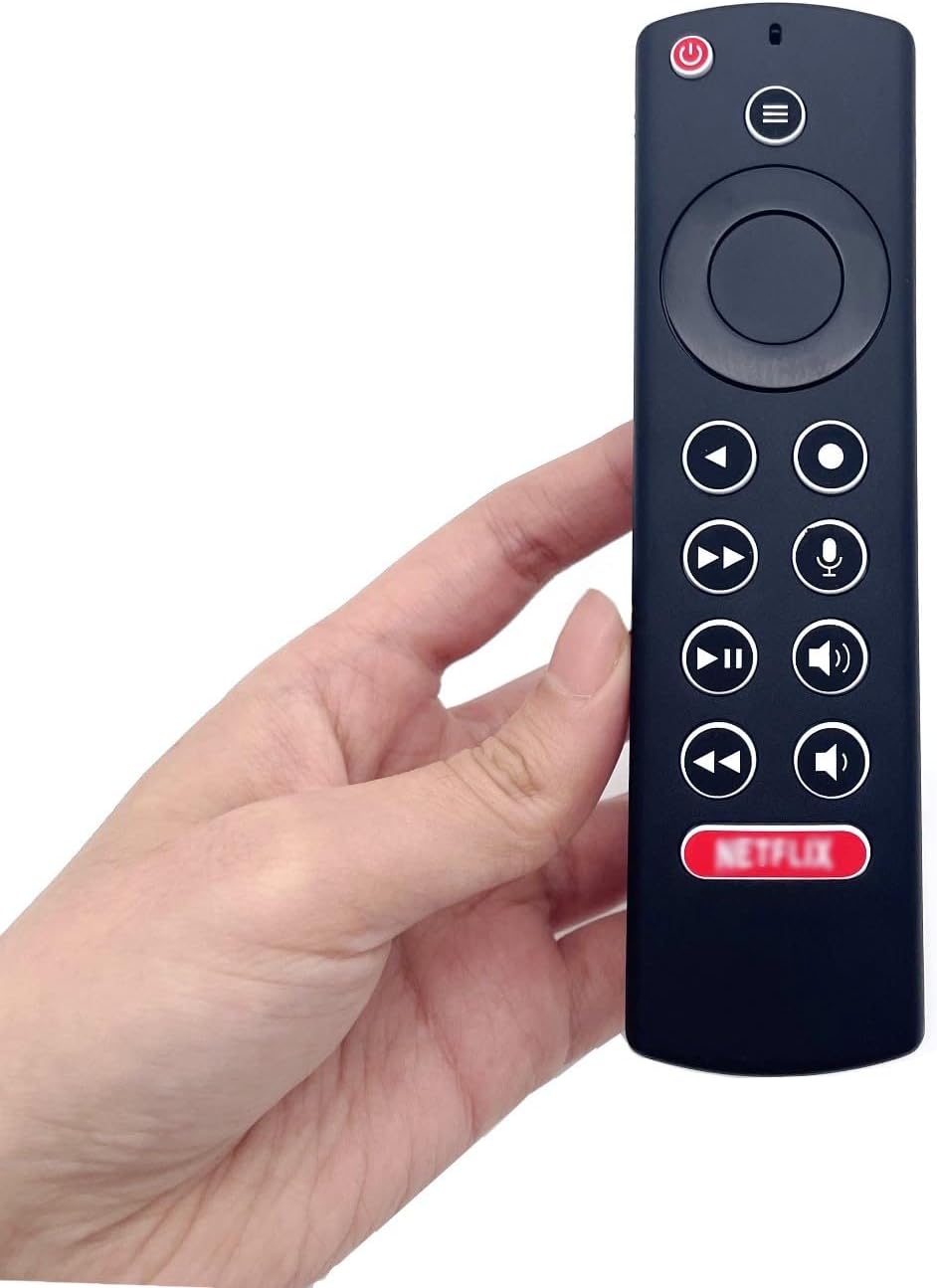
Image: The JZK remote control held in a hand, highlighting its comfortable and ergonomic design.
Gwybodaeth Gwarant
Specific warranty details for this JZK product are not provided in the product description. Please refer to the retailer's return policy or contact JZK customer support for information regarding warranty coverage and terms.
Cefnogaeth
For further assistance, troubleshooting, or inquiries about your JZK Voice Remote Control, please contact the retailer where you purchased the product or refer to the official JZK website for customer support options.