
1. Rhagymadrodd
This manual provides detailed instructions for the setup, operation, and maintenance of your JoFomp 17.3" Large Digital Wall Clock. Please read this manual thoroughly before use to ensure proper functionality and longevity of the product.
2. Gwybodaeth Diogelwch
- Ensure the clock is connected to a stable power source (5V/2A adapter included).
- Peidiwch ag amlygu'r ddyfais i dymheredd eithafol, golau haul uniongyrchol, na lleithder uchel.
- Cadwch allan o gyrraedd plant.
- Peidiwch â cheisio dadosod neu atgyweirio'r ddyfais eich hun. Cysylltwch â chymorth cwsmeriaid am gymorth.
- Mae angen 2 fatris AAA ar y teclyn rheoli o bell (heb ei gynnwys).
- A 1 AAA battery (not included) is required for the memory function to retain settings during power outages.
3. Cynnwys Pecyn
Gwiriwch fod yr holl eitemau yn bresennol yn y pecyn:
- JoFomp 17.3" Digital Wall Clock
- Rheolaeth Anghysbell
- Addasydd Pwer DC 5V / 1A
- Cord Pŵer
- Mounting Hooks (2)
- Mounting Template Ruler
- Llawlyfr Defnyddiwr (y ddogfen hon)

Ffigur 3.1: Ategolion a phrif uned sydd wedi'u cynnwys.
4. Cynnyrch Drosview
The JoFomp 17.3" Large Digital Wall Clock features a clear LED display and multiple functions for convenience.

Figure 4.1: Front display of the digital wall clock.
4.1 Nodweddion Arddangos
- Arddangosfa Amser: Large 17.3" LED digits.
- Arddangos dyddiad: Month and Day.
- Diwrnod yr Wythnos: Indicated by illuminated text (Mon-Sun).
- Tymheredd: Displays in Celsius or Fahrenheit.
- Lleithder: Displays relative humidity percentage.
- Larymau Deuol: Two independent alarm settings.
- Dangosydd DST: Daylight Saving Time status.

Figure 4.2: Labeled display functions.
4.2 Back Panel and Buttons
The back of the clock houses control buttons and connection ports.

Figure 4.3: Back panel with labeled components.
- Botymau Gosod: Five buttons for manual adjustments (Light, SET, +, -, Alarm).
- Memory Battery Compartment: For 1 AAA battery (not included) to retain settings.
- Pwerdy: Ar gyfer cysylltu'r addasydd pŵer.
- Tyllau Mowntio: Ar gyfer gosod wal.
5. Gosod
5.1 Cysylltiad Pwer
- Connect the power cord to the clock's power port.
- Plug the 5V/2A power adapter into a standard electrical outlet. The clock will power on and display.
Nodyn: The clock requires continuous power to operate. It is not battery-powered for primary display.
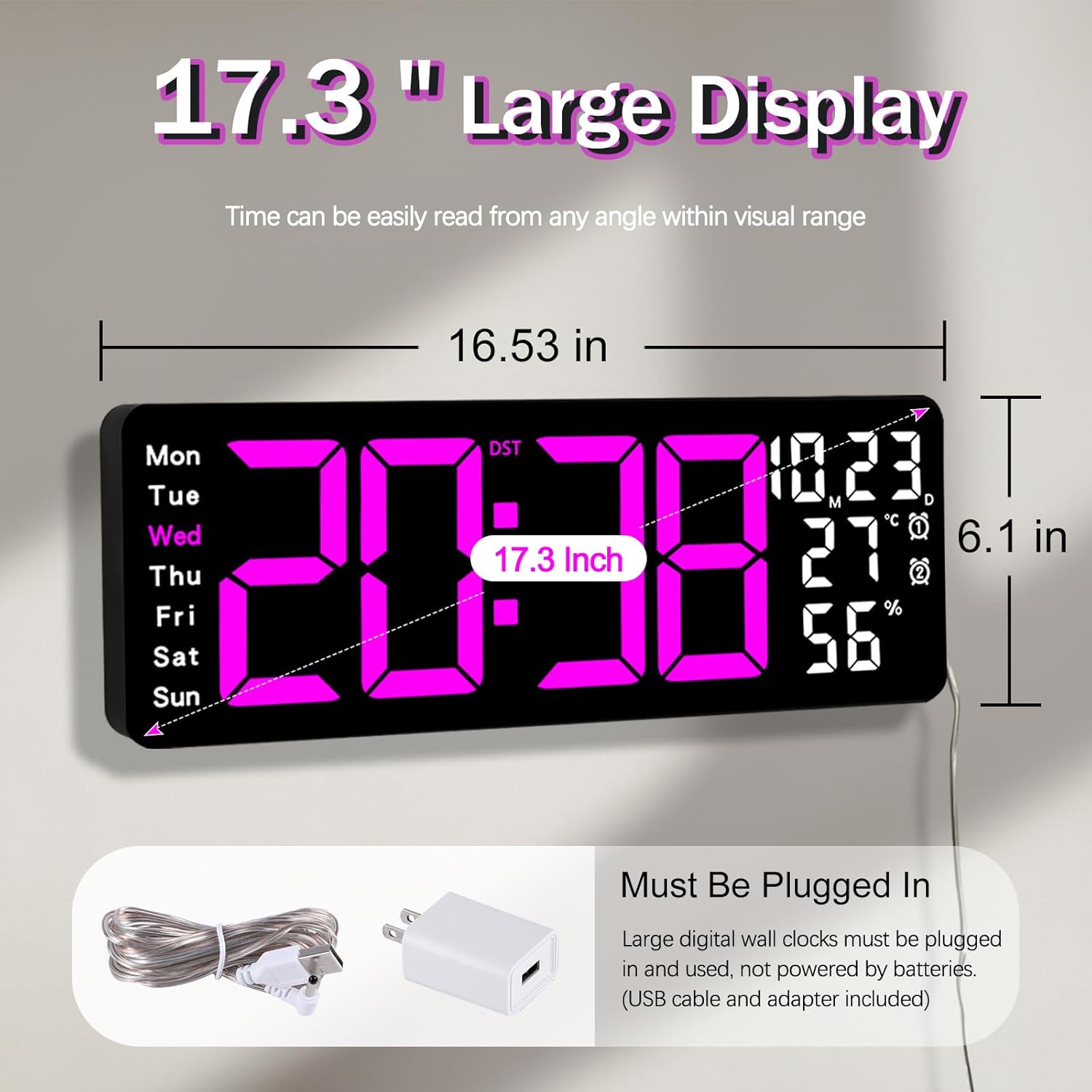
Figure 5.1: Power connection and dimensions.
5.2 Memory Battery Installation (Optional)
To retain time and settings during a power outage, install a 1 AAA battery (not included) into the memory battery compartment on the back of the clock.
- Locate the memory battery compartment on the back of the clock.
- Agorwch y clawr compartment.
- Mewnosodwch un batri AAA 1.5V, gan sicrhau'r polaredd cywir (+/-).
- Caewch orchudd yr adran yn ddiogel.
5.3 Mowntio Wal
Use the included mounting template ruler and hooks for easy wall installation.
- Determine the desired location for your clock.
- Place the mounting template ruler on the wall at the desired height.
- Mark the positions for the mounting hooks according to the ruler's indications.
- Install the mounting hooks into the wall at the marked positions.
- Carefully hang the clock onto the installed hooks, ensuring it is level and secure.
6. Cyfarwyddiadau Gweithredu
The clock can be operated using either the remote control or the buttons on the back.
6.1 Gosod Amser a Dyddiad
Use the remote control or the "SET" button on the back of the clock.
- Gwasgwch y GOSOD button (on remote or back of clock) to enter setting mode.
- Defnyddiwch y + a - botymau i addasu'r gwerth sy'n fflachio (e.e., awr, munud, blwyddyn, mis, diwrnod).
- Gwasgwch GOSOD again to confirm the current setting and move to the next parameter.
- Repeat until all settings are configured.
6.2 Trosi Fformat 12/24 Awr
To switch between 12-hour and 24-hour time formats:
- Pwyswch y bwrpasol 12/24H botwm ar y teclyn rheoli o bell.
- Alternatively, during time setting, the format option will appear.

Figure 6.1: 12/24H format conversion.
6.3 Trosi Uned Tymheredd (°C/°F)
I newid rhwng unedau tymheredd Celsius a Fahrenheit:
- Gwasgwch y ° C / ° F. botwm ar y teclyn rheoli o bell.
6.4 Alarm Setting (Dual Alarms)
Mae'r cloc yn cefnogi dau larwm annibynnol.
- Gwasgwch y ALARM button on the remote control or the back of the clock.
- Defnydd + a - i osod yr amser larwm dymunol.
- Gwasgwch ALARM again to confirm and move to the next alarm or exit.
- To activate/deactivate an alarm, press the corresponding alarm button (e.g., AL1 or AL2) ar yr anghysbell.
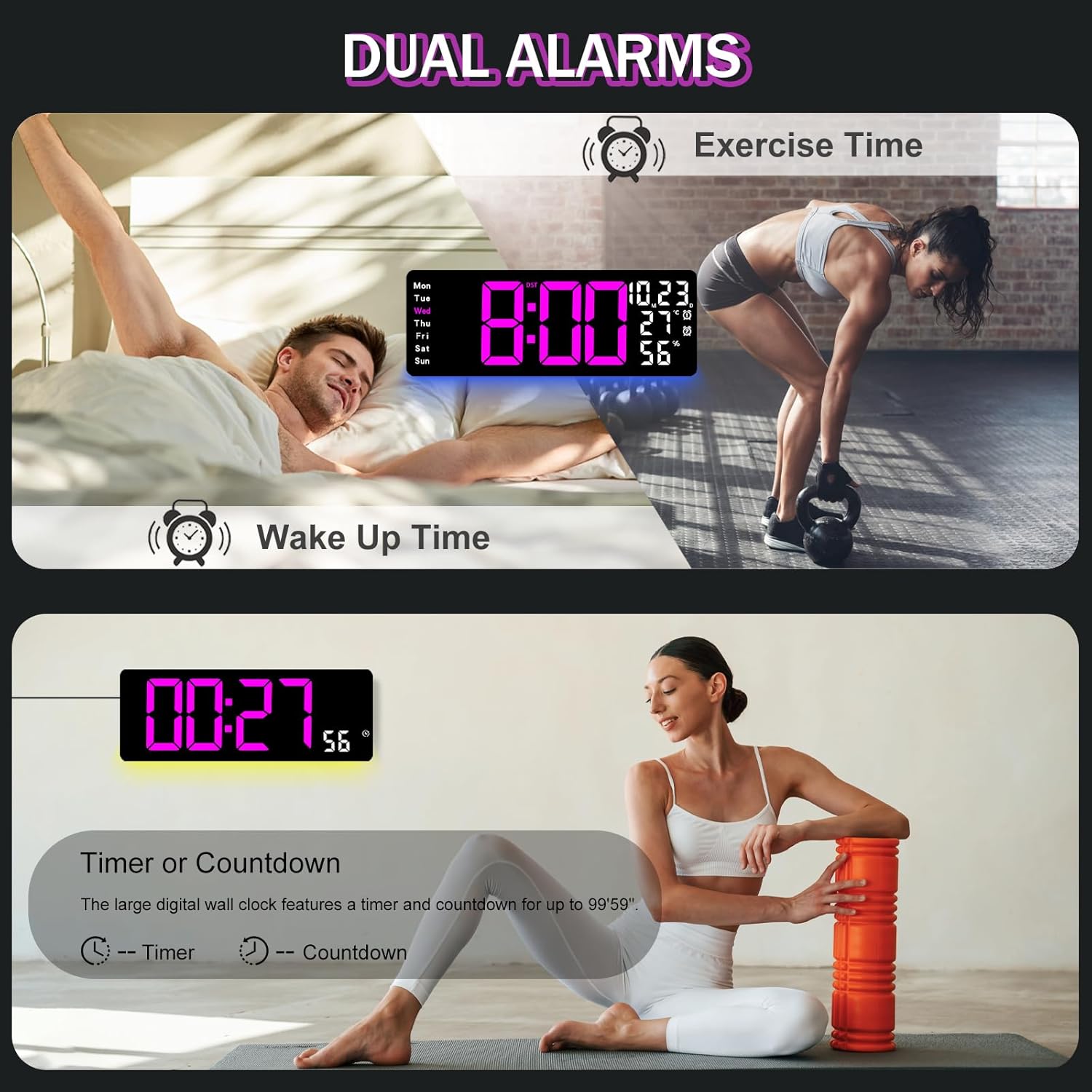
Figure 6.2: Dual alarm and timer functions.
6.5 Addasiad Disgleirdeb
The clock offers 10 levels of brightness, adjustable manually or automatically.
- Disgleirdeb Awtomatig: The built-in light sensor adjusts brightness based on ambient light. Activate this mode by pressing the AWTO botwm ar y teclyn anghysbell.
- Disgleirdeb â llaw: Gwasgwch y DIsgleirdeb button on the remote, then use + a - to select one of the 10 levels.

Figure 6.3: Custom and auto-brightness settings.

Figure 6.4: Brightness regulator illustration.
6.6 Ambient Light Features
The clock includes a night light feature at the bottom with multiple color options.
- Gwasgwch y GOLAU button on the remote control or the back of the clock to cycle through 8 fixed colors and 1 multi-color mode.
- In multi-color mode, the colors automatically convert. Press OK to fix a favorite color.
- Adjust the brightness of the ambient light using the + a - buttons when the ambient light is active.

Figure 6.5: Multiple ambient night light options.

Figure 6.6: 9 color ambient light options.
6.7 Swyddogaeth Amserydd a Chyfrif i Lawr
The clock features a timer (count-up) and countdown function up to 99 minutes and 59 seconds.
- Gwasgwch y AMSERYDD botwm ar y teclyn rheoli o bell.
- Defnydd + a - to set the desired time for countdown.
- Gwasgwch DECHRAU/STOPIO to begin or pause the timer/countdown.
- Gwasgwch AILOSOD i glirio'r amserydd.

Figure 6.7: Timing function (count-up/countdown).
Video 6.1: Demonstration of multi-functional features including night light change, brightness control, count-up, and countdown. This video also shows the time, date, day, alarm clock, temperature, and humidity displayed on the same screen, along with 12/24 hour conversion, Celsius/Fahrenheit conversion, and DST enablement. The back design and buttons are also briefly shown.
6.8 Amser Arbed Golau Haf (DST)
If DST is observed in your region, you can enable or disable it.
- Pwyswch yn hir y - button on the remote control to enable or disable DST. The DST indicator will appear/disappear on the display.

Figure 6.8: Enabling and disabling Daylight Saving Time.

Figure 6.9: Daylight Saving Time (DST) functionality.
6.9 Defnydd Rheoli o Bell
The remote control provides convenient access to all clock functions without needing to reach the clock directly.

Figure 6.10: Remote control and its functions.

Figure 6.11: Remote control in use.
- Ensure the remote control has 2 AAA batteries installed (not included).
- Point the remote control directly at the clock for optimal response.
- Each button on the remote corresponds to a specific function as described in this manual.
7. cynnal
- Clean the clock's display and body with a soft, dry cloth. Avoid abrasive cleaners or solvents.
- Ensure the power adapter and cord are free from damage.
- Replace the memory battery annually to ensure settings are retained during power interruptions.
8. Datrys Problemau
| Problem | Achos Posibl | Ateb |
|---|---|---|
| Mae arddangosfa'r cloc i ffwrdd. | Dim cyflenwad pŵer. | Check if the power adapter is securely plugged into the clock and the outlet. Ensure the outlet is functional. |
| Rheoli o bell ddim yn gweithio. | Low or dead batteries in remote; obstruction; remote out of range. | Replace remote batteries (2 AAA). Ensure no obstructions between remote and clock. Point directly at the clock within effective range. |
| Settings lost after power outage. | No memory battery or dead memory battery. | Install a fresh 1.5V AAA battery in the memory compartment. |
| Incorrect temperature/humidity reading. | Sensor interference or placement. | Ensure the clock is not placed near heat sources, direct sunlight, or in areas with extreme drafts. Allow time for the sensor to stabilize. |
| Ambient light not changing colors. | Stuck in fixed color mode. | Press the LIGHT button on the remote to cycle through modes. If stuck on a fixed color, press the OK button to release it from fixed mode. |
9. manylebau
| Nodwedd | Manylyn |
|---|---|
| Brand | JoFomp |
| Rhif Model | 6669 |
| Math Arddangos | LED digidol |
| Maint Arddangos | 17.3 modfedd |
| Dimensiynau Cynnyrch | 16.5"L x 6.7"U |
| Ffynhonnell Pwer | Corded Electric (5V/2A adapter included) |
| Batri Cof | 1 x AAA (heb ei gynnwys) |
| Lefelau Disgleirdeb | 10 (Auto/Manual) |
| Lliwiau Golau Amgylchynol | 8 Fixed + 1 Multi-color |
| Nodweddion Arbennig | Large Display, Adjustable Brightness, Temperature Display, Humidity Display, Dual Alarms, Timer, Countdown, DST, Remote Control |
| Math Mowntio | Wal Mount |
| Pwysau Eitem | 1.95 pwys |
10. Gwarant a Chefnogaeth
JoFomp products are designed for reliability and performance. For warranty information or technical support, please refer to the contact details provided with your purchase or visit the official JoFomp websafle. Cadwch eich derbynneb prynu fel prawf o brynu.