
Rhagymadrodd
Diolch am brynuasing the Andoer Digital Camera H12. This manual provides detailed instructions for the proper use and maintenance of your camera. Please read this manual thoroughly before using the camera to ensure optimal performance and longevity.
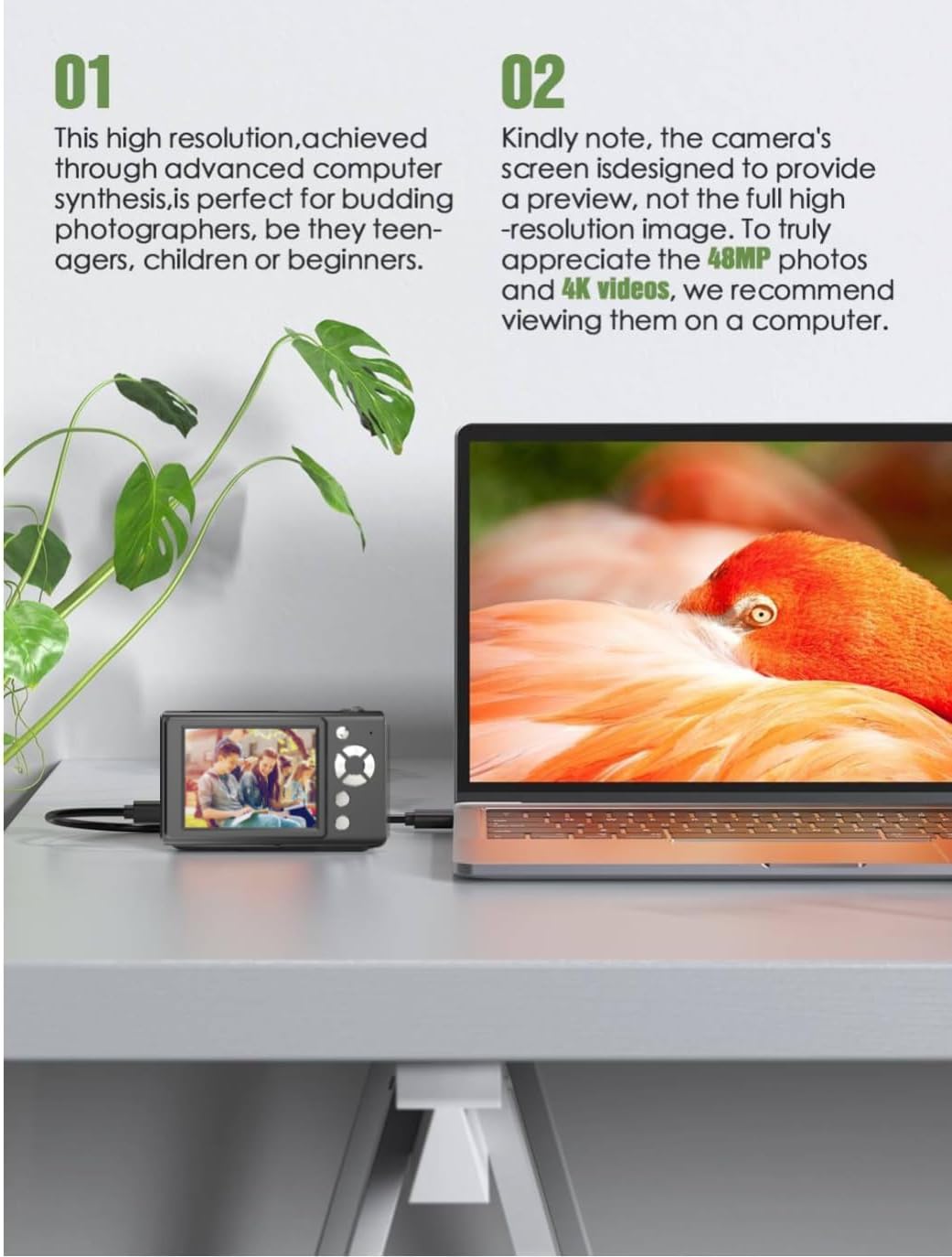
The Andoer H12 is a compact digital point-and-shoot camera featuring 1080P video recording, 48MP photo resolution, 16x digital zoom, autofocus, and an anti-shake function. It is designed for ease of use, making it suitable for various users.
Cynnwys Pecyn
Gwiriwch gynnwys y pecyn wrth ddadbocsio i sicrhau bod yr holl eitemau yn bresennol:
- 1 x Andoer Digital Camera H12
- 1 x Cebl USB (Math-C)
- Strap arddwrn 1 x arddwrn
- Cerdyn Cof 1 x 32GB
- 1 x Darllenydd Cerdyn
- 1 x Llawlyfr Defnyddiwr
Gosod
1. Codi Tâl y Batri
The camera is equipped with a built-in 3.7V 700mAh lithium battery. Before first use, fully charge the battery.
- Connect the included Type-C USB cable to the camera's USB port.
- Cysylltwch ben arall y cebl USB ag addasydd pŵer USB (heb ei gynnwys) neu borthladd USB cyfrifiadur.
- The charging indicator light will illuminate. Once charging is complete, the indicator light will change or turn off.
Nodyn: A full charge typically takes approximately 2-3 hours. Do not use the camera while it is charging.
2. Mewnosod y Cerdyn Cof
The camera supports TF (MicroSD) cards up to 128GB. A 32GB memory card is included in the package.
- Lleolwch y slot cerdyn cof ar ochr y camera.
- Gently insert the TF card into the slot with the metal contacts facing the front of the camera until it clicks into place.
- I dynnu'r cerdyn allan, gwthiwch ef i mewn yn ysgafn eto nes iddo neidio allan.

3. Cysylltu'r Strap Arddwrn
Attach the included wrist strap to the camera for added security and to prevent accidental drops.
- Thread the thin loop of the wrist strap through the strap eyelet on the camera body.
- Pass the larger end of the strap through the thin loop and pull tight to secure it.
Cyfarwyddiadau Gweithredu
1. Pŵer Ymlaen / I ffwrdd
- I droi ymlaen, pwyswch a daliwch y botwm pŵer nes bod y sgrin yn goleuo.
- I ddiffodd y pŵer, pwyswch a daliwch y botwm pŵer eto nes bod y sgrin yn diffodd.
- The camera features an auto power-off function (off/3 mins/5 mins) which can be configured in the settings.
2. Tynnu Lluniau
- Turn on the camera. The camera will typically start in photo mode.
- Frame your shot using the 2.8-inch IPS display.
- Press the shutter button halfway down to activate autofocus. The camera will recognize and track subjects.
- Once focus is achieved (indicated by a green frame), press the shutter button fully to take the picture.

3. Recordio Fideos
- Switch to video mode (refer to the camera's on-screen interface for the mode switch button).
- Press the shutter button to start recording. A red indicator or timer will appear on the screen.
- Pwyswch y botwm caead eto i roi'r gorau i recordio.
The camera supports 1080P and 720P video resolutions in AVI format. Loop recording can be set for 3, 5, or 10 minutes.
4. Swyddogaeth Chwyddo
Use the zoom buttons (usually marked 'W' for Wide and 'T' for Telephoto) to adjust the 16x digital zoom. This allows you to magnify distant subjects.

5. LED Fill Light
The camera features a built-in ring LED fill light with three lighting modes to assist in low-light conditions.
- Golau Gwyn: Bright, even, and soft illumination.
- Golau Gwyn Cynnes: Pure natural light, soft and comfortable.
- Golau Melyn: Warm color adjustment for a warm atmosphere.
Access and cycle through these modes via the camera's menu or a dedicated button (refer to the on-screen interface).

6. Swyddogaethau Eraill
- Amserydd Selfie: Options for off, 2s, 5s, or 10s delay before taking a photo.
- Saethu Parhaus: Capture a series of photos rapidly.
- Gwrth-ysgwyd: Helps reduce blur caused by camera movement.
- Effeithiau hidlo: Various built-in filters to enhance your photos.
- Gemau: Includes 4 simple games for entertainment.
- Chwarae MP3: Download MP3 music to the memory card and play it through the camera.

Cynnal a chadw
- Glanhau Corff y Camera: Defnyddiwch frethyn meddal, sych i sychu corff y camera. Ar gyfer baw ystyfnig, sychwch ychydigampen the cloth with water and then wipe dry. Avoid using chemical cleaners.
- Glanhau'r Lens a'r Sgrin: Use a specialized lens cleaning cloth or brush to gently remove dust and smudges. Do not use abrasive materials or excessive force.
- Storio: When not in use for extended periods, store the camera in a cool, dry place away from direct sunlight and extreme temperatures. Remove the memory card if not in use.
- Gofal Batri: Avoid fully discharging the battery frequently. Charge the battery regularly, even if the camera is not in use, to maintain battery health.
- Gwrthiant Dŵr: Mae'r camera hwn yn ddim yn gallu gwrthsefyll dŵr. Avoid exposure to water, rain, or high humidity.
Datrys problemau
| Problem | Achos Posibl | Ateb |
|---|---|---|
| Nid yw'r camera yn troi ymlaen. | Mae'r batri wedi'i wagio neu heb ei wefru. | Charge the camera battery fully using the provided USB cable. |
| Methu tynnu lluniau/recordio fideos. | Memory card is full, not inserted correctly, or corrupted. | Check if the memory card is inserted correctly. Delete unnecessary files or replace the memory card. Format the card if necessary (this will erase all data). |
| Mae'r delweddau'n aneglur. | Autofocus failed, camera shake, or dirty lens. | Ensure autofocus is engaged. Hold the camera steady or use the anti-shake function. Clean the lens with a soft cloth. |
| Mae'r sgrin yn wag neu wedi rhewi. | System error or temporary malfunction. | Press and hold the power button for 10 seconds to force a shutdown, then restart the camera. If the issue persists, contact customer support. |
| Methu trosglwyddo files i gyfrifiadur. | Incorrect cable connection or driver issue. | Ensure the USB cable is securely connected. Try a different USB port or computer. Use the included card reader to transfer files yn uniongyrchol o'r cerdyn cof. |
Manylebau
| Nodwedd | Manylyn |
|---|---|
| Enw Model | H12 |
| Arddangos | IPS LCD 2.8 modfedd |
| Datrysiad Ffotograffau | Up to 48MP (48M, 40M, 24M, 20M, 18M, 16M, 12M, 10M, 8M, 5M, 3M, 2M, 1M) |
| Fformat Llun | JPG |
| Datrysiad Fideo | 1080P, 720P |
| Fformat Fideo | AVI |
| Chwyddo Digidol | 16X |
| Ffocws awtomatig | Yes (Contrast Detection, 9 points) |
| Sefydlogi Delwedd | Optegol |
| Math Synhwyrydd | CMOS (1/4-inch) |
| Storio | TF card, max. 128GB (32GB included) |
| Batri | Built-in Lithium Battery (3.7V 700mAh) |
| Rhyngwyneb Codi Tâl | USB Math-C |
| Amserydd Selfie | Off/ 2s/ 5s/ 10s |
| Auto Power Off | Off/ 3 mins/ 5 mins |
| Recordio Dolen | 3 mins/ 5 mins/ 10 mins |
| Nodweddion Adeiledig | LED Fill Light (3 modes), Filter Effects, 4 Games, MP3 Playback |
| Maint Cynnyrch | 103 x 31 x 65 mm |
| Pwysau Cynnyrch | 149g (camera body) / 260g (item weight including packaging/accessories) |
| Lefel Gwrthsefyll Dŵr | Ddim yn Wrthsefyll Dŵr |
Gwybodaeth Gwarant
The Andoer Digital Camera H12 comes with a Gwarant 1 mlynedd from the date of purchase. This warranty covers manufacturing defects and malfunctions under normal use. It does not cover damage caused by misuse, accidents, unauthorized repairs, or natural disasters.
Cadwch eich prawf prynu ar gyfer hawliadau gwarant.
Cefnogaeth i Gwsmeriaid
If you encounter any issues or have questions not covered in this manual, please contact Andoer customer support. You can typically find support contact information on the official Andoer websafle neu drwy eich manwerthwr.
Am gymorth pellach, ewch i'r Andoer Store on Amazon.