
1. Rhagymadrodd
This manual provides essential information for the proper use and maintenance of your BoxWave DirectSync USB-B to USB-C Cable. This high-quality cable is designed for reliable high-speed data transfer and charging between devices equipped with a USB-B port and those with a USB Type-C port. It is compatible with various devices, including the PATPET BC01 Dog Training Collar.
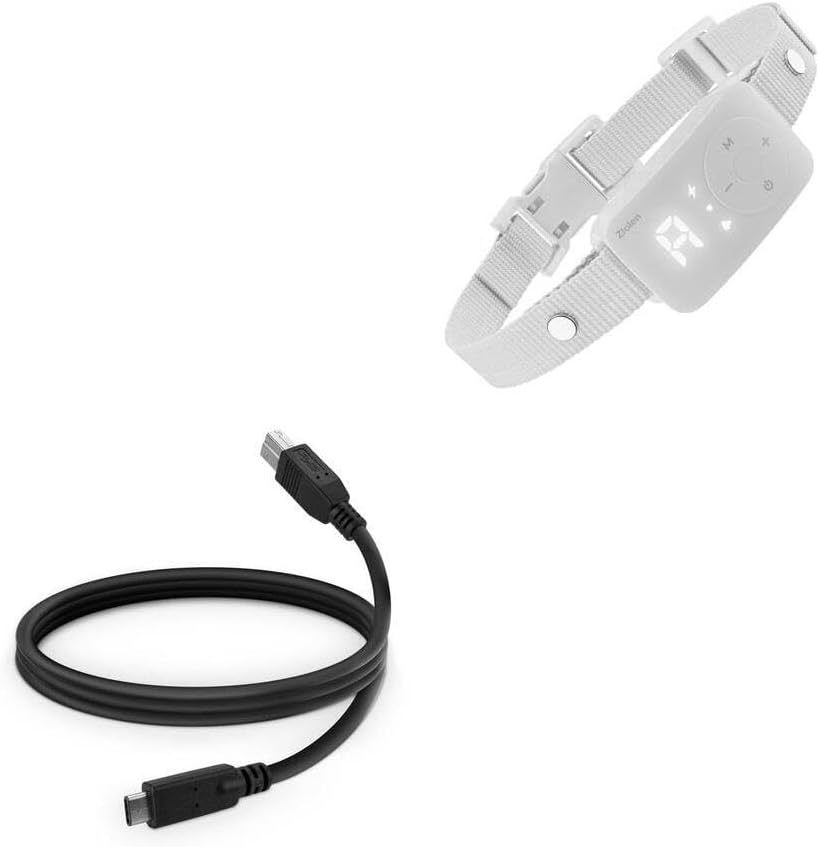
Image: The BoxWave DirectSync USB-B to USB-C Cable shown alongside a PATPET BC01 Dog Training Collar, illustrating its intended use for connectivity.
2. Gosod a Chysylltiad
The DirectSync cable is designed for straightforward plug-and-play operation. Follow these steps to connect your devices:
- Nodi Porthladdoedd: Locate the USB-B port on your device (e.g., PATPET BC01 Dog Training Collar) and the USB Type-C port on your host device (e.g., computer, laptop, or charger).
- Cysylltu USB-B: Gently insert the USB-B connector of the DirectSync cable into the corresponding USB-B port on your device. Ensure it is fully seated.
- Connect USB Type-C: Insert the USB Type-C connector of the DirectSync cable into the USB Type-C port on your computer, laptop, or charging adapter.
- Gwirio Cysylltiad: Once both ends are connected, your devices should recognize each other for data transfer or begin charging, depending on the function.

Delwedd: Manwl view of the BoxWave DirectSync cable, highlighting the distinct USB 3.0 B and USB 3.0 C connectors for easy identification during setup.
3. Cyfarwyddiadau Gweithredu
The DirectSync cable facilitates two primary functions: data synchronization and power delivery (charging).
3.1 Cydamseru Data
To transfer data between your USB-B device and a USB Type-C computer:
- Cysylltwch y cebl fel y disgrifir yn yr adran "Gosod a Chysylltu".
- Ensure your computer's operating system recognizes the connected device. This may involve installing specific drivers for your USB-B device if prompted.
- Access your device's storage or data interface through your computer's file explorer or dedicated software.
- Initiate data transfer (e.g., copying files, syncing settings) as per your device's instructions.
3.2 Codi
To charge your USB-B device using a USB Type-C power source:
- Connect the USB-B end to your device and the USB Type-C end to a compatible USB Type-C wall adapter or power bank.
- Ensure the power source provides adequate power for your device.
- Monitor your device's charging indicator to confirm power delivery.
4. Cynnal a Chadw a Gofal
Proper care will extend the lifespan of your DirectSync cable:
- Storio: When not in use, coil the cable loosely. Avoid tight coiling or sharp bends, which can damage internal wires.
- Glanhau: Use a soft, dry cloth to wipe the cable and connectors. Do not use harsh chemicals or abrasive materials.
- Trin: Always grasp the connector housing when plugging or unplugging the cable. Avoid pulling directly on the cable itself, as this can strain the connections.
- Amgylchedd: Cadwch y cebl i ffwrdd o dymheredd eithafol, golau haul uniongyrchol, a lleithder.

Image: The BoxWave DirectSync USB-B to USB-C Cable neatly coiled, demonstrating proper storage to prevent damage and extend its lifespan.
5. Datrys Problemau
If you encounter issues with your DirectSync cable, consider the following:
- No Connection/Recognition:
- Gwnewch yn siŵr bod dau ben y cebl wedi'u plygio'n ddiogel i'w porthladdoedd priodol.
- Try connecting to a different USB Type-C port on your computer or a different USB-B device to isolate the issue.
- Ailgychwynwch eich cyfrifiadur a'r ddyfais gysylltiedig.
- Check your device's manual for specific connection requirements or driver installations.
- Trosglwyddo Data Araf:
- Ensure both connected devices support USB 3.0 or higher for optimal speeds.
- Close any unnecessary applications running on your computer that might be consuming system resources.
- Gwiriwch nad yw'r cebl wedi'i ddifrodi.
- Ddim yn Codi Tâl:
- Confirm the USB Type-C power adapter or port is functional and provides sufficient power.
- Check your device's charging port for any debris that might obstruct the connection.
- Rhowch gynnig ar ffynhonnell codi tâl wahanol.
6. manylebau
| Nodwedd | Manylyn |
|---|---|
| Enw Cynnyrch | BoxWave DirectSync USB-B to USB 3.1 Type C Cable |
| Cysylltwyr | USB-B (Male) to USB 3.1 Type-C (Male) |
| Hyd | 3 troedfedd (tua 0.91 metr) |
| Ymarferoldeb | Data Sync & Charging |
| Cydweddoldeb | Devices with USB-B port (e.g., PATPET BC01 Dog Training Collar) to devices with USB Type-C port |
| Cysgodi | Shielded cable for protection and longevity |
| Pwysau | 3 owns (tua 85 gram) |
| Gwneuthurwr | Ton Bocs |
7. Gwarant a Chefnogaeth
This BoxWave DirectSync Cable includes limited third-party technical support for the PATPET BC01 Dog Training Collar (up to 3 inquiries via electronic messaging). Please note that BoxWave is not affiliated with or endorsed by PATPET.
For general inquiries regarding your BoxWave cable, please refer to the BoxWave websafle neu cysylltwch â'u cymorth cwsmeriaid yn uniongyrchol.