
Ergear EGESD7W-CA
Llawlyfr Defnyddiwr Desg Sefydlog Trydan ErGear
Model: EGESD7W-CA | Brand: ErGear
Rhagymadrodd
Thank you for choosing the ErGear Electric Standing Desk. This manual provides detailed instructions for assembly, operation, maintenance, and troubleshooting to ensure optimal performance and longevity of your desk. Please read this manual thoroughly before installation and use, and retain it for future reference.
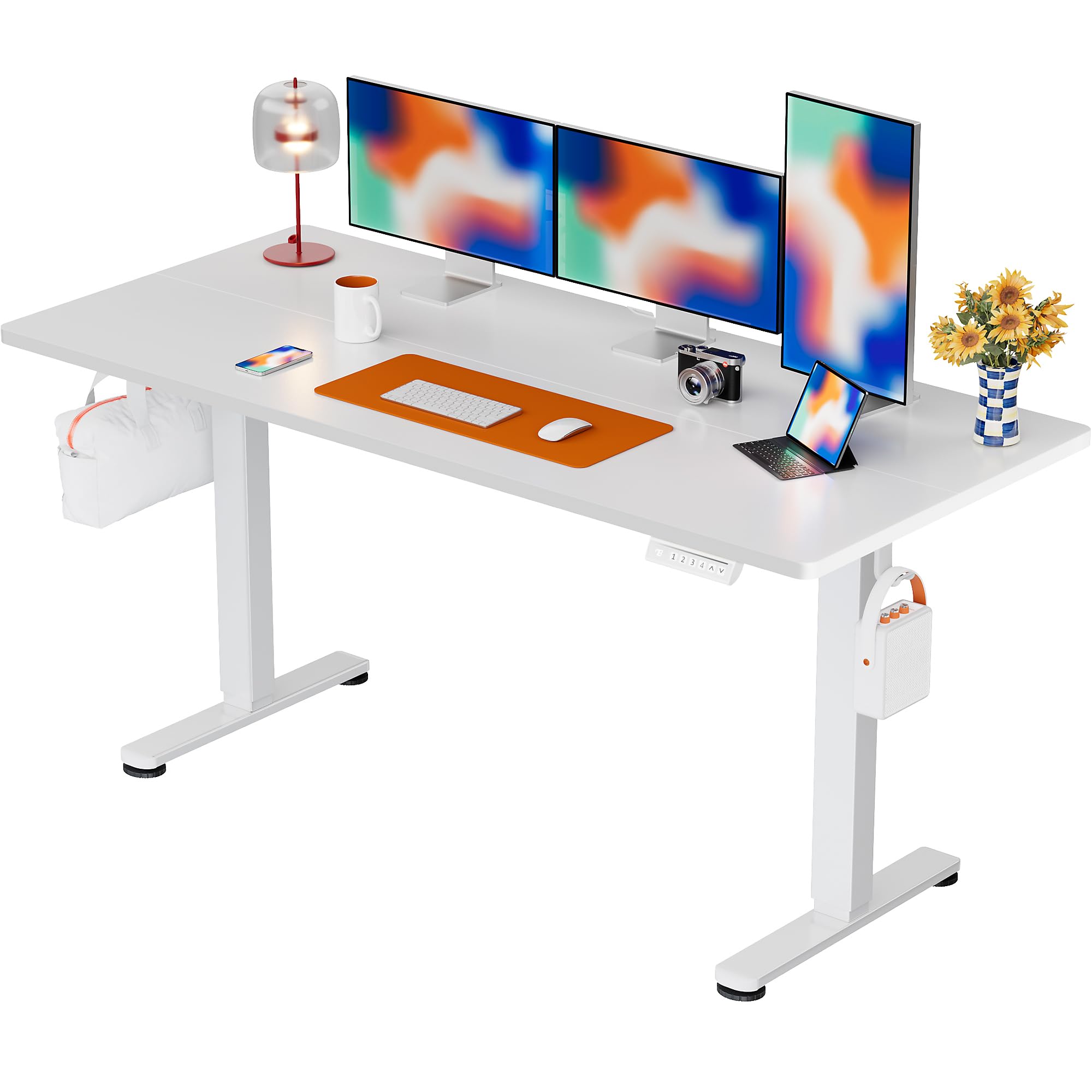
The ErGear Electric Standing Desk, 63x28 inch, in a white finish, featuring a spacious desktop and electric height adjustment capabilities.
Gwybodaeth Diogelwch
- Gwnewch yn siŵr bod yr holl gydrannau'n bresennol ac yn ddi-ddifrod cyn eu cydosod. Peidiwch â defnyddio os oes unrhyw rannau ar goll neu'n ddiffygiol.
- Cadwch blant ac anifeiliaid anwes i ffwrdd o'r ddesg yn ystod y llawdriniaeth i atal anaf.
- Do not overload the desk. The maximum weight recommendation is 176 pounds (80 kg).
- Ensure the power cord is not pinched or damaged. Connect to a grounded outlet.
- Osgowch roi hylifau'n uniongyrchol ar y panel rheoli neu ger cydrannau trydanol.
- Gwiriwch yr holl sgriwiau a chysylltiadau yn rheolaidd i sicrhau eu bod yn dynn ac yn ddiogel.
- Mae'r ddesg hon wedi'i chynllunio ar gyfer defnydd dan do yn unig.
Cynnwys Pecyn
Before beginning assembly, please verify that all the following components are included in your package:
- Desktop Boards ×2
- Leg with Motor ×1
- Coes × 1
- Leg Bases ×2
- Crossbar & Transmission Rod
- Controller & Power Cable
- Yr holl offer a chaledwedd cydosod angenrheidiol
Cyfarwyddiadau Cymanfa
Follow these steps carefully to assemble your ErGear Electric Standing Desk. An assembly video is also provided for visual guidance.
Official ErGear Electric Standing Desk Assembly Video. This video demonstrates the step-by-step process for setting up your desk.
Step 1: Assemble the Desk Legs
Attach the leg bases to the desk legs using the provided screws. Ensure they are securely fastened.

The stable T-shaped desk legs provide a sturdy foundation for the electric standing desk.
Step 2: Attach Side Plates and Transmission Rod
Connect the side plates to the desk legs. Insert the transmission rod fully into the left leg and secure it. If the two desk legs are not at the same height, insert the rod into the left leg and turn to adjust.
Step 3: Assemble and Attach the Desktop
Place the two desktop boards together, aligning the dowels. Secure the desktop to the assembled frame using the provided screws and brackets. Ensure all connections are tight.
Cam 4: Cysylltwch y Ceblau
Connect the motor and control panel cables to the main control box. Ensure all connections are firm and correctly oriented.
Step 5: Install Cable Hole Covers
Place the cable hole covers into the designated openings on the desktop to manage wires neatly.

Ergonomic guidelines for using the standing desk, showing optimal monitor and arm positions for both sitting and standing.
Cyfarwyddiadau Gweithredu
Panel Rheoli Drosview
The desk features an intuitive control panel with height adjustment buttons and memory presets.
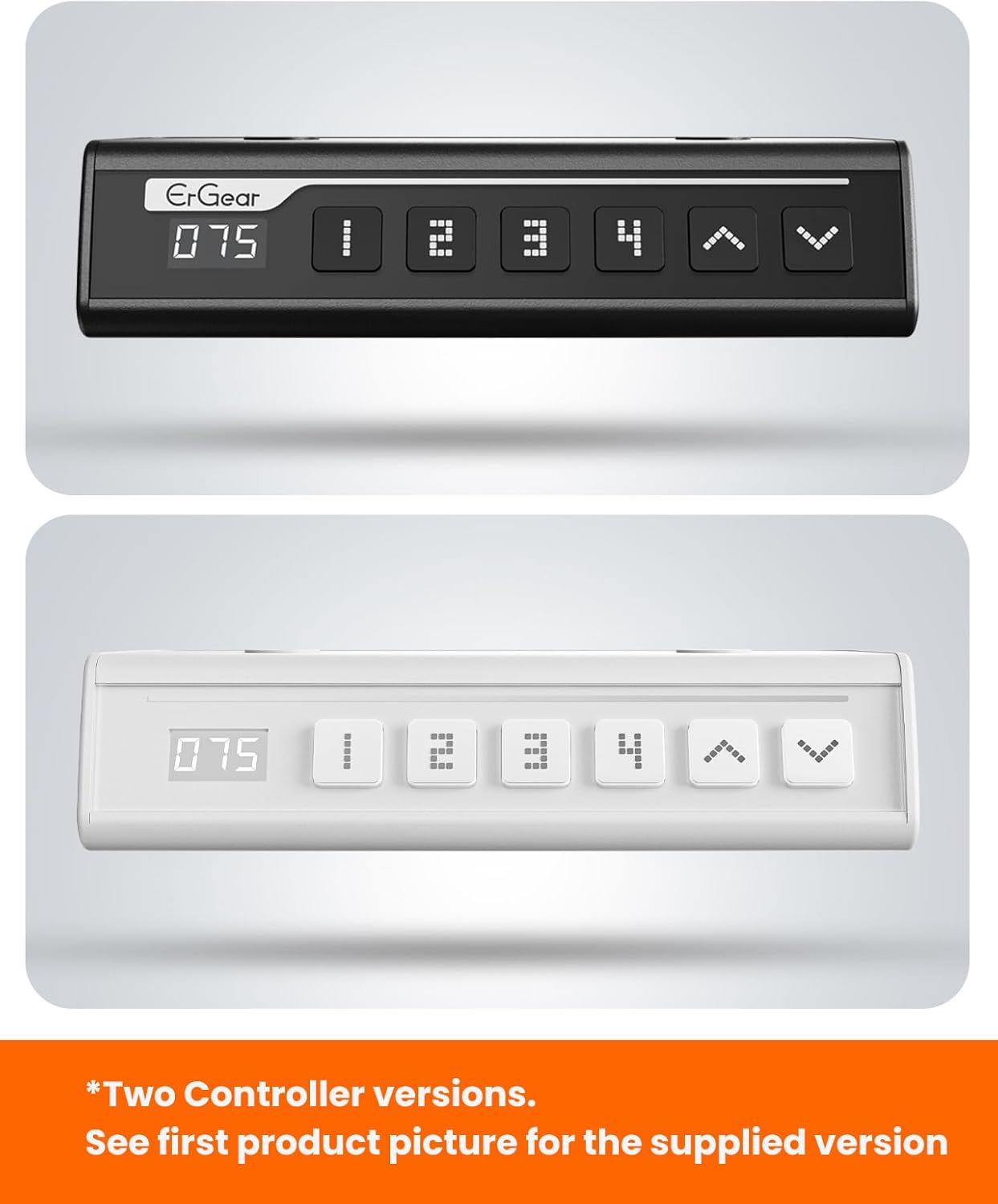
The ErGear control panel, available in two versions, features a digital height display and four programmable memory settings.
Addasiad Uchder
- Defnyddiwch y I fyny (^) a I lawr (v) arrows to smoothly adjust the desk height between 28.35 inches and 46.46 inches.
- Rhyddhewch y botwm ar eich uchder dymunol.
Rhagosodiadau Cof
The desk allows you to save up to 4 preferred height settings.
- Addaswch y ddesg i'r uchder a ddymunir gan ddefnyddio'r saethau i Fyny/I Lawr.
- Gwasgwch y M button (or equivalent memory set button). The display will flash.
- Pwyswch un o'r botymau rhagosodedig rhifedig (1, 2, 3, neu 4) o fewn 3 eiliad i gadw'r uchder cyfredol i'r rhagosodiad hwnnw.
- I alw uchder wedi'i gadw yn ôl, pwyswch y botwm rhagosodedig rhifedig cyfatebol. Bydd y ddesg yn symud yn awtomatig i'r safle wedi'i gadw.
This video demonstrates the smooth and quiet operation of the ErGear Electric Standing Desk, showcasing its height adjustment and memory preset features.
Cynnal a chadw
- Glanhau: Sychwch y bwrdd gwaith a'r ffrâm gyda lliain meddal, damp brethyn. Osgowch gemegau llym neu lanhawyr sgraffiniol.
- Arolygiad: Periodically check all screws and connections for tightness. Re-tighten if necessary.
- Rheoli Ceblau: Ensure cables are neatly organized and not tangled or pinched to prevent damage.
Datrys problemau
Os byddwch chi'n dod ar draws unrhyw broblemau gyda'ch Desg Sefydlog Drydanol ErGear, cyfeiriwch at y problemau a'r atebion cyffredin canlynol:
| Problem | Achos Posibl | Ateb |
|---|---|---|
| Nid yw'r ddesg yn symud | Power cable disconnected, motor error, overloaded desk. | Check power connections. Unplug for 30 seconds and plug back in. Reduce weight on the desk. |
| Uchder anwastad | Transmission rod not fully inserted or adjusted. | Refer to Step 2 of assembly to ensure the transmission rod is correctly installed and adjusted. |
| Sŵn yn ystod y llawdriniaeth | Normal operation sound, loose screws. | A slight motor sound is normal. Check and tighten any loose screws on the frame. |
| Rhagosodiadau cof ddim yn gweithio | Gweithdrefn arbed anghywir. | Follow the memory preset instructions carefully (press M, then the number within 3 seconds). |
Manylebau
| Nodwedd | Manylyn |
|---|---|
| Brand | ErGear |
| Rhif Model | EGESD7W-CA |
| Dylunio Desg | Desg Sefydlog |
| Siâp | hirsgwar |
| Dimensiynau Cynnyrch (D x W x H) | 71.1D x 160W x 118H Centimetrau |
| Maint | 63*28 Modfedd |
| Lliw | Gwyn |
| Isafswm Uchder | 28.35 modfedd |
| Uchder Uchaf | 46.46 modfedd |
| Trwch Pen Bwrdd | 1.5 Centimedr |
| Deunydd Sylfaenol | Dur aloi |
| Math o Ddeunydd Gorau | Pren Peirianyddol (gorffeniad Pren Cnau Ffrengig) |
| Nodweddion Arbennig | Adjustable Height, Electric, Ergonomic |
| Argymhelliad Pwysau Uchaf | 176 pwys (80 kg) |
| Cynulliad Angenrheidiol | Ydw (Yn cynnwys yr holl offer cydosod) |
Gwarant a Chefnogaeth
ErGear is committed to providing high-quality products and customer satisfaction. This product comes with:
- Amddiffyniad 5 flynedd on the desktop and desk frame.
- Amddiffyniad 2 flynedd on motors and electrical components.
For any questions, concerns, or warranty claims, please contact ErGear customer support. You can typically find contact information on the product packaging or the official ErGear website. Please have your model number (EGESD7W-CA) and purchase details ready when contacting support.

The ErGear Electric Standing Desk seamlessly integrates into various home office environments.
Dogfennau Cysylltiedig - EGESD7W-CA
 |
Desg Sefydlog Drydanol ErGear EGESD7 - Llawlyfr Gosod Canllaw gosod manwl ar gyfer desg sefyll drydanol ErGear EGESD7, yn cynnwys addasiad uchder, gosodiadau cof, ac arwyneb 63x28 modfedd. Yn cynnwys manylebau a chyfarwyddiadau gosod ar gyfer creu man gwaith ergonomig. |
 |
Llawlyfr Gosod Desg Sefydlog Drydan Addasadwy Uchder ErGear Canllaw gosod ar gyfer Desg Sefyll Drydan Addasadwy Uchder ErGear (55 x 28 Modfedd). Mae'r llawlyfr hwn yn darparu cyfarwyddiadau cam wrth gam ar gyfer cydosod, gweithredu a datrys problemau eich desg eistedd-sefyll ErGear. |
 |
Llawlyfr Gosod Ffrâm Desg Sefydlog Trydan Ergear EGESD1 Canllaw cynhwysfawr ar gyfer cydosod a gweithredu ffrâm desg sefyll drydan Ergear EGESD1. Yn cynnwys manylebau technegol, camau gosod, datrys problemau, a chyfarwyddiadau defnyddio. |
 |
Canllaw Gosod Desg Sefydlog Trydan ErGear | EGESD5V-3 Canllaw gosod swyddogol ar gyfer Desg Sefydlog Drydanol ErGear gyda Drôr (Model EGESD5V-3). Dysgwch sut i gydosod a gosod eich desg eistedd-sefyll addasadwy o uchder. |
 |
Llawlyfr Defnyddiwr a Chanllaw Cydosod Desg Sefydlog Drydanol ErGear EGESD105 Llawlyfr defnyddiwr a chanllaw cydosod cynhwysfawr ar gyfer y ddesg sefyll drydan ErGear EGESD105. Yn cynnwys gwybodaeth diogelwch, manylebau, cyfarwyddiadau cydosod cam wrth gam, gweithrediad y rheolydd, datrys problemau cod gwall, a datganiadau cydymffurfiaeth. |
 |
Llawlyfr Cyfarwyddiadau Desg Sefydlog Trydan ErGear Llawlyfr cyfarwyddiadau cynhwysfawr ar gyfer Desg Sefydlog Drydanol ErGear, yn cwmpasu cydosod, gweithredu a datrys problemau ar gyfer modelau EGESD9B ac EGESD9V. |
Ask a question about this manual
Ask about setup, troubleshooting, compatibility, parts, safety, or missing instructions. Manuals+ will review the question and use this page’s manual context to help answer it.