
ZZB WP-03C
ZZB WP-03C Bluetooth Speaker User Manual
Model: WP-03C
1. Rhagymadrodd
Diolch am brynuasing the ZZB WP-03C Bluetooth Speaker. This portable wireless speaker is designed to deliver clear, loud stereo sound with dynamic lighting effects, suitable for various indoor and outdoor environments. It features IPX5 water resistance, Bluetooth 5.3 connectivity, and multiple playback options.
2. Cynnwys Pecyn
Gwiriwch y pecyn am yr eitemau canlynol:
- ZZB WP-03C Bluetooth Speaker
- Cebl Pŵer
- Llawlyfr Defnyddiwr (y ddogfen hon)
3. Cynnyrch Drosview
Ymgyfarwyddwch â chydrannau a rheolyddion y siaradwr.

Ffigur 3.1: Blaen view of the ZZB WP-03C Bluetooth Speaker, showcasing its compact design and integrated light bar.

Ffigur 3.2: The speaker demonstrating its IPX5 water resistance, with water splashing around it.
3.1 Rheolyddion a Phorthladdoedd
- Botwm Pŵer: Pwyswch a dal i droi ymlaen / i ffwrdd.
- Botwm Cyfaint i Fyny/Trac Nesaf: Pwyswch yn fyr i gynyddu'r gyfrol, pwyswch yn hir am y trac nesaf.
- Botwm Cyfaint i Lawr/Trac Blaenorol: Pwyswch yn fyr i gostwng y gyfrol, pwyswch yn hir am y trac blaenorol.
- Botwm Chwarae/Seibiant: Press to play or pause music, answer/end calls.
- Botwm Modd: Press to switch between Bluetooth, FM Radio, AUX, and TF/SD card modes.
- Botwm Golau: Press to cycle through light modes or turn lights off.
- Porth Codi Tâl: Porthladd USB-C ar gyfer codi tâl.
- Porthladd AUX-mewnbwn: 3.5mm audio input for wired connections.
- Slot Cerdyn TF/SD: Ar gyfer chwarae cerddoriaeth yn uniongyrchol o gerdyn cof.
- Meicroffon: Ar gyfer galwadau di-law.
4. Gosod
4.1 Gwefru'r Siaradwr
- Connect the provided power cable to the speaker's charging port.
- Cysylltwch ben arall y cebl ag addasydd pŵer USB (heb ei gynnwys) neu borthladd USB cyfrifiadur.
- Bydd y golau dangosydd gwefru yn goleuo. Bydd yn diffodd neu'n newid lliw unwaith y bydd wedi'i wefru'n llawn.
- Mae gwefr lawn fel arfer yn cymryd tua 2-3 awr.
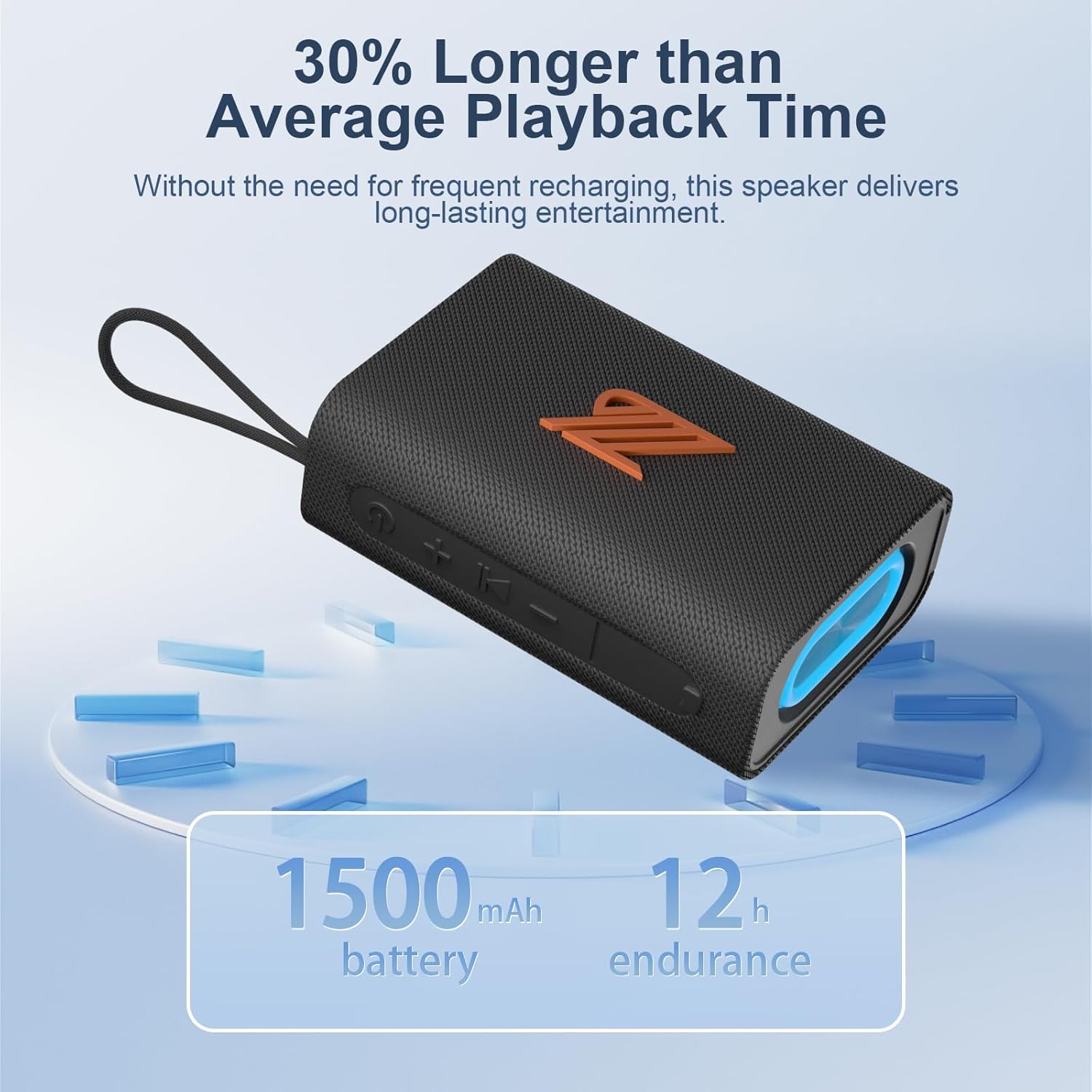
Ffigur 4.1: The speaker highlighting its 1500mAh battery, providing up to 12 hours of playback.
4.2 Pweru Ymlaen/Diffodd
- I Bweru Ymlaen: Pwyswch a daliwch y botwm Pŵer am 2-3 eiliad nes i chi glywed neges glywadwy a bod y golau dangosydd yn troi ymlaen.
- I Bweru i ffwrdd: Pwyswch a daliwch y botwm Pŵer am 2-3 eiliad nes i chi glywed neges glywadwy a bod y golau dangosydd yn diffodd.
5. Cyfarwyddiadau Gweithredu
5.1 Pâr Bluetooth
- Ensure the speaker is powered on and in Bluetooth mode (indicated by a flashing blue light). If not, press the Mode button to switch to Bluetooth mode.
- Ar eich dyfais (ffôn clyfar, tabled, ac ati), galluogwch Bluetooth a chwiliwch am ddyfeisiau sydd ar gael.
- Select "ZZB WP-03C" from the list of devices.
- Once paired, the speaker will emit an audible confirmation, and the blue indicator light will stop flashing and remain solid.
- Bydd y siaradwr yn ailgysylltu'n awtomatig â'r ddyfais a barwyd ddiwethaf pan gaiff ei throi ymlaen, os yw Bluetooth y ddyfais yn weithredol ac o fewn cyrraedd.

Ffigur 5.1: Demonstrating Bluetooth connection between a smartphone and the ZZB WP-03C speaker for music playback.
Paru Stereo Di-wifr Gwirioneddol 5.2 (TWS)
To achieve a true stereo sound experience, you can pair two ZZB WP-03C speakers together.
- Gwnewch yn siŵr bod y ddau siaradwr wedi'u troi ymlaen ac nad ydynt wedi'u cysylltu ag unrhyw ddyfais Bluetooth.
- On one speaker (this will be the primary speaker), double-press the Power button (or a dedicated TWS button if available, refer to physical controls). You will hear a prompt indicating TWS pairing mode.
- Bydd y prif siaradwr yn chwilio am yr ail siaradwr. Ar ôl cysylltu, bydd y ddau siaradwr yn allyrru sain cadarnhau.
- Nawr, cysylltwch eich dyfais â'r prif siaradwr trwy Bluetooth fel y disgrifir yn Adran 5.1.
- Bydd sain nawr yn chwarae mewn stereo drwy'r ddau siaradwr.

Ffigur 5.2: Two ZZB WP-03C speakers positioned to illustrate True Wireless Stereo (TWS) functionality.
5.3 Playing Music from TF/SD Card
- Insert a TF/SD card (with MP3 audio files) into the designated slot on the speaker.
- The speaker will automatically switch to TF/SD card mode and begin playing music. If not, press the Mode button to select TF/SD card mode.
5.4 Modd AUX-mewnbwn
- Connect one end of a 3.5mm audio cable (not included) to the speaker's AUX-in port.
- Connect the other end to the audio output jack of your non-Bluetooth device.
- The speaker will automatically switch to AUX-in mode. If not, press the Mode button to select AUX-in mode.
Modd Radio 5.5 FM
- Press the Mode button repeatedly until you enter FM Radio mode.
- To auto-scan and save available stations, press the Play/Pause button. The speaker will scan and store stations.
- Use the Volume Up/Down buttons (short press) to navigate between saved stations.
- For better reception, ensure the speaker is in an open area.
5.6 Swyddogaeth Galwadau
- When connected via Bluetooth, incoming calls will be announced.
- Ateb Galwad: Pwyswch y botwm Chwarae/Seibiant unwaith.
- Galwad Diwedd: Pwyswch y botwm Chwarae/Saib unwaith yn ystod galwad.
- Gwrthod Galwad: Pwyswch a dal y botwm Chwarae/Saib am 2 eiliad.
- Ail-redeg Rhif Diwethaf: Pwyswch y botwm Chwarae/Seibiant ddwywaith.
5.7 Modd Ysgafn
The speaker features dynamic LED lights. Press the Light button to cycle through different light patterns or to turn the lights off.
6. cynnal
- Glanhau: Sychwch y siaradwr â meddal, champ brethyn. Peidiwch â defnyddio glanhawyr neu doddyddion sgraffiniol.
- Gwrthiant Dŵr: The speaker is IPX5 water-resistant, meaning it can withstand splashes and light rain. Do not submerge the speaker in water. Ensure the charging port cover is securely closed when exposed to water.
- Storio: Storiwch y siaradwr mewn lle oer, sych i ffwrdd o olau haul uniongyrchol a thymheredd eithafol.
- Gofal Batri: I ymestyn oes y batri, gwefrwch y siaradwr yn llawn cyn ei ddefnyddio gyntaf ac ailwefrwch ef o leiaf unwaith bob tri mis os na chaiff ei ddefnyddio'n rheolaidd.
7. Datrys Problemau
| Problem | Achos Posibl | Ateb |
|---|---|---|
| Nid yw'r siaradwr yn troi ymlaen. | Batri isel. | Gwefrwch y siaradwr yn llawn. |
| Methu paru drwy Bluetooth. | Bluetooth heb ei alluogi ar y ddyfais; siaradwr heb ei ddefnyddio yn y modd paru; yn rhy bell o'r ddyfais. | Ensure Bluetooth is on; put speaker in pairing mode; move device closer (within 40 feet). |
| Dim sain. | Volume too low; incorrect mode selected; device not playing. | Increase volume; check mode (Bluetooth, AUX, TF/SD); ensure device is playing. |
| Derbyniad radio FM gwael. | Signal gwan; ymyrraeth. | Move speaker to an open area; try rescanning stations. |
| Mae paru TWS yn methu. | Speakers already paired to another device; too far apart. | Disconnect speakers from other devices; ensure speakers are close to each other during TWS pairing. |
8. manylebau
| Enw'r Model: | WP-03C |
| Brand: | ZZB |
| Cysylltedd: | Bluetooth 5.3, AUX-in, TF/SD Card |
| Modd Allbwn Sain: | Stereo |
| Pŵer Allbwn Siaradwr: | 20 Wat |
| Gwrthiant Dŵr: | IPX5 |
| Cynhwysedd Batri: | Ion Lithiwm 1500 mAh |
| Amser Chwarae: | Up to 12 hours (at moderate volume) |
| Mewnbwn Codi Tâl: | 5 folt |
| Ystod Bluetooth: | Hyd at 40 troedfedd (12 metr) |
| Dimensiynau Cynnyrch: | 4.92"D x 3.34"W x 1.77"H (12.5cm x 8.5cm x 4.5cm approx.) |
| Pwysau Eitem: | 0.34 cilogram (12 owns) |
| Cydrannau wedi'u Cynnwys: | Cebl Pŵer |
9. Gwybodaeth Gwarant
The ZZB WP-03C Bluetooth Speaker comes with a limited warranty. Please refer to the warranty card included in your package or contact customer support for details regarding warranty coverage and terms.
10. Cefnogaeth i Gwsmeriaid
If you encounter any issues or have questions regarding your ZZB WP-03C Bluetooth Speaker, please contact our customer support team. Contact information can typically be found on the product packaging or on the official ZZB websafle.
Ask a question about this manual
Ask about setup, troubleshooting, compatibility, parts, safety, or missing instructions. Manuals+ will review the question and use this page’s manual context to help answer it.