
1. Rhagymadrodd
The MiBOXER K3S Rotating Wheel Remote provides intuitive control over LED lighting systems, allowing for precise adjustment of both color temperature and brightness. Utilizing 2.4GHz wireless technology, this remote ensures stable and responsive operation. Its ergonomic design facilitates easy handling and accurate adjustments, making it suitable for various lighting applications.
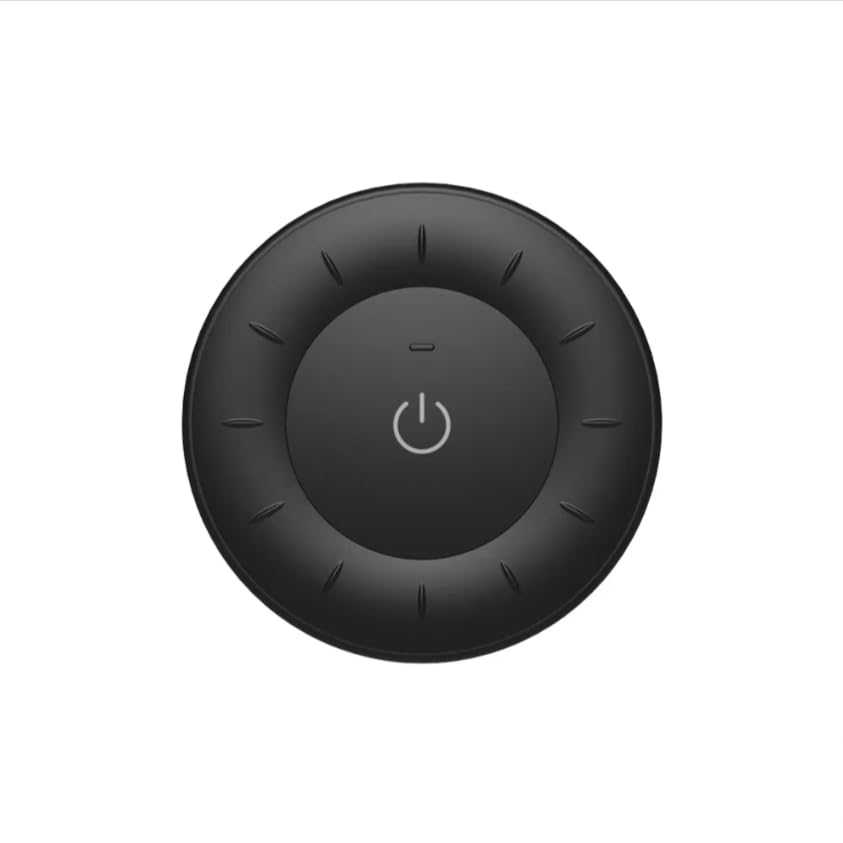
Image 1.1: MiBOXER K3S Rotating Wheel Remote (Black)
This image displays the MiBOXER K3S remote control in black, highlighting its circular design and central power button.
2. Nodweddion Cynnyrch
- Adjustable Brightness & Color Temperature: Allows fine-tuning of lighting intensity and warmth.
- Dyluniad Olwyn Cylchdroi: Provides smooth and intuitive control for easy adjustments.
- Technoleg Diwifr 2.4GHz: Ensures stable, interference-free connectivity with compatible devices.
- Dyluniad ergonomig: Cyfforddus i'w ddal a'i weithredu.
- Multi-Environment Compatibility: Suitable for various settings including homes, offices, and commercial spaces.
3. Cynnwys Pecyn
Wrth agor y pecyn, gwiriwch fod yr holl gydrannau yn bresennol:
- Olwyn Cylchdroi MiBOXER K3S o Bell
- Llawlyfr Defnyddiwr
Note: CR2032 battery is purchased separately and is not included in the package.
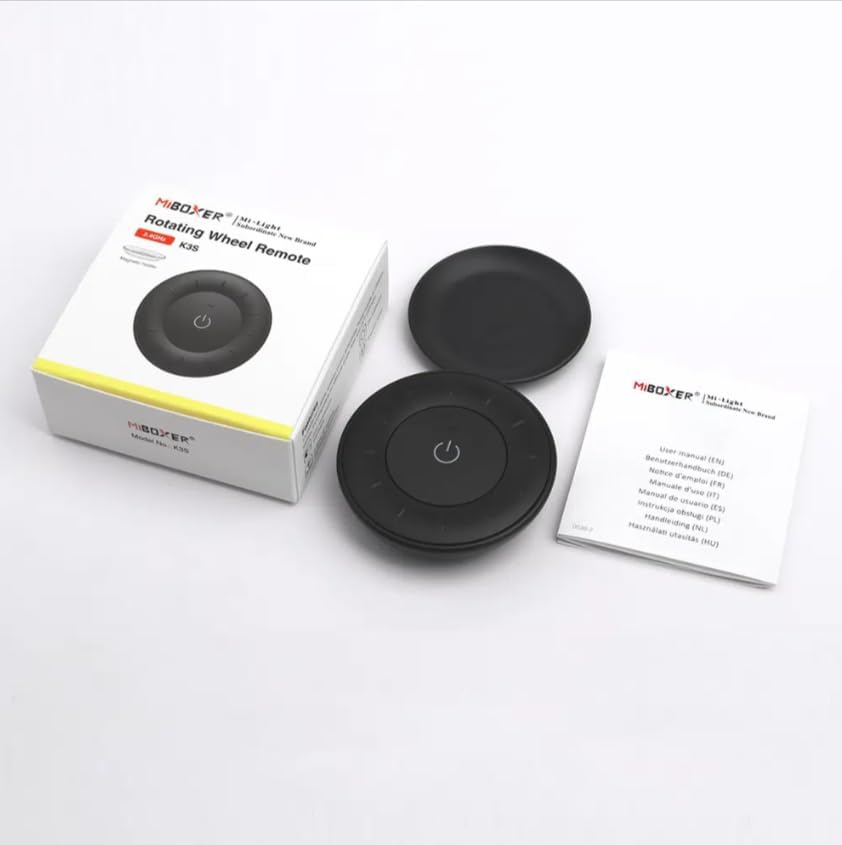
Image 3.1: Package Contents Overview
This image shows the MiBOXER K3S remote, its packaging box, and the included user manual, laid out on a surface.
4. Diagram Cynnyrch

Image 4.1: Remote Control Components
This diagram illustrates the main components of the MiBOXER K3S remote, including the ON/OFF button, brightness/color temperature rotating wheel, and the battery compartment with Link/Unlink button.
- Botwm YMLAEN/DIFFODD: Central button to power the connected light on or off.
- Brightness / Color Temperature Rotating Wheel: The outer ring used to adjust brightness by default. Long press the ON/OFF button for 3 seconds to switch to color temperature adjustment mode.
- Link / Unlink Button: Located inside the battery compartment, used for pairing the remote with compatible lighting devices.
5. Gosod
5.1 Gosod Batri
- Lleolwch y compartment batri ar gefn y teclyn rheoli o bell.
- Agorwch y clawr adran batri.
- Insert one CR2032 battery, ensuring the correct polarity (+/-).
- Caewch y clawr adran batri yn ddiogel.
Image 5.1: Battery Installation Area
This image shows the underside of the remote, indicating the location for the CR2032 battery and the Link/Unlink button.
5.2 Linking / Unlinking the Remote
The K3S remote uses 2.4GHz RF wireless technology to communicate with compatible MiBOXER lighting devices.
Linking Procedure:
- Gwnewch yn siŵr bod y gosodiad golau rydych chi am ei reoli wedi'i ddiffodd.
- Power on the light fixture.
- Within 3 seconds of powering on the light, press the "Link/Unlink" button (located inside the battery compartment) on the K3S remote deirgwaith.
- Dylai'r golau fflachio dair gwaith yn araf, sy'n dynodi cysylltu llwyddiannus.
Unlinking Procedure:
- Gwnewch yn siŵr bod y gosodiad golau rydych chi am ei ddatgysylltu wedi'i ddiffodd.
- Power on the light fixture.
- Within 3 seconds of powering on the light, press the "Link/Unlink" button (located inside the battery compartment) on the K3S remote bum gwaith.
- Dylai'r golau fflachio ddeg gwaith yn gyflym, sy'n dynodi datgysylltu llwyddiannus.
6. Cyfarwyddiadau Gweithredu
6.1 Pŵer YMLAEN/DIFFODD
- Press the central ⏻ (ON/OFF) button once to turn the connected light on or off.
6.2 Addasu Disgleirdeb
- By default, rotating the outer wheel adjusts the brightness of the light.
- Cylchdroi clocwedd i gynyddu disgleirdeb.
- Rotate counter-clockwise to decrease brightness.
6.3 Addasu Tymheredd Lliw
- To switch to color temperature adjustment mode, gwasg hir the central ⏻ (ON/OFF) button for 3 seconds.
- Once in color temperature mode, rotate the outer wheel to adjust the color temperature.
- Rotate clockwise for cooler (bluer) light.
- Rotate counter-clockwise for warmer (yellower) light.
- To switch back to brightness adjustment, long press the ⏻ (ON/OFF) button for another 3 seconds.
7. manylebau
| Enw Model | K3S |
| Brand | MiBOXER |
| Technoleg Cysylltedd | Di-wifr RF 2.4G |
| Math o Reoli | Disgleirdeb, Tymheredd Lliw |
| Ystod Uchaf | 30 o Fesurau |
| Math Batri | CR2032 (purchased separately) |
| Dimensiynau (Diamedr x Uchder) | Ø60mm x 15mm (approx.) |
| Weight (Gross Weight per box) | 0.05 KGS (approx.) |

Image 7.1: Remote Control Dimensions
This diagram provides the physical dimensions of the MiBOXER K3S remote, showing a diameter of 60mm and a thickness of 15mm (or 19.5mm with the base).
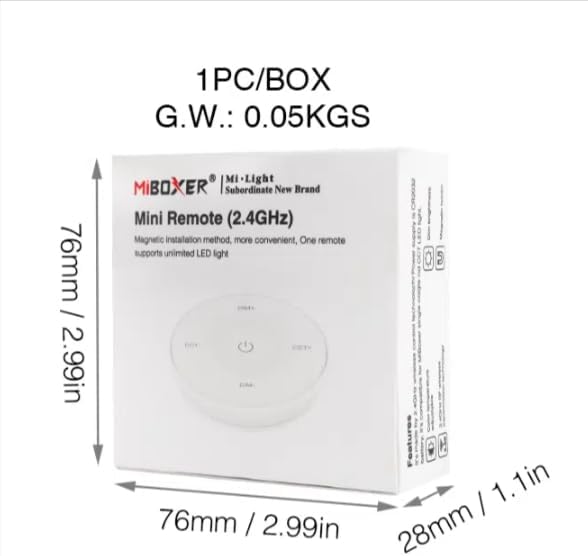
Image 7.2: Packaging Dimensions
This image displays the dimensions of the product packaging, indicating it is 76mm x 76mm x 28mm with a gross weight of 0.05 KGS.
8. cynnal
- Cadwch y teclyn rheoli o bell yn lân trwy ei sychu â lliain meddal, sych.
- Avoid exposing the remote to moisture, extreme temperatures, or direct sunlight.
- If the remote is not used for an extended period, remove the battery to prevent leakage.
- Replace the battery when the remote's performance degrades or it stops responding.
9. Datrys Problemau
| Problem | Achos Posibl | Ateb |
|---|---|---|
| Anghysbell ddim yn ymateb | Batri isel neu farw | Amnewid y batri CR2032. |
| Light not linking | Incorrect linking procedure or light not compatible | Ensure the light is powered on within 3 seconds of pressing the link button. Verify light compatibility with MiBOXER 2.4G RF remotes. |
| Amrediad cyfyngedig | Rhwystrau neu ymyrraeth | Reduce distance between remote and light. Remove obstructions. Avoid areas with strong 2.4GHz interference. |
| Brightness/Color Temp adjustment not working | Rheolydd o bell yn y modd anghywir | Long press the ON/OFF button for 3 seconds to switch between brightness and color temperature adjustment modes. |
10. Gwarant a Chefnogaeth
The product comes with a manufacturer's warranty. For specific warranty details and duration, please refer to the documentation included with your purchase or contact MiBOXER customer support.
For technical support or inquiries, please visit the official MiBOXER websafle neu cysylltwch â'u hadran gwasanaethau cwsmeriaid.
Gwneuthurwr: Mibocswr