
KINMATES T01
KINMATES TikTok Scrolling Ring & Page Turner (Model T01) - Instruction Manual
Model: T01 | Brand: KINMATES
Rhagymadrodd
This manual provides detailed instructions for the KINMATES TikTok Scrolling Ring and Page Turner, Model T01. This device offers hands-free control for various applications, including social media scrolling, e-book page turning, and remote camera operation. Please read this manual thoroughly before using your device.
Cynnyrch Drosview
The KINMATES T01 is a compact, wearable Bluetooth remote designed to enhance your digital experience. Its ergonomic ring design ensures comfortable use for extended periods.
- Hands-Free Scrolling: Effortlessly navigate TikTok and other video apps.
- E-Book Page Turning: Conveniently turn pages in compatible e-reading applications on iPads and Android tablets.
- Rheolaeth Camera o Bell: Capture photos and videos remotely.
- Gellir ailgodi tâl amdano: Long-lasting battery with quick recharging.
- Dyluniad Symudol: Lightweight and comfortable for on-the-go use.
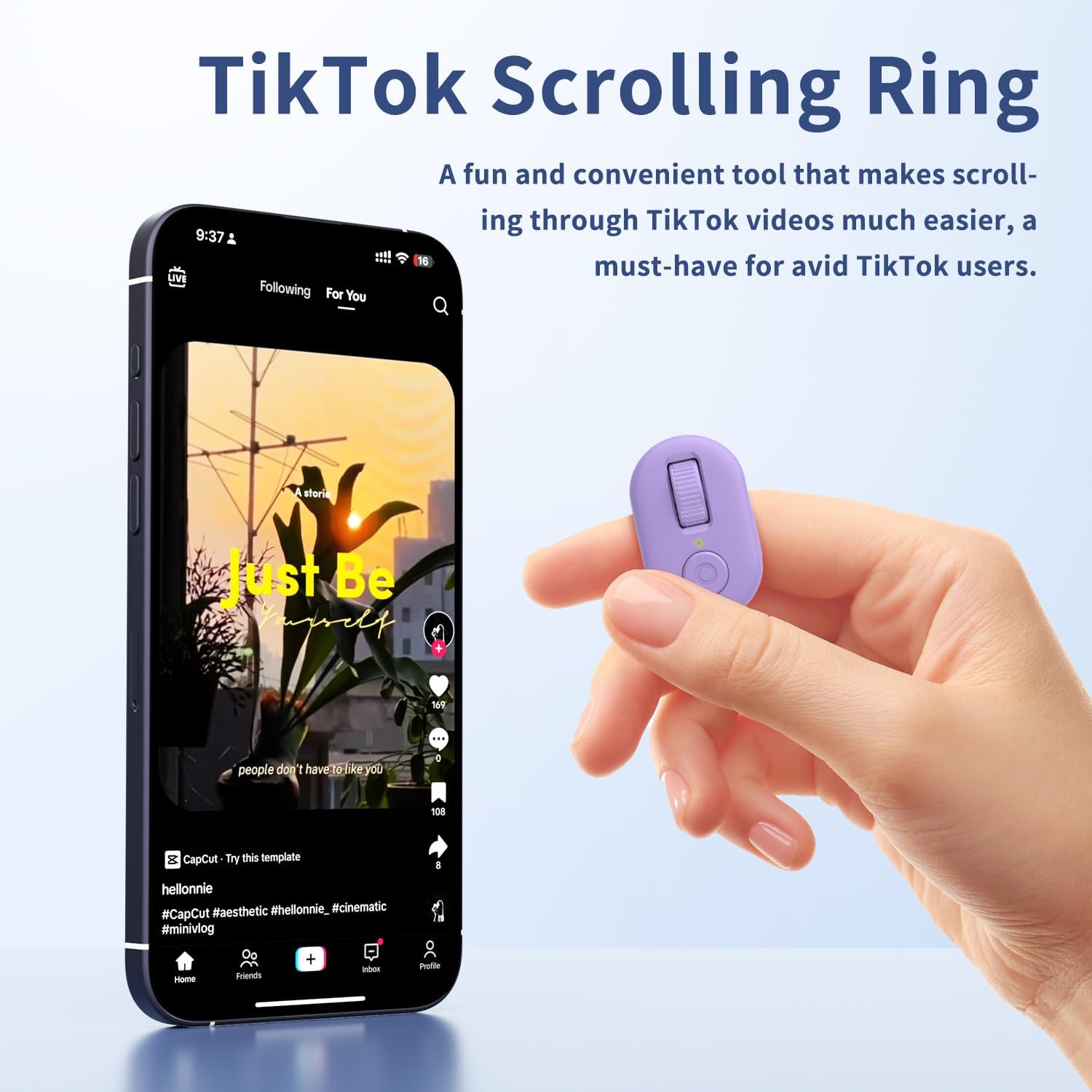
Image: The KINMATES TikTok Scrolling Ring, showing its compact size and accompanying charging case. The ring features a scroll wheel and a button.
Beth Sydd yn y Bocs
- KINMATES TikTok Scrolling Ring (Model T01)
- Achos Codi Tâl
- Cebl Codi Tâl USB-C
- Llawlyfr Defnyddiwr
Gosod
1. Codi Tâl y Dyfais
Before first use, fully charge the scrolling ring. Place the ring into its charging case and connect the USB-C cable to a power source. The indicator light on the case will show charging status.

Image: Illustration showing the KINMATES Scrolling Ring in its charging case, connected via USB-C cable, with battery indicators. The text highlights fast charging and ultra-long battery life.
2. Pâr Bluetooth
- Ensure your device (smartphone or tablet) has Bluetooth enabled.
- Take the scrolling ring out of its charging case. It will automatically enter pairing mode.
- On your device, go to Bluetooth settings and select "T01" or a similar name to connect.
- For iOS devices, ensure AssistiveTouch is enabled for full functionality:
- Ewch i Gosodiadau > Hygyrchedd > Cyffwrdd > Cyffyrddiad Cynorthwyol.
- Toglo Cyffyrddiad Cynorthwyol i AR.

Image: A smartphone screen displaying Bluetooth settings with the KINMATES T01 device listed as connected, alongside the scrolling ring and its charging case.

Image: Screenshots illustrating the steps to enable AssistiveTouch on iOS devices: Settings > Accessibility > Touch > AssistiveTouch.
3. Newid Modd
The KINMATES T01 supports different operating modes. If your device is not responding as expected, you may need to switch modes. Long-press the up and down buttons simultaneously until the indicator light flashes purple three times. This action cycles through available modes.
Video: A setup guide for the KINMATES T01 Scrolling Ring, demonstrating how to pair the device and switch between different operating modes for optimal functionality.
Cyfarwyddiadau Gweithredu
The KINMATES T01 features a roller design for intuitive control. Wear the ring comfortably on your finger.

Delwedd: Llun agos view of the KINMATES Scrolling Ring, highlighting its ergonomic ring design and the scroll wheel for easy operation.
1. TikTok and Short Video Scrolling
- Scroll Up/Down: Use the scroll wheel to move through videos.
- Like/Interact: Press the main button (often a double-tap or single press depending on app settings) to like videos or interact with posts.
- Rheoli cyfaint: Use the side button for adjusting media volume.

Image: A person relaxing while using the KINMATES Scrolling Ring to navigate TikTok videos on a smartphone, demonstrating hands-free operation.
2. E-Book Page Turning
The ring functions as a page turner for compatible e-book applications on iPad and Android tablets. Note: Not suitable for Kindle devices (e.g., Paperwhite, Oasis, Scribe).
- Turn Page Forward/Backward: Use the scroll wheel to navigate through pages.
- Tewi swyddogaeth: The mute button ensures quiet operation, ideal for reading without disturbing others.

Image: A person comfortably reading an e-book on a tablet, using the KINMATES Scrolling Ring for hands-free page turning.
3. Rheoli Camera o Bell
Use the ring to remotely trigger your device's camera for photos and videos.
- Tynnu Llun: Pwyswch y prif botwm unwaith.
- Dechrau/Stopio Recordio Fideo: Press and hold the main button (functionality may vary by app).

Image: A family on a beach taking a group photo using the KINMATES Scrolling Ring as a remote camera control, illustrating its use for selfies and group shots.
Cynnal a chadw
1. Codi tâl
The ring and its charging case are equipped with rechargeable batteries. The charging box can fully charge the ring approximately 5 times. Once fully charged, the ring can operate for up to 12 hours.
- Connect the provided USB-C cable to the charging case and a compatible power adapter.
- Ensure the ring is properly seated in the charging case for optimal charging.
2. Glanhau a Gofal
- Sychwch y ddyfais gyda lliain meddal, sych.
- Avoid exposing the device to extreme temperatures, moisture, or harsh chemicals.
- Store the device in its charging case when not in use to protect it and keep it charged.
Datrys problemau
| Problem | Ateb |
|---|---|
| Nid yw'r ddyfais yn troi ymlaen nac yn ymateb. | Ensure the device is charged. Place it in the charging case and connect to power. |
| Methu paru drwy Bluetooth. |
|
| Scrolling or button functions not working on iOS. | Verify that AssistiveTouch is enabled in your iOS Accessibility settings (Settings > Accessibility > Touch > AssistiveTouch). |
| Device performs unexpected actions (e.g., makes calls). | The device might be in an incorrect mode. Long-press the up and down buttons simultaneously until the indicator light flashes purple three times to switch modes. |
| Page turning not working on Kindle. | The KINMATES T01 is not compatible with Kindle devices. It works with e-book apps on iPads and Android tablets. |
Manylebau
| Rhif Model | T01 |
| Brand | CYDYMAITH |
| Cysylltedd | Bluetooth |
| Dyfeisiau Cydnaws | Smartphones, Tablets (iOS 14.8 or later for iPhone/iPad) |
| Nodweddion Arbennig | TikTok Scrolling, E-book Page Turning, Remote Camera Control |
| Pwysau Eitem | 3.52 owns |
| Ffynhonnell Pwer | Batri Ailwefradwy (USB-C) |
| Battery Life (Ring) | Hyd at 12 awr ar un tâl |
| Gallu Achos Codi Tâl | Provides up to 5 full charges for the ring |
Gwarant a Chefnogaeth
For warranty information and customer support, please refer to the documentation included with your product or visit the official KINMATES websafle. Cadwch eich derbynneb prynu ar gyfer hawliadau gwarant.