
1. Cynnyrch Drosview
The Amemo A310 Fingertip Pulse Oximeter is a compact, non-invasive device designed for spot-checking blood oxygen saturation (SpO2) levels and pulse rate. It is suitable for home use and for individuals interested in monitoring their general wellness. This device provides quick and accurate readings, featuring an OLED display for clear visibility.
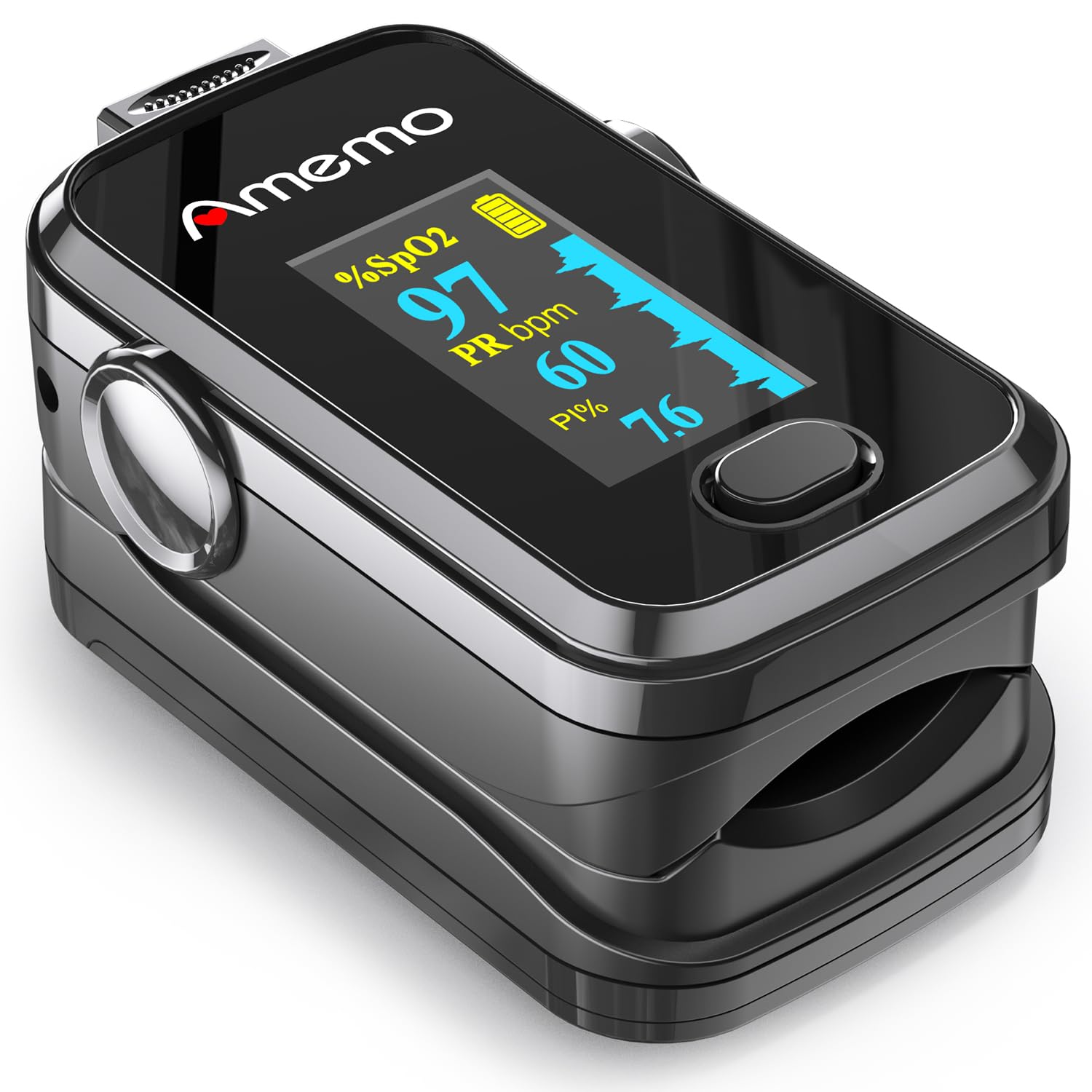
Image 1.1: The Amemo A310 Fingertip Pulse Oximeter, a compact device for measuring blood oxygen saturation and pulse rate.
2. Beth sydd yn y Bocs
Upon opening your Amemo A310 Pulse Oximeter package, you will find the following items:
- Amemo A310 Pulse Oximeter
- Achos Cario
- Gorchudd Silicôn
- Batris AAA (2)
- Lanyard
- Llawlyfr Defnyddiwr

Image 2.1: All items included in the Amemo A310 Pulse Oximeter package, ready for use.
Video: Unboxing and Components
Video 2.1: This segment of the product user guide video demonstrates the contents of the box, including the oximeter, carrying case, silicone cover, batteries, and lanyard. (Starts at 0:45)
3. Gosod Batri
To power your Amemo A310 Pulse Oximeter, follow these steps to install the batteries:
- Agorwch glawr adran y batri sydd wedi'i leoli ar gefn y ddyfais.
- Insert the two AAA batteries, ensuring the positive (+) and negative (-) terminals align correctly with the markings inside the compartment. Both positive terminals should face the same direction as indicated.
- Caewch y clawr adran batri yn ddiogel.

Image 3.1: Proper battery insertion with both positive terminals facing the same direction, as shown in the battery compartment.
Video: How to Install Batteries
Video 3.1: This segment of the product user guide video provides a visual guide on how to correctly install the batteries into the oximeter. (Starts at 1:04)
4. Device Functions and Display
The Amemo A310 Pulse Oximeter features a clear OLED display that shows several key measurements and indicators:
- SpO2 Value: Blood Oxygen Saturation percentage.
- PR bpm: Pulse Rate in beats per minute.
- PI%: Perfusion Index, indicating the strength of the pulse signal.
- Plethysmogram: A waveform graph representing the pulse strength.
- Dangosydd Batri: Yn dangos y bywyd batri sy'n weddill.
- Botwm Pŵer: Used to turn the device on/off and navigate settings.

Image 4.1: The OLED display showing SpO2, PR bpm, PI%, Plethysmogram, and battery indicator.
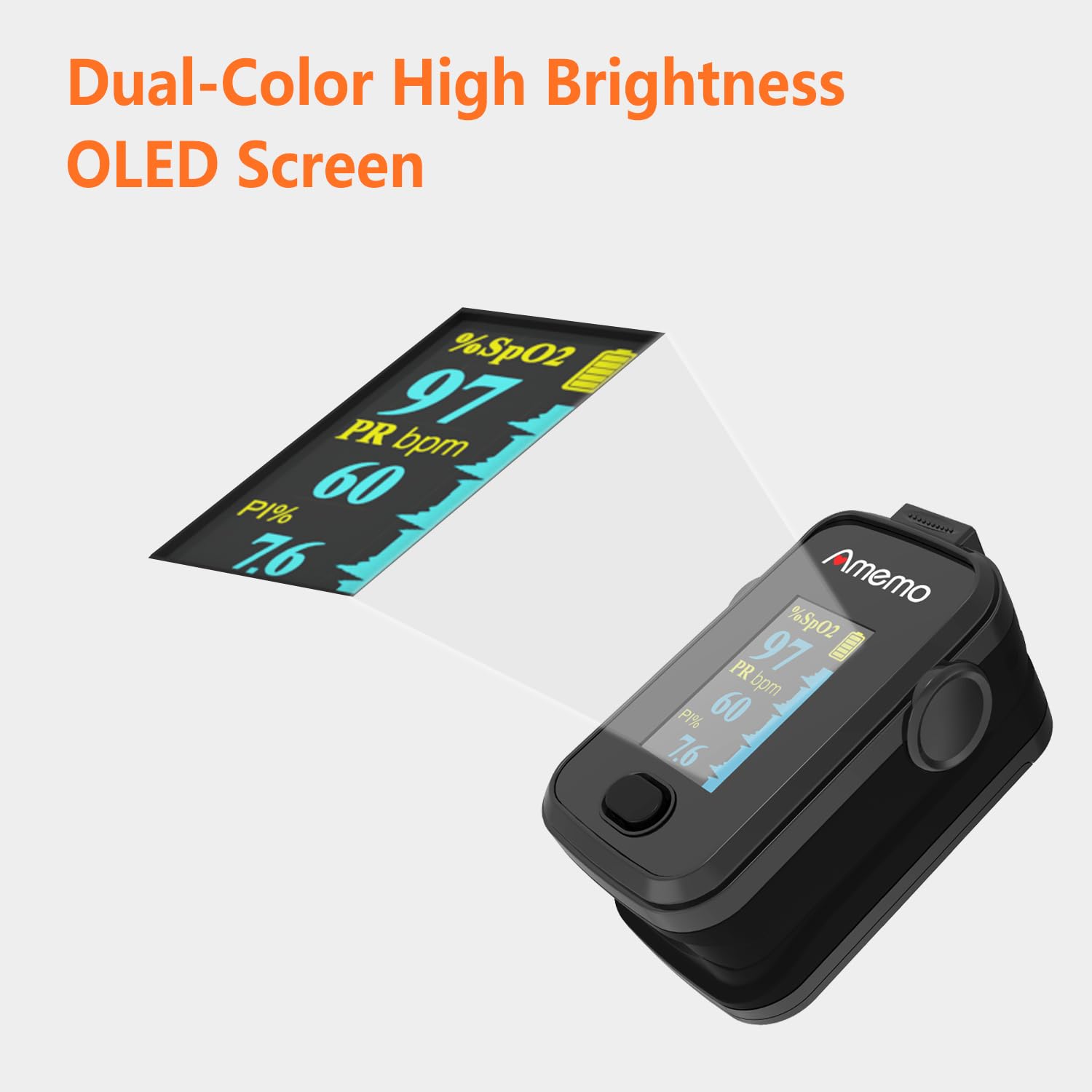
Image 4.2: The dual-color high brightness OLED screen ensures clear readability of all measurements.
5. How to Use the Oximeter
For accurate readings, follow these steps:
- Paratowch Eich Bys: Ensure there is no nail polish or foreign matter on the fingernail of the finger to be measured. Rub your hands together for about 10 seconds to warm them up, if necessary, to improve circulation.
- Mewnosod Bys: Agorwch y clamp of the oximeter and insert one of your fingers (preferably the index or middle finger) deeply into the device, ensuring your fingernail is facing upwards.
- Activate Measurement: Press the power button once to turn on the oximeter.
- Aros yn Lonydd: Keep your hand and finger still during the measurement. Movement can affect accuracy.
- Darllenwch y Canlyniadau: After a few seconds, the SpO2, PR bpm, and PI% values will appear on the display. Wait for the readings to stabilize for optimal accuracy.
- Awtomatig diffodd: The device will automatically turn off after approximately 8 seconds of inactivity or when the finger is removed.

Image 5.1: For accurate measurement, ensure the plethysmogram wave amplitude is consistent and the Perfusion Index (PI%) is greater than 0.2%.
Video: How to Use the Oximeter
Video 5.2: This segment of the product user guide video demonstrates the correct procedure for using the oximeter to obtain accurate readings. (Starts at 1:22)
6. Setting Up Alarms and Brightness
The Amemo A310 Pulse Oximeter allows you to customize certain settings:
- Ewch i mewn i'r Ddewislen Gosodiadau: With the oximeter turned on, press and hold the power button for approximately 2 seconds to enter the settings menu.
- Llywio'r Ddewislen: Press the power button briefly to cycle through menu items such as 'Remind Setup', 'Sound Reminder', 'Beep', 'Restore', 'Brightness', and 'Exit'.
- Addasu Gosodiadau: To change a setting value (e.g., brightness level, alarm limits), press and hold the power button for 2 seconds when the desired item is highlighted. Use brief presses to adjust the value, then press and hold again to confirm or move to the next setting.
- Dewislen Gadael: Select 'Exit' and press and hold the power button to return to the measurement screen.

Image 6.1: The alarm setting menu, allowing customization of high/low SpO2 and PR alarm limits, as well as beep settings.
Video: How to Set Up the Oximeter
Video 6.2: This segment of the product user guide video demonstrates how to access and adjust the oximeter's settings, including alarm limits and screen brightness. (Starts at 1:59)
7. Accuracy and Durability
The Amemo A310 Pulse Oximeter is designed for reliability and accuracy. It features high-speed chips and a medical-grade silicone finger mold for consistent performance. The device is built with an ABS shell and anti-skip silicone for durability and ease of use.

Image 7.1: Key features contributing to the oximeter's reliability, including high-speed chips and medical-grade silicone.
Video: Accuracy and Durability Test
Video 7.2: This video demonstrates the accuracy of the Amemo A310 Pulse Oximeter by comparing its readings with professional medical equipment, and showcases its durability through a water submersion test. (Starts at 0:00)
8. manylebau
| Nodwedd | Manyleb |
|---|---|
| Dimensiynau Cynnyrch | 3.14 x 2.16 x 2.36 modfedd |
| Pwysau Eitem | 3.2 owns |
| Batris | 2 batris AAA (wedi'u cynnwys) |
| Measuring Range (SpO2) | 95-100% (typical operating range) |
| Brand | Amemo |
| Enw Model | Pulse Oximeter (A310) |
| Lliw | Du |
9. cynnal
To ensure the longevity and accurate performance of your Amemo A310 Pulse Oximeter, follow these maintenance guidelines:
- Glanhau: Sychwch y ddyfais gyda lliain meddal dampened with alcohol (70% isopropyl alcohol is recommended) before and after each use. Do not immerse the device in water or other cleaning solutions.
- Storio: Store the oximeter in its carrying case in a cool, dry place, away from direct sunlight, extreme temperatures, and humidity.
- Gofal Batri: Remove batteries if the device will not be used for an extended period to prevent battery leakage and damage.
- Osgoi diferion: While durable, avoid dropping the device to prevent internal damage. The included silicone cover provides additional protection.
10. Datrys Problemau
If you encounter issues with your Amemo A310 Pulse Oximeter, try the following solutions:
- Dim Arddangosfa/Dyfais Ddim yn Troi Ymlaen: Check if the batteries are installed correctly with the correct polarity. Replace batteries if they are low or depleted.
- Darlleniadau Anghywir: Ensure your finger is inserted deeply and correctly into the oximeter. Make sure there is no nail polish, artificial nails, or dirt on your finger. Keep your hand still during measurement. Ensure your hands are warm.
- "Finger Out" Message: Reinsert your finger firmly into the device. Ensure proper contact with the sensor.
- Darlleniadau Araf: Ensure good circulation in your finger. Warm your hands if they are cold.
If problems persist after trying these steps, please contact customer support.
11. Gwarant a Chefnogaeth
The Amemo A310 Pulse Oximeter comes with a standard manufacturer's warranty. For specific warranty details, including coverage and duration, please refer to the warranty card included in your product packaging or contact Amemo customer support.
For technical assistance, troubleshooting, or any other inquiries, please visit the official Amemo website or contact their customer service department. Contact information can typically be found on the product packaging or the Amemo brand store on Amazon.
Amemo Brand Store: Visit Amemo Store on Amazon