
1. Rhagymadrodd
This manual provides instructions for the safe and efficient use of your CCYLEZ Bone Conduction Speaker, Model CCYLEZivfe1mhwxk-12. This portable speaker utilizes bone conduction technology to deliver sound directly through vibrations on solid mediums, offering a unique and immersive audio experience. It is designed for versatile application in various environments, including wet conditions.
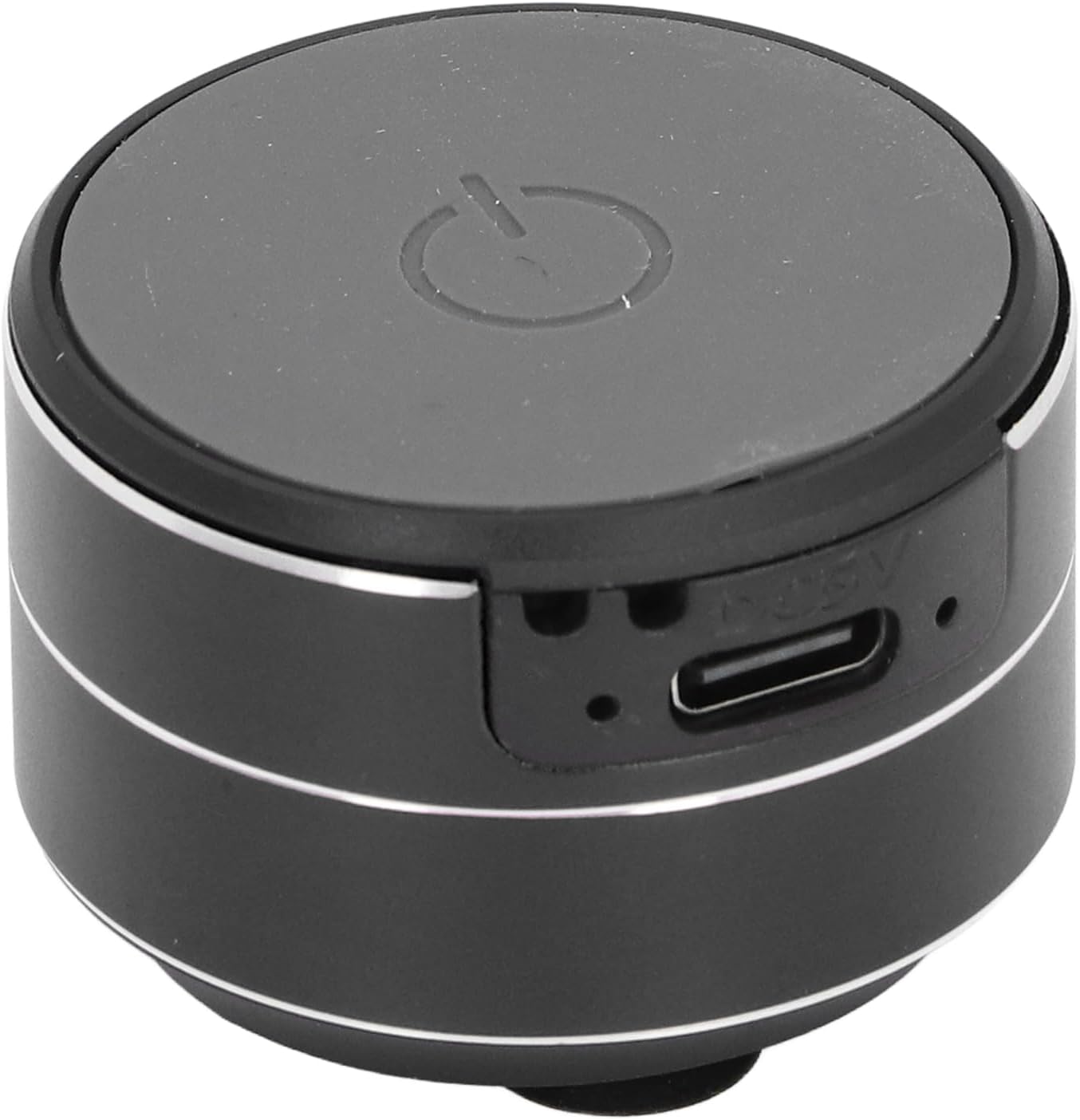
Delwedd 1.1: Blaen view of the CCYLEZ Bone Conduction Speaker, highlighting the power button and charging port.
2. Cynnwys Pecyn
Gwiriwch fod yr holl eitemau a restrir isod wedi'u cynnwys yn eich pecyn:
- 1 x CCYLEZ Bone Conduction Speaker
- 1 x Cebl Data USB
- 1 x Rhaff Crog
- 1 x Tâp Dwyochrog
- 1 x Llawlyfr Defnyddiwr (y ddogfen hon)

Image 2.1: The CCYLEZ Bone Conduction Speaker shown with its accompanying accessories.
3. Gwybodaeth Diogelwch
Er mwyn sicrhau gweithrediad diogel ac atal difrod, dilynwch y canllawiau diogelwch canlynol:
- Read all instructions thoroughly before using the speaker.
- Do not expose the device to extreme temperatures (hot or cold) or direct sunlight for prolonged periods.
- Cadwch y siaradwr i ffwrdd oddi wrth blant ac anifeiliaid anwes.
- Defnyddiwch y gyfaint gwefru penodedig yn unigtage of 5V. Using higher voltage gall niweidio'r ddyfais.
- Peidiwch â cheisio dadosod, atgyweirio na newid y siaradwr eich hun. Cysylltwch â phersonél gwasanaeth cymwys os oes angen.
- Osgoi gollwng neu orfodi'r siaradwr i effeithiau cryf.
4. Gosod
4.1 Codi Tâl Cychwynnol
Before first use, fully charge the speaker. Connect the provided USB data cable to the speaker's charging port and a standard 5V USB power adapter (not included) or a computer USB port. The charging port is located on the side of the speaker.

Image 4.1: Close-up of the speaker's side, indicating the USB charging port.
4.2 Pweru Ymlaen/Diffodd
To power on the speaker, press and hold the power button located on the top surface until you hear an audible prompt or see an indicator light. To power off, press and hold the same button again.
4.3 Cysylltiad Bluetooth
Once powered on, the speaker will automatically enter Bluetooth pairing mode. On your smartphone, tablet, or other Bluetooth-enabled device, navigate to the Bluetooth settings and search for available devices. Select 'CCYLEZ Speaker' (or a similar name) from the list to connect.
4.4 Dual Speaker Pairing (True Stereo)
For an immersive stereo experience, you can pair two CCYLEZ Bone Conduction Speakers together:
- Gwnewch yn siŵr bod y ddau siaradwr wedi'u diffodd.
- Power on both speakers simultaneously. They will automatically attempt to find and pair with each other.
- Once successfully paired, one speaker will act as the master and the other as the slave.
- Connect your device via Bluetooth to the master speaker as described in Section 4.3. Audio will now play through both speakers in stereo.
4.5 Opsiynau Mowntio
The speaker offers versatile mounting options to optimize sound transmission through different surfaces:
- Sylfaen cwpan sugno: The speaker is equipped with a suction cup base for stable attachment to smooth, non-porous surfaces like glass, tiles, or metal. Ensure the surface is clean and dry for optimal adhesion.
- Tâp dwy ochr: For more permanent or textured surfaces, use the provided double-sided tape. Attach one side to the speaker's base and the other to your desired surface.
- Rhaff Crog: Utilize the included hanging rope to suspend the speaker, allowing it to vibrate against various objects or simply hang freely.

Image 4.2: Detail of the speaker's suction cup base for secure mounting.
5. Cyfarwyddiadau Gweithredu
Once connected via Bluetooth, you can control audio playback directly from your paired device. The speaker itself typically does not have volume or track control buttons, relying on the connected source device for these functions.
- Rheoli cyfaint: Adjust the volume using the controls on your connected smartphone, tablet, or computer.
- Rheoli Chwarae: Play, pause, skip tracks, or repeat using the media controls on your connected device.
- Sain Gorau posibl: Experiment with placing the speaker on different surfaces. Hard, resonant surfaces like wooden tables, glass, or metal panels will produce distinct sound characteristics.
6. cynnal
Proper care will extend the life of your speaker:
- Glanhau: Sychwch y siaradwr gyda lliain meddal, sych, neu ychydig yn feddalamp brethyn. Peidiwch â defnyddio cemegau llym, glanhawyr sgraffiniol, na thoddyddion.
- Gofal Cwpan sugno: For optimal adhesion, periodically clean the suction cup base with water and allow it to air dry. Ensure the mounting surface is also clean and free of dust or grease.
- Storio: Pan nad yw'n cael ei ddefnyddio am gyfnodau hir, storiwch y siaradwr mewn lle oer, sych, i ffwrdd o olau haul uniongyrchol a thymheredd eithafol.
- Batri: To maintain battery health, avoid fully discharging the battery frequently and recharge it regularly, even if not in use.
7. Datrys Problemau
Os byddwch chi'n dod ar draws problemau gyda'ch siaradwr, cyfeiriwch at y problemau a'r atebion cyffredin canlynol:
- Dim Sain:
- Gwnewch yn siŵr bod y siaradwr wedi'i bweru ymlaen ac wedi'i wefru'n llawn.
- Verify that the speaker is successfully connected to your device via Bluetooth.
- Check the volume levels on both the speaker (if applicable) and your connected device. Ensure neither is muted.
- Ceisiwch ailgysylltu'r cysylltiad Bluetooth.
- Methu paru drwy Bluetooth:
- Ensure the speaker is in pairing mode (usually indicated by a flashing light).
- Turn off and then turn on the speaker and your device's Bluetooth.
- Move your device closer to the speaker (within 10 meters).
- Cliriwch gysylltiadau Bluetooth blaenorol ar eich dyfais a cheisiwch baru eto.
- Ansawdd Sain Gwael / Ystumio:
- Bone conduction sound quality is highly dependent on the surface it's placed on. Experiment with different surfaces (e.g., wood, glass, metal) to find the best sound.
- Ensure the speaker is firmly attached to the surface. Loose contact can cause distortion.
- Reduce the volume on your connected device if distortion occurs at high levels.
- Check for any physical obstructions or damage to the speaker's vibrating surface.
- Siaradwr Ddim yn Gwefru:
- Ensure the USB cable is securely connected to both the speaker and the power source.
- Rhowch gynnig ar gebl USB neu addasydd pŵer gwahanol.
- Verify the power source is active and providing 5V output.
8. manylebau
| Rhif Model | CCYLEZivfe1mhwxk-12 |
| Deunydd | Aloi Alwminiwm |
| Math Cysylltiad | Bluetooth 5.3 |
| Pellter Cysylltiad | Tua. 10m / 32.81 troedfedd |
| Allbwn Siaradwr | 3W, 4Ω |
| Maint Siaradwr | Tua 27mm / 1.06 modfedd |
| Ymateb Amlder | 20Hz - 20kHz |
| Cymhareb Arwydd i Sŵn | ≥75db |
| Afluniad | ≤0.1% |
| Codi Tâl Voltage | 5V |
| Math Batri | Built-in 3.7V 400mAh Lithium Ion Battery |
| Dal dwr | Oes |
9. Gwybodaeth Gwarant
This CCYLEZ Bone Conduction Speaker is covered by a limited warranty. The specific terms and duration of the warranty may vary by region and retailer. Please refer to the warranty card included in your product packaging for detailed information. Alternatively, you may contact CCYLEZ customer support or the retailer from whom you purchased the product for warranty inquiries.
10. Cefnogaeth i Gwsmeriaid
For technical assistance, product support, or any questions regarding your CCYLEZ Bone Conduction Speaker, please contact our customer support team. You can typically find contact information through the retailer where you purchased the product or by visiting the official CCYLEZ brand websafle.
Please have your model number (CCYLEZivfe1mhwxk-12) and purchase details ready when contacting support to facilitate a quicker resolution.