
1. Rhagymadrodd
The Awei H15 Smartwatch is designed to integrate seamlessly into your daily life, offering health monitoring, communication features, and smart notifications. This manual provides essential information for setting up, operating, and maintaining your device.
2. Beth sydd yn y Bocs
- 1 x Awei H15 Smartwatch
- 1 x Cebl Codi Tâl
- 1 x Llawlyfr Defnyddiwr (y ddogfen hon)
3. Cynnyrch Drosview
Familiarize yourself with the key components of your Awei H15 Smartwatch.
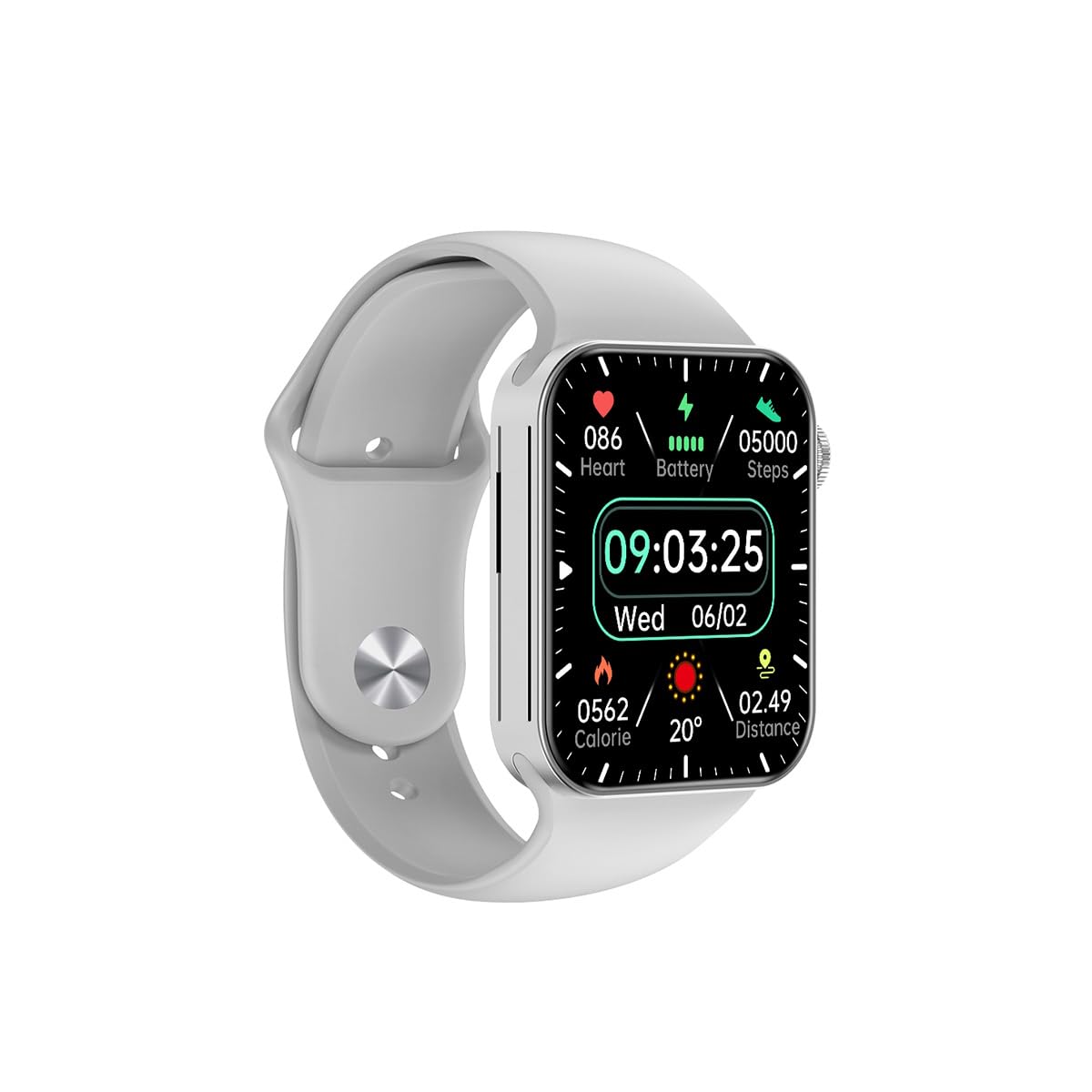
Ffigur 3.1: Blaen view of the Awei H15 Smartwatch display, illustrating various health metrics and time.

Ffigur 3.2: Ochr view of the smartwatch, highlighting the rotary crown for navigation and an additional button.
4. Gosod
4.1 Gwefru'r Oriawr Clyfar
Before first use, fully charge your Awei H15 Smartwatch. Connect the provided charging cable to the charging port on the back of the watch and to a standard USB power adapter (not included).
- Charging Time: Approximately 2-3 hours for a full charge.
- Battery Life: Up to 7 days with calls, up to 15 days without calls.
4.2 Pŵer Ymlaen/Diffodd
- I Bweru Ymlaen: Press and hold the side button until the Awei logo appears.
- I Bweru i ffwrdd: Press and hold the side button, then select 'Power Off' on the screen.
4.3 Paru â'ch Ffôn Clyfar
The Awei H15 Smartwatch uses Dual Bluetooth 3.0/5.0 for stable connectivity. To unlock full features, download the companion app (refer to the packaging or quick start guide for app name) from your smartphone's app store.
- Ensure your smartwatch is powered on and fully charged.
- Galluogi Bluetooth ar eich ffôn clyfar.
- Open the companion app and follow the on-screen instructions to search for and connect to your Awei H15 Smartwatch.
- Cadarnhewch y cais paru ar eich ffôn clyfar a'ch oriawr smart.
5. Cyfarwyddiadau Gweithredu
5.1 Mordwyo Sylfaenol
- Sgrin Gyffwrdd: Sweipiwch i'r chwith, i'r dde, i fyny, neu i lawr i lywio drwy ddewislenni a sgriniau. Tapiwch i ddewis eitemau.
- Coron Rotari: Rotate the crown to scroll through lists or zoom in/out (where applicable). Press the crown to return to the home screen or confirm selections.
5.2 Multi-Dial Switching
Customize your smartwatch's appearance by switching between various watch faces.

Ffigur 5.1: Examples of different watch faces available on the Awei H15 Smartwatch.
I newid wyneb yr oriawr:
- From the home screen, press and hold the display.
- Sweipiwch i'r chwith neu'r dde i bori wynebau oriawr sydd ar gael.
- Tap on a watch face to select it.
5.3 Monitro Iechyd
The Awei H15 Smartwatch tracks various health metrics to support your active lifestyle.
- Cyfradd y galon: Monitor your heart rate throughout the day.
- Olrhain Gweithgaredd: The built-in G-Sensor (MSA311) accurately tracks steps, distance, and calories burned.
- Monitro Cwsg: Track your sleep patterns (light sleep, deep sleep, wake-up times).
Access detailed health data through the companion app on your smartphone.
5.4 Nodweddion Clyfar
- Galwadau: Make and receive calls directly from your smartwatch when connected to your phone via Bluetooth.
- Hysbysiadau: Receive alerts for messages, emails, and app notifications.
- Diweddariadau Tywydd: Cael gwybodaeth am y tywydd mewn amser real.
- Rheoli Cerddoriaeth: Rheoli chwarae cerddoriaeth ar eich ffôn clyfar.
6. cynnal
6.1 Glanhau
Glanhewch eich oriawr smart yn rheolaidd i sicrhau perfformiad a hylendid gorau posibl.
- Sychwch y sgrin a'r corff gyda lliain meddal, di-lint.
- Ar gyfer baw ystyfnig, ychydig yn dampgolchwch y brethyn gyda dŵr. Osgowch gemegau llym.
- Clean the charging contacts periodically to ensure good connection.
6.2 Gwrthiant Dŵr (IP67)
The Awei H15 Smartwatch is IP67 water-resistant, meaning it is protected against dust and can withstand immersion in water up to 1 meter for 30 minutes.
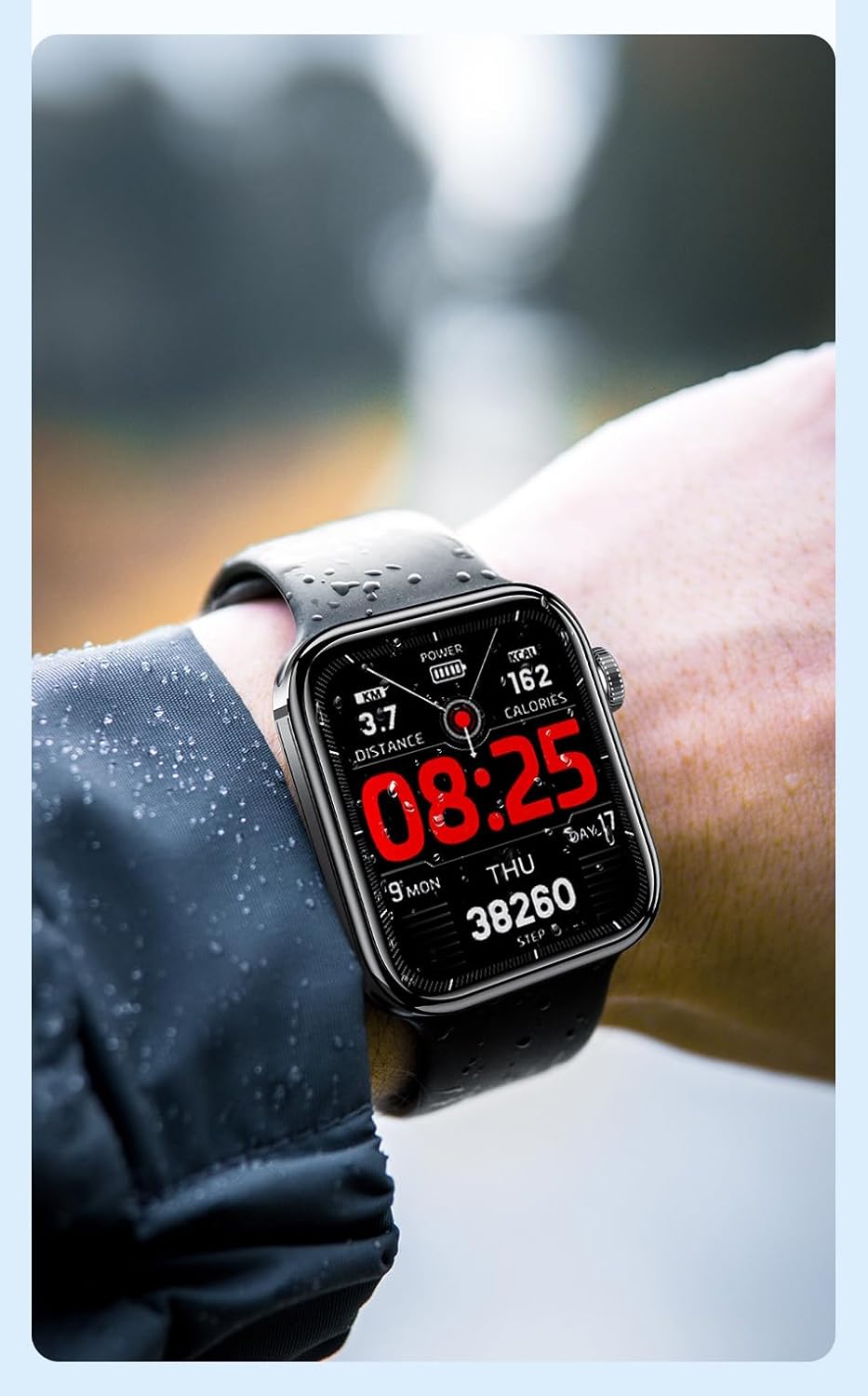
Ffigur 6.1: The Awei H15 Smartwatch is designed to withstand splashes and dust.
Important: IP67 rating does not mean the watch is suitable for swimming, showering, or diving. Avoid exposing the watch to hot water, steam, or high-velocity water.
7. Datrys Problemau
- Oriawr ddim yn troi ymlaen: Gwnewch yn siŵr bod yr oriawr wedi'i gwefru'n llawn. Cysylltwch hi â'r gwefrydd am o leiaf 30 munud.
- Methu paru â ffôn clyfar:
- Gwnewch yn siŵr bod Bluetooth wedi'i alluogi ar eich ffôn a'r oriawr.
- Gwnewch yn siŵr bod yr oriawr o fewn cyrraedd eich ffôn.
- Ailgychwynwch yr oriawr a'ch ffôn.
- Gwiriwch a yw'r ap cydymaith wedi'i ddiweddaru i'r fersiwn ddiweddaraf.
- Data iechyd anghywir: Gwnewch yn siŵr bod yr oriawr yn cael ei gwisgo'n glyd ar eich arddwrn, nid yn rhy dynn nac yn rhy llac. Glanhewch y synhwyrydd ar gefn yr oriawr.
- Bywyd batri byr: Reduce screen brightness, disable unnecessary notifications, and limit continuous heart rate monitoring.
8. manylebau
| Nodwedd | Manyleb |
|---|---|
| Model | H15 |
| Technoleg Cysylltedd | Bluetooth 3.0/5.0 |
| Gwrthiant Dŵr | IP67 |
| Gallu Batri | 260mAh |
| Amser Codi Tâl | 2-3 awr |
| Amser Defnydd | Up to 7 days (with calls), 15 days (without calls) |
| G-Synhwyrydd | MSA311 |
| Dimensiynau | 36.8 × 42.5 × 13.2mm |
| Hyd Band arddwrn | 270mm |
| Gwneuthurwr | Awei |
9. Gwarant a Chefnogaeth
Your Awei H15 Smartwatch comes with a Gwarant 6 mis o ddyddiad y pryniant. Mae'r warant hon yn cwmpasu diffygion gweithgynhyrchu o dan ddefnydd arferol.
For warranty claims or technical support, please contact your retailer or the official Awei customer service. Keep your proof of purchase for warranty validation.