
1. Rhagymadrodd
Thank you for choosing the AWEI T13 Pro Wireless Bluetooth Earbuds. This manual provides essential information for the proper setup, operation, and maintenance of your device. Please read it carefully before use to ensure optimal performance and longevity of your earbuds.
Cynnwys Pecyn
- AWEI T13 Pro Wireless Earbuds (Left and Right)
- Achos Codi Tâl
- Cebl Codi Tâl USB Math-C
- Clustffonau (amrywiol feintiau)
- Llawlyfr Defnyddiwr
2. Cynnyrch Drosview
Familiarize yourself with the components of your AWEI T13 Pro earbuds and charging case.

Image showing the AWEI T13 Pro wireless earbuds and their charging case, both in black, with the case open.

Diagram illustrating the internal components of an AWEI T13 Pro earbud, highlighting the 8mm speaker for enhanced audio quality.

Image depicting a person wearing the AWEI T13 Pro earbud, demonstrating its ergonomic and lightweight design for comfortable wear.
3. Gosod
3.1 Gwefru'r Clustffonau a'r Cas
Cyn ei ddefnyddio gyntaf, gwefrwch y clustffonau a'r cas gwefru yn llawn.
- Codi Tâl am yr Achos: Connect the provided USB Type-C cable to the charging port on the case and the other end to a USB power adapter (not included). The indicator lights on the case will show the charging status. A full charge takes approximately 1.5 hours.
- Codi Tâl ar y Earbuds: Place the earbuds into their respective slots in the charging case. Ensure they are correctly seated. The earbuds will automatically begin charging. The case's indicator lights will confirm charging.

Image displaying the AWEI T13 Pro charging case connected via a Type-C cable for fast and stable charging.

Image showing the charging case with earbuds inside, indicating battery life metrics: 300 hours standby time, 8 hours play time, and 9 hours talk time per charge.
3.2 Paru gyda Dyfais
The AWEI T13 Pro earbuds utilize Bluetooth 5.3 for a stable connection.
- Paru Cychwynnol:
- Agorwch y cas gwefru. Bydd y clustffonau'n troi ymlaen yn awtomatig ac yn mynd i mewn i'r modd paru.
- On your device (smartphone, tablet, laptop, TV), enable Bluetooth.
- Chwiliwch am available Bluetooth devices and select "AWEI T13 Pro" from the list.
- Ar ôl cysylltu, byddwch yn clywed tôn cadarnhau, a bydd y clustffonau'n barod i'w defnyddio.
- Ailgysylltu awtomatig: After the initial pairing, the earbuds will automatically connect to the last paired device when removed from the charging case, provided Bluetooth is enabled on the device and it is within range (up to 10 meters).
- Modd Earbud Sengl: Gallwch ddefnyddio'r glustffon chwith neu'r glustffon dde ar wahân. Tynnwch un glustffon allan o'r cas, a bydd yn cysylltu â'ch dyfais. Gall y glustffon arall aros yn y cas neu gael ei ddefnyddio'n ddiweddarach.
4. Cyfarwyddiadau Gweithredu
4.1 Pŵer Ymlaen/Diffodd
- Pŵer Ymlaen: Agorwch y cas codi tâl, a bydd y earbuds yn pweru ymlaen yn awtomatig.
- Pwer i ffwrdd: Rhowch y clustffonau yn ôl yn y cas gwefru a chau'r caead. Byddant yn diffodd yn awtomatig ac yn dechrau gwefru.
4.2 Rheolaethau Cyffwrdd
The AWEI T13 Pro earbuds feature smart touch controls for convenient operation.
| Swyddogaeth | Gweithred |
|---|---|
| Chwarae/Seibiant Cerddoriaeth | Tap sengl ar y naill glust neu'r llall |
| Can nesaf | Tapiwch ddwywaith ar y glustffon dde |
| Caniad Blaenorol | Tapiwch ddwywaith ar y glustffon chwith |
| Cyfrol i Fyny | Tap triphlyg ar y earbud dde |
| Cyfrol Lawr | Tap triphlyg ar y earbud chwith |
| Ateb/Diwedd Galwad | Tap sengl ar y naill glust neu'r llall |
| Gwrthod Galwad | Pwyswch a daliwch y naill glust neu'r llall am 2 eiliad |
| Actifadu Cynorthwyydd Llais | Pwyswch a daliwch y naill glust neu'r llall am 3 eiliad |
4.3 Gwisgo'r Clustffonau
For optimal sound quality and comfort, ensure the earbuds are properly seated in your ears. Choose the eartip size that provides a secure yet comfortable fit. The ergonomic design helps them stay in place during various activities.
5. cynnal
Mae cynnal a chadw priodol yn sicrhau hirhoedledd a pherfformiad eich clustffonau.
5.1 Glanhau
- Glanhewch y clustffonau a'r cas gwefru yn rheolaidd gyda lliain meddal, sych, heb lint.
- Tynnwch flaenau’r clustffonau a’u glanhau gyda sebon ysgafn a dŵr, yna sychwch yn drylwyr cyn eu hailgysylltu.
- Peidiwch â defnyddio glanhawyr sgraffiniol, alcohol na thoddyddion cemegol.
- The earbuds are IPX6 waterproof, meaning they are resistant to splashes and sweat. However, do not submerge them in water.
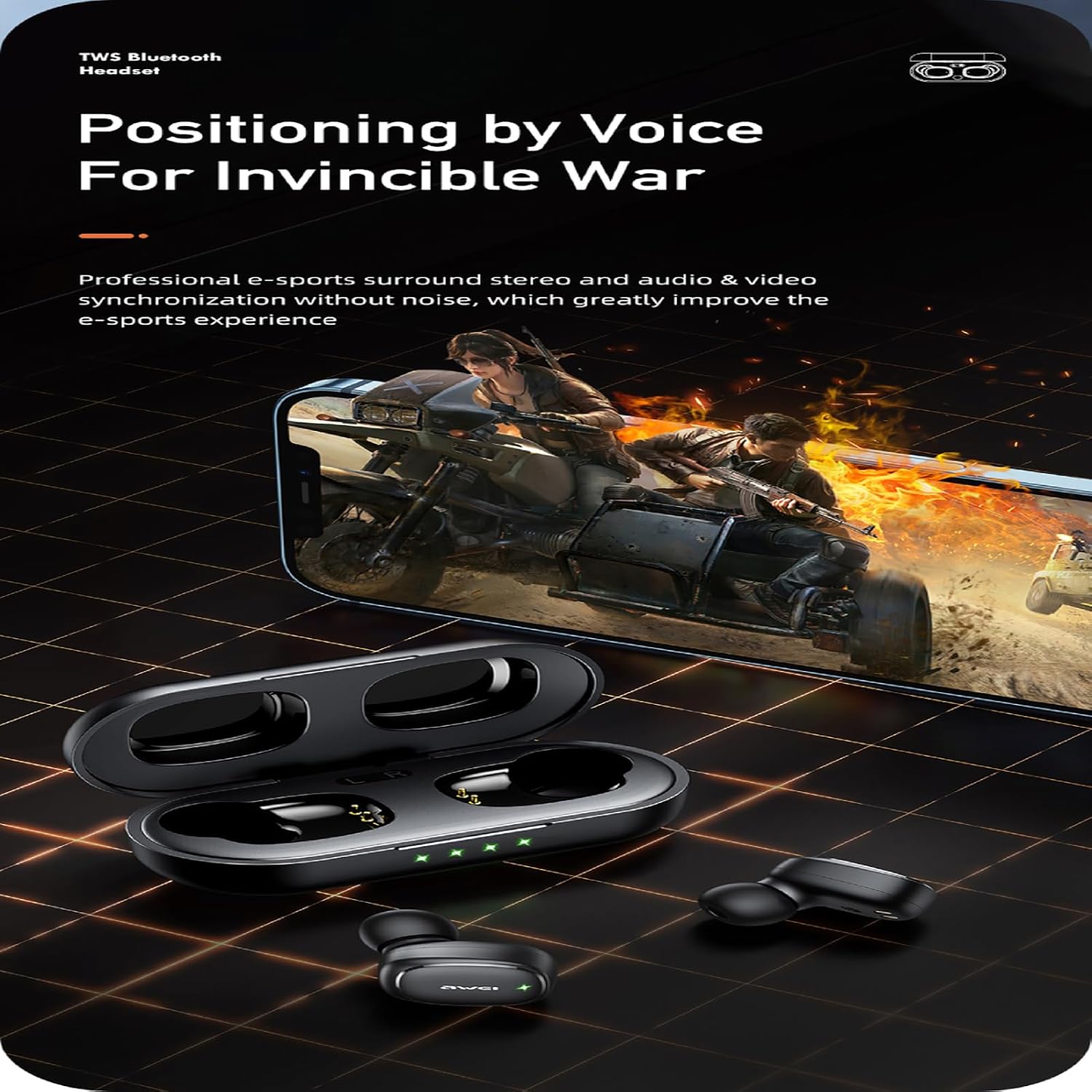
Image of the AWEI T13 Pro earbuds with water droplets, illustrating their IPX6 waterproof rating, making them resistant to rain and sweat.
5.2 Storio
- Pan nad ydynt yn cael eu defnyddio, storiwch y clustffonau yn eu cas gwefru bob amser i'w hamddiffyn a'u cadw'n wefredig.
- Storiwch mewn lle oer, sych, i ffwrdd o dymheredd eithafol a golau haul uniongyrchol.
5.3 Gofal Batri
- Osgowch wagio'r batri'n llwyr yn aml.
- Gwefrwch y clustffonau a'r cas yn rheolaidd, hyd yn oed os nad ydynt yn cael eu defnyddio'n aml, i gynnal iechyd y batri.
6. Datrys Problemau
If you encounter any issues with your AWEI T13 Pro earbuds, refer to the following common solutions:
- Clustffonau ddim yn paru:
- Sicrhewch fod y ddau glustffon wedi'u gwefru.
- Diffoddwch Bluetooth ar eich dyfais a'i droi ymlaen eto.
- Forget/delete "AWEI T13 Pro" from your device's Bluetooth list and try pairing again.
- Place earbuds back in the case, close the lid, wait a few seconds, then open and try pairing.
- Dim sain o un clustffon:
- Sicrhewch fod y ddau glustffon wedi'u gwefru.
- Rhowch gynnig ar ailosod y clustffonau (cyfeiriwch at gyfarwyddiadau'r gwneuthurwr) websafle am gyfarwyddiadau ailosod penodol os oes angen).
- Glanhewch y cysylltiadau gwefru ar y clustffonau a'r cas.
- Clustffonau ddim yn gwefru:
- Gwnewch yn siŵr bod y cebl gwefru wedi'i gysylltu'n ddiogel â'r cas a'r ffynhonnell bŵer.
- Check if the power source is working.
- Ensure the earbuds are correctly placed in the charging case and the charging contacts are clean.
- Ansawdd sain gwael neu ddatgysylltiadau:
- Gwnewch yn siŵr bod eich dyfais o fewn yr ystod Bluetooth 10 metr.
- Osgowch rwystrau rhwng eich dyfais a'r clustffonau.
- Gwiriwch am ymyrraeth gan ddyfeisiau diwifr eraill.
- Gwnewch yn siŵr bod y clustffonau'n lân ac yn rhydd o falurion.
7. manylebau
| Nodwedd | Manyleb |
|---|---|
| Enw Model | T13 Pro |
| Technoleg Cysylltedd | Diwifr (Bluetooth) |
| Fersiwn Bluetooth | 5.3 |
| Amrediad Bluetooth | Hyd at 10 metr (33 troedfedd) |
| Math Gyrrwr Sain | Dynamic Driver (8mm speaker) |
| Amrediad Amrediad | 20 Hz - 20,000 Hz |
| rhwystriant | 32 Ohm |
| Amser Chwarae Clustffonau (Un Gwefr) | Hyd at 9 awr |
| Cyfanswm Amser Chwarae (gyda Chas Gwefru) | Up to 36 hours (dual-ear), 54 hours (single-ear alternating) |
| Capasiti Batri Achos Codi Tâl | 300mAh |
| Amser Codi Tâl (Achos) | Approx. 1.5 hours (Type-C) |
| Lefel Gwrthsefyll Dŵr | IPX6 (Dŵr) |
| Math o Reoli | Rheoli Cyffwrdd |
| Deunydd | Plastig, Silicôn |
| Lleoliad Clust | Mewn Clust |
| Pwysau (Clustffon Sengl) | Tua. 4.2g |
8. Gwarant a Chefnogaeth
For information regarding warranty coverage and customer support, please refer to the warranty card included with your product packaging or visit the official AWEI websafle. Cadwch eich derbynneb prynu fel prawf o brynu ar gyfer unrhyw hawliadau gwarant.