
1. Rhagymadrodd
This manual provides detailed instructions for the setup, operation, and maintenance of your KLARVUE Guardian Pro WiFi Trail Camera. Designed for wildlife monitoring, property security, and outdoor observation, this camera captures high-resolution images and videos with advanced features like 4K UHD recording, 32MP photos, and no-glow night vision. Please read this manual thoroughly before using your camera to ensure optimal performance and longevity.
2. Beth sydd yn y Bocs
Gwiriwch fod yr holl gydrannau yn bresennol yn eich pecyn:
- 1x KLARVUE Guardian Pro WiFi Trail Camera
- Cerdyn SD 1x 32GB
- 1x Mounting Strap
- 1x USB Micro-A cable
- 1x User Manual & Warning Sticker
3. Nodweddion Allweddol
- WiFi Connectivity & App Control: Connect via Bluetooth to the camera's WiFi for easy settings adjustment, live streaming, and media download via the intuitive user app. No monthly fees or remote control required. (Note: The app connects to the built-in WiFi of the trail camera and does not support connecting to home WiFi.)
- Native 4K Ultra High-Definition Video & True 32MP High-Resolution Photos: Capture genuine 32MP (7680x4320) images and authentic 4K (3840x2160@30fps) UHD video. Features a built-in 2.4-inch full-color LCD screen for viewing.
- IP67 Waterproof Rating & 0.2s Instant Shot Activation: Fully waterproof design provides protection against heavy rain, snow, dust, and extreme temperatures. Ultra-responsive 0.2-second trigger speed ensures rapid capture of motion.
- 100ft No Glow Night Vision: Advanced no-glow infrared technology delivers detailed black-and-white video and images from up to 100 feet away, ensuring stealthy monitoring.
- Hassle-free Setup and Operation: Easy installation with the included mounting strap. Supports on-demand photo and video capture.
4. Canllaw Gosod
4.1. Gosod Batri
The KLARVUE Guardian Pro requires 8xAA batteries (not included). Ensure correct polarity when inserting batteries into the battery compartment.

Image: Inserting 8xAA batteries into the camera's battery tray.
4.2. Gosod Cerdyn SD
Insert the included 32GB SD card into the designated SD card slot. Ensure the card is inserted correctly until it clicks into place.
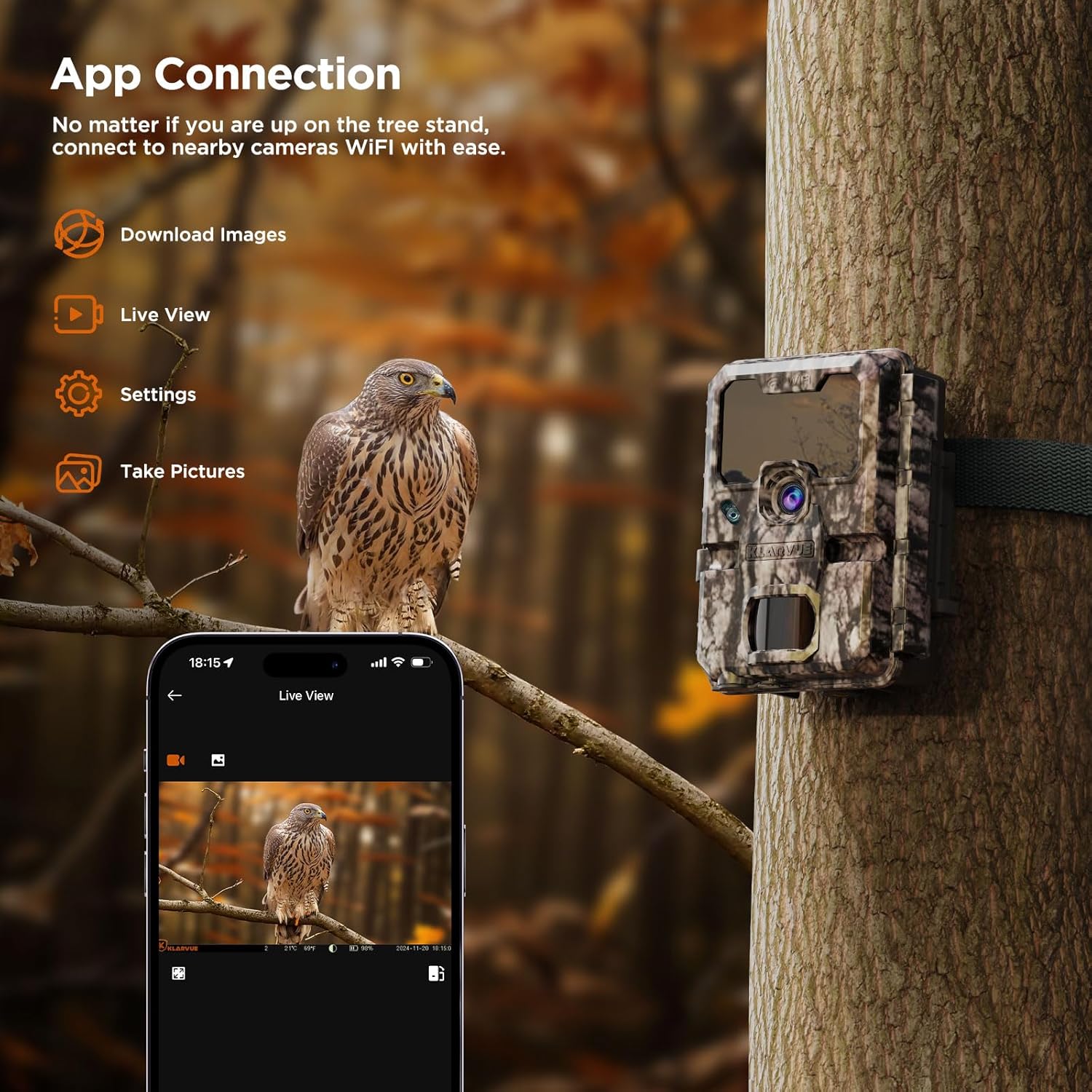
Image: Inserting the 32GB SD card into the camera.
4.3. Troi Ymlaen a Gosodiadau Sylfaenol
Toggle the power switch to the "ON" position. Use the navigation buttons (up, down, left, right, OK, Menu) to access and adjust settings on the built-in 2.4-inch LCD screen. Set the date, time, and preferred capture mode (Photo, Video, or Dual).

Image: Navigating the camera's internal menu for settings adjustment.
4.4. Cysylltiad App
Download the "KLARVUE" app from the App Store or Google Play. Enable Bluetooth and Wi-Fi on your smartphone. Follow the in-app instructions to connect to your camera's built-in Wi-Fi. This allows for remote control, live view, and media download within Wi-Fi range.

Image: Smartphone displaying the KLARVUE app connected to the camera.
5. Cyfarwyddiadau Gweithredu
5.1. Capture Modes
- Modd Llun: Captures still images. Adjust image quality (up to 32MP) and photo burst settings.
- Modd Fideo: Records video clips. Adjust video quality (up to 4K UHD) and video length (up to 10 seconds).
- Modd Deuol: Captures both a still image and a video clip per trigger event.
5.2. Gosodiadau Uwch
- Cyfnod PIR: Set the delay between trigger events.
- Sensitifrwydd PIR: Adjust the motion sensor's sensitivity (Auto, Low, Medium, High) to prevent false triggers.
- Oriau Gweithredu: Define specific timeframes for the camera to be active.
- Hepgor Amser: Configure the camera to take photos at set intervals for time-lapse sequences.
- Modd Nos: Select "Long Range" for optimal 100ft no-glow night vision.
6. Integreiddio Cyfryngau
6.1. Delweddau Cynnyrch
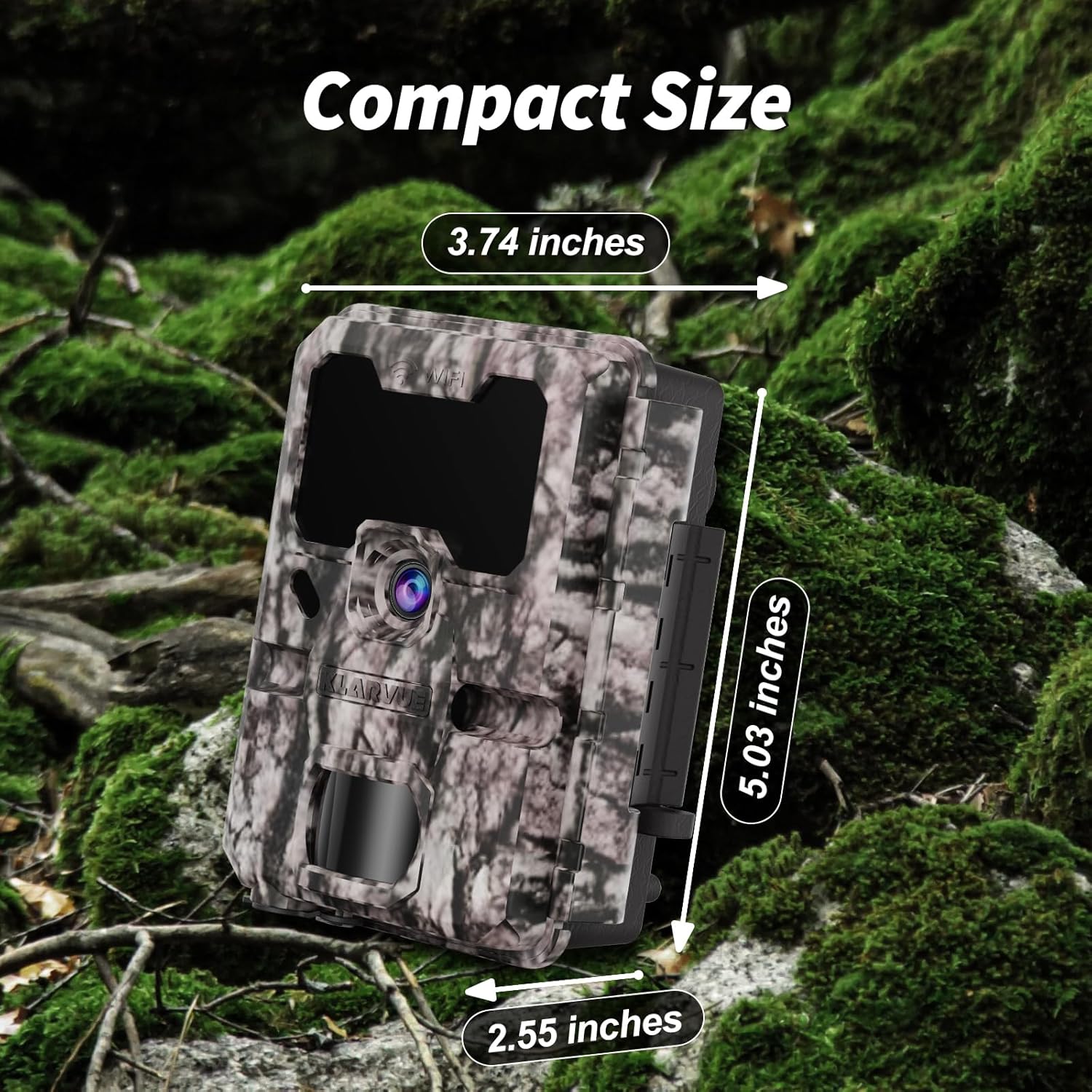
Image: KLARVUE Guardian Pro trail camera securely mounted on a tree using the provided strap.

Image: Dimensions of the compact KLARVUE Guardian Pro trail camera, measuring 5.03 inches in height, 3.74 inches in width, and 2.55 inches in depth.
6.2. Fideos Cynnyrch Swyddogol
The following videos provide additional guidance on setting up and using your KLARVUE Guardian Pro WiFi Trail Camera:
Klarvue Guardian Pro WiFi Game Camera - Quick Start
Video: A quick start guide demonstrating the initial setup and basic functions of the Klarvue Guardian Pro WiFi Game Camera.
Camera Llwybr WiFi
Fideo: Dros benview of the WiFi connectivity features of the Klarvue Trail Camera, showing how to connect and manage the device.
7. Datrys Problemau
If you encounter issues with your KLARVUE Guardian Pro, please refer to the following common solutions:
- Camera Ddim yn Pweru Ymlaen: Ensure batteries are correctly inserted and fully charged. Check that the power switch is in the "ON" position.
- Dim Delweddau/Fideos wedi'u Cipio: Verify the SD card is properly inserted and not full. Check PIR sensitivity settings and ensure the camera is in an active operating hour.
- Materion Cysylltedd Ap: Ensure your phone's Bluetooth and Wi-Fi are enabled. Make sure you are within the camera's Wi-Fi signal range. Restart both the camera and your phone, then try connecting again.
- Ansawdd Delwedd/Fideo Gwael: Check the selected image and video quality settings. Ensure the lens is clean and free from obstructions.
8. cynnal
To ensure the longevity and optimal performance of your KLARVUE Guardian Pro WiFi Trail Camera, follow these maintenance guidelines:
- Glanhau Rheolaidd: Periodically clean the camera lens and PIR sensor window with a soft, dry cloth to remove dust, dirt, or smudges.
- Gwiriad batri: Monitor battery levels regularly, especially before extended deployment. Replace batteries when low to prevent interruption of recording.
- Rheoli Cerdyn SD: Format the SD card periodically to maintain optimal performance and prevent data corruption. Back up important media before formatting.
- Diogelu'r Amgylchedd: While IP67 rated, avoid prolonged submersion or direct high-pressure water exposure. Ensure all latches are securely closed to maintain waterproof integrity.
9. manylebau
| Nodwedd | Manylyn |
|---|---|
| Brand | KLARVUE |
| Enw Model | Guardian Pro |
| Cydraniad Delwedd | 32 MP (7680x4320) |
| Datrysiad Fideo | 4K UHD (3840x2160@30fps) |
| Cyflymder Sbarduno | 0.2 Eiliad |
| Ystod Golwg Nos | 100 Feet (No-Glow Infrared) |
| Gwrthiant Dŵr | IP67 dal dŵr |
| Cysylltedd | Bluetooth, WiFi |
| Storio | 32GB SD Card (included), supports up to 512GB |
| Ffynhonnell Pwer | 8xAA Batteries (not included) |
| Arddangos | LCD Lliw Llawn 2.4 modfedd |
| Dimensiynau | 5 x 3.9 x 2.7 modfedd |
| Pwysau | 1.12 pwys |
10. Gwarant a Chefnogaeth
The KLARVUE Guardian Pro WiFi Trail Camera comes with a 1-Year Worry-Free Warranty and life-long technical support. For any questions or assistance, please do not hesitate to contact KLARVUE customer service via Amazon.