
1. Rhagymadrodd
Thank you for choosing the Edifier X1 Lite True Wireless Earbuds. This manual provides detailed instructions for setting up, operating, and maintaining your new earbuds to ensure optimal performance and longevity. Please read this manual thoroughly before use.

Image: Edifier X1 Lite True Wireless Earbuds in their open charging case.
2. Beth sydd yn y Bocs
The Edifier X1 Lite package includes the following components:
- Edifier X1 Lite True Wireless Earbuds (Left and Right)
- Achos Codi Tâl
- Cebl Codi Tâl USB
- Llawlyfr Defnyddiwr (y ddogfen hon)
3. Gosod
3.1 Codi Tâl Cychwynnol
Cyn ei ddefnyddio gyntaf, gwefrwch y clustffonau a'r cas gwefru yn llawn.
- Rhowch y ddau earbuds yn yr achos gwefru.
- Cysylltwch y cebl gwefru USB â'r porthladd gwefru ar y cas ac â ffynhonnell bŵer (e.e., addasydd wal USB, porthladd USB cyfrifiadur).
- Bydd y golau dangosydd ar y cas gwefru yn dangos statws y gwefru. Cyfeiriwch at yr adran dangosydd LED am fanylion.
- Mae gwefr lawn fel arfer yn cymryd tua 1.5 awr ar gyfer y cas a'r clustffonau.
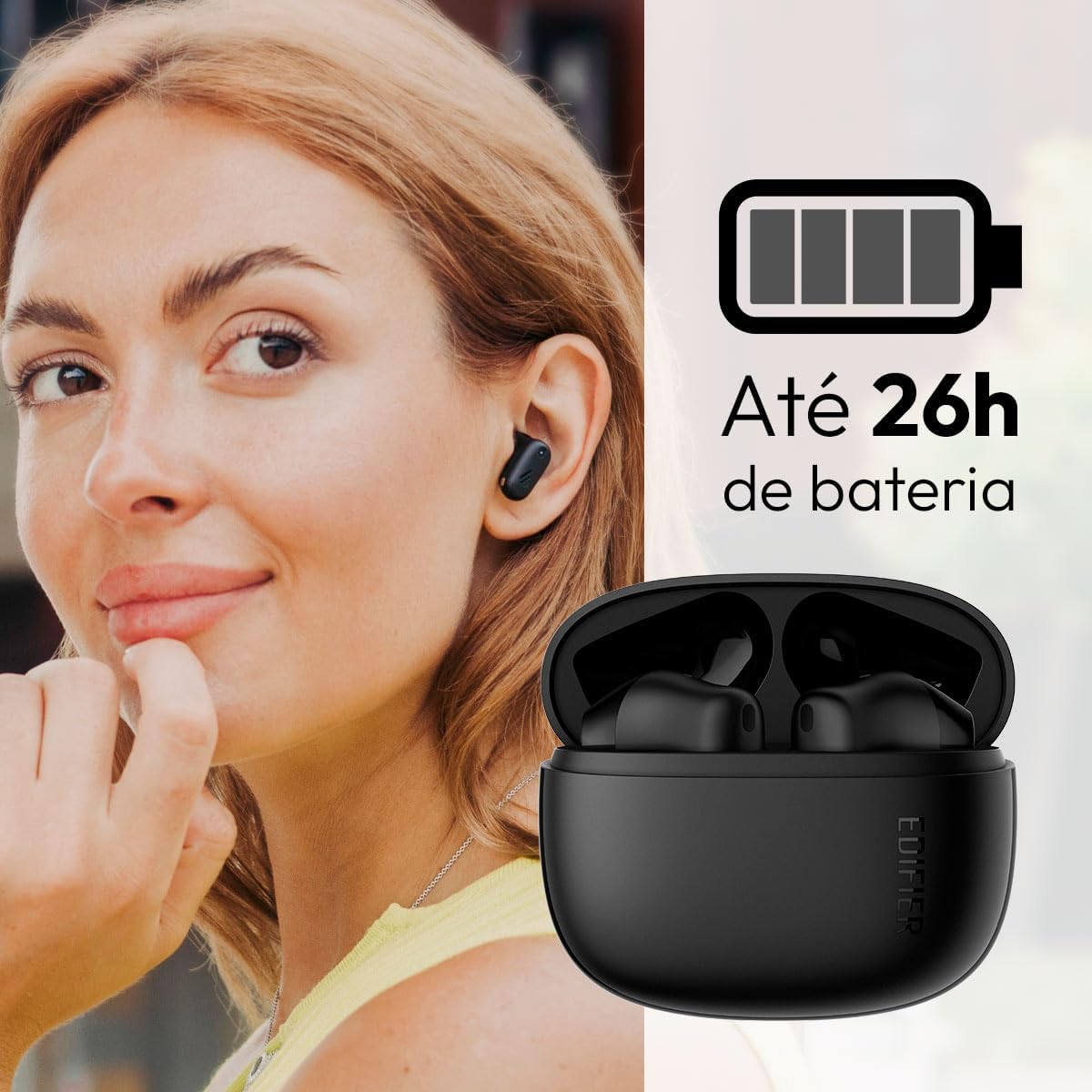
Image: Woman wearing an earbud, with the charging case and a battery icon indicating charging.
Fast Charging Feature:
A 15-minute quick charge can provide approximately 1.5 hours of playtime for the earbuds.

Image: Visual representation of battery life and fast charging capabilities.
3.2 Pâr Bluetooth
Follow these steps to pair your Edifier X1 Lite earbuds with your device:
- Paru am y tro cyntaf: Open the charging case. The earbuds will automatically power on and enter pairing mode. The indicator light on the earbuds will flash rapidly.
- Ar eich dyfais (ffôn clyfar, tabled, gliniadur), galluogwch Bluetooth.
- Chwiliwch am "EDIFIER X1 Lite" in the list of available Bluetooth devices.
- Select "EDIFIER X1 Lite" to connect. Once connected, the indicator lights on the earbuds will turn off, and you will hear a confirmation tone.
- Re-pairing/Connecting to a New Device: If the earbuds are already connected to another device, disconnect them first. Alternatively, with the earbuds in the case and the lid open, press and hold the button on the charging case for 3 seconds to enter pairing mode.

Image: Man using earbuds, highlighting Bluetooth 5.4 connectivity.
3.3 Edifier ConneX App Installation
For enhanced features and customization, download the EDIFIER ConneX app:
- Scan the QR code provided in the image below or visit the official Edifier app download page.
- Gosod yr app ar eich ffôn clyfar neu dabled.
- Open the app and follow the on-screen instructions to connect your X1 Lite earbuds.
- The app allows for sound effect customization, game mode activation, and touch control settings.

Image: EDIFIER ConneX app interface with QR code. Download the Edifier ConneX App
4. Cyfarwyddiadau Gweithredu
4.1 Gwisgo'r Clustffonau
Proper fit ensures optimal sound quality and comfort:
- Nodwch y clustffonau chwith (L) a dde (D).
- Mewnosodwch bob clustffon yn ysgafn i'r gamlas glust gyfatebol.
- Rotate the earbud slightly until it feels secure and comfortable.

Image: Man demonstrating proper earbud placement.
4.2 Pŵer Ymlaen/Diffodd
- Pŵer Ymlaen: Mae'r clustffonau'n troi ymlaen yn awtomatig pan gânt eu tynnu o'r cas gwefru.
- Pwer i ffwrdd: The earbuds automatically power off and begin charging when placed back into the charging case and the lid is closed.
4.3 Rheolaethau Cyffwrdd
The Edifier X1 Lite earbuds feature touch-sensitive controls on each earbud. These controls can be customized via the EDIFIER ConneX app.
| Gweithred | Earbud Chwith (L) | Earbud De (D) |
|---|---|---|
| Ateb/Diwedd Galwad | Tap dwbl | Tap dwbl |
| Gwrthod Galwad | Tap Triphlyg | Tap Triphlyg |
| Chwarae/Seibiant Cerddoriaeth | Tap dwbl | Tap dwbl |
| Trac Nesaf | N/A (Customize via App) | Tap Triphlyg |
| Trac Blaenorol | Tap Triphlyg | N/A (Customize via App) |
| Modd Gêm Ymlaen / Diffodd | Quadruple Tap | Quadruple Tap |
Note: These are default settings. Functions can be reconfigured using the EDIFIER ConneX app.

Delwedd: Canllaw gweledol i reolaethau cyffwrdd clustffonau.
5. cynnal
5.1 Glanhau
- Glanhewch y clustffonau a'r cas gwefru yn rheolaidd gyda lliain meddal, sych, heb lint.
- Peidiwch â defnyddio glanhawyr sgraffiniol, alcohol na thoddyddion cemegol.
- Ensure charging contacts on both earbuds and case are clean and free of debris to maintain proper charging.
5.2 Gwrthiant Dŵr (IP54)
The Edifier X1 Lite earbuds are IP54 rated, meaning they are protected against dust ingress and splashing water from any direction. This makes them suitable for workouts and light rain.
- Peidiwch â throchi'r clustffonau mewn dŵr.
- The charging case is not water-resistant. Keep it dry.
- If earbuds get wet, wipe them dry completely before placing them back in the charging case to prevent damage.

Image: Demonstrating IP54 sweat resistance during exercise.
5.3 Gofal Batri
- Osgowch amlygu'r clustffonau a'r cas i dymheredd eithafol (poeth neu oer).
- Storiwch y ddyfais mewn lle oer, sych pan nad yw'n cael ei ddefnyddio.
- Gwefrwch y ddyfais yn rheolaidd, hyd yn oed os nad yw'n cael ei defnyddio'n aml, i gynnal iechyd y batri.
6. Datrys Problemau
If you encounter issues with your Edifier X1 Lite earbuds, refer to the following common problems and solutions:
6.1 Dim Sŵn neu Gysylltiad Ysbeidiol
- Gwirio Batri: Gwnewch yn siŵr bod y clustffonau a'r cas gwefru wedi'u gwefru'n ddigonol.
- Ail-baru: Disconnect the earbuds from your device's Bluetooth settings and then re-pair them.
- Pellter: Ensure the earbuds are within the Bluetooth range (typically 10 meters) of your device.
- Ymyrraeth: Move away from strong Wi-Fi signals or other Bluetooth devices that might cause interference.
- Ail gychwyn: Place both earbuds in the charging case, close the lid, wait a few seconds, then open the lid and try pairing again.
6.2 Clustffonau Ddim yn Gwefru
- Gwirio cebl: Ensure the USB charging cable is securely connected to both the case and the power source.
- Ffynhonnell Pwer: Rhowch gynnig ar borthladd USB neu addasydd wal gwahanol.
- Cysylltiadau Glan: Clean the charging contacts on the earbuds and inside the charging case with a dry cotton swab.
- Lleoliad Priodol: Gwnewch yn siŵr bod y clustffonau wedi'u gosod yn gywir yn y cas gwefru.
6.3 Poor Call Quality
- Rhwystr Meicroffon: Ensure the microphone on the earbuds is not covered.
- Amgylchedd: Move to a quieter environment if possible. The AI algorithm helps, but extreme noise can still affect clarity.
- Sefydlogrwydd Cysylltiad: Sicrhewch gysylltiad Bluetooth sefydlog.

Image: Man using earbuds for a clear call, highlighting AI voice pick-up technology.
6.4 App Connection Issues
- Bluetooth ymlaen: Ensure Bluetooth is enabled on your device and the earbuds are connected.
- Caniatâd Ap: Check if the EDIFIER ConneX app has necessary Bluetooth and location permissions.
- Restart App/Device: Caewch ac ailagorwch yr ap, neu ailgychwynwch eich ffôn clyfar.
- Diweddariad Ap: Sicrhewch fod yr ap yn cael ei ddiweddaru i'r fersiwn ddiweddaraf.
7. manylebau
| Nodwedd | Manylyn |
|---|---|
| Enw Model | X1 Lite |
| Technoleg Cysylltedd | Diwifr (Bluetooth) |
| Fersiwn Bluetooth | 5.4 |
| Math Gyrrwr Sain | Dynamic Driver (Φ13mm) |
| Amrediad Amrediad | 20Hz-20kHz |
| Bywyd Batri | Hyd at 7 awr (earbuds), hyd at 26 awr (gydag achos gwefru) |
| Codi Tâl Cyflym | 15 munud o wefru am 1.5 awr o amser chwarae |
| Isel Cudd | 60ms |
| Gwrthiant Dŵr | IP54 (Clustffonau yn unig) |
| Meicroffon | Single Mic AI algorithm voice pick-up |
| Dull Rheoli | Touch Control, App (EDIFIER ConneX) |
| Deunydd | Plastig |
| Pwysau Earbud | Tua 4g y clustffon |
| Lliw | Du |
8. Gwarant a Chefnogaeth
Edifier products are designed with quality and reliability in mind. For warranty information and customer support, please refer to the official Edifier websafle neu cysylltwch â'u gwasanaeth cwsmeriaid yn uniongyrchol.
- Swyddogol Websafle: Ymwelwch www.edifier.com ar gyfer cofrestru cynnyrch, Cwestiynau Cyffredin, ac adnoddau cymorth.
- Gwasanaeth Cwsmer: Contact Edifier customer support for technical assistance or warranty claims. Contact details can typically be found on the official websafle neu yn y pecyn cynnyrch.
Cadwch eich prawf prynu at ddibenion gwarant.