
1. Rhagymadrodd
This manual provides essential instructions for the safe and efficient use of your DALI IO-8 Wireless/Wired Hi-Fi Headphones. Please read this manual thoroughly before using the product and retain it for future reference. The DALI IO-8 headphones are designed to deliver a high-fidelity audio experience with advanced features such as Active Noise Cancellation (ANC), Bluetooth AptX Adaptive connectivity, and a long-lasting battery.
2. Cynnyrch Drosview
Familiarize yourself with the components and controls of your DALI IO-8 headphones.

Ffigur 2.1: Blaen view of the DALI IO-8 headphones, showcasing the caramel and white color scheme and overall design.

Ffigur 2.2: O'r brig i lawr view of the DALI IO-8 headphones, highlighting the earcups and visible control buttons on the side.
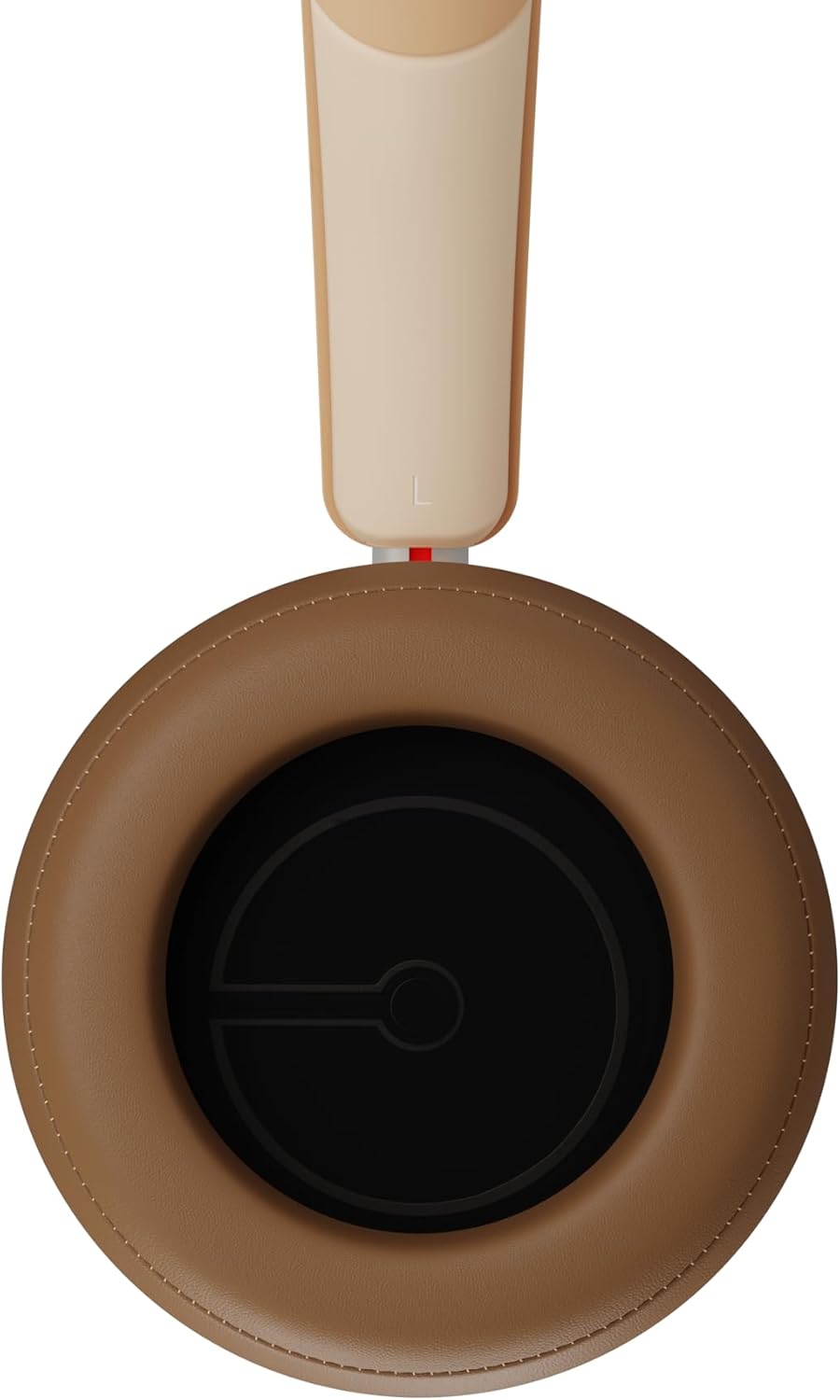
Ffigur 2.3: Tu mewn view of a DALI IO-8 earcup, showing the soft padding and driver grille, designed for comfort and sound delivery.

Ffigur 2.4: Yn agos view of the DALI IO-8 earcup, showing the USB-C charging port and other control buttons.
2.1 Cynnwys Pecyn
- Clustffonau DALI IO-8
- Cebl Codi Tâl USB-C
- Cebl Sain 3.5mm
- Travel Case (if included)
- Llawlyfr Defnyddiwr (y ddogfen hon)
2.2 Cydrannau Clustffonau

Ffigur 2.5: Ffrwydrodd view illustrating the internal components of the DALI IO-8 headphones, including the 50mm driver, circuitry, and earcup structure.
- Headband (Adjustable)
- Earcups (Over-ear design with genuine leather)
- 50mm Driver (SMC Driver Technology)
- Control Buttons (Power, Volume, ANC, Multifunction)
- USB-C Port (Charging and Wired Audio)
- 3.5mm Audio Jack (Wired Audio)
- Microphones (for ANC and calls)
3. Gosod
3.1 Gwefru'r Clustffonau
Before initial use, fully charge your DALI IO-8 headphones.
- Connect the supplied USB-C cable to the USB-C port on the headphone earcup.
- Cysylltwch ben arall y cebl USB-C â ffynhonnell pŵer USB gydnaws (e.e., porthladd USB cyfrifiadur, addasydd wal USB).
- The LED indicator will show charging status. A full charge provides up to 35 hours of playback with ANC enabled.
- Ar ôl ei wefru'n llawn, datgysylltwch y cebl.
3.2 Pŵer Ymlaen/Diffodd
- I Bweru Ymlaen: Press and hold the Power button for approximately 2 seconds until the LED indicator illuminates.
- I Bweru i ffwrdd: Pwyswch a daliwch y botwm Pŵer am tua 3 eiliad nes bod y dangosydd LED yn diffodd.
3.3 Pâr Bluetooth
The DALI IO-8 supports Bluetooth AptX Adaptive for high-quality wireless audio.
- Sicrhewch fod y clustffonau wedi'u pweru i ffwrdd.
- Pwyswch a daliwch y botwm Pŵer am tua 5 eiliad nes bod y dangosydd LED yn fflachio'n las yn gyflym. Mae hyn yn dynodi modd paru.
- On your audio device (smartphone, tablet, computer), enable Bluetooth and search for available devices.
- Select "DALI IO-8" from the list of found devices.
- Once paired, the LED indicator will glow solid blue or flash slowly.
- Bydd y clustffonau'n ceisio ailgysylltu'n awtomatig â'r ddyfais a barwyd ddiwethaf pan gânt eu troi ymlaen.
3.4 Cysylltiad Gwifrog
The DALI IO-8 can be used with a wired connection via the 3.5mm audio jack or USB-C.
- Cebl Sain 3.5mm: Connect one end of the supplied 3.5mm audio cable to the headphone's 3.5mm jack and the other end to your audio source's headphone output. The headphones can be used passively in this mode, or actively with ANC and amplification if powered on.
- USB-C Audio: Connect the supplied USB-C cable to the headphone's USB-C port and the other end to a compatible USB audio output on your computer or device. This mode allows for digital audio transmission and charging simultaneously.
4. Gweithredu'r Clustffonau
4.1 Canslo Sŵn Gweithredol (ANC)
The DALI IO-8 features three distinct ANC modes and wind noise suppression.
- Press the dedicated ANC button to cycle through the available modes:
- ANC Ymlaen: Canslo sŵn mwyaf posibl.
- Modd Tryloywder: Allows ambient sounds to pass through for situational awareness.
- ANC i ffwrdd: Active noise cancellation is disabled.
- Wind noise suppression is automatically engaged in ANC modes to reduce interference from wind.
4.2 Modd Sain
Customize your listening experience with two sound profiles.
- Press the Sound Mode button (if available, or refer to specific button on device) to switch between:
- Hi-Fi Mode: Delivers a balanced and neutral sound signature.
- Modd Bas: Enhances low-frequency response for a more impactful bass.
4.3 Playback and Volume Control
Use the control buttons on the earcup for media playback and volume adjustments.
- Cyfrol i Fyny: Pwyswch y botwm '+'.
- Cyfrol i Lawr: Pwyswch y botwm '-'.
- Chwarae/Seibiant: Pwyswch y botwm Multifunction unwaith.
- Trac Nesaf: Double-press the Multifunction button.
- Trac Blaenorol: Triple-press the Multifunction button.
4.4 Rheoli Galwadau
Manage phone calls when connected via Bluetooth.
- Ateb / Diwedd Galwad: Pwyswch y botwm Multifunction unwaith.
- Gwrthod Galwad: Pwyswch a dal y botwm Multifunction am 2 eiliad.
- Ysgogi Cynorthwyydd Llais: Press and hold the Multifunction button for 2 seconds (when not on a call).
5. cynnal
5.1 Glanhau
- Sychwch y clustffonau gyda lliain meddal, sych, heb lint.
- Do not use abrasive cleaners, solvents, or chemical sprays.
- Ar gyfer cwpanau clust, sychwch yn ysgafn gyda lliain ychydig yn ysgafnamp cloth if necessary, then dry immediately.
- Gwnewch yn siŵr nad oes lleithder yn mynd i mewn i'r porthladdoedd na'r agoriadau.
5.2 Storio
- When not in use, store the headphones in their protective travel case to prevent damage.
- Osgowch amlygu'r clustffonau i dymheredd eithafol, lleithder, neu olau haul uniongyrchol.
6. Datrys Problemau
| Problem | Achos Posibl | Ateb |
|---|---|---|
| Dim pŵer | Mae batri wedi'i ddisbyddu. | Gwefrwch y clustffonau gan ddefnyddio'r cebl USB-C a gyflenwir. |
| Methu paru drwy Bluetooth | Nid yw'r clustffonau yn y modd paru; mae Bluetooth y ddyfais i ffwrdd; mae'n rhy bell o'r ddyfais. | Ensure headphones are in pairing mode (rapid blue LED flash). Turn on Bluetooth on your device. Move headphones closer to the device. Forget "DALI IO-8" on your device and re-pair. |
| Dim sain | Volume too low; incorrect input source; headphones not connected. | Increase volume on headphones and source device. Check Bluetooth connection or wired cable. Ensure the correct audio output is selected on your device. |
| Nid yw'r ANC yn gweithio'n effeithiol | ANC mode off; poor earcup seal. | Ensure ANC is enabled. Adjust headphones for a proper seal around your ears. |
7. manylebau
| Nodwedd | Manylyn |
|---|---|
| Enw Model | DALI IO-8 |
| Brand | DALI |
| Technoleg Cysylltedd | Gwifrog, Di-wifr (Bluetooth) |
| Technoleg Cyfathrebu Di-wifr | Bluetooth (AptX Adaptive) |
| Canslo Sŵn | Active Noise Suppression (ANC) with Wind Noise Suppression |
| Lleoliad Clust | Gor-glust |
| Maint Gyrrwr | 50mm (SMC Driver Technology) |
| rhwystriant | 25 ohm |
| Jack clustffon | 3.5 mm |
| Bywyd Batri | Up to 35 hours (with ANC) |
| Defnyddiau | Genuine Leather (earcups) |
8. Gwybodaeth Diogelwch
Please observe the following safety guidelines to ensure safe operation and prevent damage to your headphones or injury to yourself.
- Do not expose the headphones to water, rain, or moisture.
- Osgoi tymereddau eithafol.
- Do not disassemble, repair, or modify the headphones. This voids the warranty.
- Gwrandewch ar lefelau cyfaint cymedrol i atal niwed i'r clyw.
- Cadwch allan o gyrraedd plant.
- Gwaredwch y cynnyrch yn gyfrifol yn unol â rheoliadau lleol.
9. Gwarant a Chefnogaeth
DALI products are manufactured to high standards and are covered by a limited warranty. For specific warranty terms and conditions, please refer to the warranty card included with your product or visit the official DALI website. For technical support, troubleshooting assistance, or service inquiries, please contact your authorized DALI dealer or DALI customer support.

Ffigur 9.1: A person wearing the DALI IO-8 headphones, demonstrating their comfortable fit and use in a real-world environment.