
BUNGPUNG BP-HDC-SWC11A
BUNGPUNG 8K@60Hz HDMI ARC/eARC Audio Extractor Adapter
Model: BP-HDC-SWC11A
Llawlyfr Defnyddiwr
1. Rhagymadrodd
Diolch am brynuasing the BUNGPUNG 8K@60Hz HDMI ARC/eARC Audio Extractor Adapter. This device is designed to provide flexible audio routing solutions for your home theater system, allowing you to extract or inject audio signals between HDMI sources, TVs, soundbars, and AV receivers. It supports high-resolution video up to 8K@60Hz and a wide range of audio formats, ensuring a premium audio-visual experience.

Ffigur 1: Blaen a Chefn View of the Audio Extractor Adapter
2. Nodweddion Allweddol
- HDMI ARC/eARC Audio Conversion: Capable of converting HDMI audio to ARC/eARC audio (e.g., Dolby Atmos) from an HDMI source to eARC/ARC sound systems, and converting ARC/eARC audio from an eARC TV to AV receivers.
- High Resolution Video Support: Supports video resolutions up to 8K@60Hz 4:2:0 12bit and 4K@120Hz 4:4:4 12bit.
- Advanced HDMI Specifications: Compliant with 48Gbps HDMI 2.1, HDCP 2.3, HDR, and CEC.
- Extensive Audio Format Support: Supports LPCM, Dolby Digital/Plus/EX, Dolby True HD, Dolby Atmos, DTS, DSD DTS-EX, DTS-96/24, DTS High Res, DTS-HD Master Audio, DTS:X.
- Adeiladu Gwydn: Features a durable metal body for rapid heat absorption and dissipation, reducing EMI/RFI noise interference.
- Compact and User-Friendly: Compact size, easy plug-and-play installation, and independent power supply for stable operation.

Figure 2: Product Dimensions and Feature Highlights
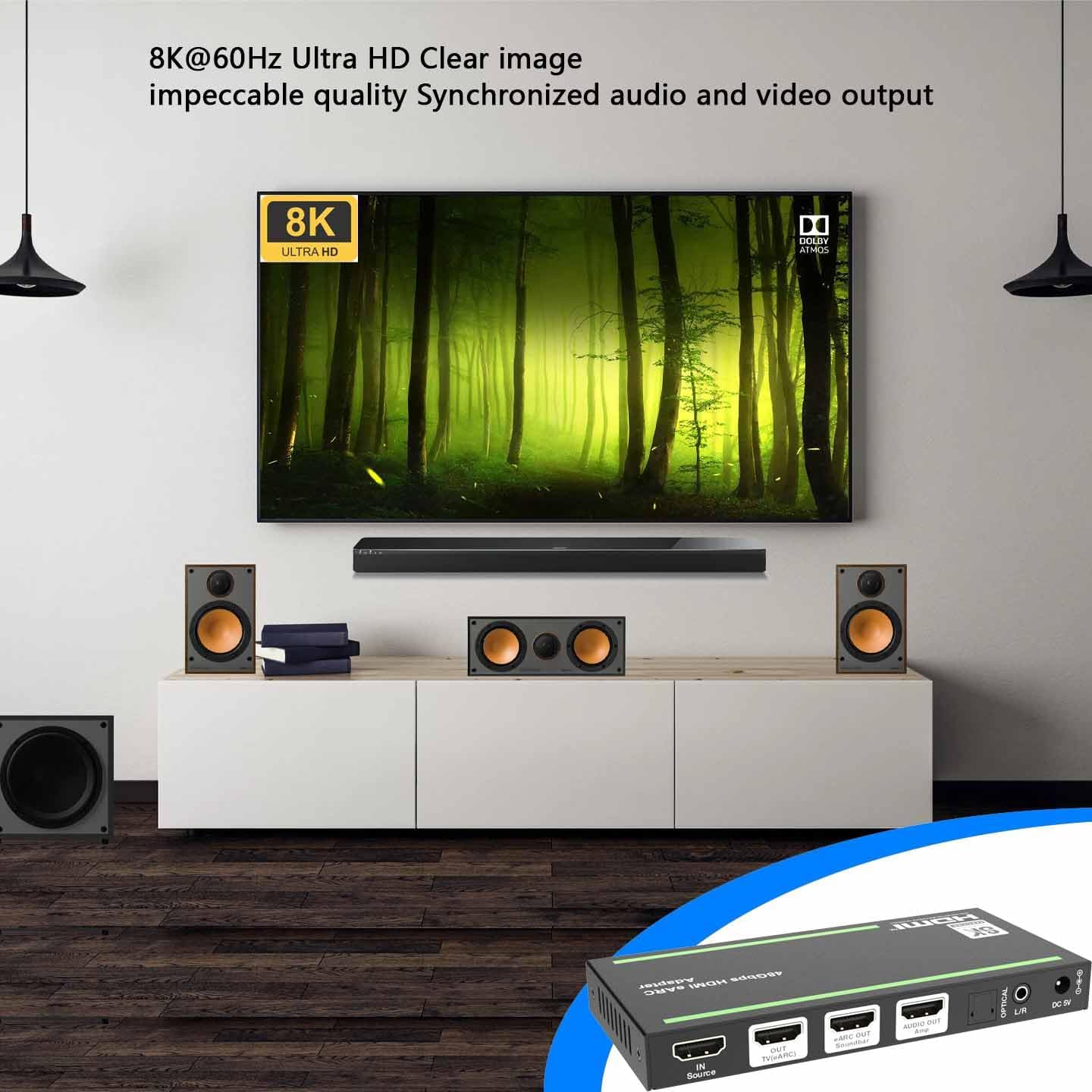
Figure 3: 8K@60Hz Ultra HD Visual Experience
3. Product Diagram and Port Descriptions
Familiarize yourself with the various ports, indicators, and controls on your audio extractor adapter.

Figure 4: Product Interface and Controls
| Nac ydw. | Enw | Disgrifiad Swyddogaeth |
|---|---|---|
| 1 | Power LED | Mae'r LED coch ymlaen pan fydd y ddyfais yn gweithio. |
| 2 | YN LED | Bydd y LED gwyrdd ymlaen pan ganfyddir y signal ffynhonnell mewnbwn. |
| 3 | ALLAN LED | The green LED will be on when the HDMI OUT port connects a display device and outputs signal. |
| 4 | Bar sain LED | Bydd y LED gwyrdd ymlaen pan fydd bar sain wedi'i gysylltu'n iawn. |
| 5 | Amp LED | Bydd y LED gwyrdd ymlaen pan fydd an amplififier wedi'i gysylltu'n iawn. |
| 6 | eARC LED |
|
| 7 | botwm eARC | Pwyswch y botwm hwn i alluogi neu analluogi'r modd eARC/ARC. |
| 8 | Newid EDIP DIP | Use the DIP switch to set EDID:
|
| 9 | GWASANAETH | Defnyddir ar gyfer diweddariad firmware a rheoli gorchmynion cyfresol. |
| 10 | Ffynhonnell MEWN | HDMI signal input port, connected to HDMI source device such as 8K PC, DVD or PSS with an HDMI cable. |
| 11 | Teledu (eARC) ALLAN | Porth allbwn signal HDMI, wedi'i gysylltu â theledu (eARC/ARC) gyda chebl HDMI. Gellir ei ddefnyddio fel sianel sain eARC/ARC pan fydd y modd eARC/ARC wedi'i alluogi. |
| 12 | Bar sain eARC ALLAN | Porth allbwn sain HDMI, wedi'i gysylltu â bar sain (eARC/ARC). |
| 13 | Amp ARCHWILIO ALLAN | Porth allbwn sain HDMI, wedi'i gysylltu â an ampllewywr. |
| 14 | OPTEGOL | Porth allbwn sain ffibr optegol. |
| 15 | Ll/R | Porth allbwn sain analog. |
| 16 | DC 5V | Porthladd mewnbwn pŵer DC 5V/2A. |
4. Gosod a Chysylltiad
Follow these steps to connect your BUNGPUNG HDMI ARC/eARC Audio Extractor Adapter to your audio-visual system.
4.1. Converting HDMI Audio to ARC/eARC Audio (eARC OFF Mode)
In this mode, the adapter extracts audio from an HDMI source and outputs it to your soundbar, amplifier, or other audio devices, while passing the video signal to your TV. The eARC function on the adapter should be disabled.
- Connect your HDMI source device (e.g., Blu-ray player, gaming console, PC) to the Ffynhonnell MEWN port (10) of the adapter using an HDMI cable.
- Cysylltwch y Teledu (eARC) ALLAN port (11) of the adapter to your TV's HDMI input using an HDMI cable.
- Cysylltwch y Bar sain eARC ALLAN port (12) to your eARC/ARC compatible soundbar using an HDMI cable.
- Yn ddewisol, cysylltwch y Amp ARCHWILIO ALLAN port (13) to your amplifier, y OPTEGOL port (14) to an optical audio device, or the Ll/R port (15) to analog audio devices.
- Ensure the eARC button (7) is set to disable eARC/ARC mode (eARC LED (6) is OFF).
- Connect the provided DC 5V power adapter to the DC 5V port (16) and plug it into a power outlet.

Figure 5: Connection Diagram for eARC OFF Mode
4.2. Converting ARC/eARC Audio to HDMI Audio (eARC ON Mode)
In this mode, the adapter receives ARC/eARC audio from your TV and outputs it to your soundbar, amplifier, or other audio devices. An HDMI source device connection is not required in this configuration.
- Connect your TV's eARC/ARC HDMI output to the Teledu (eARC) ALLAN port (11) of the adapter using an HDMI cable. This port now acts as an input for the TV's eARC/ARC audio.
- Cysylltwch y Bar sain eARC ALLAN port (12) to your eARC/ARC compatible soundbar using an HDMI cable.
- Yn ddewisol, cysylltwch y Amp ARCHWILIO ALLAN port (13) to your amplifier, y OPTEGOL port (14) to an optical audio device, or the Ll/R port (15) to analog audio devices.
- Ensure the eARC button (7) is pressed to enable eARC/ARC mode (eARC LED (6) is ON).
- Connect the provided DC 5V power adapter to the DC 5V port (16) and plug it into a power outlet.

Figure 6: Connection Diagram for eARC ON Mode
5. Cyfarwyddiadau Gweithredu
5.1. eARC/ARC Mode Selection
The eARC button (7) allows you to toggle between eARC/ARC enabled and disabled modes. Press the button to switch modes. The eARC LED (6) will indicate the current status:
- eARC LED ON: eARC/ARC mode is enabled. This is used for converting TV eARC/ARC audio to other audio outputs.
- eARC LED OFF: eARC/ARC mode is disabled. This is used for extracting audio from an HDMI source.
- eARC LED Flashing: eARC/ARC mode is enabled, but there might be an issue with CEC communication or eARC functionality. Refer to the troubleshooting section.
5.2. Rheolaeth EDID
The EDID DIP switch (8) allows you to manually configure the Extended Display Identification Data (EDID) settings. EDID communicates the display's capabilities (like resolution and audio formats) to the source device. Adjusting these settings can help resolve compatibility issues or optimize audio/video output.
Refer to Table 1 for the specific EDID configurations corresponding to each DIP switch setting.
6. Datrys Problemau
If you encounter issues with your BUNGPUNG HDMI ARC/eARC Audio Extractor Adapter, please refer to the following common problems and solutions:
| Problem | Achos a Datrysiad Posibl |
|---|---|
| Dim allbwn sain |
|
| Dim allbwn fideo |
|
| eARC LED (6) is flashing |
|
| Intermittent audio/video |
|
7. manylebau
| Nodwedd | Manylyn |
|---|---|
| Dimensiynau Cynnyrch (L x W x H) | 5.71 x 2.68 x 0.71 modfedd (145 x 68 x 18 mm) |
| Pwysau Eitem | 9.2 owns (262 gram) |
| Rhif Model | BP-HDC-SWC11A |
| Dyfeisiau Cydnaws | Amplifiers, Soundbars, TVs, DVD Players, TV Boxes |
| Math o Gysylltydd | HDMI, Optical (SPDIF), 3.5mm L/R Audio |
| Fersiwn HDMI | HDMI 2.1 |
| Fersiwn HDCP | HDCP 2.3 |
| Cymorth Datrysiad Uchaf | 8K@60Hz 4:2:0 12bit, 4K@120Hz 4:4:4 12bit |
| Lled band | 48Gbps |
| Cefnogaeth HDR | Oes |
| Cefnogaeth CEC | Oes |
| Cyflenwad Pŵer | DC 5V/2A |
8. cynnal
To ensure the longevity and optimal performance of your audio extractor adapter, follow these maintenance guidelines:
- Glanhau: Defnyddiwch frethyn meddal, sych i lanhau tu allan y ddyfais. Peidiwch â defnyddio glanhawyr hylif na chwistrellau aerosol, gan y gallant niweidio'r uned.
- Awyru: Gwnewch yn siŵr bod y ddyfais wedi'i gosod mewn man sydd wedi'i awyru'n dda i atal gorboethi. Peidiwch â rhwystro unrhyw agoriadau awyru.
- Storio: Pan nad yw'n cael ei ddefnyddio am gyfnodau hir, storiwch y ddyfais mewn lle oer, sych i ffwrdd o olau haul uniongyrchol a thymheredd eithafol.
- Trin: Trin y ddyfais yn ofalus. Osgowch ei gollwng neu ei rhoi dan effeithiau cryf.
9. Gwarant a Chefnogaeth
This BUNGPUNG HDMI ARC/eARC Audio Extractor Adapter is covered by a one-year warranty from the date of purchase. This warranty covers defects in materials and workmanship under normal use.
For technical support, warranty claims, or any questions regarding your product, please contact BUNGPUNG customer service through the retailer's platform or the official BUNGPUNG website. Please have your model number (BP-HDC-SWC11A) and purchase information ready when contacting support.
Ask a question about this manual
Ask about setup, troubleshooting, compatibility, parts, safety, or missing instructions. Manuals+ will review the question and use this page’s manual context to help answer it.