
1. Rhagymadrodd
This manual provides comprehensive instructions for the setup, operation, maintenance, and troubleshooting of your Lamzu Maya X Wireless Gaming Mouse. Please read this manual carefully to ensure proper use and to maximize the performance of your device.
2. Cynnyrch Drosview
2.1 Nodweddion Allweddol
- Ultra-lightweight Design: Weighs approximately 47g for extended comfort during use.
- Symmetrical Shape: Accommodates various grip styles including palm, claw, and fingertip.
- Switshis Optegol: Durable and responsive, rated for over 70 million clicks.
- Dust-Proof Encoder: 30-grid roller for precise and responsive scroll wheel actions.
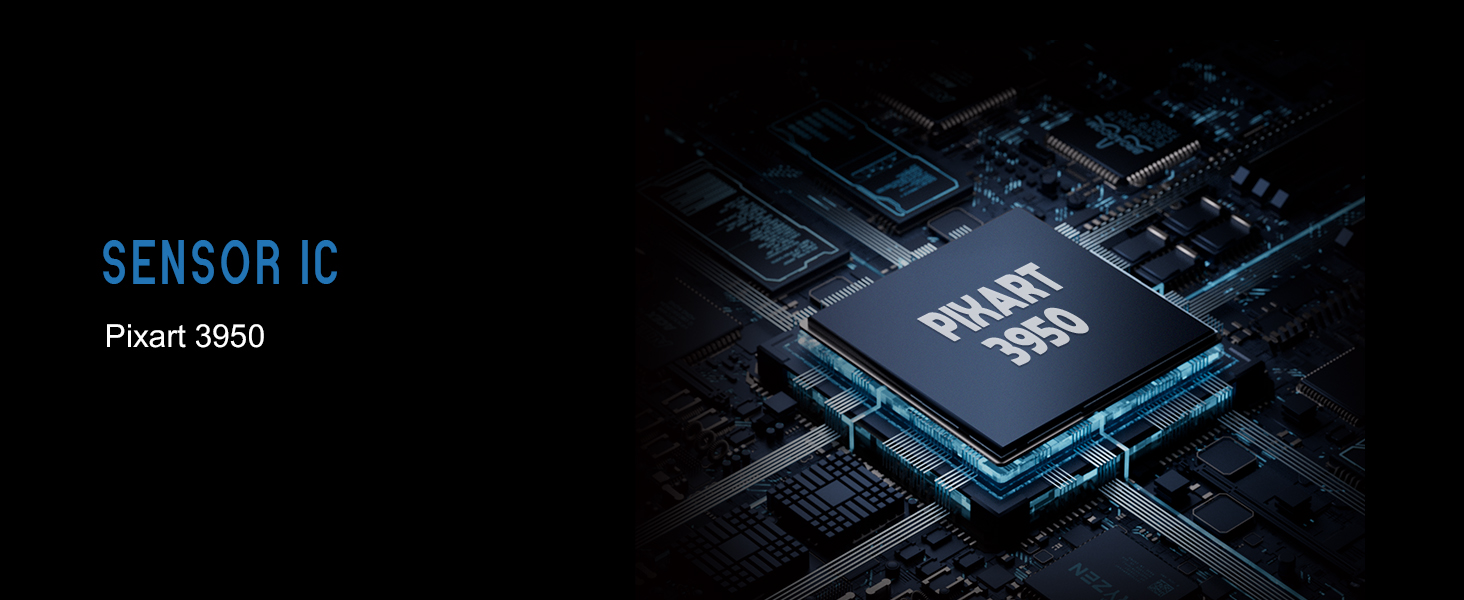
- Pixart PAW 3950 Sensor: Supports up to 30,000 DPI and 750 IPS.
- Nordic 52840 MCU: Ensures power efficiency, fast response times, and accurate motion tracking.
- Cyfradd Bleidleisio Uchel: Up to 8,000 Hz with the optional 8K dongle.
2.2 Cynnwys Pecyn
- Lamzu Maya X Wireless Gaming Mouse
- PTFE Skates (x1 set)
- 8K Dongle (x1)
- MAYA X Dustproof Seal
- 1.8m Type-C Paracord Cable
- Bag Velvet
- MAYA X Mouse Grip
2.3 Cydrannau'r Llygoden
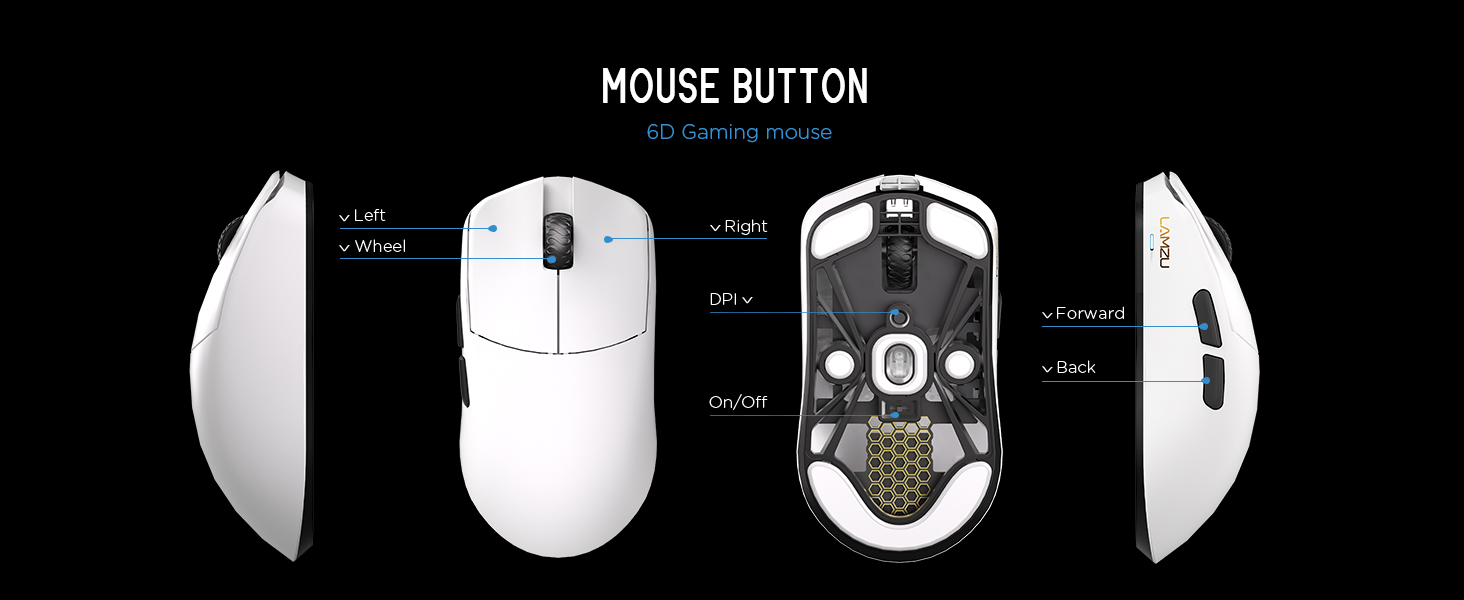
Delwedd 2.3.1: Diagram illustrating the various buttons and internal structure of the Lamzu Maya X mouse, including left click, right click, scroll wheel, DPI button, forward, back buttons, and the on/off switch.
- Botwm Chwith: Swyddogaeth clic cynradd.
- Botwm De: Swyddogaeth clicio eilaidd.
- Olwyn Sgroliwch: Ar gyfer sgrolio a swyddogaeth clic canol.
- Botwm DPI: Adjusts Dots Per Inch sensitivity.
- Botwm Ymlaen: Navigational function (e.g., browser forward).
- Botwm Cefn: Navigational function (e.g., browser back).
- Switsh ymlaen/i ffwrdd: Yn troi'r llygoden ymlaen neu i ffwrdd.
3. Gosod
3.1 Initial Connection and Charging
- Codi Tâl ar y Llygoden: Connect the provided Type-C paracord cable to the mouse and a USB port on your computer. The mouse will charge while connected.
- Pŵer Ymlaen: Locate the On/Off switch on the underside of the mouse and slide it to the "On" position.
- Connect Wireless Dongle: Insert the 8K wireless dongle into an available USB port on your computer. The mouse should automatically pair.
- Wired Mode (Optional): To use the mouse in wired mode, connect the Type-C paracord cable directly to the mouse and your computer. The mouse will function as a wired device and charge simultaneously.
Delwedd 3.1.1: The Lamzu Maya X mouse connected via its Type-C paracord cable, illustrating both wired operation and charging capabilities.
3.2 Gosod Gyrwyr a Meddalwedd
The Lamzu Maya X mouse utilizes a web-based driver for customization. To access the software and update firmware:
- Visit the official Lamzu websafle.
- Navigate to the support or downloads section for the Maya X model.
- Lawrlwythwch y web driver application. This application allows for DPI adjustment, polling rate settings, macro programming, and firmware updates.
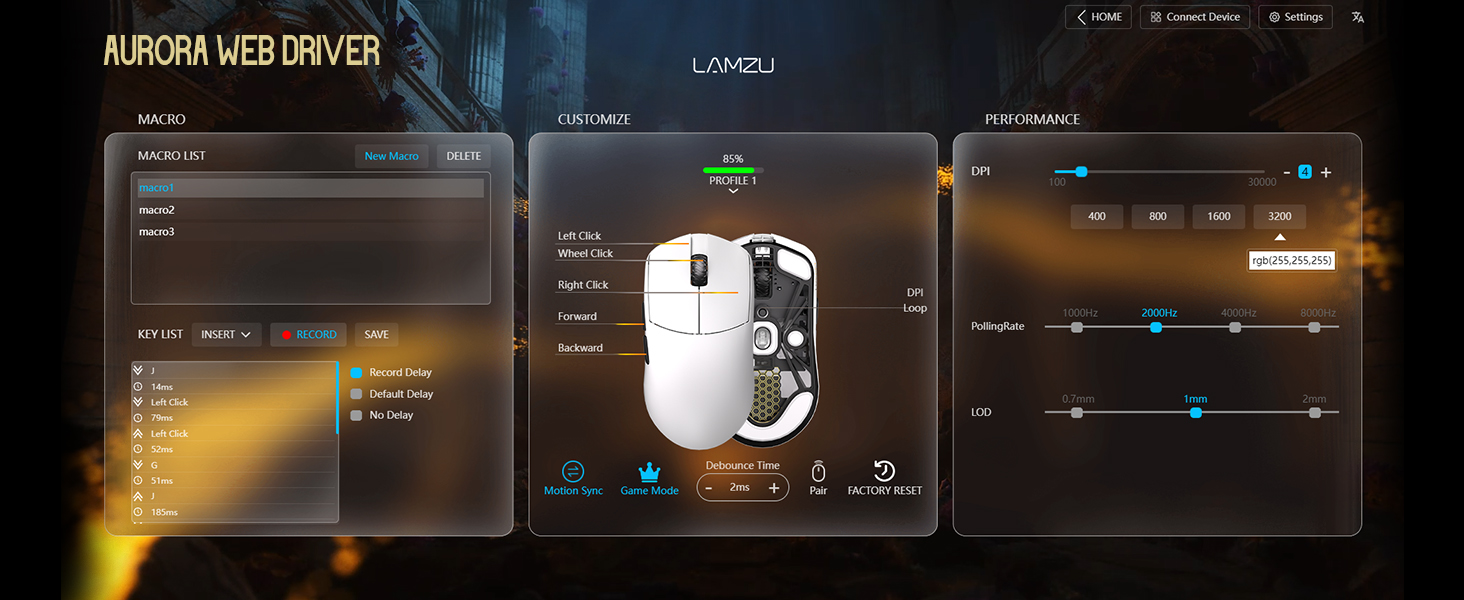
Delwedd 3.2.1: Screenshot of the Aurora Web Driver interface, displaying options for macro creation, button customization, DPI settings (up to 30000), polling rate selection (up to 8000Hz), and Lift-Off Distance (LOD).
4. Cyfarwyddiadau Gweithredu
4.1 Addasiad DPI
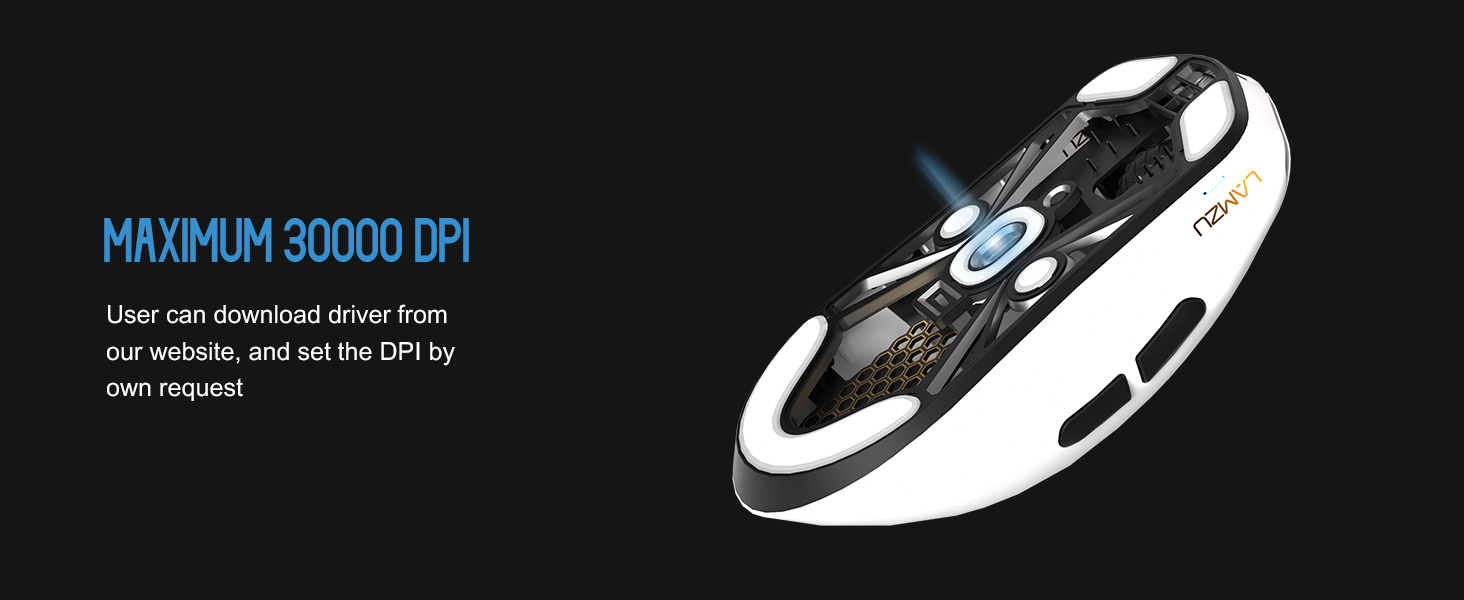
The DPI (Dots Per Inch) setting controls the mouse cursor's sensitivity. You can adjust the DPI using the dedicated DPI button on the mouse or through the Aurora Web Driver software. The Pixart PAW 3950 sensor supports up to 30,000 DPI.
Delwedd 4.1.1: Ochr isaf view of the Lamzu Maya X mouse, emphasizing its optical sensor and the capability to reach a maximum of 30,000 DPI, configurable via software.
4.2 Cyfradd Pleidleisio
The polling rate determines how often the mouse reports its position to the computer. The Maya X supports up to 8,000 Hz polling rate when using the included 8K dongle. Higher polling rates result in smoother cursor movement and reduced input lag.
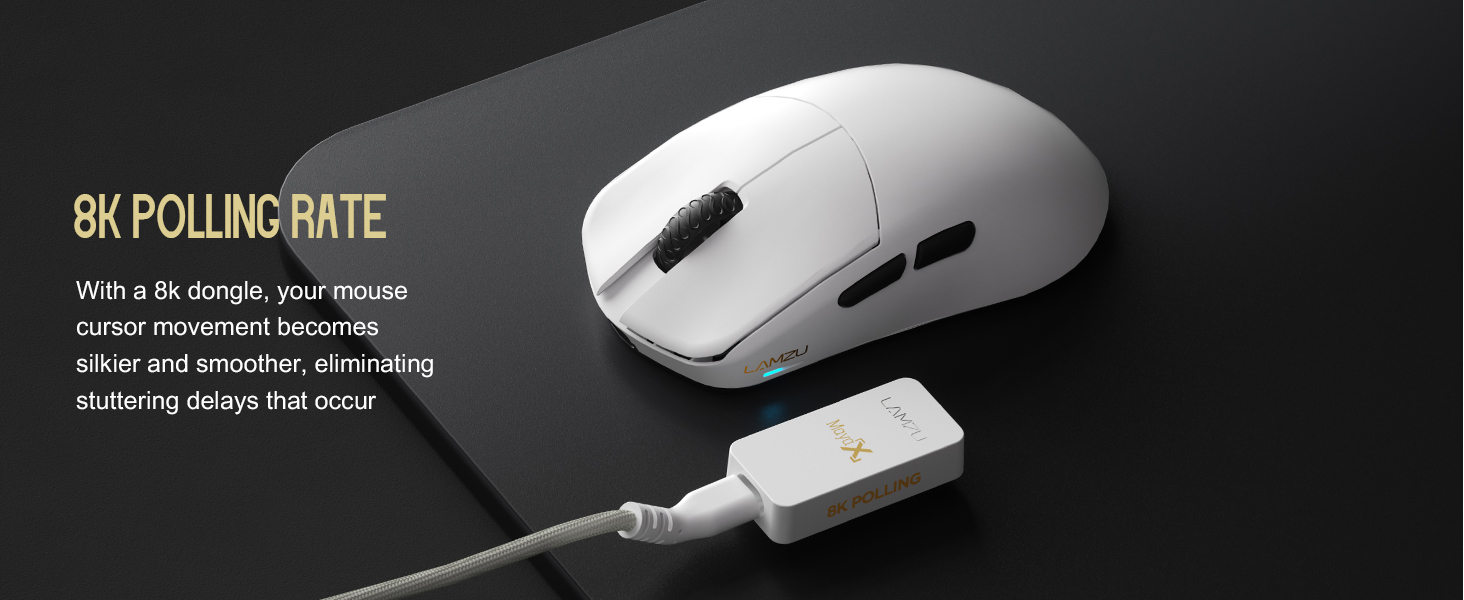
Delwedd 4.2.1: The Lamzu Maya X mouse positioned next to its 8K polling rate dongle, highlighting the benefit of smoother and more responsive cursor movement provided by high polling rates.
4.3 Grip Styles
The symmetrical design of the Maya X mouse is engineered to accommodate various common grip styles:
- Gafael Palmwydd: The entire palm rests on the mouse.
- Gafael Crafanc: Fingers are arched, and the palm rests on the back of the mouse.
- Fingertip Grip: Only the fingertips make contact with the mouse.
Delwedd 4.3.1: A visual guide demonstrating the three primary mouse grip styles—Palm Grip, Claw Grip, and Fingertip Grip—and how the Maya X mouse is designed to be compatible with each.
4.4 Wired and Wireless Modes
The Maya X mouse supports both 2.4G wireless and wired (USB Type-C) connectivity. You can switch between modes by connecting or disconnecting the Type-C cable. In wired mode, the mouse operates at a 1K polling rate, while wireless mode with the 8K dongle supports up to 8K polling.
5. cynnal
5.1 Glanhau
- Ensure the mouse is powered off before cleaning.
- Defnyddiwch frethyn meddal, di-lint yn ysgafn dampwedi'i olchi â dŵr neu doddiant glanhau ysgafn i sychu wyneb y llygoden.
- Osgowch ddefnyddio cemegau llym, sgraffinyddion, neu doddyddion.
- Defnyddiwch aer cywasgedig i glirio llwch o agennau ac o amgylch botymau.
- Ar gyfer y synhwyrydd optegol, defnyddiwch swab cotwm sy'n ysgafnampwedi'i orchuddio ag alcohol isopropyl i lanhau'r lens yn ysgafn.
5.2 Gofal Batri
- Er mwyn ymestyn oes y batri, osgoi rhyddhau'r llygoden yn llwyr yn aml.
- Storiwch y llygoden ar dymheredd ystafell pan nad yw'n cael ei defnyddio am gyfnodau hir.
- If storing for a long time, charge the battery to approximately 50% before storage.
6. Datrys Problemau
- Llygoden Ddim yn Ymateb:
- Sicrhewch fod y llygoden wedi'i phweru ymlaen.
- Gwiriwch lefel y batri a gwefrwch os oes angen.
- Verify the wireless dongle is securely plugged into a USB port.
- Try connecting the mouse in wired mode to confirm functionality.
- Ailgychwyn eich cyfrifiadur.
- Cysylltedd ysbeidiol:
- Ensure the wireless dongle is not obstructed and is close to the mouse.
- Osgowch osod y dongl yn agos at ddyfeisiau diwifr eraill a allai achosi ymyrraeth.
- Update mouse firmware via the Aurora Web Gyrrwr.
- Cursor Jumps or Lag:
- Clean the optical sensor (refer to Section 5.1).
- Ensure the mousepad surface is clean and uniform.
- Adjust the polling rate in the software.
- Check for any background applications consuming excessive system resources.
- Botymau Ddim yn Gweithio:
- Check button assignments in the Aurora Web Gyrrwr.
- Ensure no physical obstructions are preventing button presses.
7. manylebau
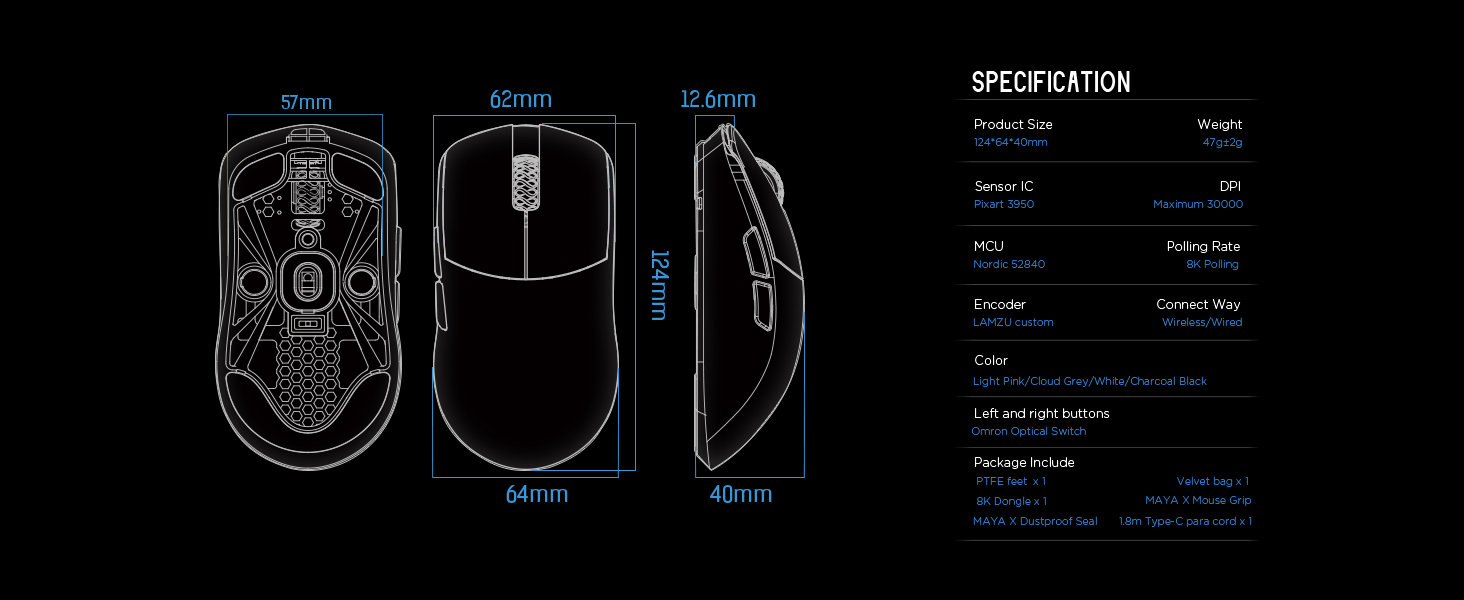
| Dimensiynau Cynnyrch | 4.88 x 2.52 x 0.04 modfedd (124 x 64 x 40 mm) |
| Pwysau Eitem | 1.66 owns (47g) |
| Synhwyrydd IC | Pixart PAW 3950 |
| Uchafswm DPI | 30,000 |
| MCU | 52840 Nordig |
| Cyfradd Bleidleisio | Up to 8,000 Hz (with 8K dongle) |
| Technoleg Cysylltedd | 2.4G Wireless, USB Type-C Wired |
| Switsys | Optical Switches (Left/Right buttons) |
| Amgodiwr | Dust-Proof Encoder |
| Batri | 1 batri Ion Lithiwm (wedi'i gynnwys) |
| Gwneuthurwr | Lamzu |

Delwedd 7.1.1: A technical diagram detailing the dimensions (length, width, height) of the Lamzu Maya X mouse and a summary of its key specifications, including weight, sensor, MCU, DPI, and polling rate.
8. Gwarant a Chefnogaeth
For warranty information and technical support, please refer to the official Lamzu website or contact their customer service directly. Details regarding product registration, warranty claims, and frequently asked questions can typically be found in the support section of the websafle.
Swyddogol Websafle: www.lamzu.com


