
1. Rhagymadrodd
The INKBIRD IBS-P03R Solar Pool Thermometer is an advanced device designed for accurate and convenient monitoring of water temperature in various aquatic environments. This upgraded version of the IBS-P03R offers enhanced features including solar power, IP68 waterproof rating, and extended wireless transmission range. It provides real-time temperature and humidity data to an indoor monitor, ensuring you can keep track of conditions without needing to be outdoors.
This manual provides detailed instructions for setting up, operating, and maintaining your INKBIRD IBS-P03R Solar Pool Thermometer.
2. Cynnwys Pecyn
- 1 x INKBIRD IBS-P03R Solar Pool Thermometer (Floating Unit)
- 1 x Indoor Temperature and Humidity Monitor
- 1 x Nonstandard Battery (pre-installed in thermometer)
- 2 x AAA Batteries (for indoor monitor)
- 1 x Llawlyfr Defnyddiwr
3. Cynnyrch Drosview
The INKBIRD IBS-P03R system consists of two main components: the floating solar-powered pool thermometer and the indoor temperature and humidity monitor.
3.1 Floating Pool Thermometer
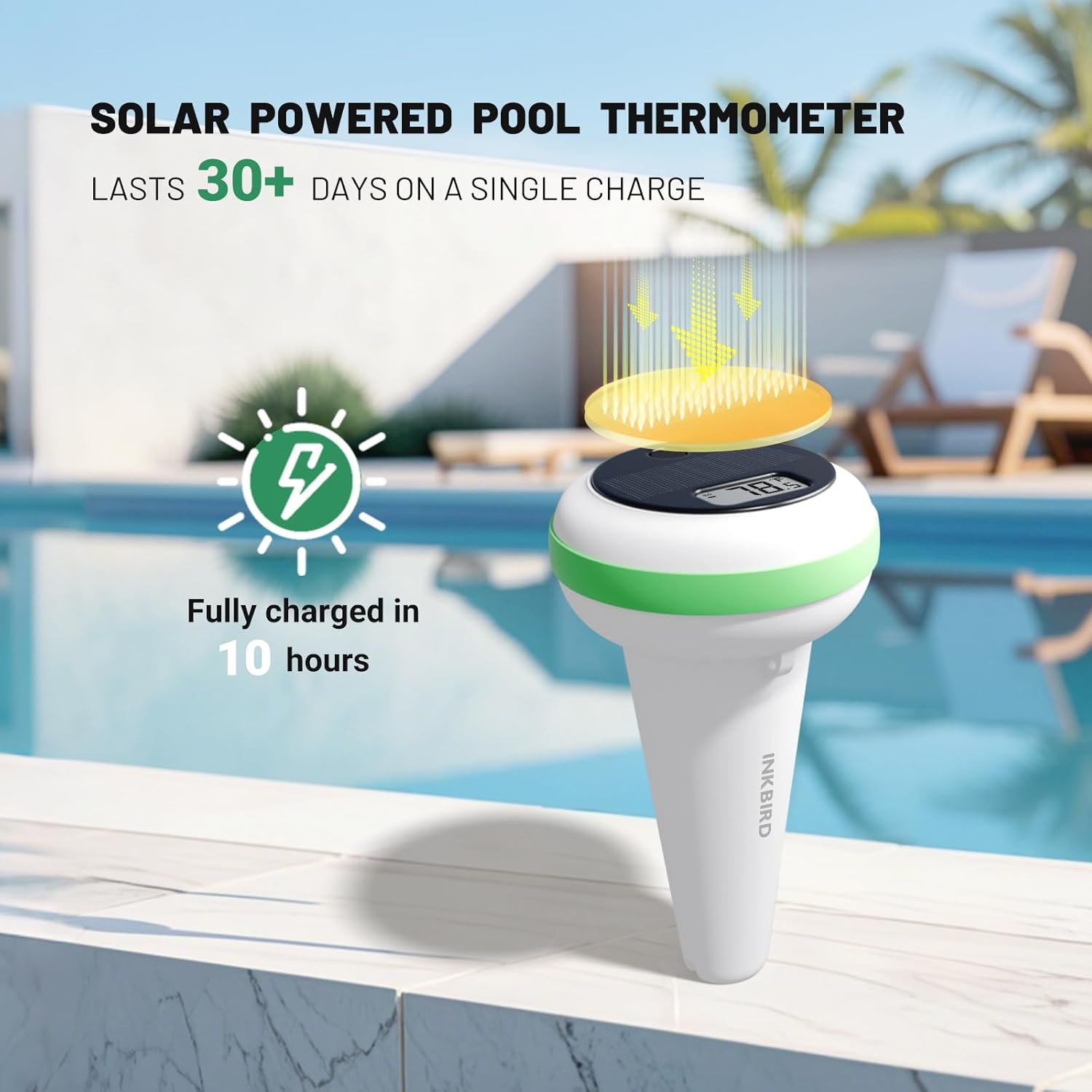
Image: Floating Pool Thermometer with solar panel.
- Panel Solar: Recharges the internal battery using sunlight.
- Arddangos Digidol: Yn dangos tymheredd y dŵr cyfredol.
- Botwm Gweithredu: Used for powering on/off and switching temperature units.
- IP68 dal dŵr: Designed for full immersion and protection against water seepage.
- Anti-collision Ring: Reduces noise and protects the device from impacts.
3.2 Indoor Temperature and Humidity Monitor

Image: Indoor Monitor displaying various readings.
- Arddangosfa LCD: Shows local time, water temperature, indoor temperature, indoor humidity, battery levels, and MAX/MIN values.
- Botymau: For setting comfort levels, switching units, and viewing MAX/MIN records.
- Derbynnydd Di-wifr: Receives data from the floating thermometer up to 980 feet away.
4. Gosod
4.1 Powering On the Floating Pool Thermometer
The floating pool thermometer is solar-powered and does not require manual battery installation for operation. Simply place it in direct sunlight for 5 to 7 hours to fully charge before initial use. Once charged, it will automatically power on.
To turn off the pool thermometer, press and hold the action button for 5 seconds.
4.2 Installing Batteries in the Indoor Monitor
The indoor monitor requires 2 AAA batteries (included). Open the battery compartment on the back of the monitor, insert the batteries according to the polarity markings, and close the compartment.
4.3 Paru Dyfeisiau
Pairing is automatic once both devices are powered on and within range. Ensure the indoor monitor is powered on. Then, press the action button on the floating pool thermometer once. The devices should connect automatically. For optimal pairing, keep them within 1 meter during the initial connection.
Video: Setup and pairing guide for INKBIRD IBS-P03R+IM-03-W Solar WiFi Pool Thermometer Set.
5. Cyfarwyddiadau Gweithredu
5.1 Newid Unedau Tymheredd (°C/°F)
On the floating pool thermometer, short press the action button to switch between Celsius (°C) and Fahrenheit (°F).
On the indoor monitor, press the '°C/°F' button to toggle between Celsius and Fahrenheit.
5.2 Setting Water Temperature Comfort Level
The indoor monitor displays a water temperature comfort level indicator (Cold, Comfort, Hot). You can customize the thresholds for these levels:
- Long press the '°C/°F' button on the indoor monitor to enter setting mode.
- The 'COLD' icon will flash. Use the arrow buttons (MAX/MIN or CH/R) to adjust the desired 'COLD' temperature threshold. Press '°C/°F' to confirm.
- The 'HOT' icon will flash. Use the arrow buttons to adjust the desired 'HOT' temperature threshold. Press '°C/°F' to confirm and exit setting mode.
The comfort level will now be indicated based on your set thresholds: below 'COLD' is Cold, above 'HOT' is Hot, and between 'COLD' and 'HOT' is Comfort.
5.3 Viewing MAX/MIN Records
On the indoor monitor, short press the 'MAX/MIN' button to cycle through the maximum and minimum recorded temperatures and humidity values.
To clear the MAX/MIN records, long press the 'MAX/MIN' button.
5.4 Changing Channels (for multiple thermometers)
The indoor monitor can connect to up to 3 pool thermometers. To switch between connected thermometers:
- Short press the 'CH/R' button to cycle through channels 1, 2, and 3.
- If you switch to channel 0, the monitor will automatically display readings from each linked thermometer for 2 seconds in turn.
To reset the channels, press and hold the 'MAX/MIN' and 'CH/R' buttons simultaneously for 3 seconds.
Video: Operation guide for INKBIRD IBS-P05R Pool Thermometer, demonstrating general usage and settings.
6. cynnal
6.1 Codi Tâl Solar
The floating pool thermometer is equipped with a solar panel for continuous charging. Ensure the solar panel is exposed to sunlight for optimal performance. A full charge typically takes 5-7 hours in direct sunlight. In cloudy or dark conditions, a fully charged thermometer can operate for 1-3 months.
Image: Solar panel on the floating thermometer for continuous charging.
6.2 Waterproof Design
The floating pool thermometer features an IP68 waterproof structure, ensuring seamless construction and protection against water ingress. The anti-collision ring further enhances durability and reduces noise from impacts.

Image: The thermometer submerged in water, highlighting its IP68 waterproof design.
7. Datrys Problemau
- No Reading on Indoor Monitor:
- Ensure both the floating thermometer and indoor monitor are powered on.
- Check the battery levels of both devices. Replace AAA batteries in the indoor monitor if low.
- Bring the floating thermometer closer to the indoor monitor to ensure it's within the 980ft transmission range.
- Reset the channels on the indoor monitor (long press MAX/MIN and CH/R for 3s). - Darlleniadau Tymheredd Anghywir:
- Ensure the floating thermometer's probe is fully submerged in the water.
- Compare readings with another reliable thermometer to verify accuracy.
- Allow some time for the thermometer to stabilize in new water conditions. - Ystod Trosglwyddo Byr:
- Obstacles like thick walls, metal structures, or other electronic devices can interfere with the wireless signal. Try repositioning the indoor monitor.
- Ensure the floating thermometer's antenna is not obstructed. - Solar Charging Issues:
- Ensure the solar panel is clean and free from debris.
- Place the thermometer in direct sunlight for optimal charging.
8. manylebau
| Nodwedd | Manyleb |
|---|---|
| Brand | Inkbird |
| Enw Model | IBS-P03R |
| Rhif Model yr Eitem | IB-0934-BI |
| Ffynhonnell Pwer | Solar Powered (Thermometer), 2x AAA Batteries (Monitor) |
| Graddfa dal dwr | IP68 |
| Ystod Trosglwyddo Di-wifr | Hyd at 980 troedfedd |
| Amrediad Mesur Tymheredd | -40 ° F ~ 158 ° F (-40 ° C ~ 70 ° C) |
| Cywirdeb Mesur Tymheredd | ± 1.8 ° F (± 1 ° C) |
| Cywirdeb Arddangos | 0.1°F (0.1°C) |
| Amser Ymateb | 5 eiliad |
| Technoleg Cysylltedd | Bluetooth |
| Deunydd Allanol | Biwtadïen Acrylonitrile Styrene |
| Lliw | Gwyn a Gwyrdd |
| Hyd yr Eitem | 18 Centimedr |
9. Gwarant a Chefnogaeth
INKBIRD products come with a standard manufacturer's warranty. Please refer to the warranty card included in your package for specific terms and conditions.
For technical support, troubleshooting assistance, or warranty claims, please contact INKBIRD customer service:
- Gwneuthurwr: Inkbird
- Gwybodaeth Gyswllt: SHENZHENSHI LERWAY TECHNOLOGY CO., LTD Tsieina 518000 Guangdong Shenzhen Ail Lawr y Gorllewin, Adeilad 713, Parth Diwydiannol Peng Ji, Ardal Luohu
- Ffôn: +860755-22743212
- Cymorth Ar-lein: Visit the official Inkbird websafle ar gyfer Cwestiynau Cyffredin ac adnoddau cymorth.


