
Rhagymadrodd
Thank you for choosing the BUGANI Bluetooth Speaker. This powerful and versatile speaker is designed to deliver high-fidelity audio with deep bass and clear highs, perfect for both indoor and outdoor environments. Featuring advanced Bluetooth 5.4 technology, TWS connectivity, and a durable, portable design, it ensures an immersive listening experience wherever you go. Please read this manual carefully to ensure proper use and maintenance of your speaker.

Delwedd: Blaen view of the BUGANI Bluetooth Speaker in gold and black, showcasinei ddyluniad cain a'i handlen integredig.
Beth Sydd yn y Bocs
Gwiriwch gynnwys eich pecyn i sicrhau bod yr holl eitemau yn bresennol:
- 1 x BUGANI Brief Pro Speaker
- 1 x Cebl USB-C
- 1 x AUX IN Cable
- 1 x Llawlyfr Defnyddiwr
- 1 x Canllaw Cychwyn Cyflym

Image: The BUGANI Brief Pro speaker, USB-C cable, AUX cable, user manual, and quick start guide laid out, indicating package contents.
Nodweddion Cynnyrch
Powerful 160W Audio System
Experience thunderous low-end clarity and rich sound with the BUGANI speaker's 160W peak output. It features a rear-mounted super-sized passive bass radiator, two 4-inch subwoofers, and two 1.6-inch tweeters (41mmx2) with AK-Y Silk Film Material for low distortion and natural sound up to 50kHz.

Delwedd: Ffrwydrad view of the speaker's internal components, highlighting the 4-inch subwoofers and 1.6-inch tweeters, and the 160W power output.
Hi-Res Audio Support
The BUGANI Brief Pro is Hi-Res Audio certified, delivering exceptional detail and clarity to your music. Rediscover the charm of jazz and other genres with pure, rich sound that brings melodies, rhythms, and bass lines to life.

Image: The BUGANI speaker prominently displaying Hi-Res Audio and Hi-Res Audio Wireless certifications, emphasizing its high-fidelity sound capabilities.
Bluetooth 5.4 and TWS Connectivity
Equipped with the latest Bluetooth 5.4 module, the speaker ensures stable pairing, extended range, and high-fidelity sound. Utilize True Wireless Stereo (TWS) technology to connect two BUGANI Brief Pro speakers for an even more immersive stereo sound experience.
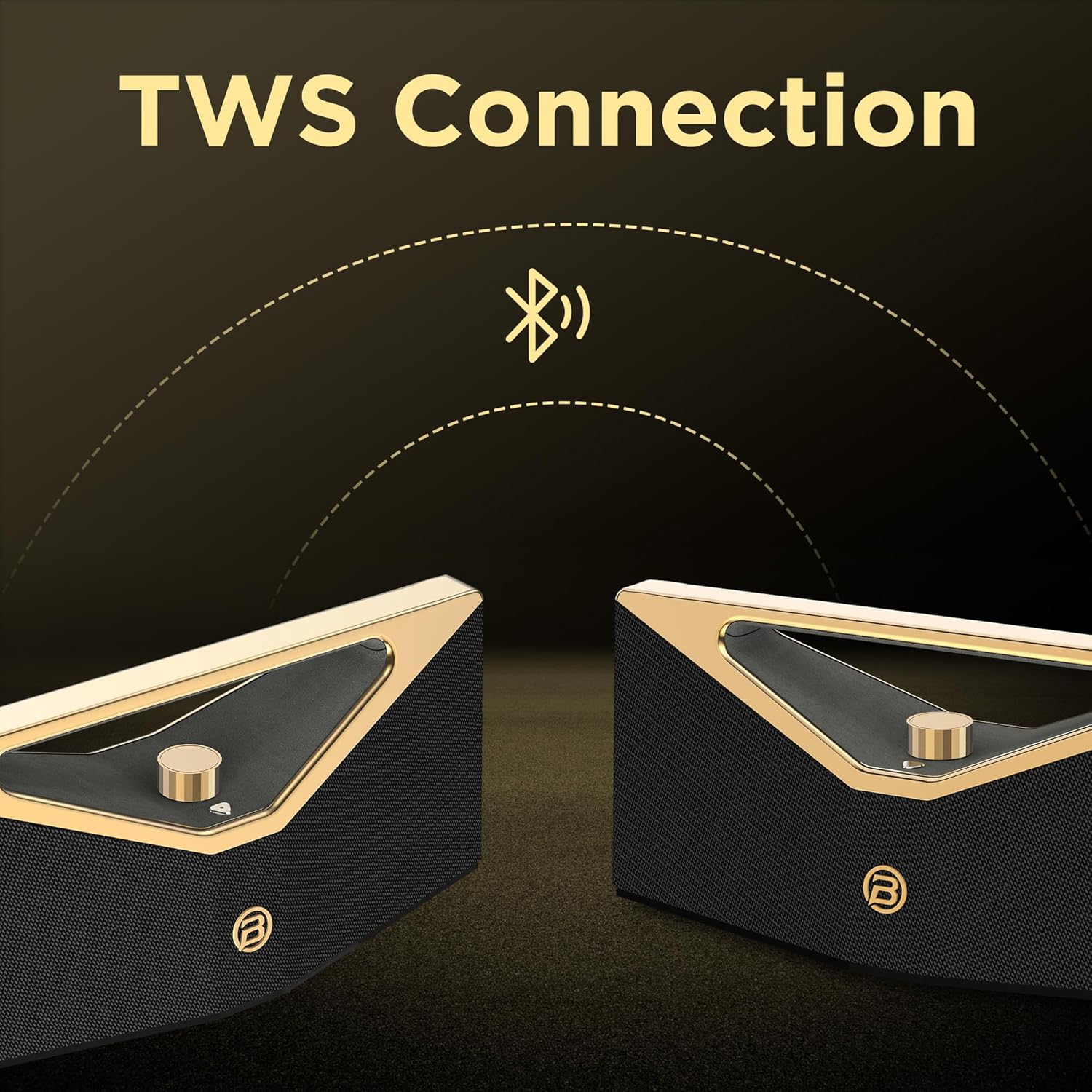
Image: Two BUGANI speakers shown connecting wirelessly via TWS (True Wireless Stereo) technology, indicating stereo pairing capability.
12-Hour Playtime & Portable Design
Enjoy up to 12 hours of continuous playtime on a single charge, making it ideal for all-day outdoor use. The speaker features an ergonomic handle design, making it easy to carry and enjoy music anytime, anywhere.

Image: The BUGANI speaker on a golden pedestal, highlighting its 12-hour continuous playtime feature.

Image: A person carrying the BUGANI speaker by its integrated handle, emphasizing its portability and ease of transport.
Versatile Connectivity & IPX5 Water Resistance
In addition to Bluetooth, the speaker supports AUX and USB inputs, allowing you to connect various devices. With IPX5 water resistance, it is protected against splashing water from any direction, making it suitable for outdoor adventures, beach parties, or poolside enjoyment.

Image: The BUGANI speaker with water droplets on its surface, illustrating its IPX5 water-resistant feature for outdoor use.
Gosod
1. Codi Tâl ar y Llefarydd
Before first use, fully charge the speaker. Connect the provided USB-C cable to the speaker's charging port and the other end to a compatible USB power adapter (not included). The charging indicator light will show the charging status. A full charge takes approximately 5 hours.
2. Pweru Ymlaen / I ffwrdd
To power on the speaker, press and hold the power button located on the control panel until you hear an audible prompt. To power off, press and hold the power button again.
3. Pâr Bluetooth
- Gwnewch yn siŵr bod y siaradwr wedi'i bweru ymlaen ac yn y modd paru Bluetooth (a nodir gan LED sy'n fflachio).
- Ar eich dyfais (ffôn clyfar, tabled, ac ati), galluogwch Bluetooth a chwiliwch am ddyfeisiau sydd ar gael.
- Select "BUGANI Brief Pro" from the list of devices.
- Once connected, you will hear a confirmation sound, and the LED indicator will become solid.
4. Paru Stereo Di-wifr Gwir (TWS)
For an enhanced stereo experience, you can pair two BUGANI Brief Pro speakers together:
- Gwnewch yn siŵr bod y ddau siaradwr wedi'u troi ymlaen ac nad ydynt wedi'u cysylltu ag unrhyw ddyfais Bluetooth arall.
- On one speaker (this will be the primary speaker), press and hold the TWS button (if available, or a specific button designated for TWS pairing, usually indicated in the quick start guide).
- The speakers will automatically search for and connect to each other. Once paired, you will hear a confirmation sound.
- Connect your device to the primary speaker via Bluetooth as described in step 3. Audio will now play in stereo through both speakers.
5. AUX/USB Connection
To play audio from devices without Bluetooth, use the provided AUX IN cable or a USB drive:
- Mewnbwn AUX: Connect one end of the 3.5mm AUX cable to the speaker's AUX IN port and the other end to your audio device's headphone jack. The speaker will automatically switch to AUX mode.
- Mewnbwn USB: Mewnosodwch yriant USB sy'n cynnwys sain files into the speaker's USB port. The speaker will automatically switch to USB mode and begin playing.
Cyfarwyddiadau Gweithredu
Rheoli Cyfaint
The speaker features a prominent rotary knob for volume adjustment. Rotate the knob clockwise to increase volume and counter-clockwise to decrease volume.
Delwedd: Llun agos view of the gold rotary volume knob on the BUGANI speaker, indicating its control functionality.
Rheoli Chwarae
Specific playback controls (play/pause, next/previous track) are typically integrated into the speaker's control panel. Refer to the Quick Start Guide for detailed button functions.
Newid Modd
The speaker automatically switches modes when an AUX cable or USB drive is inserted. To manually switch between Bluetooth, AUX, and USB modes, press the mode button (if available) on the control panel.
Fideo: Sioe fideo cynnyrch swyddogolasing the BUGANI Brief Pro Speaker's design, internal components, and key features like 160W power, Bluetooth 5.3 (note: product specs say 5.4, video might be older), and TWS connectivity. This video provides a visual overview of the speaker's capabilities and aesthetic.
Cynnal a chadw
- Glanhau: Use a soft, dry cloth to clean the speaker's surface. For stubborn dirt, a slightly damp gellir defnyddio brethyn. Peidiwch â defnyddio cemegau llym na glanhawyr sgraffiniol.
- Gwrthiant Dŵr: The speaker is IPX5 water-resistant, meaning it can withstand splashes. Do not submerge the speaker in water or expose it to strong jets of water. Ensure the charging port cover is securely closed when near water.
- Storio: Storiwch y siaradwr mewn lle oer, sych i ffwrdd o olau haul uniongyrchol a thymheredd eithafol.
- Gofal Batri: Er mwyn ymestyn oes y batri, osgoi rhyddhau'r siaradwr yn llwyr yn aml. Gwefrwch ef yn rheolaidd, hyd yn oed os nad yw'n cael ei ddefnyddio am gyfnodau hir.
Datrys problemau
| Problem | Achos Posibl | Ateb |
|---|---|---|
| Nid yw'r siaradwr yn troi ymlaen. | Batri isel; Botwm pŵer heb ei ddal yn ddigon hir. | Charge the speaker fully. Press and hold the power button for 3-5 seconds. |
| Methu paru drwy Bluetooth. | Speaker not in pairing mode; Device Bluetooth off; Too far from speaker; Already connected to another device. | Ensure speaker is flashing LED for pairing. Turn device Bluetooth off/on. Move device closer. Disconnect from other devices. |
| Dim sain na chyfaint isel. | Volume too low on speaker/device; Incorrect input mode; Cable not fully inserted (AUX). | Increase volume on both speaker and device. Check if speaker is in correct mode (Bluetooth/AUX/USB). Re-insert AUX cable firmly. |
| Afluniad sain. | Volume too high; Low battery; Interference. | Reduce volume. Charge the speaker. Move speaker away from other electronic devices. |
| Methodd paru TWS. | Speakers already connected to other devices; Speakers too far apart. | Ensure both speakers are disconnected from other devices. Place speakers close to each other during pairing. |
Manylebau
| Nodwedd | Manylyn |
|---|---|
| Enw Model | Brief Pro (M192) |
| Pŵer Allbwn | 160W (Uchafbwynt) |
| Math o Siaradwr | Subwoofer |
| Woofer | 4" x 2 |
| Trydarwr | 1.6" x 2 (41mm x 2) |
| Fersiwn Bluetooth | 5.4 (Note: Video mentions 5.3, product specs indicate 5.4) |
| Nodwedd Arbennig | Hi-Res Audio, TWS Function |
| Gallu Batri | 52.92Wh (Lithium Polymer) |
| Amser Codi Tâl | Tua. 5 awr |
| Amser Chwarae | Approx. 12 hours (Normal Volume) |
| Porthladd Codi Tâl | USB-C |
| Gwrthiant Dŵr | IPX5 |
| Dimensiynau Cynnyrch | 18.5"D x 7.9"W x 7.9"H |
| Pwysau Eitem | 10.08 pwys |
| Protocol Cysylltedd | Bluetooth |
| Dyfeisiau Cydnaws | Projector, Laptop, MP3 Player, Television, Tablet, Smartphone |

Image: A visual representation of the BUGANI Brief Pro speaker's technical specifications, including output power, input types, speaker dimensions, and battery life.
Gwarant a Chefnogaeth
The BUGANI Bluetooth Speaker comes with a Gwarant Cyfyngedig. For specific warranty terms and conditions, please refer to the warranty card included in your package or contact BUGANI customer support.
If you encounter any issues or have questions not covered in this manual, please contact BUGANI customer support through the retailer's platform or the official BUGANI websafle am gymorth.