
Rhagymadrodd
This manual provides essential information for the proper setup, operation, and maintenance of your ONN 24-inch FHD Gaming Monitor, model 100027813. Please read this manual thoroughly before using the product to ensure optimal performance and safety. This monitor is designed to deliver a high-quality gaming experience with its 1080p resolution, 165Hz refresh rate, 1ms response time, and FreeSync technology.
Gwybodaeth Diogelwch
Always observe the following safety precautions to prevent damage to the monitor and ensure user safety:
- Peidiwch ag amlygu'r monitor i law na lleithder er mwyn osgoi peryglon tân neu sioc.
- Peidiwch ag agor y monitor casing. Nid oes unrhyw rannau y gall y defnyddiwr eu gwasanaethu y tu mewn. Cyfeiriwch yr holl waith cynnal a chadw at bersonél gwasanaeth cymwys.
- Rhowch y monitor ar arwyneb sefydlog, gwastad i'w atal rhag cwympo.
- Sicrhewch awyru digonol o amgylch y monitor. Peidiwch â rhwystro agoriadau awyru.
- Defnyddiwch yr addasydd pŵer a gyflenwir gyda'r monitor yn unig.
- Datgysylltwch y monitor o'r soced pŵer yn ystod stormydd mellt a phan na chaiff ei ddefnyddio am gyfnodau hir.
Cynnwys Pecyn
Gwiriwch fod yr holl eitemau yn bresennol yn y pecyn:
- ONN 24-inch FHD Gaming Monitor
- Stand Monitor (Sylfaen a Gwddf)
- Addasydd Pŵer
- DisplayPort Cable (6 ft)
- HDMI Cable (6 ft)
- Llawlyfr Defnyddiwr (y ddogfen hon)

Image: Retail box of the ONN 24-inch Gaming Monitor, highlighting key features like 165Hz, 1ms response time, DisplayPort, HDMI, and Adaptive-Sync.
Gosod
1. Cydosod yr Eisteddle
- Tynnwch gydrannau'r monitor a'r stondin o'r pecynnu yn ofalus.
- Attach the stand neck to the stand base. Secure it with the provided screw, if applicable.
- Align the assembled stand with the mounting slot on the back of the monitor. Gently push until it clicks into place or secure with screws as per the design.
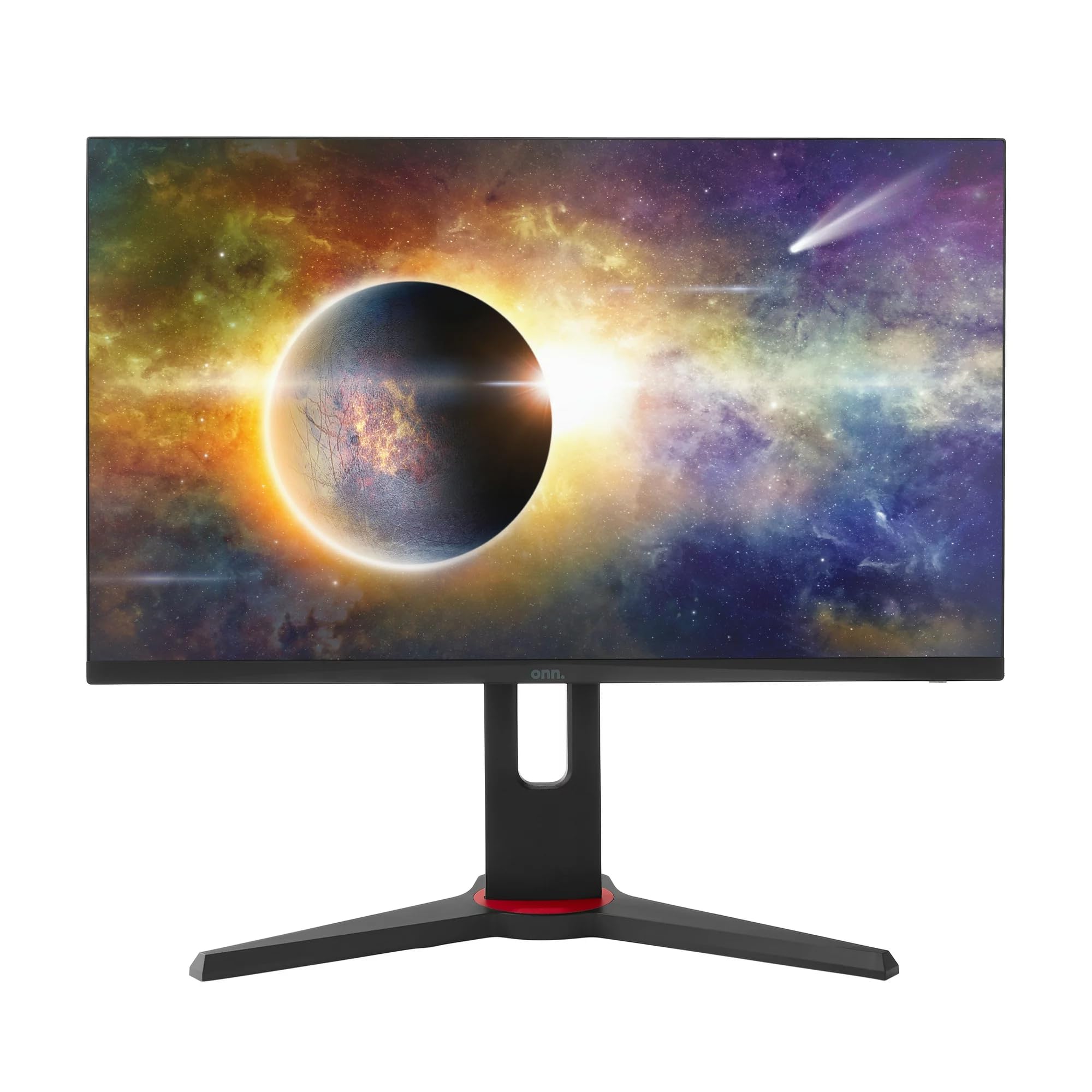
Delwedd: Blaen view of the ONN 24-inch Gaming Monitor, fully assembled with its stand.

Delwedd: Cefn view of the ONN 24-inch Gaming Monitor, illustrating the stand attachment and cable management area.
2. Cysylltu Ceblau
Locate the input ports on the back of your monitor:
- Pwer: Cysylltwch yr addasydd pŵer â mewnbwn pŵer y monitor ac yna ag allfa bŵer.
- Mewnbwn Fideo: Connect one end of the provided DisplayPort or HDMI cable to the corresponding port on your computer's graphics card and the other end to the monitor. The monitor supports 2 HDMI inputs and 1 DisplayPort input.
- Allbwn Sain (Dewisol): If your monitor has a 3.5mm audio jack, you can connect external speakers or headphones.

Delwedd: Llun agos view of the monitor's rear ports, including HDMI 1, HDMI 2, DisplayPort (DP), and power input.
3. Troi ymlaen yn gychwynnol
- Sicrhewch fod pob cebl wedi'i gysylltu'n ddiogel.
- Press the power button on the monitor (usually located on the back or bottom right).
- The monitor should display the ONN logo and then search for an input signal.
- If no image appears, ensure your computer is powered on and the correct input source is selected on the monitor (see Operating section).
Gweithredu
1. Pŵer Ymlaen / I ffwrdd
Press the power button to turn the monitor on or off. The power indicator light will show the monitor's status (e.g., blue for on, amber for standby).
2. Llywio Dewislen Arddangosfa Ar y Sgrin (OSD)
Your monitor features an OSD menu for adjusting various settings. Typically, buttons on the back or bottom of the monitor control the OSD:
- Botwm Dewislen: Yn agor y ddewislen OSD.
- Botymau Llywio (I Fyny/I Lawr/Chwith/Dde): Fe'i defnyddir i lywio trwy opsiynau'r ddewislen.
- Botwm Dewis/Mewnosod: Yn cadarnhau dewis neu'n mynd i mewn i is-ddewislen.
- Botwm Ymadael: Yn gadael y ddewislen neu'r OSD cyfredol.
3. Addasu Gosodiadau
Key settings you can adjust via the OSD menu include:
- Disgleirdeb/Cyferbyniad: Addaswch y disgleirdeb cyffredinol a'r gwahaniaeth rhwng ardaloedd golau a thywyll.
- Gosodiadau lliw: Addasu tymheredd lliw, gama, a lefelau RGB unigol.
- Ffynhonnell Mewnbwn: Dewiswch â llaw rhwng mewnbynnau HDMI 1, HDMI 2, neu DisplayPort.
- Cyfradd Adnewyddu: Ensure your graphics card and monitor are set to 165Hz for the smoothest experience. This is usually configured in your operating system's display settings.
- Amser ymateb: Adjust the monitor's response time setting (e.g., 1ms) for reduced motion blur in fast-paced games.
- Technoleg FreeSync: Enable FreeSync in the OSD menu and in your AMD graphics card settings to synchronize the monitor's refresh rate with your GPU's frame rate, eliminating screen tearing and stuttering.
- Dulliau Llun: Select from preset modes optimized for different content (e.g., Standard, Game, Movie, Text).

Image: The ONN 24-inch Gaming Monitor displayed in a typical desk setup, connected to a laptop with gaming peripherals.
Cynnal a chadw
Glanhau'r Monitor
- Tynnwch y plwg bob amser o'r monitor cyn glanhau.
- Defnyddiwch frethyn meddal, di-lint yn ysgafn dampwedi'i lanhau â dŵr neu lanhawr sgrin ysgafn, nad yw'n sgraffiniol.
- Peidiwch â chwistrellu glanhawr yn uniongyrchol ar y sgrin. Rhowch ef ar y brethyn yn gyntaf.
- Osgowch ddefnyddio cemegau llym, padiau sgraffiniol, neu doddyddion.
Storio
Os ydych chi'n storio'r monitor am gyfnod hir, datgysylltwch yr holl geblau, pecynwch ef yn ei becynnu gwreiddiol (os oes un ar gael), a'i storio mewn lle oer, sych i ffwrdd o olau haul uniongyrchol a thymheredd eithafol.
Datrys problemau
Os byddwch chi'n dod ar draws problemau gyda'ch monitor, cyfeiriwch at y problemau a'r atebion cyffredin canlynol:
| Problem | Ateb Posibl |
|---|---|
| Dim delwedd ar y sgrin |
|
| Image is flickering or distorted |
|
| Dim sain (os ydych chi'n defnyddio siaradwyr monitor/allbwn sain) |
|
| Monitor not reaching 165Hz |
|
Manylebau
Detailed technical specifications for the ONN 24-inch FHD Gaming Monitor (Model 100027813):
| Nodwedd | Manyleb |
|---|---|
| Rhif Model | 100027813 |
| Maint Sgrin | 24 modfedd |
| Datrysiad | FHD 1080p (1920x1080) |
| Cyfradd Adnewyddu | 165 Hz |
| Amser Ymateb | 1 o filieiliadau |
| Technoleg Arddangos | IPS |
| Cysoni Addasol | FreeSync |
| Cymhareb Agwedd | 16:9 |
| Cymhareb Cyferbyniad | 2000:1 |
| Arwyneb y Sgrin | Matte, Anti-glare with low blue light setting |
| Cysylltedd | 2 x HDMI, 1 x DisplayPort |
| Dimensiynau Cynnyrch (D x W x H) | 61.3 x 11.3 x 37.3 cm |
| Pwysau Eitem | 6.1 kg |
| Lliw | Du |
| Math Mowntio | Mount Desg |
| Defnyddiau Penodol | Entertainment, Gaming |
Gwarant
This ONN 24-inch FHD Gaming Monitor is a renewed product. Warranty terms and conditions for renewed products may vary. Please refer to the specific warranty information provided by the seller or retailer at the time of purchase. It is recommended to retain your proof of purchase for any warranty claims.
Cefnogaeth
For technical assistance, troubleshooting beyond this manual, or warranty inquiries, please contact the retailer or the Amazon Renewed support channel where the product was purchased. Have your model number (100027813) and proof of purchase ready when contacting support.