
Rhagymadrodd
The Pro-Ject Debut EVO 2 is a high-fidelity turntable designed for optimal vinyl playback. This manual provides essential information for setting up, operating, and maintaining your turntable to ensure long-lasting performance and enjoyment.
Key features include a next-generation audiophile design, a high-precision Pick it MM EVO cartridge, a 1.7 kg anti-magnetic die-cast aluminum platter with TPE damping, and premium build quality with vibration control.

Ffigur 1: Blaen view of the Pro-Ject Debut EVO 2 Turntable in Satin White.
Gosod
Careful setup is crucial for optimal performance. Please follow these steps:
- Dadbacio: Carefully remove all components from the packaging. Retain packaging for future transport or service.
- Gosod Plater: Place the heavy aluminum platter onto the spindle. Ensure it sits flush and rotates freely.
- Gosod Belt: Ymestynnwch y gwregys gyrru yn ysgafn o amgylch pwli'r modur ac ymyl fewnol y plât.
- Addasiad Gwrthbwysau: The tonearm is equipped with a pre-fitted Pick it MM EVO cartridge. Adjust the counterweight to achieve the recommended tracking force for the cartridge (refer to cartridge specifications, typically around 1.8g for MM cartridges). Use a tracking force gauge for precision.
- Addasiad Gwrth-Sglefrio: Set the anti-skating weight according to the tracking force. The anti-skating mechanism uses a small weight and thread.
- Cysylltiad: Connect the turntable's RCA output to a phono preamplifier (not built-in) or an amplifier with a dedicated phono input. Ensure the ground wire is connected to prevent hum.
- Pwer: Connect the 15V DC 0.8A power supply to the turntable and then to a power outlet.
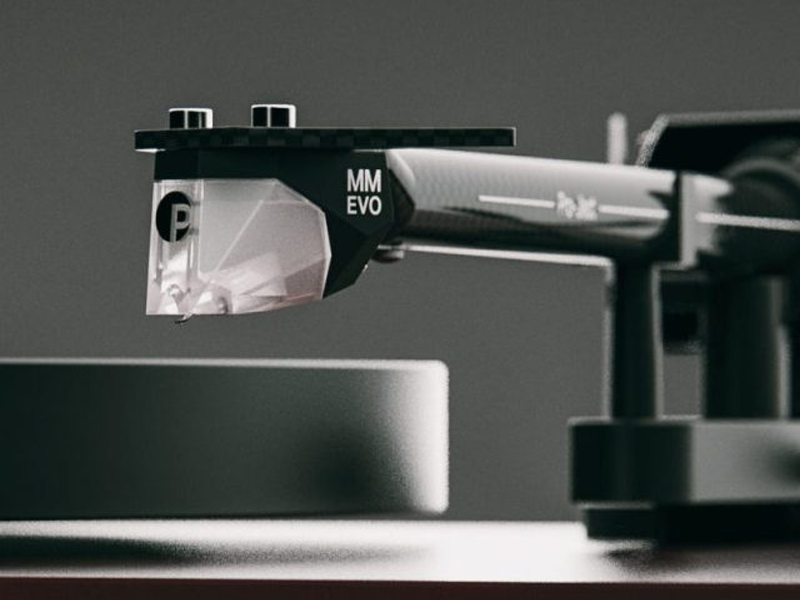
Figure 2: Detail of the 8.6-inch carbon fiber tonearm, designed for rigidity and lightweight performance.
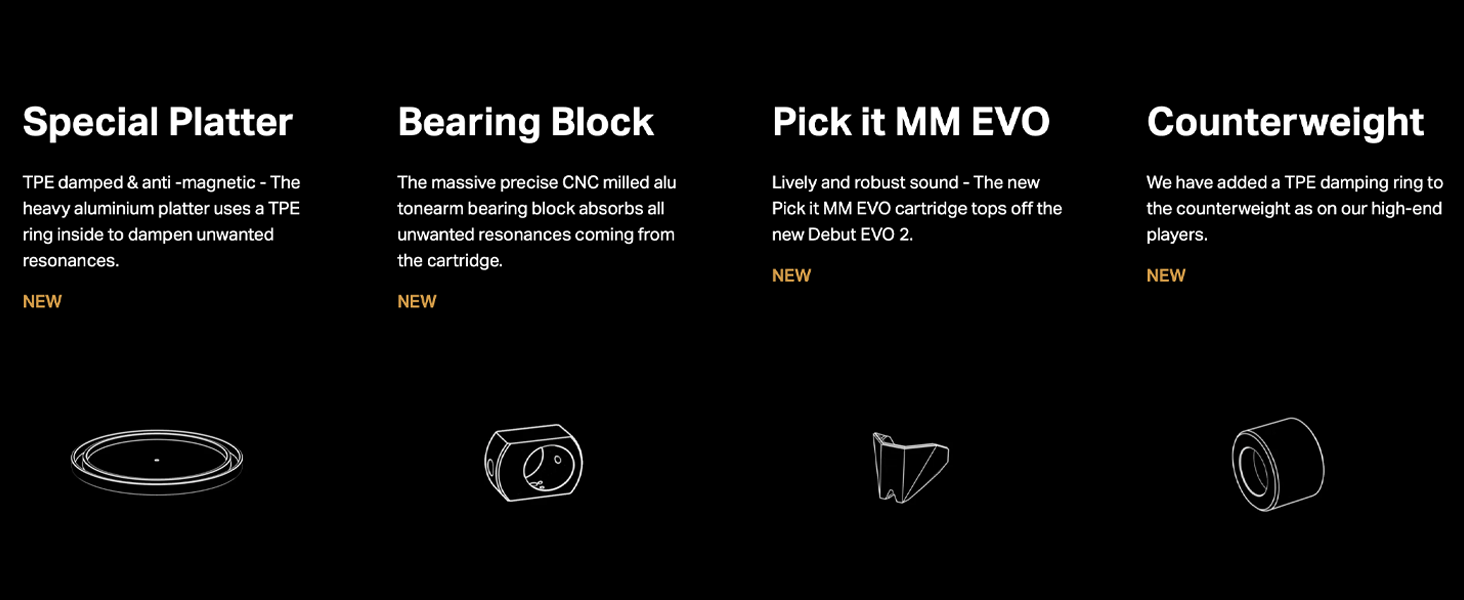
Figure 3: The adaptive anti-skating mechanism, which adjusts to varying skating forces across the record grooves.
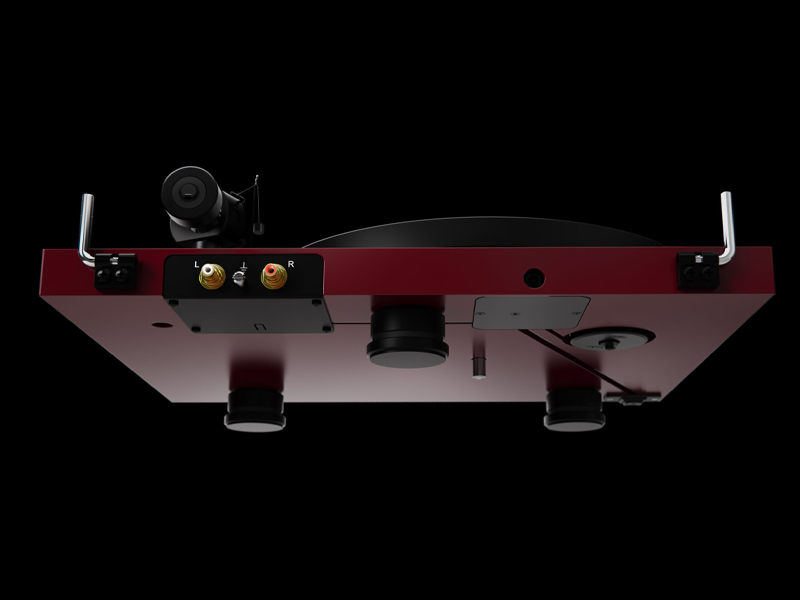
Figure 4: The Pick it MM EVO cartridge, co-designed with Ortofon, providing detailed sound reproduction.
Fideo 1: Trosolwg cyflwyniadolview of the Pro-Ject Debut Evo 2 turntable, highlighting its features and design.
Cyfarwyddiadau Gweithredu
- Pŵer Ymlaen: Press the power button located on the plinth to start the platter rotation.
- Dewiswch Cyflymder: Use the electronic speed control switch to select between 33 RPM and 45 RPM, depending on the record you are playing.
- Cofnod Lle: Carefully place your vinyl record on the platter.
- Braich Tôn Isaf: Use the tonearm lift lever to raise the tonearm. Position the cartridge over the desired track on the record. Gently lower the tonearm using the lever. The stylus will then make contact with the record and begin playback.
- Diwedd Chwarae: At the end of the record, or when you wish to stop playback, use the tonearm lift lever to raise the tonearm. Return the tonearm to its rest and secure it. Press the power button to stop the platter.
Cynnal a chadw
Mae cynnal a chadw rheolaidd yn sicrhau hirhoedledd a pherfformiad eich trofwrdd:
- Gorchudd Llwch: Always use the provided dust cover when the turntable is not in use to protect it from dust and debris.
- Glanhau: Use a soft, anti-static brush to gently clean the stylus before each play. For the platter and plinth, use a soft, dry cloth. Avoid harsh chemicals.
- Archwiliad Belt: Periodically check the drive belt for wear or stretching. Replace if necessary to maintain accurate speed.
- Cartridge/Stylus: The stylus has a limited lifespan. Replace it when sound quality degrades or after approximately 1000 hours of playback.
Datrys problemau
| Problem | Achos Posibl | Ateb |
|---|---|---|
| No power/platter not spinning | Power supply not connected, power button off, belt dislodged. | Check power connections, ensure power button is on, re-seat drive belt. |
| Sain hymian | Ground wire not connected, interference from other electronics. | Ensure ground wire is securely connected. Move turntable away from other electronic devices. |
| Distorted sound/skipping | Incorrect tracking force, worn stylus, dirty record/stylus, turntable not level. | Adjust tracking force, clean stylus/record, ensure turntable is on a level surface. Replace stylus if worn. |
| Cyflymder anghywir | Wrong speed selected, worn drive belt. | Verify correct speed (33/45 RPM) is selected. Inspect and replace drive belt if necessary. |
Manylebau
- Brand: Pro-Ject
- Enw'r Model: EVO 2 debut
- Rhif Model: DEBUTE2SWH
- Lliw: Satin Gwyn
- Cyflymder Cylchdro Uchaf: 45 RPM (yn cefnogi 33 RPM)
- Cydrannau wedi'u Cynnwys: 15V DC 0.8A power supply, dust cover, 7'' singles adapter
- Nodwedd arbennig: Sain Cydraniad Uchel
- Deunydd: Alwminiwm, Ffibr Carbon
- Pwysau Eitem: 8 Cilogram
- Technoleg Cysylltedd: Wired
- Cymhareb Arwydd-i-Sŵn: 60 dB
- Ffynhonnell Pwer: Trydan Corded
- Dimensiynau Eitem L x W x H: 16.4"H x 12.6"L x 4.5"U
Figure 5: Rear connections of the turntable, including RCA outputs for left and right channels and a ground terminal.
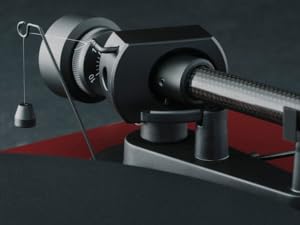
Figure 6: Illustration of the TPE damped and anti-magnetic heavy aluminum platter, designed to reduce unwanted resonances.
Gwarant a Chefnogaeth
The Pro-Ject Debut EVO 2 Turntable comes with a 2-year manufacturer's warranty. For warranty claims or technical support, please contact Pro-Ject customer service or your authorized dealer. Spare parts availability is guaranteed for 25 years in the EU.
For further assistance, visit the official Pro-Ject Audio Systems store: Pro-Ject Audio Systems Store


