
BUGANI Brief Pro M192 Bluetooth Speaker Instruction Manual
Model: M192
1. Rhagymadrodd
Diolch am brynuasing the BUGANI Brief Pro M192 Bluetooth Speaker. This manual provides essential information for setting up, operating, and maintaining your speaker. Please read it thoroughly before use and retain it for future reference.
The BUGANI Brief Pro M192 is a high-performance portable Bluetooth speaker designed to deliver powerful and clear audio. Featuring advanced Bluetooth 5.3 connectivity, TWS pairing, and a robust design, it is suitable for various indoor and outdoor environments.
2. Cynnwys Pecyn
Sicrhewch fod yr holl eitemau yn bresennol yn y pecyn:
- BUGANI Brief Pro M192 Bluetooth Speaker
- Cebl Codi Tâl USB-C
- AUX MEWN Cebl
- Llawlyfr Defnyddiwr (y ddogfen hon)
- Canllaw Cychwyn Cyflym

Ffigur 2.1: Cynnwys Pecyn
3. Cynnyrch Drosview
Familiarize yourself with the physical features and controls of your BUGANI Brief Pro M192 speaker.

Ffigur 3.1: Blaen View y Llefarydd
3.1. Rheolyddion a Phorthladdoedd
- Knob Cyfrol: Rotate to adjust volume. Press to play/pause.
- Botwm Pŵer: Pwyswch a dal i rym ymlaen / i ffwrdd.
- Botwm Paru Bluetooth: Pwyswch i fynd i mewn i fodd paru Bluetooth.
- Porthladd USB-C: Am godi tâl ar y siaradwr.
- Porthladd AUX MEWN: Ar gyfer cysylltiad sain â gwifrau.
- Botwm Ailosod: Twll pin bach ar gyfer ailosod ffatri.

Figure 3.2: Side Ports
3.2. Cydrannau Mewnol
The speaker features a powerful audio setup for high-quality sound.
- Subwoofers: Two 4-inch subwoofers for deep bass.
- Trydarwyr: Two 44mm tweeters for clear high frequencies.
- Rheiddiadur Goddefol: Enhances bass response.

Ffigur 3.3: Cydrannau Siaradwr Mewnol
4. Gosod a Chysylltiad
4.1. Tâl Cychwynnol
Before first use, fully charge the speaker using the provided USB-C cable and a compatible power adapter (not included). The charging indicator light will show charging status.
4.2. Pŵer Ymlaen / I ffwrdd
Press and hold the Power button for 2-3 seconds to turn the speaker on or off.
4.3. Pâr Bluetooth
- Trowch y siaradwr ymlaen. Bydd yn mynd i mewn i'r modd paru Bluetooth yn awtomatig, a nodir gan olau LED sy'n fflachio.
- Ar eich dyfais (ffôn clyfar, tabled, ac ati), galluogwch Bluetooth a chwiliwch am ddyfeisiau sydd ar gael.
- Select "BUGANI Brief Pro" from the list.
- Ar ôl cysylltu, bydd y dangosydd LED yn troi'n gadarn, a byddwch yn clywed cadarnhad clywadwy.
Bydd y siaradwr yn ailgysylltu'n awtomatig â'r ddyfais a barwyd ddiwethaf pan gaiff ei throi ymlaen, os yw'r ddyfais o fewn cyrraedd a bod Bluetooth wedi'i alluogi.
4.4. AUX IN Connection
For devices without Bluetooth, use the provided 3.5mm AUX IN cable to connect to the speaker's AUX IN port. The speaker will automatically switch to AUX mode.
5. Gweithrediad
5.1. Rheoli Cyfrol
Rotate the central knob clockwise to increase volume and counter-clockwise to decrease volume.
5.2. Rheoli Chwarae
- Chwarae/Seibiant: Press the central volume knob once.
- Trac Nesaf: Double-press the central volume knob.
- Trac Blaenorol: Triple-press the central volume knob.
5.3. Paru TWS (Stereo Di-wifr Gwirioneddol)
To achieve a true stereo sound experience, you can pair two BUGANI Brief Pro M192 speakers together.
- Gwnewch yn siŵr bod y ddau siaradwr wedi'u troi ymlaen ac nad ydynt wedi'u cysylltu ag unrhyw ddyfais Bluetooth.
- On one speaker (this will be the primary speaker), press the TWS button (usually indicated by a chain link icon). The speaker will enter TWS pairing mode.
- The primary speaker will automatically search for the secondary speaker. Once connected, you will hear an audible confirmation, and the TWS indicator light will become solid on both speakers.
- Nawr, cysylltwch eich dyfais â'r prif siaradwr drwy Bluetooth fel y disgrifir yn adran 4.3. Bydd sain yn chwarae mewn stereo drwy'r ddau siaradwr.
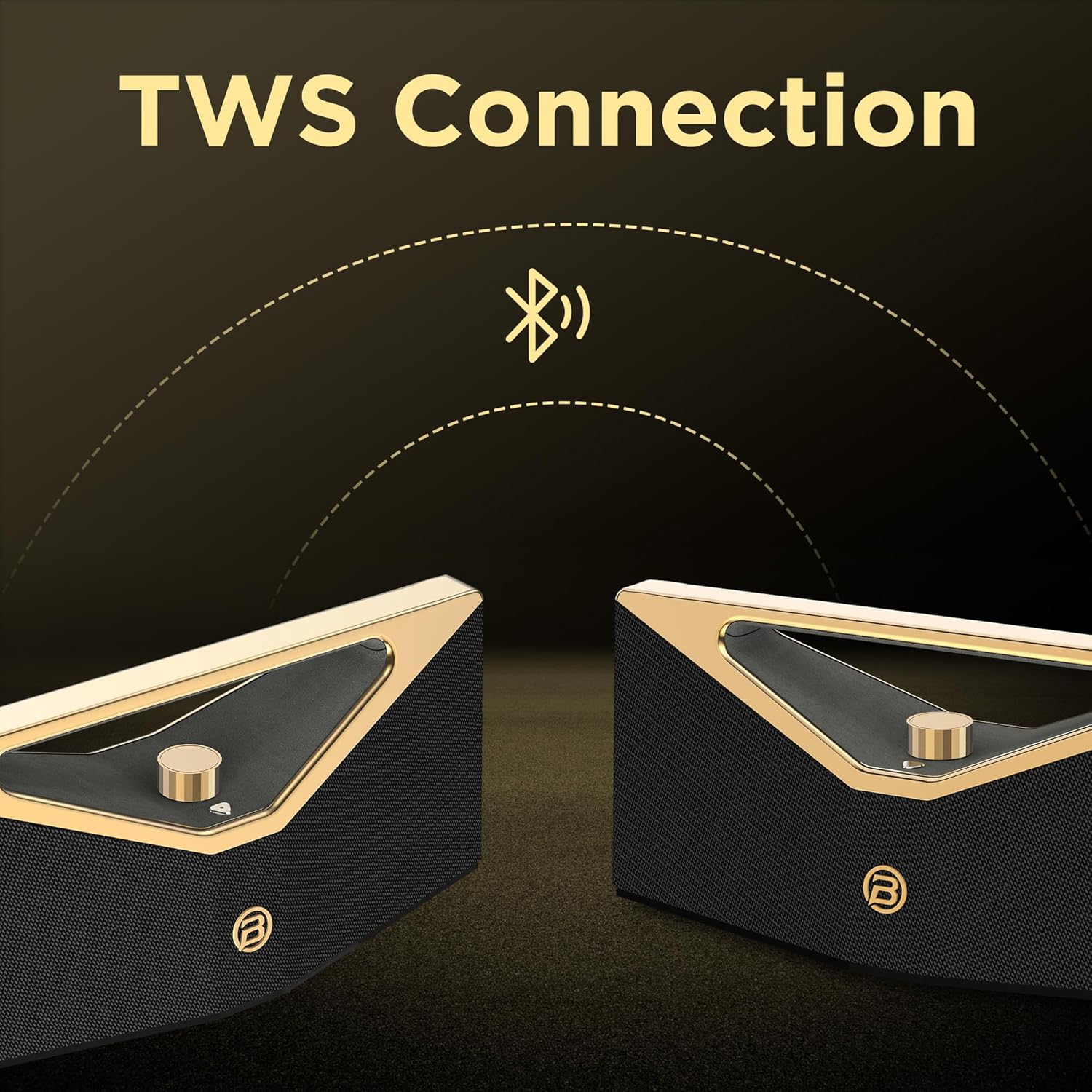
Ffigur 5.1: Paru TWS
6. Codi tâl
The BUGANI Brief Pro M192 is equipped with a rechargeable battery providing up to 12 hours of playtime at 50% volume. Actual playtime may vary based on volume level and audio content.
- Connect the USB-C charging cable to the speaker's USB-C port and the other end to a USB power source (e.g., wall adapter, computer USB port).
- Bydd y golau dangosydd gwefru yn goleuo yn ystod gwefru.
- Mae gwefr lawn fel arfer yn cymryd tua 5 awr.

Ffigur 6.1: Amser Chwarae Estynedig
7. Gwrthiant Dŵr
The BUGANI Brief Pro M192 features an IPX5 water-resistant rating, protecting it from splashes and light rain. This makes it suitable for outdoor use, such as camping neu deithiau traeth.
Nodyn: IPX5 rating means it can resist a sustained, low-pressure water jet spray. It is not designed to be submerged in water.

Ffigur 7.1: Gwrthiant Dŵr IPX5
8. manylebau
| Nodwedd | Manyleb |
|---|---|
| Rhif Model | M192 |
| Pŵer Allbwn | 160W (Peak) / 80W (RMS) |
| Technoleg Cysylltedd | Bluetooth 5.3, AUX |
| Modd Allbwn Sain | Stereo |
| Diamedr Woofer | 2 x 4 modfedd |
| Diamedr y Trydarwr | 2 x 44 mm |
| Math Batri | 1 A battery (included) / 52.92Wh |
| Bywyd Cyfartalog Batri | Hyd at 12 awr (cyfaint o 50%) |
| Amser Codi Tâl | Tua. 5 awr |
| Porthladd Codi Tâl | USB-C |
| Gwrthiant Dŵr | IPX5 |
| Dull Rheoli | Touch / Mechanical Knob |
| Dimensiynau Cynnyrch | 42 x 14.7 x 17 cm |
| Pwysau Cynnyrch | 4.62 kg |
| Deunydd | Plastig neu Fetel |
| Dyfeisiau Cydnaws | Smartphone, Tablet, Laptop, Television, Desktop, Gaming Console, Projector, Karaoke Machine |
Tabl 8.1: Manylebau Technegol
9. Datrys Problemau
Os byddwch chi'n dod ar draws problemau gyda'ch siaradwr, cyfeiriwch at y problemau a'r atebion cyffredin canlynol:
- Nid yw'r siaradwr yn troi ymlaen: Ensure the battery is charged. Connect the USB-C cable and try again.
- Methu paru drwy Bluetooth: Make sure the speaker is in pairing mode (flashing LED). Ensure your device's Bluetooth is enabled and within range. Try forgetting the device on your phone and re-pairing.
- Dim sain: Check the volume level on both the speaker and your connected device. Ensure the correct input mode (Bluetooth or AUX) is selected.
- Ansawdd sain gwael: Move the speaker closer to your Bluetooth device to reduce interference. Check the audio source quality.
- Mae paru TWS yn methu: Ensure both speakers are fully charged and not connected to any other Bluetooth device before initiating TWS pairing.
- Speaker unresponsive: Use a small pin to press the reset button located near the charging port. This will restore factory settings.
10. Gwybodaeth Diogelwch
Please read and follow these safety guidelines to prevent damage to the speaker or injury to yourself:
- Peidiwch ag amlygu'r siaradwr i dymheredd eithafol, golau haul uniongyrchol, na fflamau agored.
- Do not submerge the speaker in water, despite its IPX5 rating.
- Cadwch y siaradwr i ffwrdd o feysydd magnetig cryf.
- Peidiwch â cheisio dadosod, atgyweirio na newid y siaradwr. Bydd hyn yn gwneud y warant yn ddi-rym.
- Defnyddiwch y cebl gwefru a ddarperir neu gebl USB-C ardystiedig yn unig ar gyfer gwefru.
- Glanhewch y siaradwr gyda lliain meddal, sych. Peidiwch â defnyddio glanhawyr sgraffiniol na thoddyddion.
11. Gwarant a Chefnogaeth
Your BUGANI Brief Pro M192 Bluetooth Speaker comes with a standard manufacturer's warranty. For detailed warranty information, please refer to the warranty card included in your package or visit the official BUGANI websafle.
For technical support, troubleshooting assistance, or any questions regarding your product, please contact BUGANI customer service through the contact information provided in your warranty documentation or on the official BUGANI websafle.
12. Fideos Cynnyrch
12.1. Unboxing and Features Overview
This video provides an unboxing experience of the BUGANI Brief Pro M192 speaker, showcasing its premium packaging, physical design, and key features like the aluminum alloy mechanical knob, Hi-Res Audio certification, and silicone heat-pressed logo. It also demonstrates Bluetooth 5.3 connectivity and precise volume control.
12.2. Animated Features Showcase
This animated video highlights the core features of the BUGANI Brief Pro M192, including its 160W peak power, internal speaker configuration (4-inch subwoofers and 41mm tweeters), Bluetooth 5.3 technology, and TWS pairing capability for an immersive stereo experience.