
Rhagymadrodd
Welcome to the Redmi Pad Pro 5G user manual. This document provides essential information to help you set up, operate, and maintain your new tablet. The Redmi Pad Pro 5G features a 12.1-inch display, Snapdragon 7s Gen 2 processor, 10000mAh battery, and runs on HyperOS, offering a powerful and versatile user experience.
Beth Sydd yn y Bocs
Upon unboxing your Redmi Pad Pro 5G, verify that all the following items are included:
- Cyfrifiadur tabled
- Addasydd
- Cebl USB Math-C
- Canllaw Cychwyn Cyflym
- Offeryn Ejector SIM
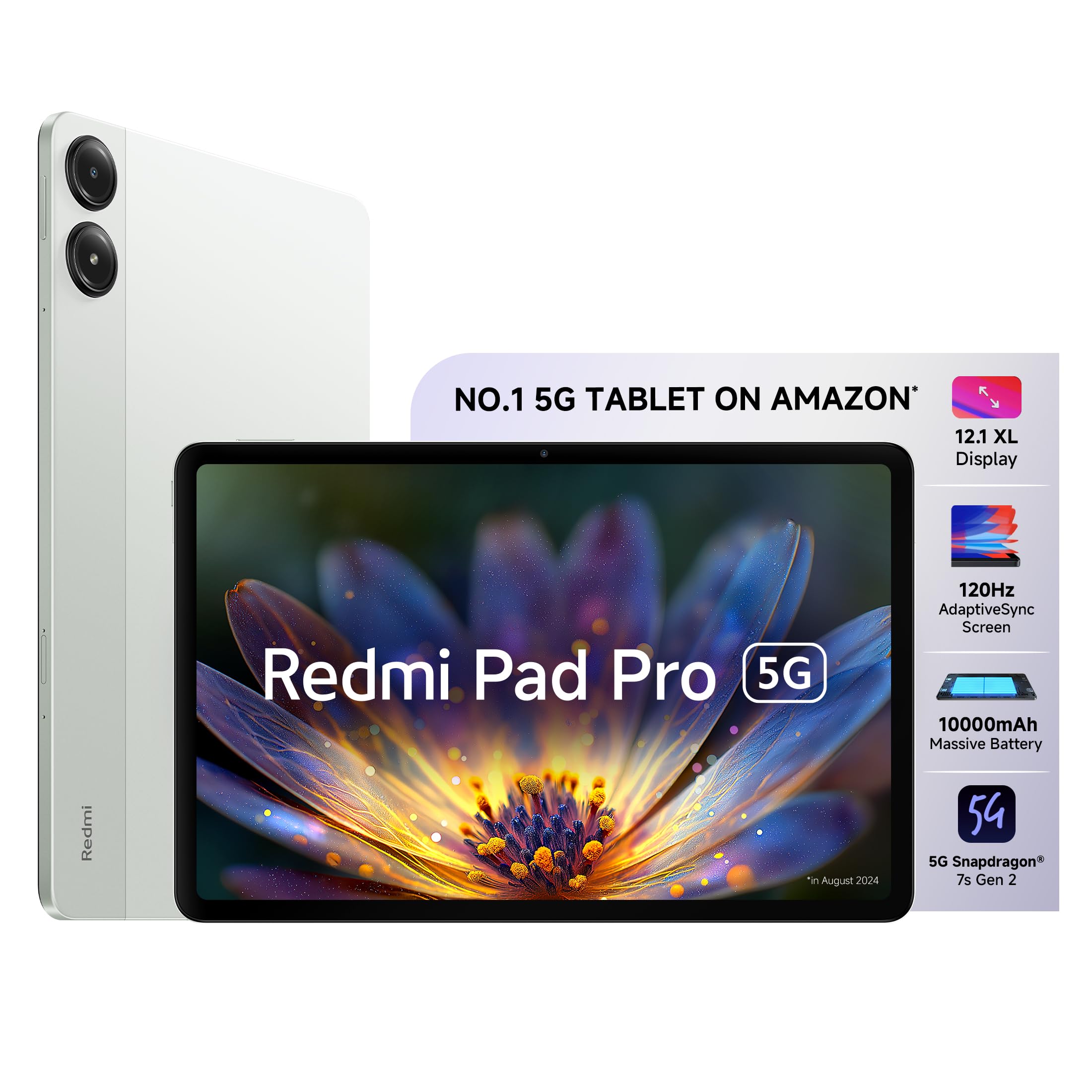
Image: The Redmi Pad Pro 5G tablet with its included accessories, including the adapter, USB-C cable, and SIM ejector tool.
Gosod
1. Gwefru Cychwynnol
Before first use, fully charge your Redmi Pad Pro 5G using the provided adapter and USB Type-C cable. Connect the USB Type-C cable to the tablet's charging port and the adapter to a power outlet. The tablet supports 33W fast charging.
2. Pŵer Ymlaen / I ffwrdd
- I Bweru Ymlaen: Press and hold the Power button until the Redmi logo appears.
- I Bweru i ffwrdd: Pwyswch a daliwch y botwm Pŵer, yna dewiswch "Diffoddwch" o'r opsiynau ar y sgrin.
- I ailgychwyn: Pwyswch a daliwch y botwm Pŵer, yna dewiswch "Ailgychwyn" o'r opsiynau.
3. SIM Card Installation (for 5G models)
For 5G connectivity, insert a nano-SIM card into the SIM card tray. Use the provided SIM ejector tool to open the tray. Ensure the SIM card is correctly oriented before reinserting the tray.

Delwedd: Ochr view of the Redmi Pad Pro 5G, illustrating the location of the SIM tray and other external components.
4. Cyfluniad Cychwynnol
Dilynwch yr awgrymiadau ar y sgrin i gwblhau'r gosodiad cychwynnol, gan gynnwys dewis iaith, cysylltiad Wi-Fi, mewngofnodi i gyfrif Google, a gosodiadau diogelwch.
Cyfarwyddiadau Gweithredu
Nodweddion Arddangos
The Redmi Pad Pro 5G features a 12.1-inch XL display with a 2.5K resolution (2560x1600 pixels) and a 120Hz AdaptiveSync refresh rate. This adaptive refresh rate adjusts automatically to optimize battery efficiency based on content. The display also includes triple eye-care technology for reduced eye strain.

Image: The 12.1-inch XL display of the Redmi Pad Pro 5G, highlighting its large viewing ardal.

Image: Visual representation of the 120Hz AdaptiveSync screen technology on the Redmi Pad Pro 5G.
Nodweddion Sain
Experience immersive sound with the tablet's quad speakers and Dolby Atmos support. Adjust volume using the physical volume buttons located on the side of the device.

Image: Diagram showing the quad speaker placement and Dolby Atmos branding on the Redmi Pad Pro 5G.
Rheoli Batri
The Redmi Pad Pro 5G is equipped with a 10000mAh (typical) battery, providing extended usage times. For optimal battery life, use the included 33W fast charger. Avoid extreme temperatures and fully discharging the battery frequently.

Image: Illustration of the 10000mAh battery inside the Redmi Pad Pro 5G, emphasizing its large capacity.
HyperOS Interconnectivity
HyperOS enables seamless interaction between your Redmi Pad Pro 5G and compatible Xiaomi smartphones.
- Network Sync: Connect to your phone's hotspot with a single click when Wi-Fi signals are unavailable.
- Home Screen+: Receive messages, answer calls, and access phone apps directly on the tablet.
- Shared Clipboard: Copy and paste text and images between devices.
- Cross-device Notes: Access your smartphone camera from the Notes app on the tablet to take photos and insert them.

Delwedd: Drosoddview of Xiaomi HyperOS features, including Network Sync and Home Screen+.

Image: A visual demonstrating the Network Sync feature, allowing the tablet to connect to a phone's hotspot.
Ategolion (Wedi'i werthu ar wahân)
Enhance your Redmi Pad Pro 5G experience with optional accessories:
- Pen Clyfar Redmi: For handwritten notes, drawing, and painting. Features handwriting recognition.
- Redmi Pad Pro Keyboard: Transforms your tablet into a productivity device for typing and presentations.

Image: A user taking notes on the Redmi Pad Pro 5G with the Redmi Smart Pen.

Image: The Redmi Pad Pro 5G attached to its dedicated keyboard, illustrating its use for productivity tasks.
Cynnal a chadw
- Glanhau: Defnyddiwch frethyn meddal, di-flwff i lanhau'r sgrin a'r corff. Osgowch ddeunyddiau sgraffiniol neu gemegau llym.
- Diogelu: Ystyriwch ddefnyddio cas amddiffynnol ac amddiffynnydd sgrin i atal crafiadau a difrod.
- Amodau Amgylcheddol: Osgowch amlygu'r dabled i dymheredd eithafol, golau haul uniongyrchol, neu leithder uchel.
- Diweddariadau Meddalwedd: Chwiliwch am ddiweddariadau system a'u gosod yn rheolaidd i sicrhau perfformiad a diogelwch gorau posibl.

Delwedd: Cefn view of the Redmi Pad Pro 5G, showing its camera module and sleek design.
Datrys problemau
Materion Cyffredin ac Atebion
- Tabled ddim yn troi ymlaen: Ensure the battery is charged. Connect the charger and wait a few minutes before attempting to power on again. If unresponsive, perform a force restart by holding the power button for approximately 10-15 seconds.
- Sgrin yn anymatebol: Try restarting the tablet. If the issue persists, ensure the screen is clean and free of debris.
- Problemau cysylltiad Wi-Fi: Gwiriwch a yw Wi-Fi wedi'i alluogi yn y gosodiadau. Ailgychwynwch eich llwybrydd a'r dabled. Anghofiwch y rhwydwaith ac ailgysylltwch.
- Perfformiad araf: Close unnecessary background applications. Clear cache and temporary files. Ensure sufficient storage space is available. Consider a factory reset as a last resort (back up data first).
- Batri yn draenio'n gyflym: Reduce screen brightness. Disable unused features like GPS, Bluetooth, and Wi-Fi when not needed. Limit background app refresh. Check for apps consuming excessive power in battery settings.
Manylebau
| Nodwedd | Manylyn |
|---|---|
| Brand | Cochmi |
| Enw Model | Redmi Pad Pro 5G |
| Cynhwysedd Storio Cof | 256 GB |
| Maint Sgrin | 12.1 modfedd (30.7cm) |
| Arddangos Cydraniad Uchafswm | 2560x1600 (2.5K) |
| Math Arddangos | OLED |
| Arddangos Cyfradd Adnewyddu | 120 Hz AdaptiveSync |
| Cof RAM wedi'i Gosod | 8 GB |
| Prosesydd | Snapdragon 7s Gen 2 |
| System Weithredu | HyperOS |
| Technoleg Cellog | 5G |
| Math o Dechnoleg Di-wifr | Wi-Fi 6 (802.11ax) |
| Gallu Batri | 10000 mAh |
| Codi Tâl Cyflym | 33W |
| Cydraniad Camera Cefn | 8 AS |
| Datrysiad Camera Blaen | 8 AS |
| Dimensiynau Eitem (L x W x Trwch) | 18.2L x 28W x 0.8Th Centimeters |
| Human Interface Types | Sgrin gyffwrdd gyda chefnogaeth Stylus |
Gwarant a Chefnogaeth
For detailed warranty information, please refer to the warranty card included in your product packaging or visit the official Redmi/Xiaomi websafle.
If you encounter issues not covered in this manual or require further assistance, please contact Redmi customer support. Support contact details can typically be found on the manufacturer's websafle neu yn y Canllaw Cychwyn Cyflym.
Adnoddau Ar-lein:


