
1. Rhagymadrodd
This manual provides essential information for setting up, operating, and maintaining your NIMO Mini-PC MPL2R. Please read it thoroughly before use to ensure optimal performance and longevity of your device.

Delwedd 1.1: Blaen a chefn view of the NIMO Mini-PC MPL2R, showcasing ei ddyluniad cryno a'i borthladdoedd amrywiol.
The NIMO Mini-PC MPL2R is a compact and powerful computing solution, equipped with a 12th Gen Intel N100 processor, 16GB DDR5 RAM, and 768GB storage (512GB M.2 SSD + 256GB Micro SD). It supports triple 4K display output, WiFi 6, and Bluetooth 5.2, making it suitable for a variety of applications from home entertainment to business and educational tasks.

Delwedd 1.2: Drosoddview of key features including Intel 12th Gen N100 processor, 4K triple-screen display support, Bluetooth 5.2, LPDDR5 RAM, WiFi 6, and PCIe SSD.
2. Beth sydd yn y Bocs
Wrth agor y pecyn, gwiriwch fod yr holl eitemau canlynol wedi'u cynnwys:
- NIMO Mini-PC MPL2R
- Addasydd Pŵer
- Mount VESA
- Canllaw Defnyddiwr

Image 2.1: Visual representation of the items included in the NIMO Mini-PC MPL2R packaging: the Mini PC unit, power adapter, VESA mount, and user guide.
3. Canllaw Gosod
3.1 Cysylltu ag Arddangosfa
- Connect one end of an HDMI cable to an HDMI port on the NIMO Mini-PC.
- Connect the other end of the HDMI cable to an HDMI input on your monitor or TV.
- For triple display setup, use the second HDMI port and the full-function Type-C port with appropriate adapters/cables.

Image 3.1: The NIMO Mini-PC MPL2R connected to three external monitors, demonstrating its triple 4K display capability.
3.2 Cysylltu Perifferolion
- Dyfeisiau USB: Connect your keyboard, mouse, and other USB devices to the available USB 3.0 ports.
- Sain: Connect speakers or headphones to the 3.5mm audio jack.
- Rhwydwaith: For a wired connection, connect an Ethernet cable to the Gigabit Ethernet port.
3.3 Cysylltiad Pwer
- Connect the power adapter to the DC input port on the Mini-PC.
- Plygiwch yr addasydd pŵer i mewn i allfa wal.
3.4 Gosod Mowntiad VESA (Dewisol)
The included VESA mount allows you to attach the Mini-PC to the back of a compatible monitor, saving desk space.
- Atodwch y braced mowntio VESA i gefn eich monitor gan ddefnyddio'r sgriwiau a ddarperir.
- Slide the NIMO Mini-PC onto the mounted bracket until it clicks securely into place.
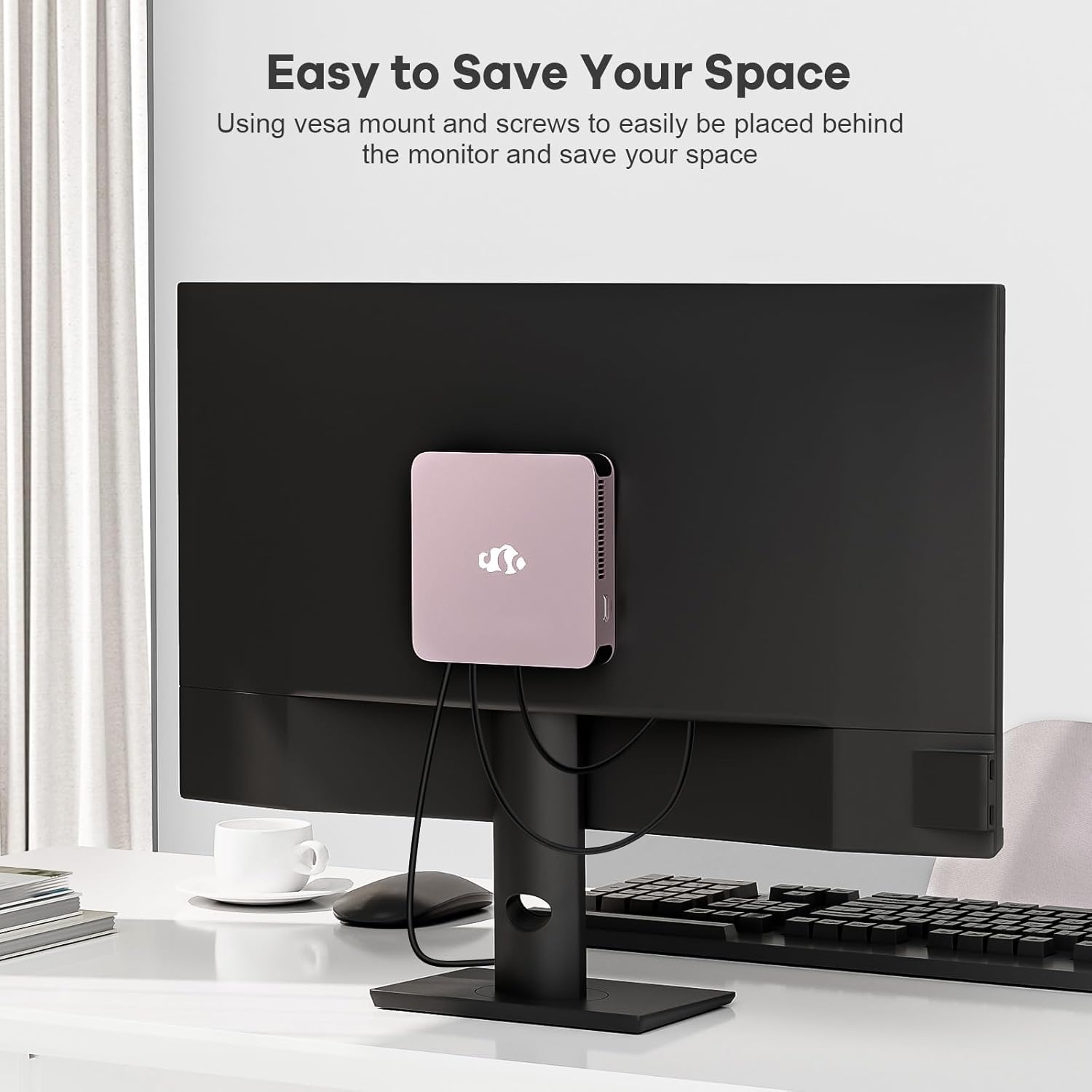
Image 3.2: The NIMO Mini-PC MPL2R shown mounted on the back of a monitor, illustrating its space-saving VESA mount capability.
4. Cyfarwyddiadau Gweithredu
4.1 Pweru Ymlaen/Diffodd
- Pŵer Ymlaen: Press the power button located on the front of the Mini-PC. The power indicator light will illuminate.
- Pwer i ffwrdd: To shut down the system, use the operating system's shutdown function. For a forced shutdown, press and hold the power button for approximately 5 seconds.
4.2 Initial Boot and Operating System
The NIMO Mini-PC comes with a pre-installed operating system. Upon first boot, follow the on-screen instructions to complete the initial setup, including language selection, network configuration, and user account creation.
4.3 Cysylltedd Di-wifr
- WiFi 6: To connect to a wireless network, access the network settings in your operating system, select your desired WiFi network, and enter the password.
- Bluetooth 5.2: To pair Bluetooth devices (e.g., keyboard, mouse, headphones), enable Bluetooth in your operating system settings and follow the pairing instructions for your specific device.

Image 4.1: The NIMO Mini-PC MPL2R depicted in multiple usage scenarios, including business meetings, graphic design, home theater, and office work, highlighting its versatility.
5. manylebau
Detailed technical specifications for the NIMO Mini-PC MPL2R:
| Nodwedd | Manyleb |
|---|---|
| Prosesydd | Intel N100 (4 Cores, 4 Threads, up to 3.4GHz, 6MB Cache) |
| Graffeg | Intel UHD Graphics (up to 750MHz) |
| HWRDD | 16GB DDR5 (LPDDR5) |
| Storio | 512GB M.2 SSD (PCIe x2) + 256GB Micro SD |
| Arddangos Allbwn | 2x HDMI (4K@60Hz), 1x Full-function Type-C (4K@60Hz) - Triple Display Support |
| Cysylltedd Di-wifr | WiFi 6, Bluetooth 5.2 |
| Porthladdoedd | 4x USB 3.0, 1x Full-function Type-C, 2x HDMI, 1x Gigabit Ethernet, 1x 3.5mm Audio Jack, 1x Micro SD Card Slot |
| System Weithredu | System (Pre-installed) |
| Dimensiynau (LxWxH) | 4.72 x 4.72 x 0.91 modfedd |
| Pwysau Eitem | 1.65 pwys |
| Ffynhonnell Pwer | DC |

Image 5.1: Dimensions of the NIMO Mini-PC MPL2R, illustrating its compact size relative to common objects like a pen and a coin.

Image 5.2: Diagram illustrating the internal cooling structure of the NIMO Mini-PC MPL2R, featuring a fan with speeds up to 5300 RPM for efficient heat dissipation.
6. cynnal
- Glanhau: Use a soft, dry cloth to clean the exterior of the Mini-PC. Avoid using liquid cleaners or abrasive materials. Ensure ventilation openings are free from dust and debris.
- Diweddariadau Meddalwedd: Diweddarwch eich system weithredu a'ch gyrwyr yn rheolaidd i sicrhau'r perfformiad a'r diogelwch gorau posibl.
- Awyru: Ensure the Mini-PC is placed in a well-ventilated area to prevent overheating. Do not block the air vents.
- Storio: Avoid placing heavy objects on the Mini-PC. Store it in a cool, dry environment when not in use.
7. Datrys Problemau
This section addresses common issues you might encounter with your NIMO Mini-PC.
7.1 Dim Pŵer
- Ensure the power adapter is securely connected to both the Mini-PC and a working power outlet.
- Gwiriwch fod y soced pŵer yn gweithio drwy blygio dyfais arall i mewn.
7.2 Dim Allbwn Arddangos
- Check that the HDMI or Type-C cable is firmly connected to both the Mini-PC and the monitor.
- Ensure the monitor is powered on and set to the correct input source (e.g., HDMI 1, HDMI 2).
- Try connecting to a different display or using a different cable to rule out faulty components.
7.3 Dim Cysylltiad Rhyngrwyd
- Gwifrog: Ensure the Ethernet cable is properly connected and your router is functioning.
- Di-wifr: Verify that WiFi is enabled in the operating system, you are connected to the correct network, and the password is entered correctly. Restart your router if necessary.
7.4 Peripherals Not Responding
- Try connecting USB devices to different USB ports.
- For Bluetooth devices, ensure they are in pairing mode and Bluetooth is enabled on the Mini-PC.
- Check device drivers in the operating system's device manager.
8. Gwarant a Chefnogaeth
NIMO is committed to providing reliable products and excellent customer service.
8.1 Gwybodaeth Gwarant
Your NIMO Mini-PC MPL2R comes with a 2-year technical support warranty. This warranty covers manufacturing defects and technical issues under normal use conditions.
8.2 Polisi Dychwelyd
A Polisi dychwelyd 90 diwrnod is offered, allowing for returns or exchanges within 90 days of purchase.
8.3 Cefnogaeth Dechnegol
If you encounter any problems or have questions regarding your NIMO Mini-PC, please contact our professional after-sales team. Our computer experts are available to provide technical support and repair services.
- E-bost Cyswllt: gwasanaeth@nimopc.com
- Argaeledd Gwasanaeth: Gwasanaeth 24 awr

Delwedd 8.1: Drosoddview of NIMO's customer service, highlighting domestically partial assembly, 90-day returns, and 2-year support.