
AFEXOA ZH083K
Llawlyfr Defnyddiwr Cloc Larwm Codiad Haul Digidol AFEXOA ZH083K
Model: ZH083K
Rhagymadrodd
Diolch am brynuasing the AFEXOA ZH083K Digital Sunrise Alarm Clock. This device is designed to enhance your waking and sleeping experience with its natural sunrise simulation, customizable alarm sounds, multi-color night light, and sleep aid features. Please read this manual carefully to ensure proper use and optimal performance of your new alarm clock.
Cynnwys Pecyn
- AFEXOA ZH083K Digital Sunrise Alarm Clock
- Cebl Pwer USB
- Llawlyfr Defnyddiwr
Cynnyrch Drosview
Familiarize yourself with the components and controls of your AFEXOA ZH083K alarm clock.

Delwedd 1: Blaen view of the AFEXOA ZH083K Digital Sunrise Alarm Clock, showing the digital time display and control buttons on the top panel. The light dome is visible above the fabric-covered speaker base.
Botymau Rheoli:
- DIMMER: Adjusts the brightness of the clock display.
- AMSER: Wedi'i ddefnyddio ar gyfer gosod yr amser cyfredol.
- ALARM: Used for setting and activating the alarm.
- ALARM ON / OFF: Yn newid y swyddogaeth larwm.
- AMSER SLEEP: Activates and adjusts the sleep timer function.
- +/-: Adjusts values (time, brightness, volume) up or down.
- Eicon Bwlb Golau: Controls the night light/mood light.
- Botwm Ailatgoffa: Located on the bottom, activated by pressing down the clock.
Gosod
1. Cysylltiad Pwer
Connect the provided USB power cable to the alarm clock and plug it into a suitable USB power adapter (not included) or a USB port. The clock display will illuminate.
2. Gosod yr Amser Cyfredol
- Pwyswch a dal y AMSER botwm nes bod yr arddangosfa awr yn dechrau fflachio.
- Defnyddiwch y +/- botymau i addasu'r awr.
- Gwasgwch y AMSER botwm eto i gadarnhau'r awr a symud i addasu'r munud.
- Defnyddiwch y +/- botymau i addasu'r cofnodion.
- Gwasgwch y AMSER button once more to save the time setting.
Cyfarwyddiadau Gweithredu
1. Setting the Alarm and Sunrise Simulation
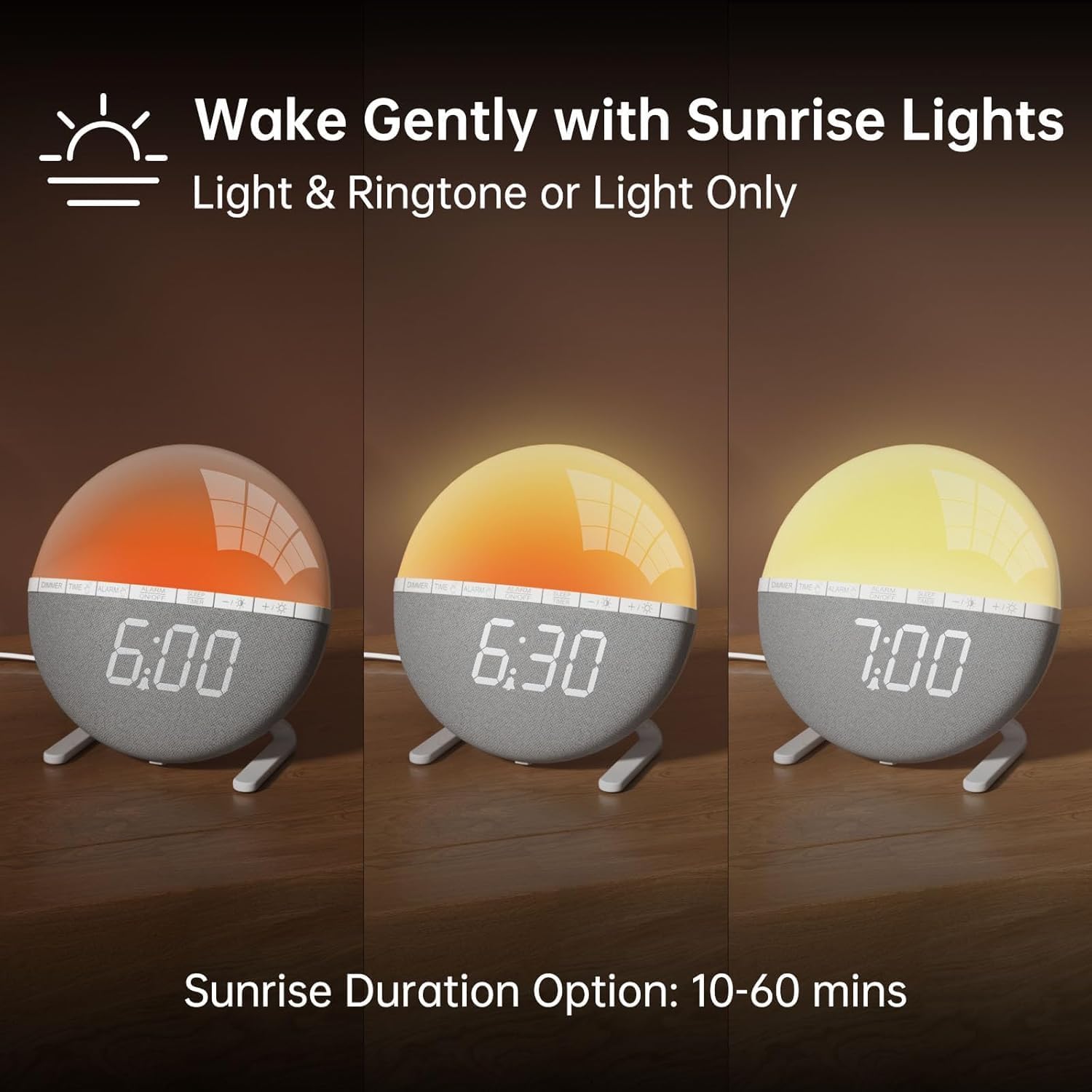
Delwedd 2: Illustration of the sunrise simulation feature, showing the light gradually changing from dim red to bright yellow over a period, with time indications of 6:00, 6:30, and 7:00.
- Pwyswch a dal y ALARM button until the alarm time display starts flashing.
- Defnyddiwch y +/- botymau i osod yr awr larwm a ddymunir.
- Gwasgwch y ALARM button to confirm the hour and move to minute adjustment.
- Defnyddiwch y +/- botymau i osod y munudau larwm a ddymunir.
- Gwasgwch y ALARM button to confirm the minutes and proceed to sunrise duration setting.
- Defnyddiwch y +/- buttons to select the sunrise simulation duration (10-60 minutes). This is the period before your set alarm time when the light will gradually brighten.
- Gwasgwch y ALARM button to confirm the duration and proceed to alarm sound selection.
- Defnyddiwch y +/- buttons to cycle through the 7 available alarm sounds or select "OFF" for light-only alarm.
- Gwasgwch y ALARM button to confirm the sound and proceed to volume adjustment.
- Defnyddiwch y +/- buttons to set the alarm volume (10 levels).
- Gwasgwch y ALARM button once more to save all alarm settings.
I actifadu neu ddadactifadu'r larwm, pwyswch y ALARM ON / OFF botwm. Bydd eicon larwm yn ymddangos ar yr arddangosfa pan gaiff ei actifadu.

Delwedd 3: A visual representation of the seven built-in wake-up ringtones, including icons for Beep, Bell, Birds, and four types of Soft Music. It also shows a 10-level volume adjustment bar.
2. Swyddogaeth Snooze
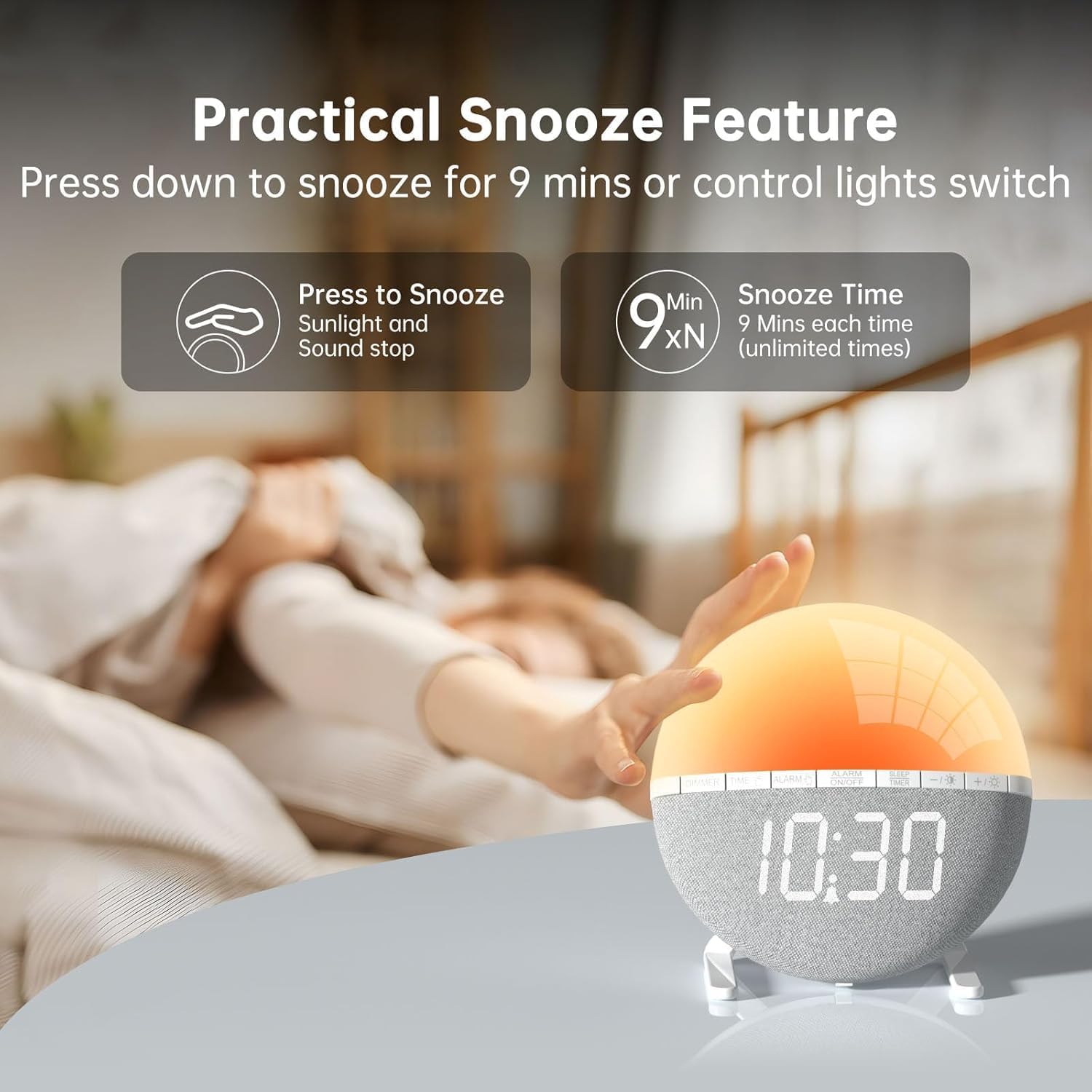
Delwedd 4: A hand pressing down on the top of the alarm clock to activate the snooze function. Text indicates that pressing down snoozes for 9 minutes and can also control the light switch.
When the alarm sounds, gently press down on the top of the alarm clock to activate the snooze function. The alarm will pause for 9 minutes and then sound again. This can be repeated an unlimited number of times.
3. Night Light / Mood Light

Delwedd 5: A display of the various solid color and RGB mood light options available on the alarm clock, shown as a spectrum of colors from light blue to purple, with the clock displaying each color.
- Gwasgwch y Eicon Bwlb Golau botwm i droi golau nos ymlaen.
- Gwasgwch y Eicon Bwlb Golau button repeatedly to cycle through the 7 solid colors and 2 mixed RGB mood light options.
- Defnyddiwch y +/- buttons to adjust the brightness of the selected light (10 levels).
- Pwyswch a dal y Eicon Bwlb Golau button to turn off the night light.
4. Amserydd Cwsg

Delwedd 6: An image illustrating the sleep aid function with an auto-off timer, showing options for 15m, 30m, 60m, 90m, and 120m. The alarm clock is shown emitting a soft, warm light.
The sleep timer allows the light to gradually dim and turn off after a set period, aiding in sleep.
- Gwasgwch y AMSERYDD CYSGU botwm.
- Defnyddiwch y +/- buttons to select the desired sleep timer duration (15, 30, 60, 90, or 120 minutes). The light will gradually dim and turn off after the selected time.
- I ganslo'r amserydd cysgu, pwyswch y AMSERYDD CYSGU button repeatedly until the timer is off, or press and hold the button.
5. Addasiad Disgleirdeb Arddangos

Delwedd 7: Four images of the alarm clock demonstrating different display brightness levels, from off to full brightness, highlighting the dimmable and eye-caring features.
Gwasgwch y DIMMER button to cycle through the 4 display brightness levels: 0% (off), 5%, 50%, and 100%. This allows you to adjust the display visibility according to your preference, especially at night.
Cynnal a chadw
- Glanhewch y ddyfais gyda lliain meddal, sych. Peidiwch â defnyddio glanhawyr sgraffiniol na thoddyddion.
- Cadwch y ddyfais i ffwrdd o ddŵr a lleithder uchel.
- Osgoi gollwng y ddyfais neu ei darostwng i effeithiau cryf.
- Peidiwch â cheisio dadosod na thrwsio'r ddyfais eich hun. Cysylltwch â chymorth cwsmeriaid os bydd problemau'n codi.
Datrys problemau
| Problem | Achos Posibl | Ateb |
|---|---|---|
| Clock display is off or not working. | No power connection or power adapter issue. Display brightness set to 0%. | Ensure the USB cable is securely connected and the power adapter is working. Press the DIMMER button to increase display brightness. |
| Nid yw'r larwm yn canu. | Alarm not activated. Alarm volume set to 0 or sound option set to "OFF". | Gwasgwch ALARM ON / OFF to activate. Check alarm settings to ensure a sound is selected and volume is not 0. |
| Sunrise simulation does not work. | Sunrise duration not set or set to 0. | Verify the sunrise duration is set to a value between 10-60 minutes in the alarm settings. |
| Night light is not turning on. | Light function not activated. | Gwasgwch y Eicon Bwlb Golau botwm i droi'r golau ymlaen. |
Manylebau
- Model: ZH083K
- Brand: AFEXOA
- Dimensiynau: 9.5 x 3.81 x 9.5 cm
- Pwysau: 400 g
- Deunydd: Plastig
- Math Arddangos: Digidol
- Ffynhonnell Pwer: Electric Cable (USB)
- Nodweddion arbennig: Sunrise Simulation, Mood Light, Color-Changing Night Light, Loud Alarm, Snooze, Sleep Timer, Dimmable Display
Gwarant a Chefnogaeth
The AFEXOA ZH083K Digital Sunrise Alarm Clock comes with a standard manufacturer's warranty. For detailed warranty information, please refer to the product packaging or contact your retailer. If you encounter any issues or have questions regarding your product, please contact AFEXOA customer support through the retailer's platform or the official brand websafle am gymorth.
Cadwch eich derbynneb prynu fel prawf o brynu ar gyfer hawliadau gwarant.
Ask a question about this manual
Ask about setup, troubleshooting, compatibility, parts, safety, or missing instructions. Manuals+ will review the question and use this page’s manual context to help answer it.