1. Rhagymadrodd
This manual provides detailed instructions for the installation, operation, and maintenance of your Hikity Android Carplay Wireless Autoradio. This multimedia system is specifically designed for the Seat Leon MK3 (Left-Hand Drive) models from 2013 to 2019, offering a 9-inch touchscreen display with advanced features such as wireless CarPlay, Android Auto, GPS navigation, Bluetooth, and support for a reversing camera.
Please read this manual thoroughly before installation and use to ensure proper functionality and to maximize your user experience.
2. Gwybodaeth Diogelwch
- Gosodiad Proffesiynol a Argymhellir: Oherwydd cymhlethdod systemau trydanol ceir, argymhellir gosod proffesiynol yn gryf i atal difrod i'r uned neu'ch cerbyd.
- Diogelwch Gyrru: Peidiwch â gweithredu'r system mewn ffordd sy'n tynnu eich sylw oddi wrth yrru. Rhowch flaenoriaeth i ddiogelwch ar y ffyrdd bob amser.
- Cyflenwad Pŵer: Ensure the unit is connected to a 12V DC power supply with a negative ground. Incorrect wiring can cause damage or fire.
- Osgoi Lleithder: Peidiwch ag amlygu'r uned i ddŵr na lleithder gormodol.
- Tymheredd: Avoid extreme temperatures. The operating temperature range is typically -20°C to +70°C.
- Awyru: Sicrhewch awyru digonol o amgylch yr uned i atal gorboethi.
3. Cynnwys Pecyn
Verify that all items are present in your package before proceeding with installation:
- Hikity Android Autoradio Unit (9-inch touchscreen)
- Cebl Pŵer
- RCA Cable
- Ceblau USB (x2)
- Cebl Mewnbwn Camera
- Antena GPS
- Antena Radio
- Datgodiwr Canbus
- AHD Rear Camera (optional, if included in your package)
- Meicroffon
- Offeryn Gosod
- Llinell Wrthdroi

4. Gosod a Gosod
This autoradio is designed for direct fitment in Seat Leon MK3 (2013-2019) Left-Hand Drive vehicles. Ensure your vehicle's dashboard matches the 'Before' image for compatibility.

4.1 Gwifro Cysylltiadau
Refer to the wiring diagram provided with your unit and the image below for connecting the various cables. Incorrect wiring can lead to malfunction or damage.

- Cebl Pwer: Connect the main power harness to your vehicle's wiring. Ensure correct positive (B+) and accessory (ACC) connections, and a secure ground (GND). The Canbus decoder should be integrated as per the vehicle's specific wiring.
- Ceblau RCA: Ar gyfer allanol amplifiers, subwoofers, or auxiliary audio/video input/output.
- Ceblau USB: Connect the two provided USB cables for media playback, phone charging, or wired CarPlay/Android Auto connections.
- Mewnbwn Camera: Connect the AHD rear camera cable here.
- Antena GPS: Gosodwch yr antena GPS mewn lleoliad clir view yr awyr, fel arfer ar y dangosfwrdd neu o dan y ffenestr flaen.
- Antena Radio: Cysylltwch antena radio eich cerbyd.
- Meicroffon: Connect the external microphone for improved call quality and voice commands.
Note: Some users have reported that the provided connection harness may not be a direct 'plug and play' for all Seat Leon FR models, requiring modifications or extensions for certain cables (e.g., the cable from the glove compartment CD unit). Please verify your vehicle's specific wiring before installation.
5. Cyfarwyddiadau Gweithredu
5.1 System Drosoddview
The unit runs on Android 13 with a Quad Core processor, 2GB RAM, and 64GB ROM, providing a responsive user experience on its 9-inch Ultra HD touchscreen with a resolution of 1024*600 pixels.


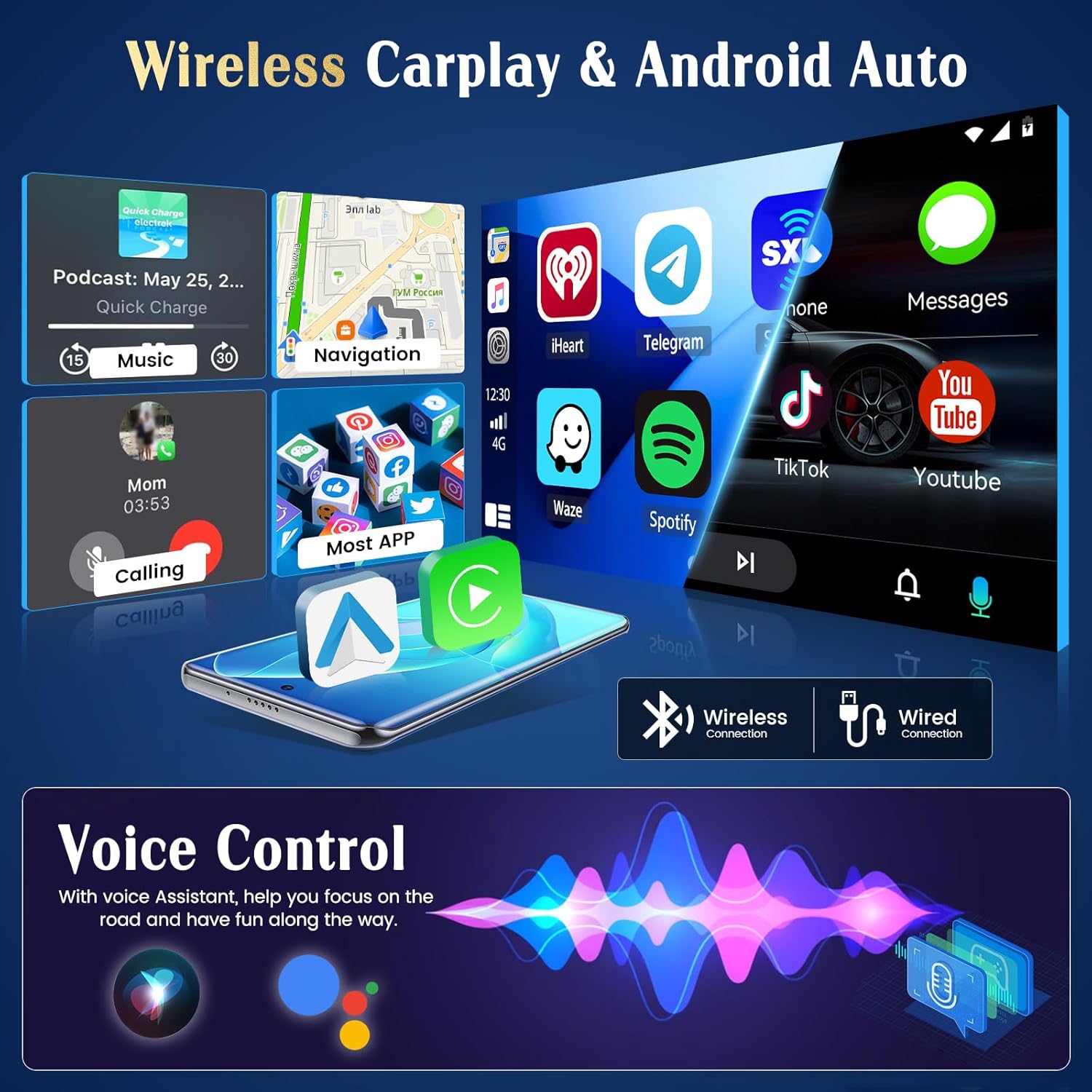
5.2 CarPlay Di-wifr ac Android Auto
The unit supports both wireless and wired CarPlay and Android Auto. This feature integrates your smartphone's interface directly onto the car's display, allowing access to navigation, music, messages, and calls safely while driving.
- Cysylltiad: Connect your iPhone via Bluetooth for wireless CarPlay or a USB cable for wired CarPlay. For Android phones, connect via Bluetooth for wireless Android Auto or a USB cable for wired Android Auto.
- Ymarferoldeb: Once connected, your phone's compatible apps will appear on the autoradio screen.

5.3 Llywio GPS
The autoradio has an integrated GPS receiver and supports both online and offline maps. The pre-installed Herewego app allows you to download free offline maps for global navigation.
- Mapiau Ar-lein: Requires a WiFi connection to access real-time traffic and map updates.
- Mapiau All-lein: Download maps in advance to navigate without an internet connection.


5.4 Cysylltiad WiFi
Connect the autoradio to a WiFi network (e.g., your phone's hotspot) to access online features.
- Lawrlwythiadau Ap: Access the Google Play Store to download various applications.
- Online Browsing: Syrffio'r web, stream content, and use online services.

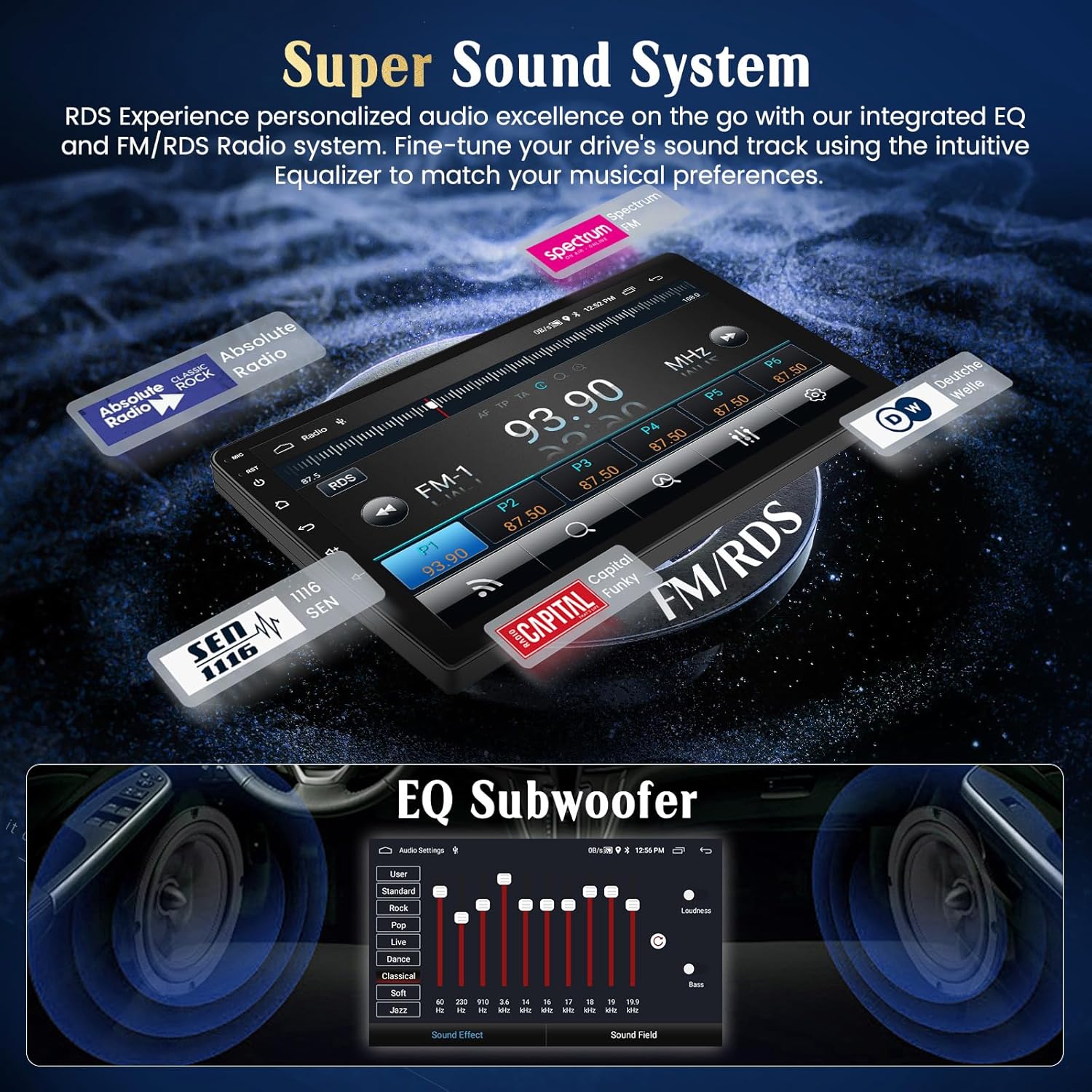
Radio 5.5 FM/RDS
Tune into your favorite FM radio stations and enjoy real-time broadcast information via RDS (Radio Data System).
- Sgan Awtomatig: Use the auto-scan function to find and save available stations.
- Tiwnio â Llaw: Manually adjust the frequency to specific stations.
5.6 Swyddogaeth Bluetooth
Cysylltwch eich ffôn clyfar trwy Bluetooth ar gyfer galwadau di-ddwylo a ffrydio sain.
- Paru: Enable Bluetooth on your phone and search for the autoradio unit. Select it to pair.
- Galwadau Di-Ddwylo: Make and receive calls directly from the touchscreen.
- Ffrydio Sain: Chwaraewch gerddoriaeth o'ch ffôn drwy seinyddion y car.
5.7 Rheoli Olwyn Llywio
The unit supports your vehicle's original steering wheel controls, allowing you to manage audio and other functions without taking your hands off the wheel.
- Ffurfweddiad: Access the 'Steering Wheel Control' settings in the system menu to map your vehicle's buttons to the desired functions (e.g., volume up/down, track skip, mode).

5.8 AHD Reversing Input (Backup Camera)
When your vehicle is shifted into reverse gear, the system automatically switches to the rear camera view, providing a clear image to assist with parking and maneuvering.
- Nodweddion: The supported AHD camera offers HD image quality, waterproof design, night vision, and a wide-angle view gyda chanllawiau parcio.


5.9 System Sain
Customize your audio experience with the integrated equalizer (EQ) and subwoofer output.
- Equalizer: Adjust various frequency bands to tailor the sound to your preferences.
- Allbwn Subwoofer: Connect an external subwoofer for enhanced bass.
5.10 Cyswllt Drych Ffôn
Mirror your Android or iOS smartphone screen directly onto the autoradio display.
- Android: Connect via USB or WiFi.
- iOS: Connect via USB or WiFi.

5.11 Rheoli Llais Clyfar
Utilize voice commands through Siri (for CarPlay) or Google Assistant (for Android Auto) to control various functions, keeping your hands on the wheel and eyes on the road.
- Ysgogi: Activate voice control through your connected smartphone's interface.
- Gorchmynion: Use commands for navigation, music playback, calls, and messages.

5.12 UI Themes
Personalize your user interface with a selection of 28 different UI themes.
- Newid Themâu: Long-press on an empty space on the desktop to access theme options and switch between different designs.

6. cynnal
- Glanhau'r sgrin: Use a soft, lint-free cloth to clean the touchscreen. For stubborn smudges, lightly dampgolchwch y lliain gyda dŵr neu lanhawr sy'n ddiogel i sgriniau. Osgowch gemegau llym.
- Diweddariadau Meddalwedd: Gwiriwch yn rheolaidd am ddiweddariadau meddalwedd drwy osodiadau'r system neu osodiadau'r gwneuthurwr websafle i sicrhau perfformiad gorau posibl a mynediad at nodweddion newydd.
- Gofal Cyffredinol: Avoid placing heavy objects on the unit or exposing it to direct sunlight for extended periods when parked.
7. Datrys Problemau
If you encounter issues with your Hikity Autoradio, refer to the following common problems and solutions:
| Problem | Achos Posibl | Ateb |
|---|---|---|
| Nid yw'r uned yn pweru ymlaen. | Cysylltiad pŵer llac, ffiws wedi chwythu, gwifrau anghywir. | Check all power cables (B+, ACC, GND) for secure connection. Inspect vehicle fuses and the unit's fuse. Ensure correct 12V DC connection. |
| Dim sain. | Cyfaint yn rhy isel, mud wedi'i actifadu, gwifrau siaradwr anghywir, ampmater lifier. | Increase volume. Check if mute is active. Verify speaker connections. If using an external amplifter, gwiriwch ei bŵer a'i gysylltiadau. |
| Signal GPS ar goll neu'n anghywir. | GPS antenna obstructed or improperly placed, antenna faulty. | Sicrhewch fod gan antena GPS glir view of the sky. Check antenna connection. Try repositioning the antenna. |
| Nid yw CarPlay/Android Auto yn cysylltu. | Bluetooth/USB connection issue, phone compatibility, app not updated. | Ensure Bluetooth is on and paired. Try a different USB cable. Update phone OS and CarPlay/Android Auto apps. Restart both phone and autoradio. |
| Camera cefn ddim yn dangos. | Camera not powered, incorrect camera input connection, reverse trigger wire issue. | Check camera power supply. Verify camera input cable is securely connected. Ensure the reverse trigger wire is correctly connected to the vehicle's reverse light circuit. |
| Nid yw rheolyddion yr olwyn lywio yn gweithio. | Canbus connection issue, incorrect configuration. | Ensure Canbus decoder is correctly installed and connected. Re-enter the steering wheel control learning interface and re-map buttons. |
If the problem persists after trying these solutions, please contact Hikity customer support.
8. manylebau
| Nodwedd | Manylyn |
|---|---|
| Brand | Hikity |
| Rhif Model | ManJu-A7195A3195A4MI2 |
| Maint Sgrin | 9 modfedd |
| Cydraniad Sgrin | 1024*600 |
| System Weithredu | Android 13 |
| Prosesydd | Craidd Cwad |
| HWRDD | 2GB |
| ROM (Storio Mewnol) | 64GB |
| CarPlay/Android Auto | Di-wifr & Wired |
| Llywio GPS | Integrated receiver, supports online/offline maps |
| Cysylltedd WiFi | Oes |
| Bluetooth | Hands-free calls, audio streaming |
| Radio | FM with RDS |
| Porthladdoedd USB | 2 |
| Dyfeisiau Cydnaws | Ffôn clyfar |
| Nodweddion Arbennig | EQ settings, Subwoofer output, Steering Wheel Control, AHD Reversing Input, Phone Mirror Link, Voice Control, 28 UI Themes |
9. Gwarant a Chefnogaeth
9.1 Gwybodaeth Gwarant
This Hikity Autoradio comes with a Gwarant gwneuthurwr 2 flynedd. Please retain your proof of purchase for warranty claims. The warranty covers manufacturing defects and malfunctions under normal use. It does not cover damage caused by improper installation, misuse, accidents, or unauthorized modifications.
9.2 Cefnogaeth i Gwsmeriaid
For technical assistance, troubleshooting, or warranty inquiries, please contact Hikity customer support:
- E-bost: hikityservices@163.com
- Adnoddau Ar-lein: Visit the official Hikity websafle ar gyfer Cwestiynau Cyffredin, llawlyfrau wedi'u diweddaru, a lawrlwythiadau meddalwedd.