
1. Rhagymadrodd
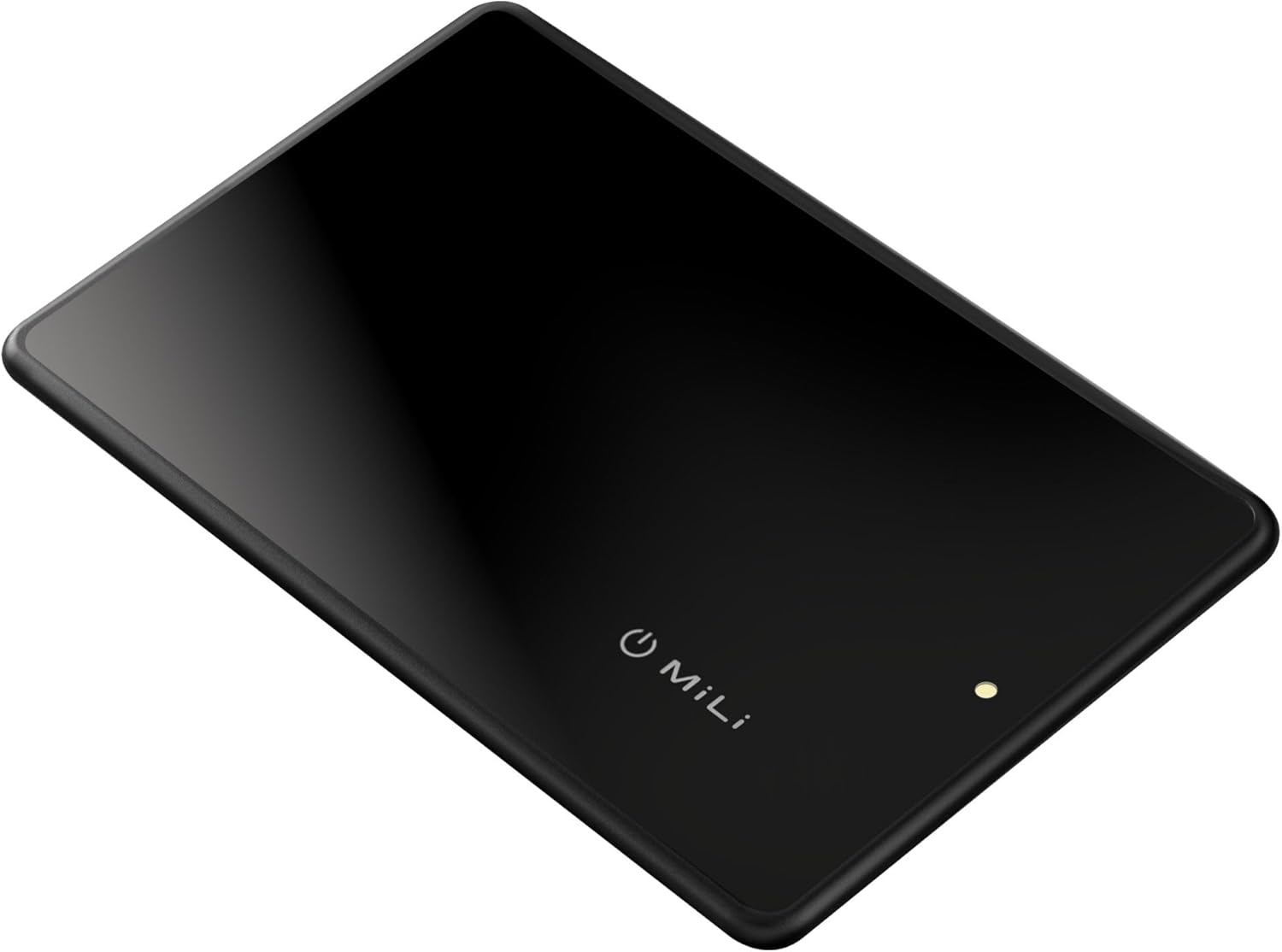
The Mili MiCard is a credit card-sized wireless tracker designed to help you locate your valuables using Apple's Find My network. This device is MFi Certified, ensuring seamless integration with your iOS devices. Its slim profile, wireless recharging capability, and IP65 waterproof rating make it a reliable companion for keeping track of items such as wallets, handbags, and passport books.
2. Cynnyrch Drosview
The MiCard tracker is engineered for convenience and durability. Key features include:
- Wireless Rechargeable Battery: Equipped with a long-lasting battery that can be recharged wirelessly. A single charge can last 4-6 months, with the battery maintaining functionality for up to 5 years.
- MFi Certified for iOS: Fully compatible with Apple's Find My app, allowing you to locate your items directly from your iPhone, iPad, or Mac.
- Dyluniad main a chryno: Designed to fit easily into wallets, phone cases, and other small compartments without adding significant bulk.
- Sgôr gwrth-ddŵr IP65: Resistant to dust and water splashes, capable of withstanding immersion in water up to 1 meter deep for 30 minutes.

3. Cyfarwyddiadau Gosod
Follow these steps to set up your Mili MiCard with your Apple device:
- Pŵer Ymlaen: Ensure your MiCard is charged. The device typically powers on automatically or can be activated by a short press of the power button (if present).
- Agorwch yr Ap Dod o Hyd i Fy Nghyfer: On your iPhone, iPad, or Mac, open the 'Find My' application.
- Ychwanegu Eitem: Navigate to the 'Items' tab and tap the '+' icon. Select 'Add Other Item'.
- Paru: Your device will begin searching for nearby items. Place your MiCard close to your Apple device. Once detected, follow the on-screen prompts to name your MiCard and register it to your Apple ID.
- Cadarnhad: After successful pairing, your MiCard will appear in the 'Items' list within the Find My app.

4. Cyfarwyddiadau Gweithredu
Once your MiCard is set up, you can use the Find My app to locate your items:
- Locate on Map: Open the Find My app and select your MiCard from the 'Items' list. Its last known location will be displayed on a map.
- Chwarae Sain: If your MiCard is nearby, you can tap 'Play Sound' in the Find My app to make it emit an audible alert, helping you pinpoint its exact location.
- Cyfarwyddiadau: For items further away, you can get directions to its last known location through the Find My app.
- Notify When Found/Left Behind: Configure notifications in the Find My app to alert you if your item is found by another Apple device user or if you leave your item behind at a known location.

5. Lost Mode and NFC Function
If your MiCard-equipped item is lost, you can activate Lost Mode:
- Ysgogi Modd Coll: In the Find My app, select your MiCard and enable 'Lost Mode'. You can enter a phone number or email address where you can be contacted.
- Ymarferoldeb NFC: If someone finds your lost item, they can tap their NFC-enabled smartphone on your MiCard. This will display the contact information you provided in Lost Mode, allowing them to return your item.

6. Codi tâl
The Mili MiCard features a wireless rechargeable battery:
- Dull Codi Tâl: Place the MiCard on a compatible wireless charging pad.
- Dangosydd Codi Tâl: A small LED light on the MiCard will indicate its charging status.
- Amser Codi Tâl: Mae gwefr lawn fel arfer yn cymryd tua 1 awr.
- Bywyd batri: A single full charge provides 4-6 months of usage. The internal battery is designed for a lifespan of up to 5 years.

7. Gwrthiant Dŵr
The MiCard has an IP65 rating, meaning it is:
- Dust Tight: Wedi'i amddiffyn yn llawn rhag llwch rhag dod i mewn.
- Gwrth-ddŵr: Protected against low-pressure water jets from any direction and can withstand immersion in water up to 1 meter for 30 minutes.
While resistant, it is not recommended for prolonged submersion or use in extreme water conditions.

8. cynnal
To ensure the longevity and optimal performance of your MiCard:
- Glanhau: Sychwch y ddyfais gyda lliain meddal, sych. Osgowch ddefnyddio cemegau llym neu ddeunyddiau sgraffiniol.
- Storio: Store the MiCard in a cool, dry place when not in use for extended periods.
- Osgoi Amodau Eithafol: Do not expose the device to extreme temperatures, direct sunlight for prolonged periods, or corrosive liquids.
9. Datrys Problemau
If you encounter issues with your Mili MiCard, consider the following:
- Not Connecting to Find My:
- Sicrhewch fod Bluetooth wedi'i alluogi ar eich dyfais iOS.
- Make sure the MiCard is charged.
- Try restarting your iOS device and the MiCard (if applicable).
- Ensure the MiCard is within range of your iOS device or other Apple devices in the Find My network.
- MiCard Not Charging:
- Verify that your wireless charging pad is functional and properly connected to a power source.
- Ensure the MiCard is correctly placed on the charging pad.
- Remove any obstructions between the MiCard and the charging pad.
- Accidental Button Presses: The MiCard may have a button that can be accidentally pressed when in a tight wallet, potentially affecting its status (e.g., turning off or entering pairing mode). If you experience unexpected behavior, check the device's status in the Find My app and reposition it in your wallet if necessary to prevent accidental presses.
- Lleoliad Anghywir: The accuracy of the location depends on the proximity of other Apple devices in the Find My network. In areas with fewer Apple devices, location updates may be less frequent or precise.
10. manylebau
| Nodwedd | Manylyn |
|---|---|
| Rhif Model | HD-P16-C |
| Dimensions (L x W x Thickness) | 8.5 x 5.3 x 0.26 cm (3.35 x 2.09 x 0.10 modfedd) |
| Pwysau | 23 gram (0.81 owns) |
| Math Batri | 1 batri Lithiwm Polymer (wedi'i gynnwys) |
| Battery Life (per charge) | 4-6 mis |
| Total Battery Lifespan | Hyd at 5 blynedd |
| Amser Codi Tâl | Approximately 1 hour (wireless charging) |
| Graddfa dal dwr | IP65 |
| Cydweddoldeb | iOS devices only (MFi Certified) |
11. Gwarant a Chefnogaeth
Mili products are manufactured to high-quality standards. For information regarding warranty coverage, please refer to the warranty card included with your product or visit the official Mili website. For technical support or further assistance, please contact Mili customer service through the contact information provided on their official websafle neu becynnu cynnyrch.