
MESWAO MES-B3
Llawlyfr Defnyddiwr MESWAO 15.6 Modfedd Android 14 Tabled MES-B3
Cyfarwyddiadau cynhwysfawr ar gyfer gosod, gweithredu a chynnal a chadw.
1. Rhagymadrodd
This manual provides detailed instructions for the MESWAO 15.6 Inch Android 14 Tablet, model MES-B3. It covers essential information regarding product features, setup, operation, maintenance, and troubleshooting to ensure optimal performance and user experience. Please read this manual thoroughly before using your device.
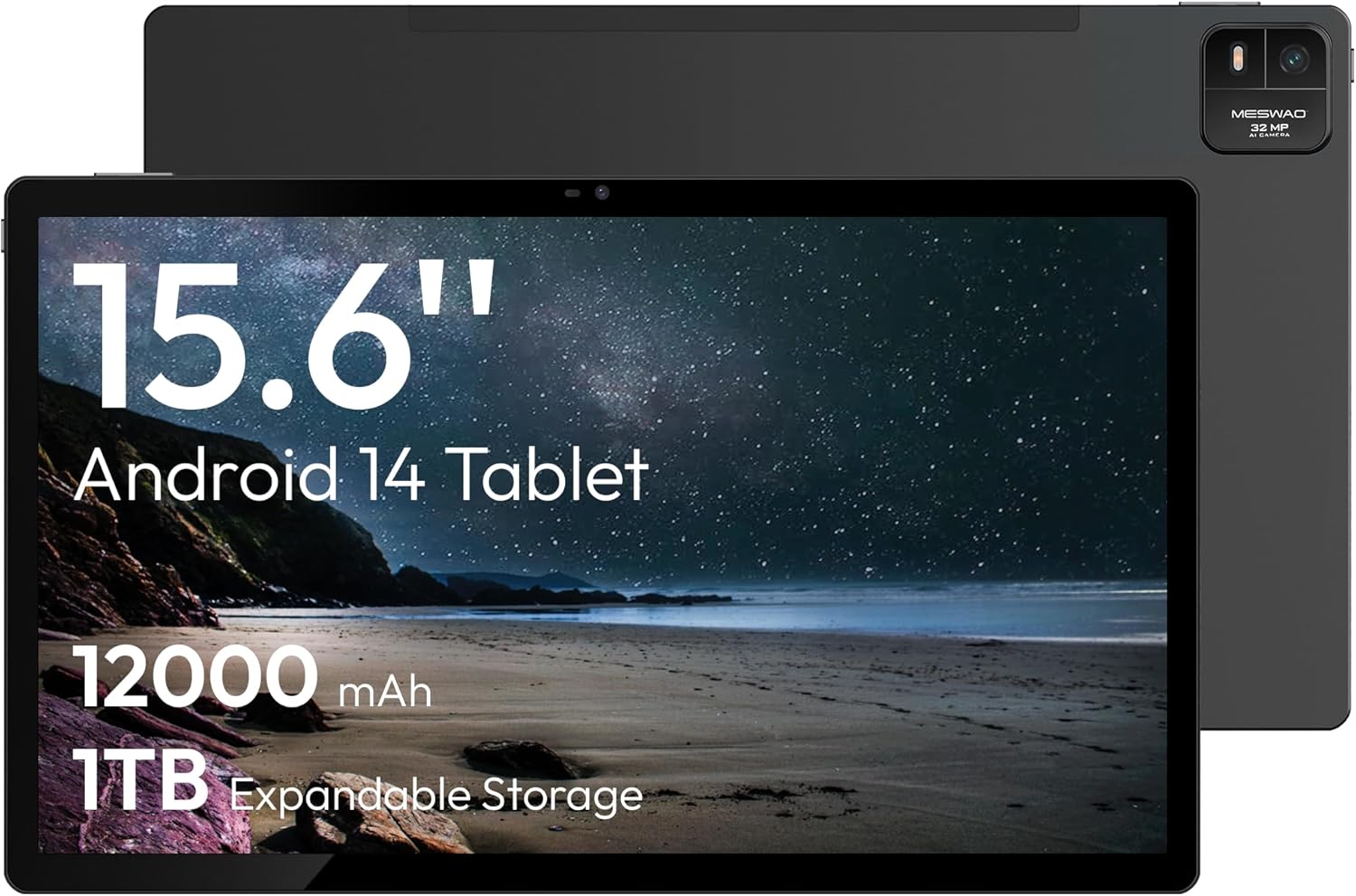
Figure 1.1: MESWAO 15.6 Inch Android 14 Tablet. This image displays the front and back view of the tablet, highlighting its large screen and rear camera module.
2. Gwybodaeth Diogelwch
To prevent damage to your device or injury to yourself or others, please observe the following precautions:
- Peidiwch ag amlygu'r dabled i dymheredd eithafol, golau haul uniongyrchol, na lleithder uchel.
- Osgowch ollwng y dabled neu roi effaith ddifrifol iddi.
- Defnyddiwch wefrwyr ac ategolion cymeradwy yn unig.
- Peidiwch â cheisio dadosod na thrwsio'r dabled eich hun.
- Cadwch y dabled i ffwrdd o ddŵr a hylifau eraill.
- Observe all local regulations regarding the use of electronic devices.
3. Cynnwys Pecyn
Gwiriwch fod yr holl eitemau yn bresennol yn y pecyn:
- 15.6-inch Tablet x1
- 15W Charger x1
- Type-C to 3.5mm Adapter x1
- USB-A to Type-C Adapter x1
- Stuck Pin x1 (for SIM/TF card tray)
4. Dyfais Drosoddview
Familiarize yourself with the physical components of your MESWAO tablet.
4.1. Nodweddion Ffisegol
- Camera blaen: Located at the top center of the screen when held horizontally.
- Camera Cefn gyda Flash: Located on the back, typically in a corner.
- Botwm Pŵer: Usually on the side, used to power on/off or wake/sleep the device.
- Botymau Cyfrol: Addaswch lefelau sain.
- Porthladd USB-C: Ar gyfer codi tâl a throsglwyddo data.
- Slot Cerdyn TF: Ar gyfer storfa ehangadwy.
- Siaradwyr: Quad speakers with 8 sound chambers for audio output.

Ffigur 4.1: Drosoddview of MESWAO Tablet's physical features. This image illustrates the location of stereo speakers, power and volume buttons, front camera, rear camera with flashlight, Type-C port, and TF card slot.
5. Gosod
5.1. Gwefru Cychwynnol
Before first use, fully charge the tablet using the provided 15W charger and USB-C cable. Connect the charger to the USB-C port on the tablet and plug it into a power outlet. The battery indicator on the screen will show charging progress.

Figure 5.1: Tablet charging illustration. This image shows the tablet connected to a charger, displaying a charging icon and indicating 100% charge in 3.5 hours.
5.2. Pweru Ymlaen / I ffwrdd
- I Bweru Ymlaen: Press and hold the Power button until the MESWAO logo appears.
- I Bweru i ffwrdd: Pwyswch a daliwch y botwm Pŵer nes bod y ddewislen opsiynau pŵer yn ymddangos, yna dewiswch "Diffoddwch".
- To Sleep/Wake: Pwyswch y botwm Power yn fyr.
5.3. Cyfluniad Cychwynnol
Upon first power-on, follow the on-screen prompts to set up your tablet:
- Dewiswch eich dewis iaith.
- Cysylltwch â rhwydwaith Wi-Fi.
- Mewngofnodwch gyda'ch cyfrif Google neu crëwch un newydd.
- Review a derbyn y telerau ac amodau.
- Gosodwch glo sgrin (PIN, patrwm, neu gyfrinair).
5.4. Inserting a TF Card
To expand storage, insert a TF (microSD) card:
- Locate the TF card slot on the side of the tablet.
- Use the provided stuck pin to gently eject the card tray.
- Place the TF card into the tray with the gold contacts facing down.
- Ail-osodwch y hambwrdd yn ofalus i'r dabled.

Figure 5.2: Tablet storage capabilities. This image highlights the 128GB ROM and support for up to 1TB expandable storage via TF card.
6. Cyfarwyddiadau Gweithredu
6.1. Mordwyo Sylfaenol
The MESWAO tablet uses Android 14, offering intuitive touch-based navigation:
- Tap: Dewiswch eitem neu agorwch raglen.
- Swipe: Sgroliwch drwy sgriniau neu restrau.
- Pinsio-i-Chwyddo: Chwyddo neu leihau cynnwys ar y sgrin.
- Gwasg Hir: Mynediad i ddewislenni cyd-destunol neu symud eiconau.

Figure 6.1: Android 14 operating system interface. This image displays various application icons and highlights features like smooth multitasking, parental control, and enhanced privacy.
6.2. Cysylltu â Wi-Fi
- Ewch i Gosodiadau > Rhwydwaith a rhyngrwyd > Wi-Fi.
- Togglo Wi-Fi On.
- Dewiswch eich rhwydwaith dymunol o'r rhestr.
- Rhowch y cyfrinair os gofynnir amdano, yna tapiwch Cyswllt.
6.3. Managing Applications
- Gosod Apiau: Download from the Google Play Store.
- Dadosod Apiau: Long-press an app icon, then drag it to "Uninstall" or go to Gosodiadau > Apiau.
- Cau Apiau: Swipe up from the bottom of the screen and swipe away the app card.
6.4. Defnydd Camera
The tablet features a 32MP rear camera with flash and a 5MP front camera.
- Agorwch y Camera cais.
- Tapiwch y botwm caead i dynnu llun.
- Newidiwch rhwng camerâu blaen a chefn gan ddefnyddio'r eicon newid camera.
- Access settings for flash, modes, and other options.
6.5. Rheoli Batri
Mae'r batri 12000mAh yn darparu defnydd estynedig. I wneud y gorau o oes y batri:
- Addasu disgleirdeb sgrin.
- Cau cymwysiadau nas defnyddir.
- Enable battery saver mode in Gosodiadau > Batri.
6.6. Cysylltedd
- Bluetooth: Pair with wireless headphones, speakers, or other devices via Gosodiadau > Dyfeisiau cysylltiedig > Bluetooth.
- USB-C: Cysylltu â chyfrifiadur ar gyfer file transfer or use with compatible USB-C accessories.
- Wireless Screen Casting: Share your tablet's screen to a compatible smart TV or monitor. Access this feature from the Quick Settings panel or Gosodiadau > Dyfeisiau cysylltiedig > Cast.
6.7. Gosodiadau Sain
Adjust volume and audio output options:
- Use the physical volume buttons on the side of the tablet.
- Access detailed settings in Gosodiadau > Sain a dirgryniad.
- The tablet supports multiple audio options, including USB-C audio and 3.5mm via the provided adapter.
7. cynnal
7.1. Glanhau Eich Tabled
To clean the tablet, use a soft, lint-free cloth. For stubborn smudges, slightly dampen the cloth with water or a screen cleaner designed for electronics. Avoid harsh chemicals or abrasive materials.
7.2. Diweddariadau Meddalwedd
Chwiliwch am ddiweddariadau meddalwedd a'u gosod yn rheolaidd i sicrhau'r perfformiad, y diogelwch a'r mynediad gorau posibl at nodweddion newydd. Ewch i Gosodiadau > System > Diweddariad system.
7.3. Rheoli Storio
To maintain performance, periodically manage your tablet's storage:
- Delete unnecessary apps and files.
- Symud yn fawr files to the TF card or cloud storage.
- Clear cache data for apps in Gosodiadau > Apiau > [Enw'r Ap] > Storio a storfa.
8. Datrys Problemau
Cyfeiriwch at y problemau a'r atebion cyffredin canlynol:
| Problem | Ateb |
|---|---|
| Nid yw'r tabled yn troi ymlaen. | Gwnewch yn siŵr bod y batri wedi'i wefru. Cysylltwch y gwefrydd ac aros ychydig funudau cyn ceisio ei droi ymlaen eto. |
| Methu cysylltu â Wi-Fi. | Check if Wi-Fi is enabled. Verify the Wi-Fi password. Restart your router and the tablet. |
| Mae apiau'n chwalu neu'n rhewi. | Close background apps. Clear the app's cache. Restart the tablet. Ensure the app is updated. |
| Perfformiad araf. | Free up storage space. Close unused apps. Restart the tablet. |
| Mae'r batri yn draenio'n gyflym. | Reduce screen brightness. Disable unused features like Bluetooth or GPS. Close background apps. Check battery usage in settings. |
9. manylebau
Key technical specifications for the MESWAO 15.6 Inch Android 14 Tablet (MES-B3):
| Nodwedd | Manylyn |
|---|---|
| Brand | MESWAO |
| Enw Model | MES-B3 |
| System Weithredu | Android 14 |
| Maint Sgrin | 15.6 modfedd |
| Cydraniad Sgrin | 1920 x 1080 Pixels (IPS HD) |
| Prosesydd | Octa-Core (MediaTek Helio G99, up to 2.2 GHz) |
| Cydbrosesydd graffeg | Mali-G57 |
| RAM (Memory Storage Capacity) | 6GB (DDR3 SDRAM) |
| Internal Storage (Flash Memory Size) | 128 GB |
| Storfa Ehangadwy | Hyd at 1TB trwy Gerdyn TF |
| Cydraniad Camera Cefn | 32 AS |
| Datrysiad Camera Blaen | 5 AS |
| Gallu Batri | 12000mAh |
| Bywyd Batri Cyfartalog | 12 Awr |
| Math Di-wifr | 802.11a/b/g/n/ac (Wi-Fi 5) |
| Lliw | Llwyd |
| Pwysau Eitem | 2.35 pwys |
| Dimensiynau Cynnyrch (LxWxH) | 14.53 x 8.78 x 0.43 modfedd |

Figure 9.1: Processor and performance details. This image highlights the Helio G99 Octa-Core chipset, 6nm process, 950MHz GPU, and smooth gaming/streaming capabilities.
10. Gwarant a Chefnogaeth
10.1. Gwybodaeth Gwarant
The MESWAO 15.6 Inch Android 14 Tablet comes with a Gwarant 12 mis covering manufacturing defects. Please retain your proof of purchase for warranty claims.
10.2. Cefnogaeth i Gwsmeriaid
For technical assistance, troubleshooting, or warranty inquiries, please contact MESWAO customer support. They offer Cymorth cwsmeriaid 24 awr ac wedi local service centers in the US, EU, and Japan.
- Dull Cyswllt: Refer to the contact information provided with your product packaging or visit the official MESWAO websafle.
- Datrys Mater: Issues reported are typically responded to within 24 hours, with problems resolved or replaced according to policy.

Figure 10.1: MESWAO customer support and warranty details. This image highlights the 12-month warranty, 24-hour customer support, local after-sales centers, and quick response flow.
Ask a question about this manual
Ask about setup, troubleshooting, compatibility, parts, safety, or missing instructions. Manuals+ will review the question and use this page’s manual context to help answer it.