
Skullcandy 2SKSK185
Skullcandy Stomp XL Bluetooth Speaker User Manual
Model: 2SKSK185
Rhagymadrodd
Welcome to the Skullcandy Stomp XL Bluetooth Speaker user manual. This guide provides essential information for setting up, operating, maintaining, and troubleshooting your new portable speaker. Please read this manual thoroughly before using your device to ensure optimal performance and safety.
Beth Sydd yn y Bocs
- (1) Stomp™ XL Party Speaker
- (1) Meicroffon Cordiog
- (1) 6 troedfedd. Cord Pŵer
- (1) Llawlyfr Defnyddiwr

Image: The Skullcandy Stomp XL speaker shown with its included corded microphone, power cord, and user manual.
Nodweddion Allweddol
- Full-Frequency Audio: Delivers bright highs, rich mids, and deep, punchy bass for a complete sound experience.
- Sgôr gwrth-ddŵr IPX7: Designed to withstand full immersion in water (up to 1 meter for 30 minutes), making it suitable for outdoor and poolside use.
- Multi-Link Technology: Connect up to 99 Skullcandy Bluetooth speakers for expanded audio coverage and a synchronized listening experience.
- LED Lightshow & Strobe Modes: Integrated visual effects that sync with your music to enhance the party atmosphere.
- Bywyd batri hir: Enjoy up to 12 hours of continuous playtime on a single charge.
- USB Charge Out: Features USB-C and USB-A output ports to conveniently charge your mobile devices while on the go.
- Dolen Cario Integredig: Ergonomically designed handle for easy portability and transport.
- Meicroffon wedi'i gynnwys: Comes with a corded microphone for vocal applications, karaoke, or announcements.

Image: An infographic highlighting key features such as 12-hour battery life, Bluetooth 5.3 connectivity, IPX5 water resistance, LED light show, included microphone, and Multi-Link capability.

Image: The Stomp XL speaker demonstrating its charge-out feature, powering a smartphone via its USB-A port, indicating on-the-go charging.
Canllaw Gosod
Cyhuddo y Llefarydd
Before first use, fully charge your Stomp XL speaker to ensure maximum battery life and performance.
- Connect the provided 6ft. power cord to the speaker's power input port.
- Plug the other end of the power cord into a standard wall outlet.
- Bydd y golau dangosydd gwefru yn goleuo. Ar ôl ei wefru'n llawn, gall y golau newid lliw neu ddiffodd, yn dibynnu ar y model.
Pweru Ymlaen/Diffodd
Press and hold the Power button located on the control panel for a few seconds to turn the speaker on or off.
Pâr Bluetooth
- Ensure the speaker is powered on and in Bluetooth pairing mode (indicated by a flashing Bluetooth light).
- Ar eich dyfais (ffôn clyfar, tabled, ac ati), galluogwch Bluetooth a chwiliwch am ddyfeisiau sydd ar gael.
- Select "Skullcandy Stomp XL" from the list of devices.
- Once connected, the Bluetooth indicator light on the speaker will become solid, indicating a successful connection.
Cysylltu'r Meicroffon
Insert the microphone cable's plug into the designated microphone input jack on the speaker. Ensure it is fully inserted for proper operation.
Gweithredu Eich Siaradwr
Chwarae Sain
Once paired via Bluetooth, audio from your connected device will play through the Stomp XL speaker.
- Rheoli cyfaint: Use the volume up (+) and volume down (-) buttons on the speaker or your connected device to adjust the audio volume.
- Chwarae/Seibiant: Press the Play/Pause button to start or stop audio playback.
- Llywio Trac: Use the skip forward and skip backward buttons to navigate between tracks.
Multi-Link Feature
The Multi-Link feature allows you to connect up to 99 Skullcandy Bluetooth speakers for a synchronized and immersive audio experience.
- Ensure all speakers you wish to link are powered on and not currently paired to a device.
- On the primary speaker (the one connected to your device), press the Multi-Link button.
- On the secondary speakers, press their Multi-Link button.
- Bydd y siaradwyr yn cysylltu'n awtomatig. Ailadroddwch ar gyfer siaradwyr ychwanegol.
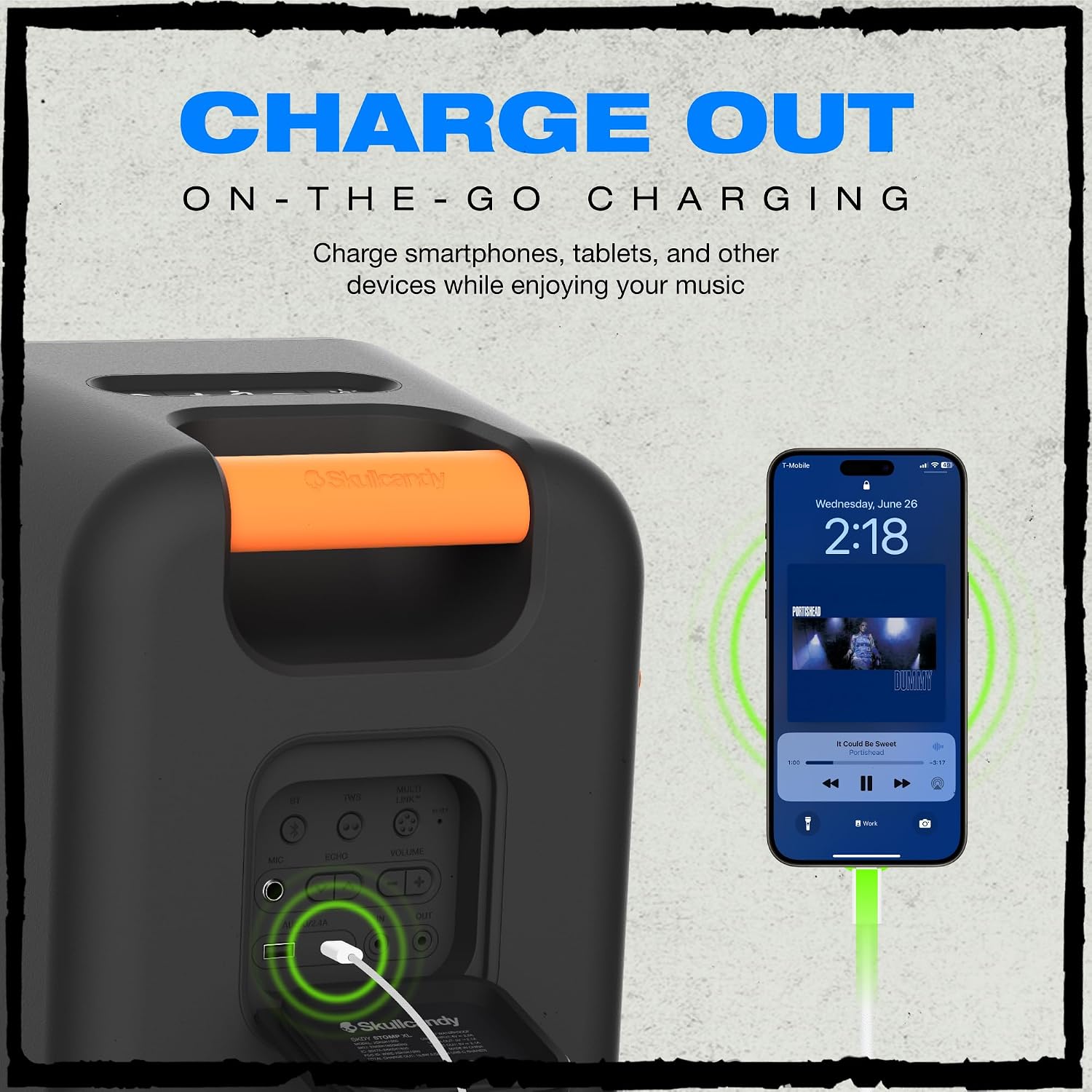
Image: Two Stomp XL speakers demonstrating the Multi-Link feature, showing them wirelessly connected for expanded sound coverage.
LED Lightshow Modes
The Stomp XL features an integrated LED light bar and strobe light that syncs with the music.
Press the Light Mode button to cycle through different light patterns and effects.
Defnyddio'r meicroffon
When the microphone is connected, its audio will be amplified through the speaker, ideal for announcements or singing.
- Cyfaint meicroffon: Adjust the microphone volume using the dedicated knob or buttons on the speaker's control panel.
- Effaith adlais: Some models may feature an echo control for vocal effects. Refer to the speaker's controls for this option.

Delwedd: Manwl view of the speaker's control panel, showing buttons for power, volume, light modes, and input ports for microphone and charging.
Gofal a Chynnal a Chadw
- Glanhau: Sychwch y siaradwr â meddal, champ cloth. Do not use harsh chemicals, abrasive cleaners, or solvents, as these may damage the finish.
- Amlygiad Dŵr: While IPX7 waterproof, ensure all port covers are securely closed before exposing the speaker to water. After water exposure, dry the speaker thoroughly before charging to prevent damage.
- Storio: Storiwch y siaradwr mewn lle oer, sych i ffwrdd o olau haul uniongyrchol, tymereddau eithafol, a lleithder uchel.
- Gofal Batri: To prolong battery life, avoid fully discharging the battery frequently. Charge the speaker regularly, even if not in use for extended periods, to maintain battery health.

Image: The Stomp XL speaker shown in a rainy environment, illustrating its IPX7 waterproof capability, suitable for outdoor use.
Datrys problemau
| Problem | Achos Posibl | Ateb |
|---|---|---|
| Nid yw'r siaradwr yn troi ymlaen. | Batri isel. | Charge the speaker using the provided power cord. Ensure the power outlet is functional. |
| Methu paru drwy Bluetooth. | Speaker not in pairing mode; device Bluetooth off; too far from speaker; interference. | Ensure speaker is in pairing mode (flashing light). Turn device Bluetooth off/on. Move device closer to speaker (within 30 feet). Reduce interference from other wireless devices. |
| Dim sain. | Volume too low; speaker not connected; incorrect audio source selected on device. | Increase volume on speaker and connected device. Re-pair Bluetooth. Check audio output settings on your device to ensure Stomp XL is selected. |
| Multi-Link not working. | Speakers not in Multi-Link mode; too many speakers; out of range. | Ensure all speakers are in Multi-Link pairing mode. Check proximity between speakers (within recommended range). Ensure no more than 99 speakers are linked. |
| Meicroffon ddim yn gweithio. | Microphone not fully plugged in; microphone volume too low; faulty microphone. | Ensure microphone is securely connected to the correct input. Increase microphone volume on the speaker. Test with another microphone if available. |
Manylebau Technegol
- Enw'r Model: 2SKSK185
- Math o Siaradwr: Siaradwr Bluetooth Cludadwy Awyr Agored
- Cysylltedd: Bluetooth 5.3, Di-wifr
- Gwrthiant Dŵr: IPX7 dal dŵr
- Bywyd batri: Hyd at 12 awr
- Allbwn Codi Tâl: USB-C & USB-A
- Llefarydd Uchafswm Pwer Allbwn: 120 Wat
- Ymateb Amlder: 650 Hz
- Dimensiynau Cynnyrch: 20"D x 10"W x 12"H
- Pwysau Eitem: 19.98 pwys
- Cydrannau wedi'u Cynnwys: Speaker, Corded Microphone, Power Cord, User Manual
Gwarant a Chefnogaeth
Gwybodaeth Gwarant
This Skullcandy Stomp XL speaker comes with a Limited Warranty. Please refer to the warranty card included in your packaging or visit the official Skullcandy websafle am delerau ac amodau manwl ynghylch y cwmpas a'r hyd.
Cefnogaeth i Gwsmeriaid
For technical assistance, troubleshooting, or warranty claims, please contact Skullcandy Customer Support:
- Websafle: www.skullcandy.com/support
- Ffôn: Refer to the Skullcandy websafle ar gyfer rhifau cyswllt rhanbarthol ac oriau agor.
Gallwch hefyd ymweld â'r Siop Skullcandy ar Amazon am ragor o wybodaeth am gynhyrchion ac adnoddau cymorth.