
1. Rhagymadrodd
Thank you for choosing the UYIKOO Ultra-Compact 4K Mini Camera. This device is designed for versatile surveillance and recording, offering high-definition video, wide-angle coverage, and smart features in a discreet form factor. Please read this manual carefully before use to ensure proper operation and to maximize the product's potential.
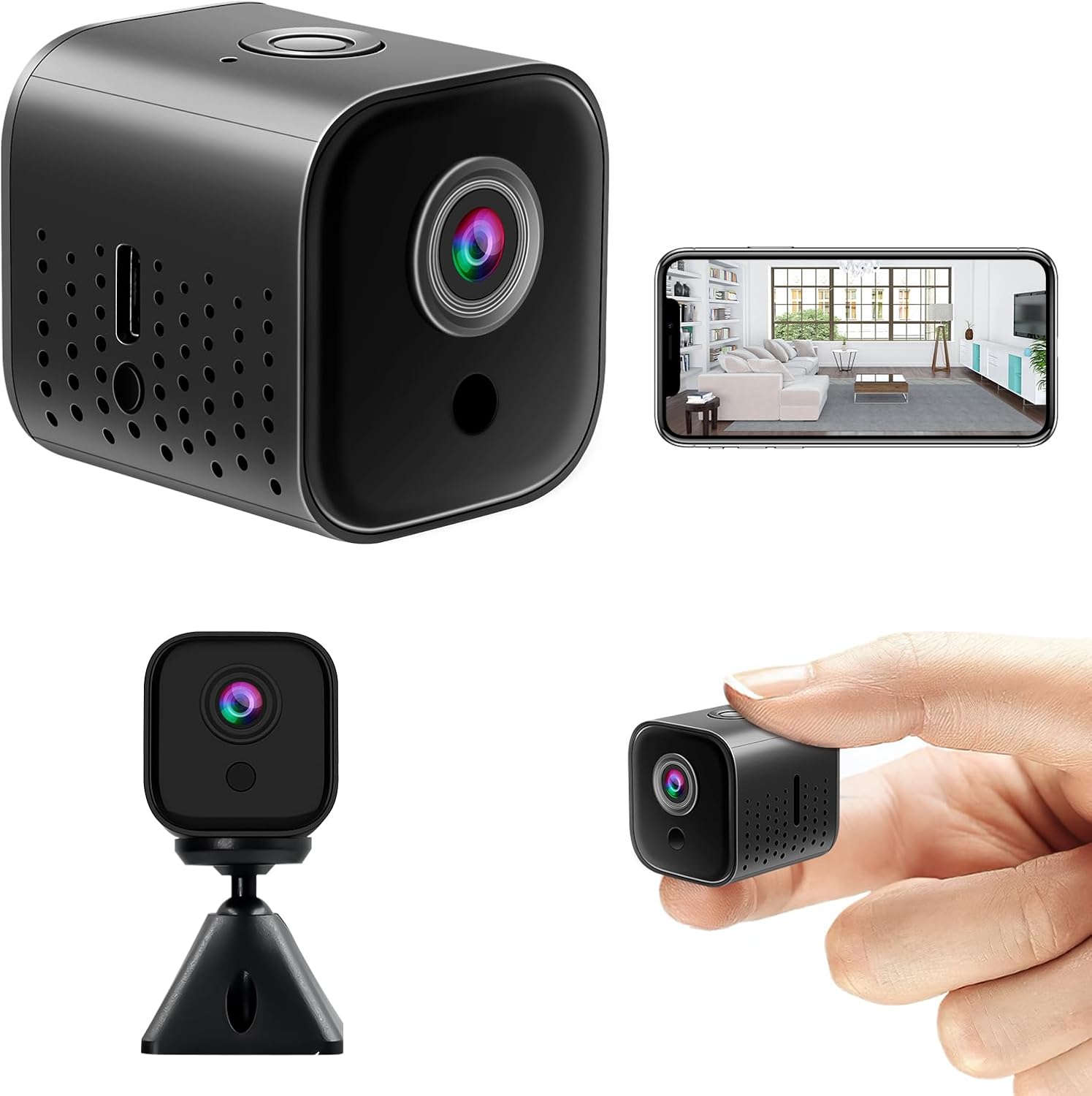
Image: The UYIKOO Ultra-Compact 4K Mini Camera, showing its compact size, various angles, and a smartphone displaying its live feed.
2. Gwybodaeth Diogelwch
- Peidiwch ag amlygu'r camera i dymheredd eithafol, lleithder nac amgylcheddau cyrydol.
- Osgowch ollwng y camera neu ei rhoi dan effaith gref.
- Cadwch y camera i ffwrdd o blant ac anifeiliaid anwes.
- Defnyddiwch y cebl gwefru a ddarperir ac addasydd pŵer cydnaws yn unig.
- Peidiwch â cheisio dadosod na newid y camera. Bydd hyn yn gwneud y warant yn ddi-rym.
- Ensure the camera is placed in a well-ventilated area during operation and charging.
3. Cynnwys Pecyn
Gwiriwch gynnwys y pecyn wrth ei agor. Os oes unrhyw eitemau ar goll neu wedi'u difrodi, cysylltwch â chymorth cwsmeriaid.
- UYIKOO Ultra-Compact 4K Mini Camera
- Cebl Codi Tâl USB
- Mounting Stand / Bracket
- Double-sided Adhesive Tape
- Llawlyfr Defnyddiwr (y ddogfen hon)
4. Cynnyrch Drosview
Ymgyfarwyddwch â chydrannau'r camera:
- Lens: 8-megapixel high-definition lens for 4K video quality and 130° wide-angle capture.
- Golau Dangosydd: Displays camera status (power, recording, Wi-Fi connection).
- Porth USB: Ar gyfer codi tâl a throsglwyddo data.
- Slot Cerdyn MicroSD: Yn cefnogi hyd at 256GB ar gyfer storio lleol.
- Botwm Pŵer: To turn the camera on/off.
- Botwm Ailosod: To restore factory settings.
- LEDs isgoch: Invisible 940nm IR lights for night vision.
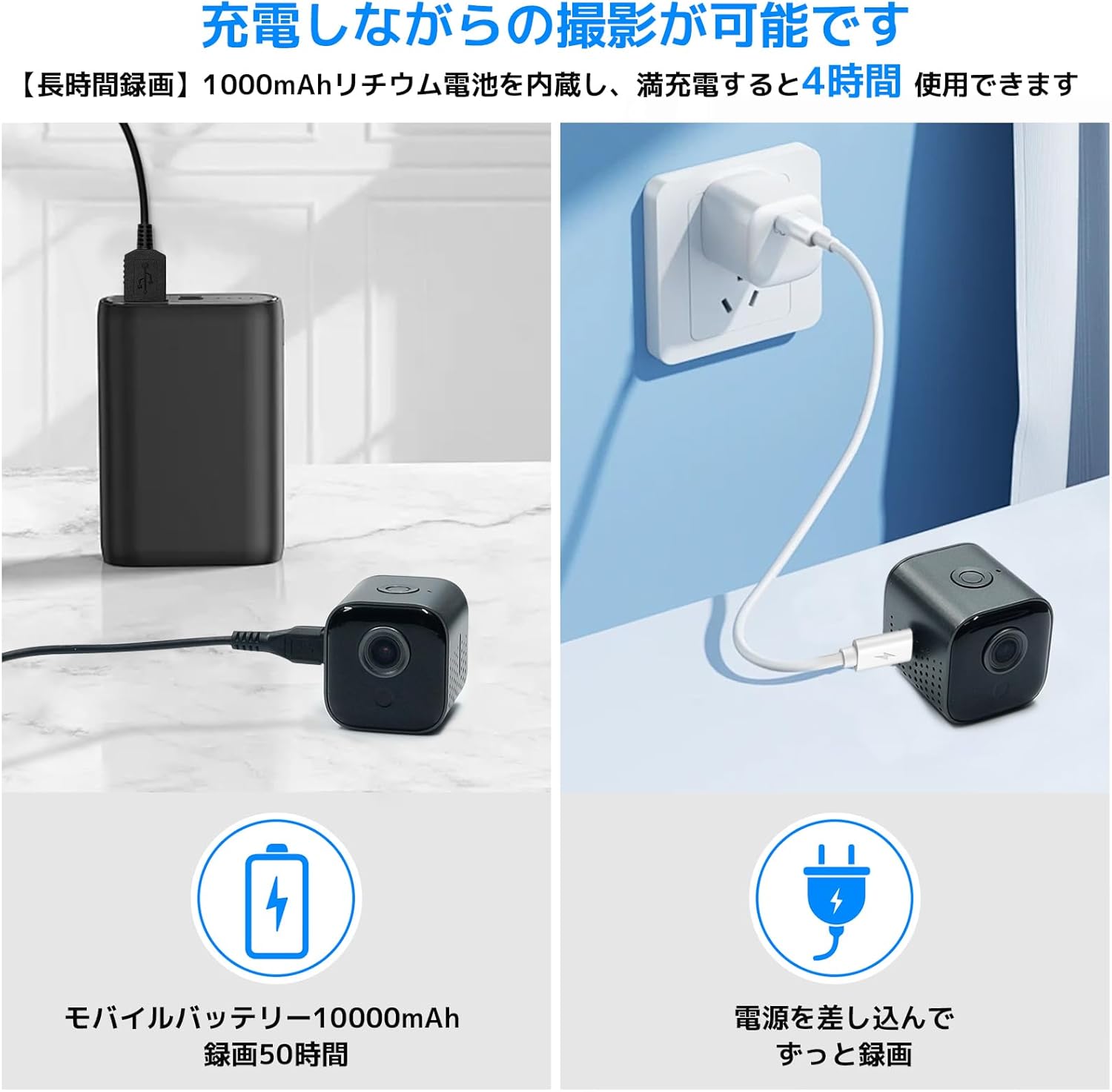
Image: The compact dimensions of the camera (3.7cm x 3.5cm x 3.5cm) and its magnetic mounting capability.
5. Gosod
5.1. Codi Tâl y Camera
Before first use, fully charge the camera. Connect the USB charging cable to the camera's USB port and a power source (e.g., wall adapter, power bank, computer USB port). The indicator light will show charging status. A full charge provides approximately 4 hours of continuous recording.
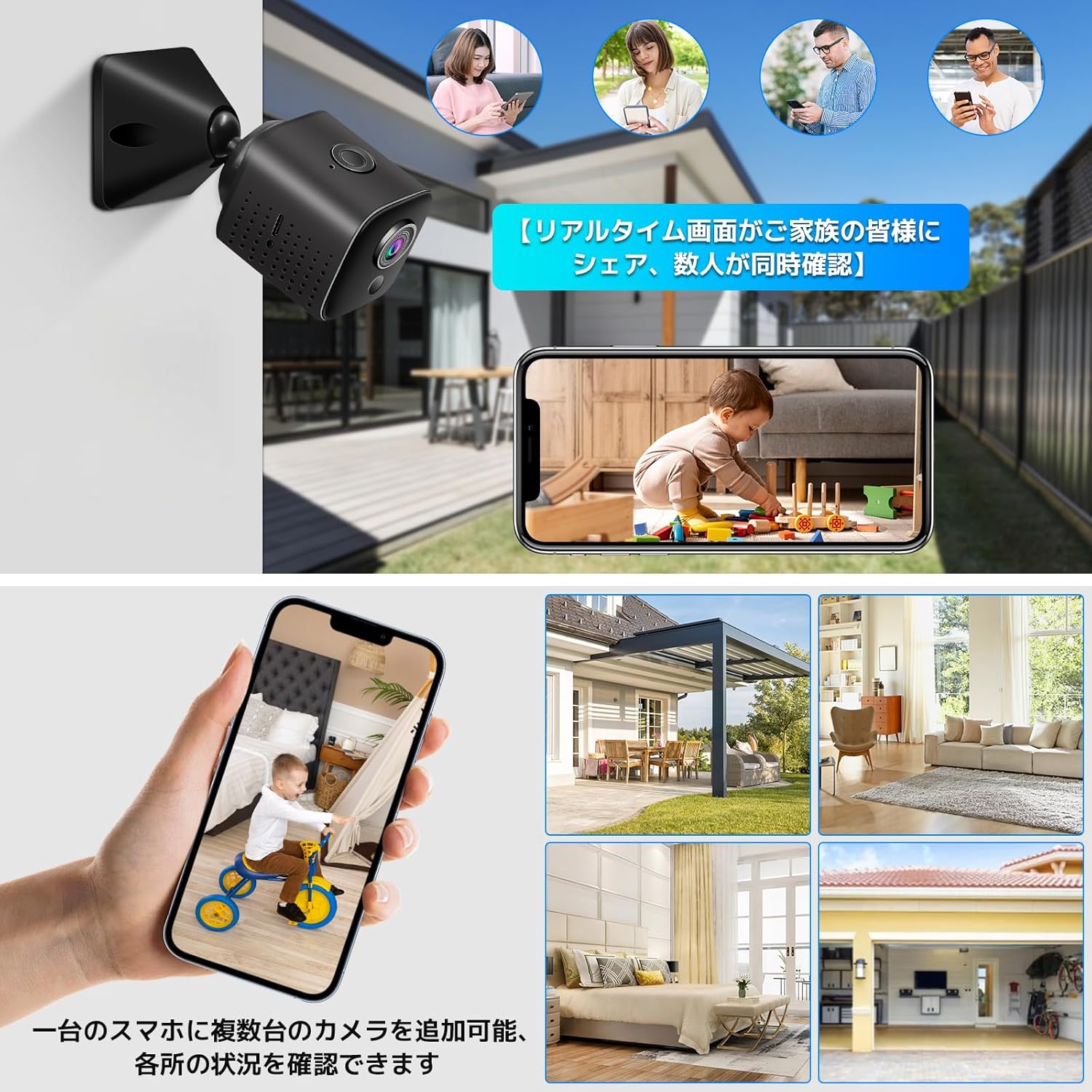
Image: The camera connected to a power bank and a wall outlet for charging, illustrating its flexible power options.
5.2. Gosod Cerdyn MicroSD
The camera supports MicroSD cards from 8GB to 256GB (sold separately). Insert the MicroSD card into the designated slot with the gold contacts facing down until it clicks into place. The camera supports automatic loop recording, overwriting the oldest files pan fydd y cerdyn yn llawn.
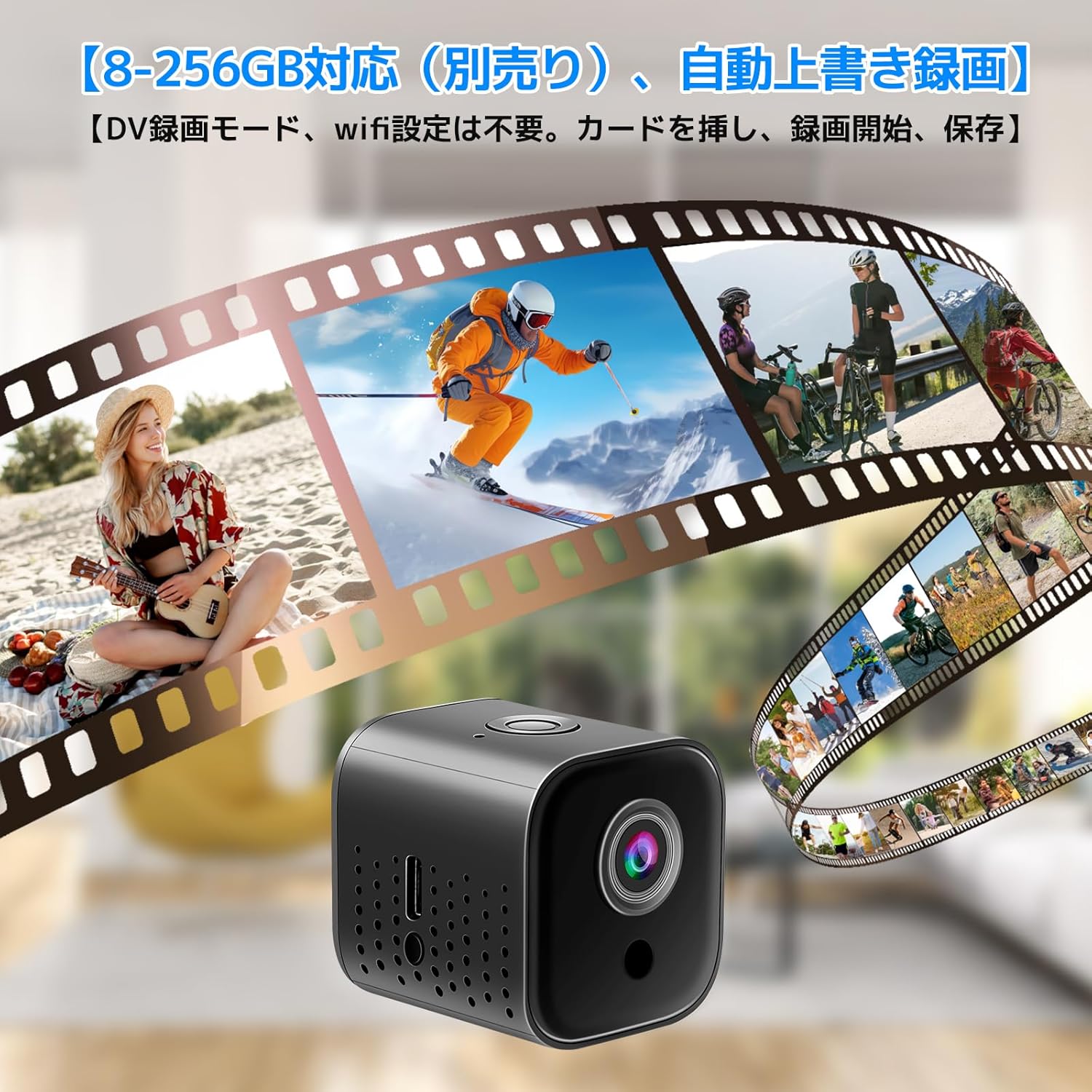
Image: Visual representation of the camera's recording function and its compatibility with MicroSD cards for extended storage.
5.3. Gosod Ap a Chysylltiad Wi-Fi
For remote monitoring and advanced features, download the dedicated app to your smartphone. Scan the QR code in the manual or search for the app name in your app store.
- Pŵer Ymlaen: Pwyswch a dal y botwm pŵer i droi'r camera ymlaen.
- Modd Wi-Fi: Ensure the camera is in Wi-Fi mode. The indicator light will flash, indicating it's ready for connection.
- Connect to Camera's Hotspot: On your smartphone, go to Wi-Fi settings and connect to the camera's Wi-Fi hotspot (usually starts with 'IPC-' or similar).
- Agor Ap: Launch the app and follow the on-screen instructions to add your camera.
- Connect to Home Wi-Fi (Optional): Within the app, you can configure the camera to connect to your home 2.4GHz Wi-Fi network for remote access. Nodyn: Ni chefnogir rhwydweithiau Wi-Fi 5GHz.

Image: The camera's Wi-Fi connectivity, showing compatibility with 2.4GHz networks for smartphone integration and remote monitoring.
5.4. AP Mode (Direct Connection)
In environments without an external Wi-Fi network, you can connect directly to the camera's built-in hotspot for local viewing and control within a limited range.
5.5. DV Recording Mode
The camera can function as a standalone DV recorder. Simply insert a MicroSD card, and the camera will begin recording without needing a smartphone connection or Wi-Fi setup.
6. Cyfarwyddiadau Gweithredu
6.1. Recordio Fideo
Once powered on and with a MicroSD card inserted, the camera can start recording. Refer to the app for detailed recording options (continuous, scheduled, motion-activated).
6.2. Canfod Symudiad a Rhybuddion
The camera features a PIR sensor for motion detection. When motion is detected, the camera will automatically begin recording and send an alert notification to your smartphone via the app. This feature is ideal for security monitoring.

Image: The camera's night vision capability, showing a clear black and white image in darkness, and its motion detection feature triggering an alert.
6.3. Modd Gweledigaeth Nos
Equipped with powerful invisible 940nm infrared LEDs, the camera can capture clear images even in complete darkness. The night vision mode activates automatically when ambient light is low, providing black and white footage.
6.4. Yn fyw View a Chwarae
Mynediad i'r ffrwd fideo fyw ac ail-view foo wedi'i recordiotage directly through the smartphone app. This allows for real-time monitoring and convenient playback of events.
6.5. Screen Sharing Function
The app allows you to manage multiple cameras from a single smartphone screen. You can also share real-time video feeds with others, enabling simultaneous viewgan ddefnyddwyr lluosog.
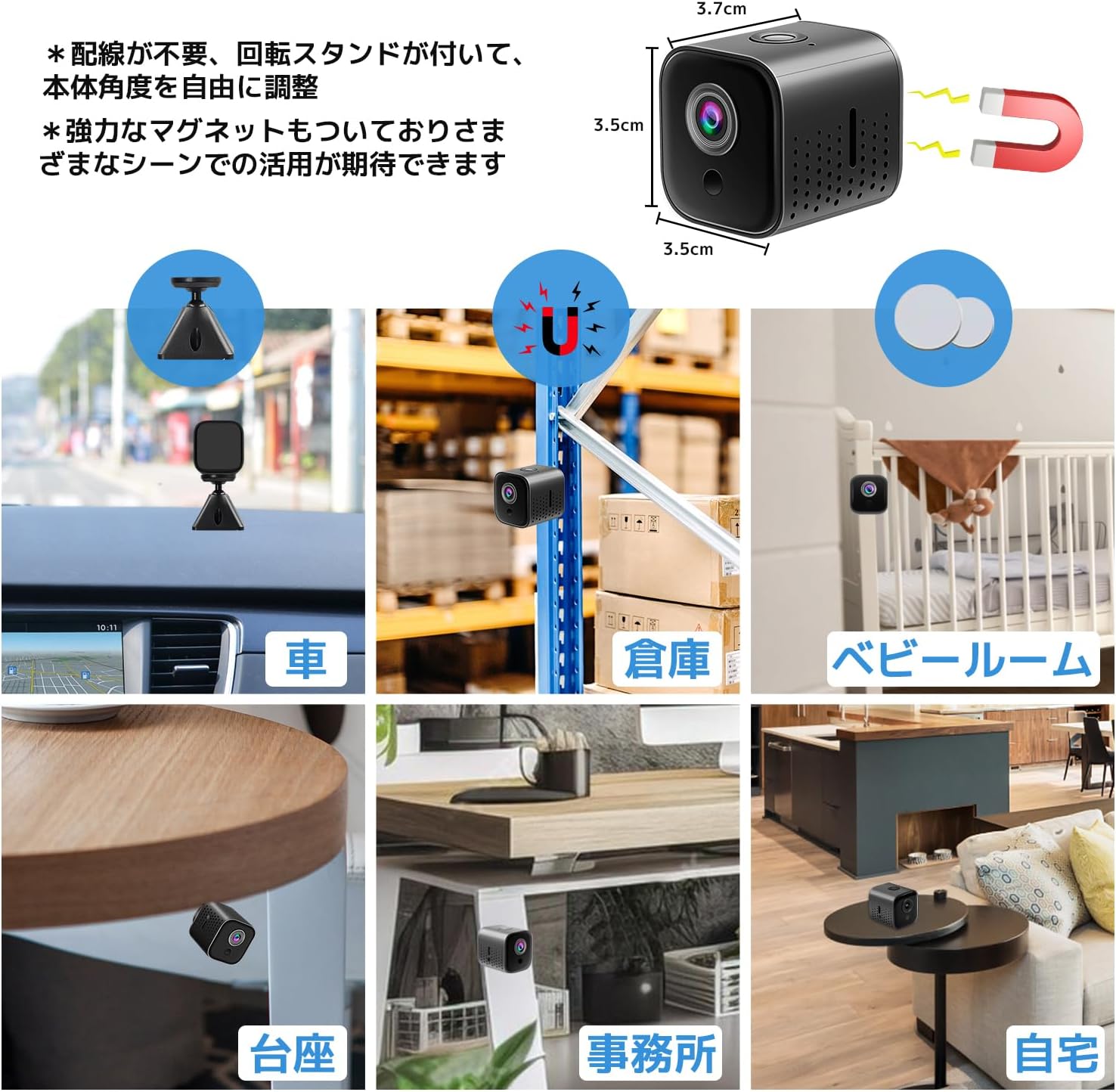
Image: The camera's ability to share real-time footage with multiple family members and manage several cameras from one smartphone.
7. cynnal
- Glanhau: Defnyddiwch frethyn meddal, sych i lanhau lens a chorff y camera. Peidiwch â defnyddio glanhawyr hylif na deunyddiau sgraffiniol.
- Storio: Storiwch y camera mewn lle oer, sych pan nad yw'n cael ei ddefnyddio.
- Gofal Batri: I ymestyn oes y batri, osgoi rhyddhau'r batri'n llwyr yn aml. Gwefrwch y camera'n rheolaidd, hyd yn oed os nad yw'n cael ei ddefnyddio'n weithredol.
- Diweddariadau Cadarnwedd: Check the app periodically for any available firmware updates to ensure optimal performance and new features.
8. Datrys Problemau
| Problem | Achos Posibl | Ateb |
|---|---|---|
| Camera ddim yn troi ymlaen | Batri isel; Botwm pŵer heb ei wasgu'n ddigon hir | Charge the camera fully; Press and hold the power button for 3-5 seconds. |
| Methu cysylltu â Wi-Fi | Incorrect Wi-Fi password; Not 2.4GHz network; Camera too far from router | Verify password; Ensure you are connecting to a 2.4GHz network; Move camera closer to router. |
| Ansawdd fideo gwael | Insufficient lighting; Dirty lens; Network instability | Ensure adequate lighting or use night vision; Clean the lens; Check network connection. |
| Nid yw canfod cynnig yn gweithio | Nodwedd wedi'i hanalluogi yn yr ap; Gosodiadau sensitifrwydd anghywir | Enable motion detection in the app; Adjust sensitivity settings. |
| Mae'r batri yn draenio'n gyflym | Continuous recording; Frequent motion detection; Weak Wi-Fi signal | Optimize recording settings; Reduce motion detection sensitivity if too high; Ensure strong Wi-Fi signal. |
| MicroSD card error | Card not formatted; Incompatible card; Card full | Format the MicroSD card via the app; Use a compatible card (Class 10 or higher); Ensure loop recording is enabled or replace card. |
9. manylebau
- Brand: UYIKOO
- Model: S (B0D5CF815D)
- Datrysiad Fideo: Up to 4K (details may vary based on settings)
- Ongl Lens: Ongl 130° Eang
- Gweledigaeth Nos: Yes, with invisible 940nm IR LEDs
- Canfod Cynnig: Yes, PIR sensor with app alerts
- Storio: MicroSD card (8GB-256GB, not included)
- Batri: 1000mAh Rechargeable Lithium-ion
- Bywyd batri: Approximately 4 hours continuous recording
- Cysylltedd: Wi-Fi (2.4GHz yn unig)
- Dyfeisiau Cydnaws: Smartphones (iOS/Android)
- Dimensiynau: Approximately 11.3 x 11.1 x 4.9 cm (Package Size); Camera is ultra-compact.
- Pwysau: Tua 150 g
10. Gwarant a Chefnogaeth
Our company conducts strict quality inspections on all products. We offer a free exchange for initial defects. If you encounter any issues during use, please do not hesitate to contact us. We are committed to providing sincere support to meet our customers' needs.
Dull Cyswllt:
- Go to your Amazon account service.
- Navigate to your Order History.
- Select the purchased product.
- Click on the seller's name.
- Choose 'Ask a question'.


