
1. Rhagymadrodd
This manual provides detailed instructions for the safe and efficient operation of your HANLIM Portable CD Player, Model HL-108. Please read this manual thoroughly before using the product and retain it for future reference.

Ffigur 1: Blaen view of the HANLIM Portable CD Player HL-108. This image displays the main unit with its control panel, LCD screen, and integrated handle.
2. Cyfarwyddiadau Diogelwch
- Peidiwch ag amlygu'r uned i law, lleithder, na thymheredd eithafol.
- Osgowch osod yr uned ger ffynonellau gwres neu mewn golau haul uniongyrchol.
- Peidiwch ag agor y casing; cyfeiriwch yr holl waith cynnal a chadw at bersonél cymwys.
- Cadwch yr uned i ffwrdd o feysydd magnetig cryf.
- Defnyddiwch y cebl pŵer a ddarperir yn unig.
- Sicrhewch awyru priodol i atal gorboethi.
3. Cynnwys Pecyn
Gwiriwch fod yr holl eitemau yn bresennol:
- HANLIM Portable CD Player HL-108
- Cebl pŵer (1.2m)
- Rheoli o bell (batris heb eu cynnwys)
- Llawlyfr Defnyddiwr

Ffigur 2: The HANLIM Portable CD Player HL-108 shown with its included accessories: the power cable, remote control, and user manual.
4. Cynnyrch Drosview
The HANLIM Portable CD Player HL-108 features a compact design with multiple playback options and connectivity ports.
4.1 Rheolaethau Panel Blaen
- Arddangosfa LCD: Yn dangos y modd cyfredol, gwybodaeth am y trac, ac amledd FM.
- Botwm MODE: Switches between CD, FM, Bluetooth, USB, and AUX modes.
- Botwm WRTH EI WAG: Pweru'r uned ymlaen neu i ffwrdd.
- Play/Pause/Scan Button: Plays/pauses media or scans FM radio stations.
- Previous/CH- Button: Skips to previous track/station.
- Next/CH+ Button: Skips to next track/station.
- Knob Cyfrol: Yn addasu cyfaint y sain.
- Porth USB: Ar gyfer chwarae gyriant USB.
- Jack clustffon (3.5mm): Ar gyfer gwrando preifat.
4.2 Cysylltiadau Panel Cefn
- MEWNBWN AUX (3.5mm): Cysylltwch dyfeisiau sain allanol.
- Porthladd MIC: Connect a microphone for singing.
- Mewnbwn Pwer AC: Connect the power cable for charging or continuous power.
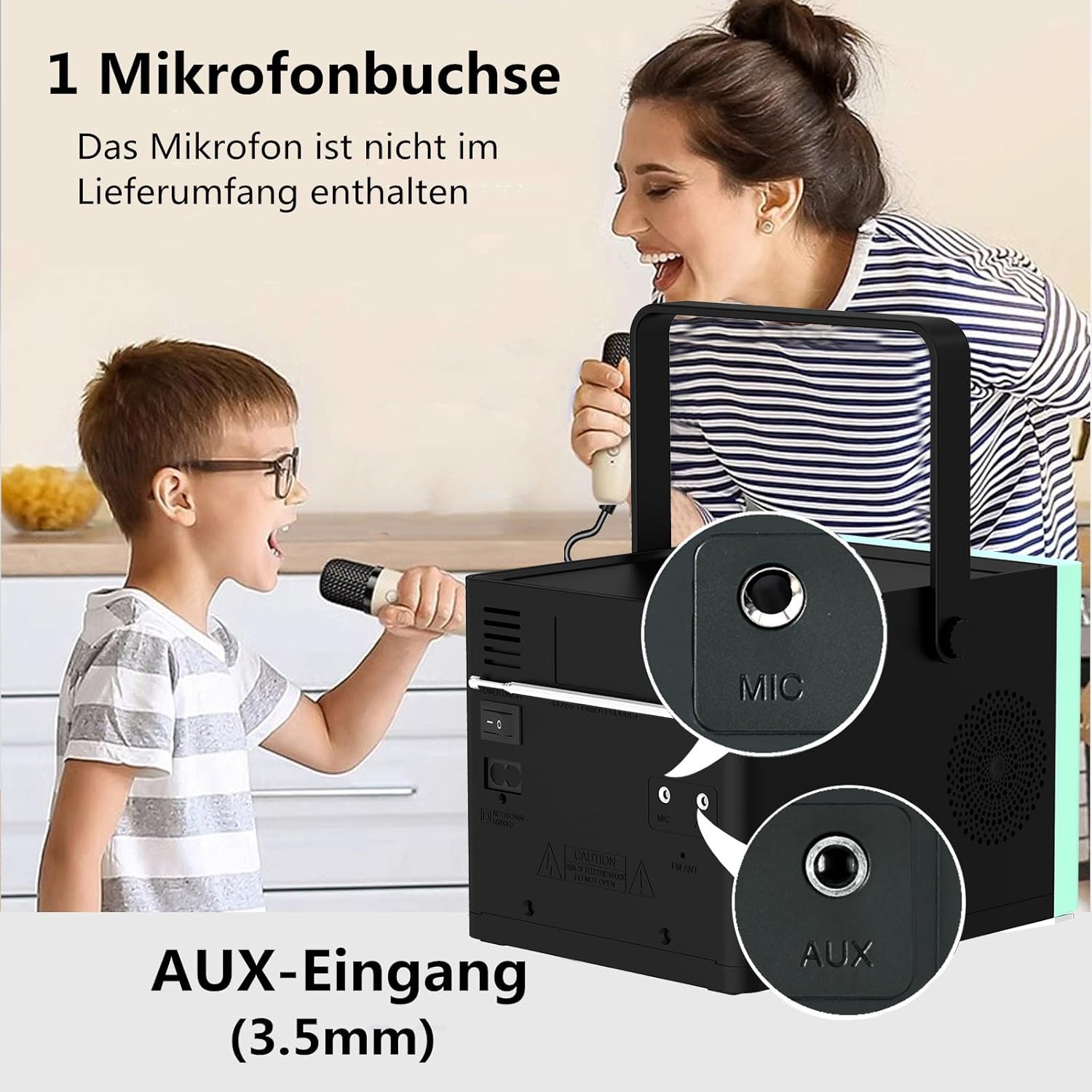
Ffigur 3: Cefn view of the HANLIM Portable CD Player HL-108, highlighting the microphone input and AUX input ports.
5. Gosod
5.1 Troi Ymlaen a Gwefru
- Connect the provided power cable to the AC power input on the rear of the unit and plug it into a wall outlet.
- The built-in 2000mAh battery will begin charging automatically. A full charge provides approximately 4.5 to 5 hours of playback at maximum volume.
- Gwasgwch y SAFON botwm i bweru ar yr uned.
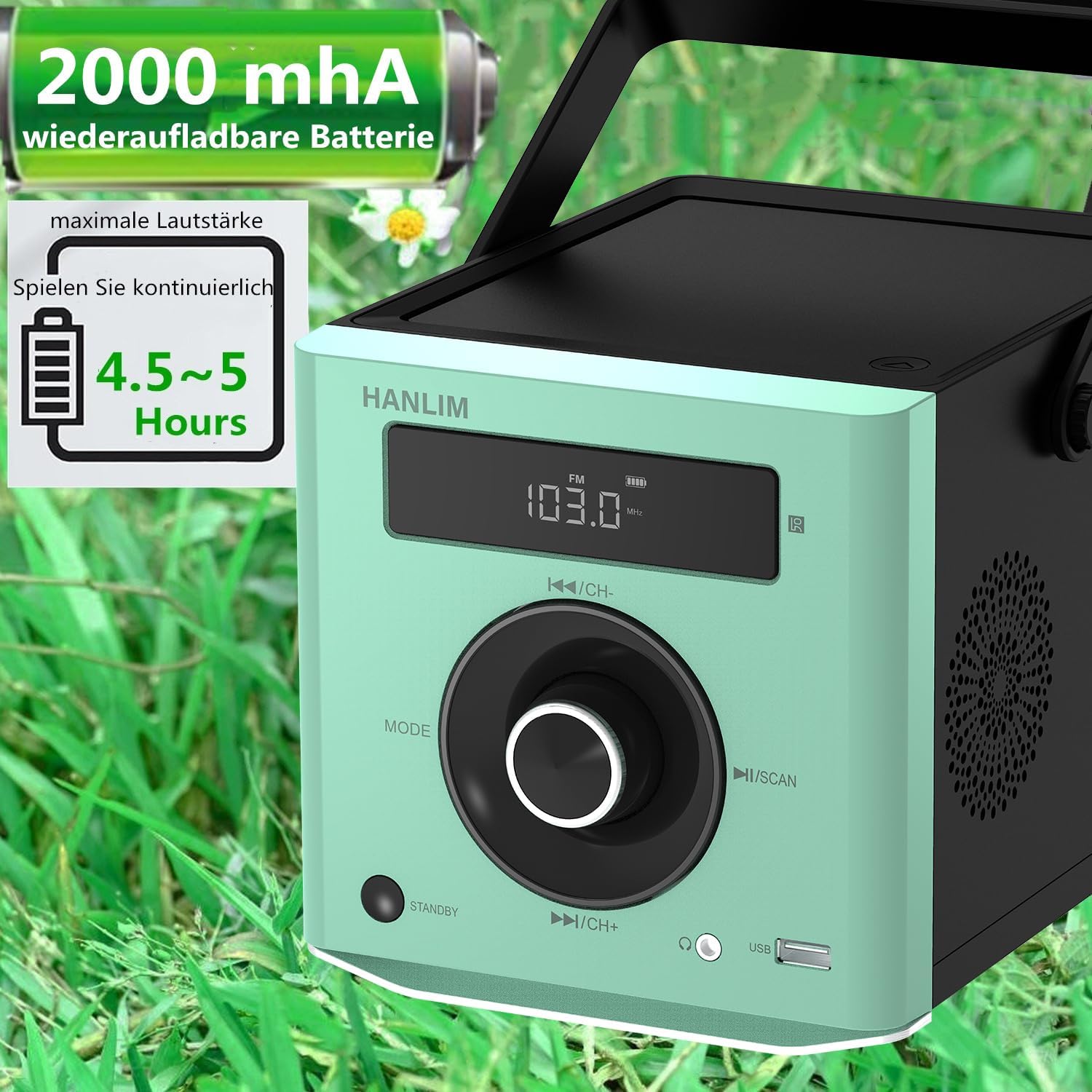
Ffigur 4: The HANLIM Portable CD Player HL-108 displaying battery charge status and indicating 4.5-5 hours of continuous playback.
6. Cyfarwyddiadau Gweithredu
6.1 Chwarae CD
- Agorwch gaead yr adran CD.
- Place a CD (CD/CD-R/CD-RW/MP3 format) onto the spindle, label side up.
- Caewch gaead y compartment CD.
- Gwasgwch y MODD button until "CD" is displayed.
- Gwasgwch y Chwarae/Saib botwm i ddechrau chwarae.
- Defnyddiwch y Blaenorol/Nesaf botymau i hepgor traciau.
- Swyddogaeth Ailadrodd: Press the repeat button on the remote control to cycle through repeat one, repeat all, or random play.
- Continue Playback: The unit will resume playback from where it was last stopped, useful for language learning.
Radio 6.2 FM
- Gwasgwch y MODD botwm nes bod "FM" yn cael ei arddangos.
- Pwyswch a dal y Sgan button to automatically scan and store available FM stations (87.5-108MHz). Up to 20 stations can be stored.
- Defnyddiwch y CH- a CH+ botymau i lywio trwy orsafoedd sydd wedi'u storio.

Ffigur 5: The HANLIM Portable CD Player HL-108 showing the FM radio frequency on its display.
6.3 Cysylltiad Bluetooth
- Gwasgwch y MODD button until "Bluetooth" is displayed. The unit will enter pairing mode.
- On your device (phone, tablet, computer), enable Bluetooth and search for "HANLIM HL-108".
- Select the device to pair. Once connected, you will hear a confirmation sound.
- Note: Bluetooth headphones are not supported for connection to this CD player.

Ffigur 6: The HANLIM Portable CD Player HL-108 illustrating its Bluetooth connectivity, USB port, and headphone jack.
Chwarae USB 6.4
- Insert a USB flash drive (up to 32GB, supporting MP3/WMA formats) into the USB port.
- Gwasgwch y MODD button until "USB" is displayed.
- Playback will start automatically. Use the Blaenorol/Nesaf botymau i lywio traciau.
6.5 AUX Mewnbwn
- Connect an external audio device (e.g., phone, computer) to the AUX IN port using a 3.5mm audio cable (not included).
- Gwasgwch y MODD botwm nes bod "AUX" yn cael ei arddangos.
- Rheoli chwarae o'ch dyfais gysylltiedig.
6.6 Jack Clustffon
For private listening, connect 3.5mm headphones to the headphone jack on the front panel.
6.7 Microphone Port
Connect a microphone (not included) to the MIC port on the rear panel for singing along to music.
6.8 Gosodiadau Sain (Cyfartalwr)
The unit offers 5 sound qualities: Pop, Jazz, Rock, Classical, and Flat. Use the EQ button on the remote control to cycle through these modes and adjust the audio output to your preference.
7. cynnal
- Glanhau: Sychwch yr uned gyda lliain meddal, sych. Peidiwch â defnyddio glanhawyr sgraffiniol na thoddyddion.
- Gofal CD: Trinwch CDs wrth eu hymylon. Glanhewch CDs budr gyda lliain meddal, di-flwff, gan sychu o'r canol allan.
- Gofal Batri: For optimal battery life, avoid fully discharging the battery frequently. If storing for extended periods, charge the battery to about 50% every few months.
8. Datrys Problemau
| Problem | Achos Posibl | Ateb |
|---|---|---|
| Nid yw'r uned yn pweru ymlaen. | Battery is depleted or power cable is not connected. | Connect the power cable and allow the battery to charge, or operate directly from AC power. |
| Dim sain. | Volume is too low, headphones connected, or incorrect mode selected. | Increase volume, disconnect headphones, or ensure the correct input mode (CD, FM, BT, USB, AUX) is selected. |
| Nid yw'r CD yn chwarae neu'n hepgor. | Mae'r CD yn fudr, wedi'i grafu, neu wedi'i fewnosod yn anghywir. | Clean the CD, try a different CD, or reinsert the CD correctly. Ensure the CD compartment is fully closed. |
| Mae paru Bluetooth yn methu. | Device is too far, Bluetooth is off on the device, or unit is not in pairing mode. | Ensure the unit is in Bluetooth mode, your device's Bluetooth is on, and they are within range. Try restarting both devices. |
| Mae derbyniad radio FM yn wael. | Signal neu safle antena gwan. | Adjust the unit's position or extend the antenna for better reception. |
9. manylebau
| Nodwedd | Manyleb |
|---|---|
| Brand | HANLIM |
| Model | HL-108 |
| Dimensiynau Cynnyrch | 15.5 x 20.5 x 16 cm (6.1 x 8.1 x 6.3 modfedd) |
| Pwysau Eitem | 1.7 kg (3.75 pwys) |
| Allbwn Pwer | 20W |
| Batri | Built-in 2000mAh rechargeable Lithium Ion |
| Bywyd Batri | Hyd at 5 awr (ar y gyfaint uchaf) |
| Supported CD Formats | CD, CD-R, CD-RW, MP3 |
| Amledd Radio FM | 87.5-108 MHz |
| Cefnogaeth USB | Up to 32GB, MP3/WMA formats |
| Cysylltedd | Bluetooth, USB, AUX (3.5mm), Headphone Jack (3.5mm), Microphone Port |
| Math Arddangos | LCD |
| Nodweddion Arbennig | Bluetooth, CD-R/RW Compatible, Equalizer, Portable, Rechargeable |
10. Gwarant a Chefnogaeth
This HANLIM product comes with a gwarant blwyddyn o ddyddiad y pryniant. Mae'r warant hon yn cwmpasu diffygion gweithgynhyrchu a chrefftwaith o dan ddefnydd arferol.
For technical support, warranty claims, or service inquiries, please contact your retailer or the HANLIM customer service department through the contact information provided at the point of purchase.