
Redragon M724
Redragon M724 Wired Gaming Mouse User Manual
Model: M724 | Brand: Redragon
Cynnyrch Drosview
The Redragon M724 Wired Gaming Mouse is designed for high-performance gaming, featuring an ultra-lightweight build, programmable buttons, and a high-precision optical sensor. This manual provides essential information for setting up, operating, and maintaining your gaming mouse.
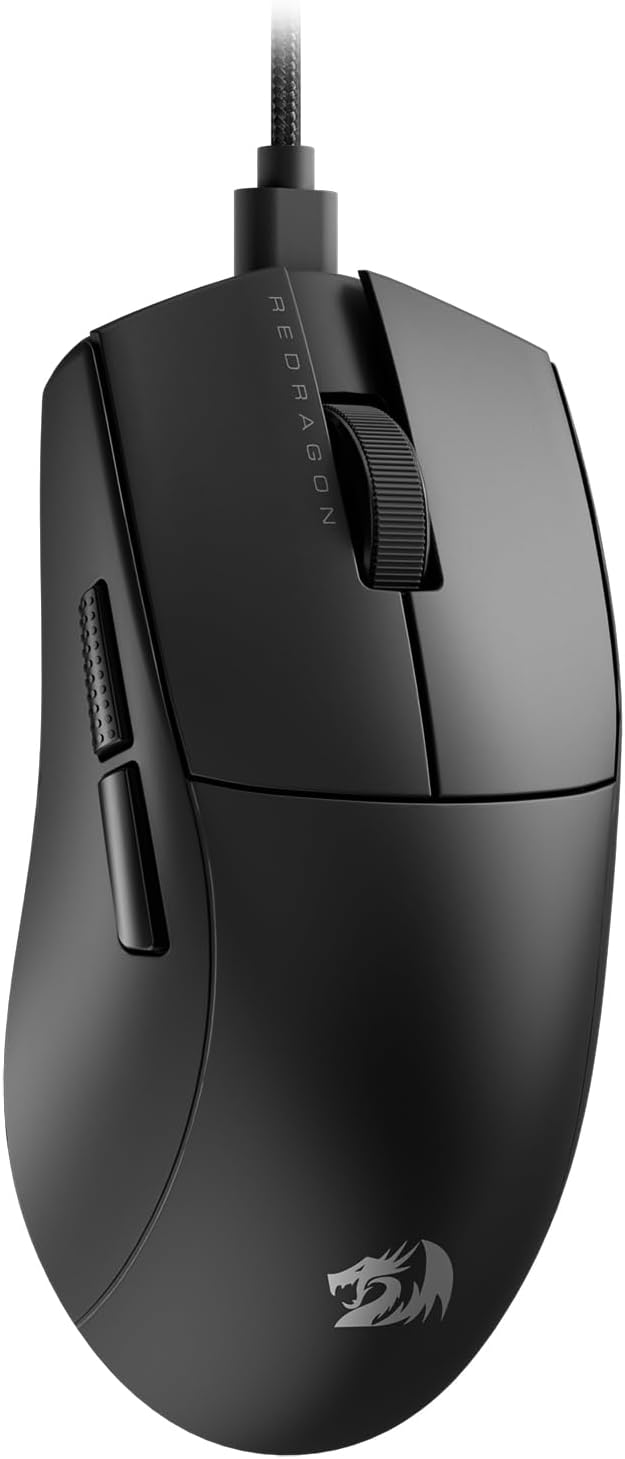
Image: The Redragon M724 Wired Gaming Mouse, showcasing its sleek black design and ergonomic shape.
Gosod
Follow these steps to set up your Redragon M724 Gaming Mouse:
- Cysylltwch y Llygoden: Plug the USB connector of the Redragon M724 mouse into an available USB port on your computer. The mouse is plug-and-play, and your operating system should automatically detect and install the necessary drivers.
- Gosod Meddalwedd (Dewisol): For advanced customization, including DPI settings, programmable buttons, and macro functions, download the official Redragon software from the Redragon websafle.
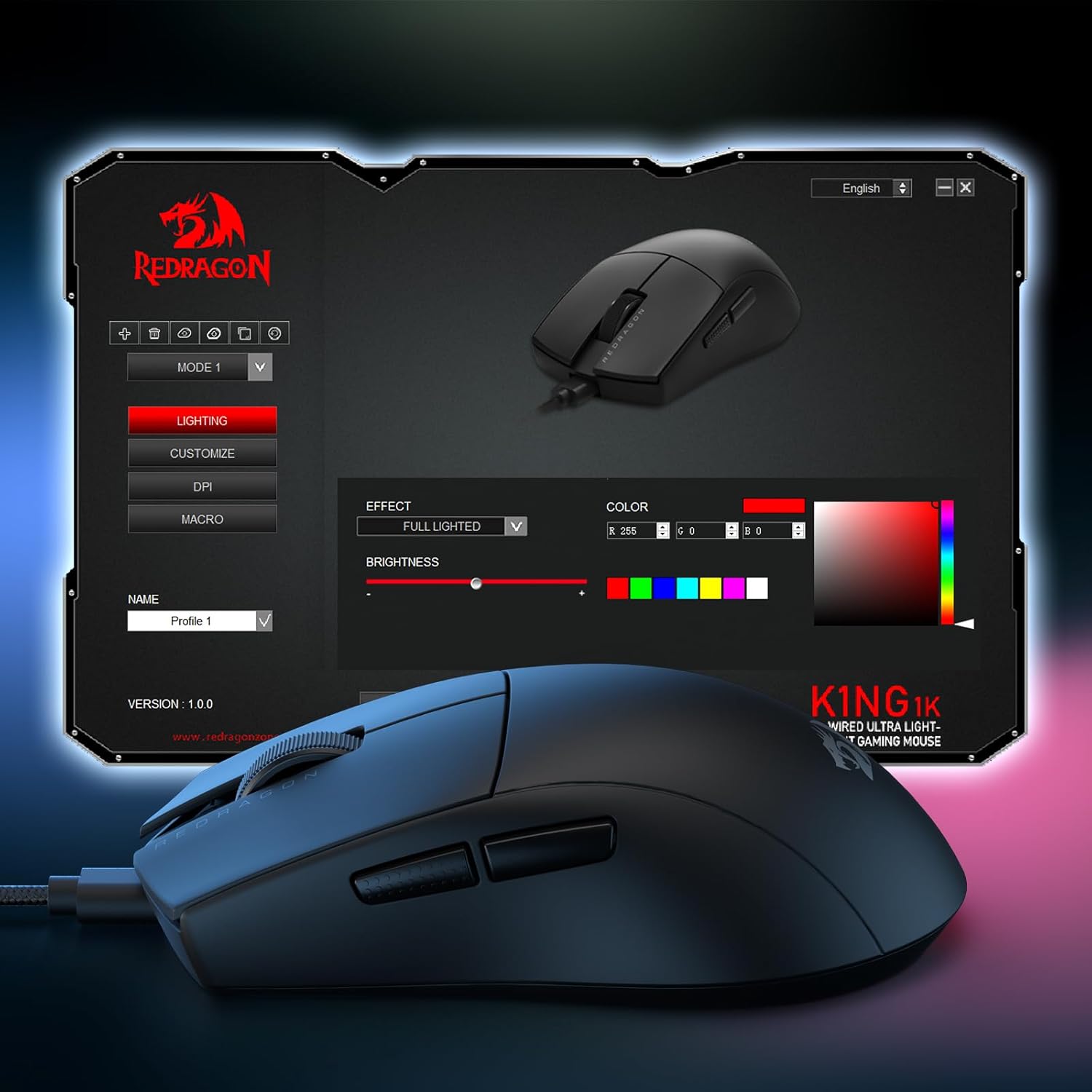
Image: Screenshot of the Redragon software interface, showing options for lighting, DPI, and macro customization.
- Lleoliad: Rhowch y llygoden ar arwyneb glân, gwastad neu bad llygoden i gael y perfformiad olrhain gorau posibl.
Cyfarwyddiadau Gweithredu
The Redragon M724 mouse offers several features to enhance your gaming experience.
- Addasiad DPI: The mouse comes with 5 redefinable DPI levels (default: 1200/2400/3500/5500/12400). You can switch between these levels using the dedicated DPI button, typically located on the underside of the mouse. For precise adjustments between 200-12,400 DPI, use the Redragon software.

Image: Close-up of the PAW3327 optical sensor, highlighting its capabilities for 12400 DPI Max, 220 IPS, and 30G ACC.
- Botymau Rhaglenadwy: The M724 features 5 programmable buttons. These buttons can be customized with tactical keybinds, macros, or media controls using the Redragon software. The default side buttons provide quick access to common functions.
- Dyluniad ergonomig: The mouse is designed for comfort during extended use, conforming to the natural structure of the human hand. Its ultra-lightweight design (42 grams) reduces fatigue.
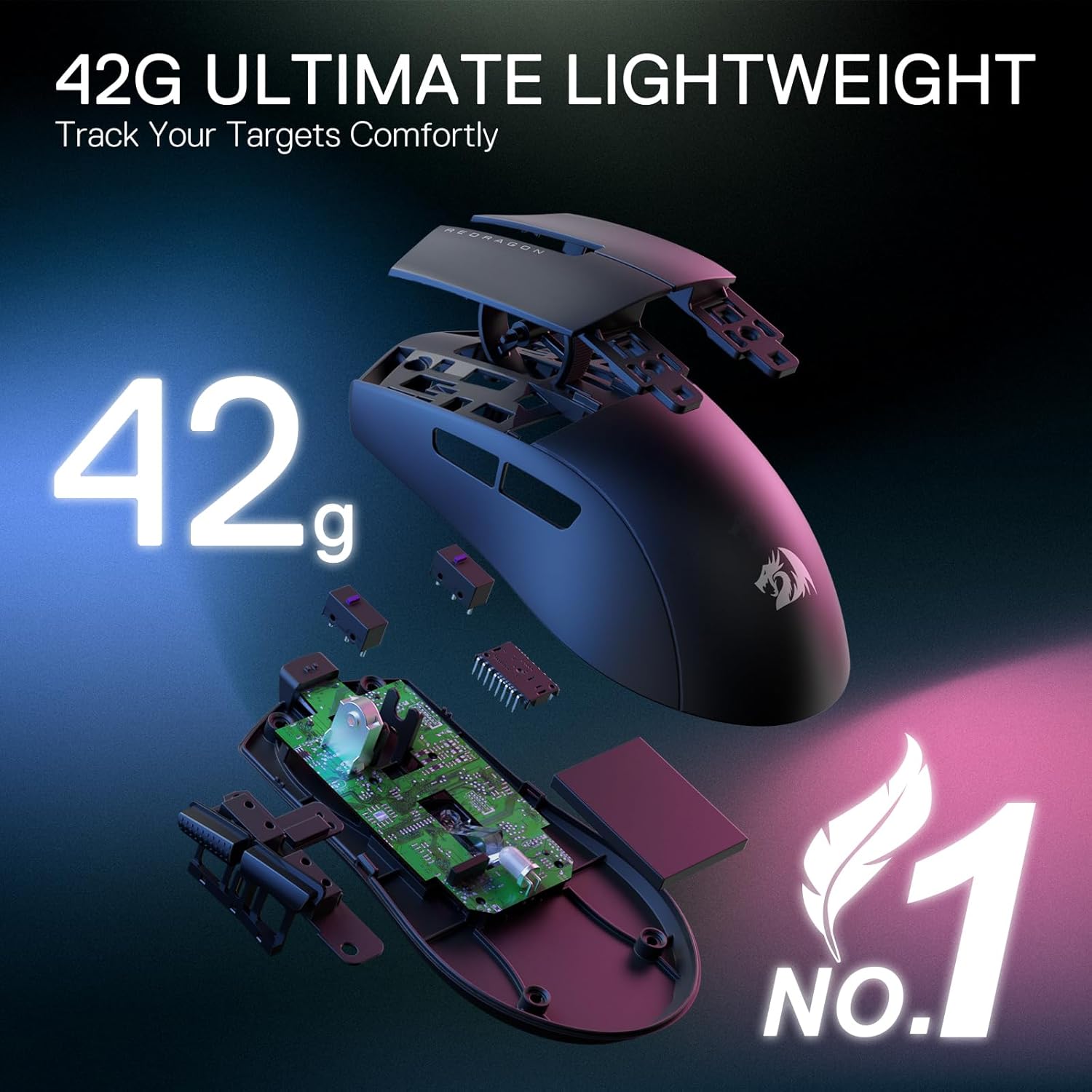
Delwedd: Ffrwydrad view of the Redragon M724 mouse, illustrating its internal components and emphasizing its 42-gram ultra-lightweight construction.
- Gwydnwch: The mouse is equipped with switches rated for 50 million clicks, ensuring long-term durability.

Delwedd: Delwedd fewnol view of the mouse highlighting the click switch, indicating "Excellent Keystroke Durability" and "50 Million Clicks Switch."
Cynnal a chadw
Proper maintenance ensures the longevity and optimal performance of your Redragon M724 mouse.
- Glanhau: Defnyddiwch frethyn meddal, sych i sychu wyneb y llygoden. Ar gyfer baw ystyfnig, sychwch ychydigampgolchwch y brethyn gyda dŵr. Osgowch ddefnyddio cemegau llym neu ddeunyddiau sgraffiniol.
- Glanhau Synhwyrydd: Occasionally, check the optical sensor on the bottom of the mouse for dust or debris. Use a cotton swab or compressed air to gently clean the sensor area.
- Storio: When not in use, store the mouse in a clean, dry environment away from direct sunlight and extreme temperatures.
Datrys problemau
If you encounter issues with your Redragon M724 mouse, refer to the following common solutions:
| Problem | Ateb |
|---|---|
| Llygoden ddim yn ymateb |
|
| Gosodiadau DPI ddim yn newid |
|
| Buttons not working or misfiring |
|
| Mouse cursor erratic or not tracking smoothly |
|
Manylebau
| Nodwedd | Manylyn |
|---|---|
| Rhif Model | M724 |
| Cysylltedd | Gwifrog (USB) |
| Lefelau DPI | 5 redefinable (default: 1200/2400/3500/5500/12400), adjustable from 200-12,400 via software |
| Botymau | 5 Botwm Rhaglenadwy |
| Pwysau | 42 grams (Ultra-Light) |
| Synhwyrydd | Optical (PAW3327) |
| Cyfradd Bleidleisio | 1K Hz (1000Hz) |
| Dimensiynau | 8.9 x 19.35 x 0.04 modfedd |
| Gwydnwch y Trawiad Allwedd | 50 Miliwn o Gliciau |
Gwarant a Chefnogaeth
Redragon products are designed for reliability and performance. For warranty information and technical support, please refer to the official Redragon websafle neu cysylltwch â'r gwerthwr yn uniongyrchol. Cadwch eich derbynneb prynu fel prawf o brynu.
Adnoddau Ar-lein: Visit the official Redragon website for driver downloads, FAQs, and additional support resources.
Ask a question about this manual
Ask about setup, troubleshooting, compatibility, parts, safety, or missing instructions. Manuals+ will review the question and use this page’s manual context to help answer it.