
LEVOIT 5ddce951-f1e5-4fc2-b790-0e25bd06f240
LEVOIT 36" Bladeless Tower Fan & Air Purifier User Manual
Model: 5ddce951-f1e5-4fc2-b790-0e25bd06f240
Brand: LEVOIT
Rhagymadrodd
This manual provides detailed instructions for the safe and efficient operation, maintenance, and troubleshooting of your LEVOIT 36" Bladeless Tower Fan and LEVOIT Core Mini-P Air Purifier. Please read this manual thoroughly before use and retain it for future reference.
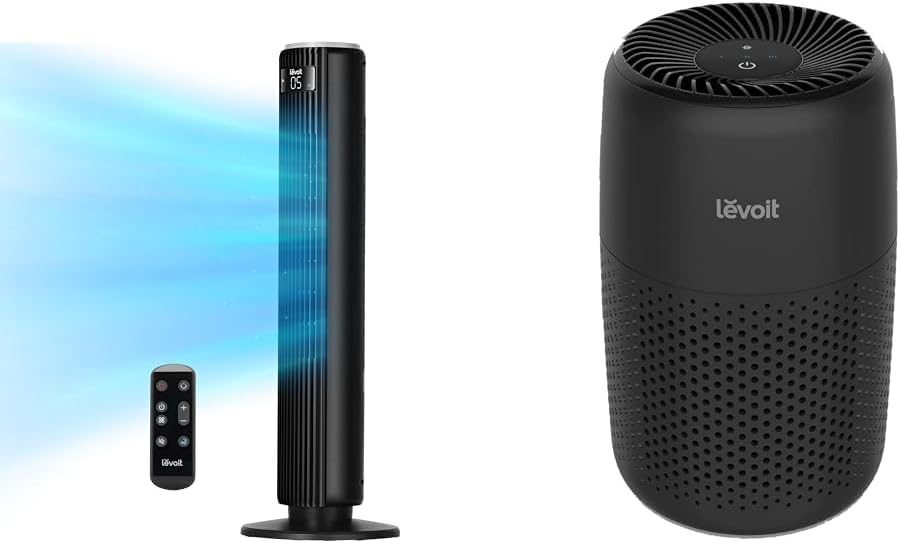
Image: The LEVOIT 36-inch Bladeless Tower Fan and the LEVOIT Core Mini-P Air Purifier shown together, highlighting their compact and modern design.
Gwybodaeth Ddiogelwch Bwysig
Er mwyn lleihau'r risg o dân, sioc drydanol, neu anaf, dilynwch y rhagofalon diogelwch canlynol:
- Datgysylltwch yr offer bob amser cyn glanhau neu wneud unrhyw waith cynnal a chadw.
- Peidiwch â gweithredu unrhyw wyntyll gyda chortyn neu blwg wedi'i ddifrodi. Taflwch wyntyll neu dychwelwch i gyfleuster gwasanaeth awdurdodedig i'w archwilio a/neu ei atgyweirio.
- Peidiwch â rhedeg llinyn o dan garped. Peidiwch â gorchuddio llinyn â rygiau taflu, rhedwyr, neu orchuddion tebyg. Trefnwch y llinyn i ffwrdd o'r ardal draffig a lle na fydd yn cael ei faglu.
- Do not insert or allow fingers or foreign objects to enter any ventilation or exhaust opening as this may cause an electric shock or damage the appliance.
- Peidiwch â rhwystro cymeriant aer na gwacáu mewn unrhyw fodd.
- Defnyddiwch y teclyn hwn yn unig fel y disgrifir yn y llawlyfr hwn. Gall unrhyw ddefnydd arall na argymhellir gan y gwneuthurwr achosi tân, sioc drydanol neu anaf i bobl.
- Peidiwch â defnyddio yn yr awyr agored.
- Mae gan y teclyn hwn plwg polariaidd (mae un llafn yn lletach na'r llall). Er mwyn lleihau'r risg o sioc drydanol, bwriedir i'r plwg hwn ffitio mewn allfa polariaidd un ffordd yn unig. Os nad yw'r plwg yn ffitio'n llawn yn yr allfa, gwrthdroi'r plwg. Os nad yw'n ffitio o hyd, cysylltwch â thrydanwr cymwys. Peidiwch â cheisio trechu'r nodwedd ddiogelwch hon.
Cynnwys Pecyn
- LEVOIT 36" Bladeless Tower Fan
- Rheoli o Bell ar gyfer Fan Fan
- LEVOIT Core Mini-P Air Purifier
- 3-in-1 Filtration Filter (Pre-installed in Air Purifier)
- Aroma Pad (Pre-installed in Air Purifier)
- Power Adapter for Air Purifier
- Llawlyfr Defnyddiwr
Cynnyrch Drosview
LEVOIT 36" Bladeless Tower Fan

Image: The LEVOIT 36-inch Bladeless Tower Fan standing upright with its remote control. Blue lines illustrate the powerful airflow emanating from the fan's vertical vent.
The tower fan features a sleek, bladeless design for safety and easy cleaning. It includes a digital display on top, indicating settings such as speed and timer. The base provides stability, and the unit comes with a remote control for convenient operation.
LEVOIT Core Mini-P Air Purifier

Delwedd: Llun agos view of the LEVOIT Core Mini-P Air Purifier. It is a compact, cylindrical device with a matte black finish and perforated sides for air intake, featuring control buttons on its top surface.
The Core Mini-P Air Purifier is a compact, cylindrical device designed for small to medium-sized rooms. It features a 3-stage filtration system and a fragrance sponge for aromatherapy. Control buttons are located on the top panel.
Gosod
Setting up the Tower Fan
- Carefully remove the tower fan from its packaging.
- Ensure the base is securely attached. If not, align the base with the fan body and twist clockwise until it locks into place.
- Rhowch y ffan ar arwyneb cadarn, gwastad.
- Plygiwch y llinyn pŵer i mewn i allfa drydanol safonol.
Sefydlu'r Purifier Aer
- Tynnwch y purifier aer o'i becynnu.
- Turn the air purifier upside down and twist the base cover counter-clockwise to unlock and remove it.
- Remove the plastic packaging from the 3-in-1 filtration filter.
- Place the filter back into the air purifier, ensuring it is seated correctly.
- Replace the base cover and twist clockwise to lock it.
- Connect the power adapter to the air purifier and then plug it into a standard electrical outlet.
- To use the aromatherapy feature, add 2-3 drops of essential oil (not included) onto the aroma pad located at the bottom of the air purifier.
Cyfarwyddiadau Gweithredu
Gweithredu'r Ffan Tŵr
The tower fan can be operated using the control panel on top of the unit or the included remote control.
- Botwm Pŵer: Pwyswch i droi'r gefnogwr ymlaen neu i ffwrdd.
- Botwm Modd: Cycle through 4 modes: Normal, Turbo, Sleep, and Auto.
- Modd Arferol: Llif aer cyson ar gyflymder a ddewiswyd.
- Modd Turbo: Llif aer mwyaf posibl ar gyfer oeri cyflym
- Modd Cwsg: Gradually decreases fan speed for quiet operation.
- Modd Auto: Adjusts fan speed based on ambient room temperature (detected by smart sensors).
- Addasiad Cyflymder: Use the '+' and '-' buttons to select from 5 speed settings.
- Botwm Osgiliad: Press to activate or deactivate 90° oscillation, allowing the fan to sweep air across a wider area.
- Botwm Amserydd: Set the fan to automatically turn off after a specified period (up to 12 hours). Each press adds 1 hour.
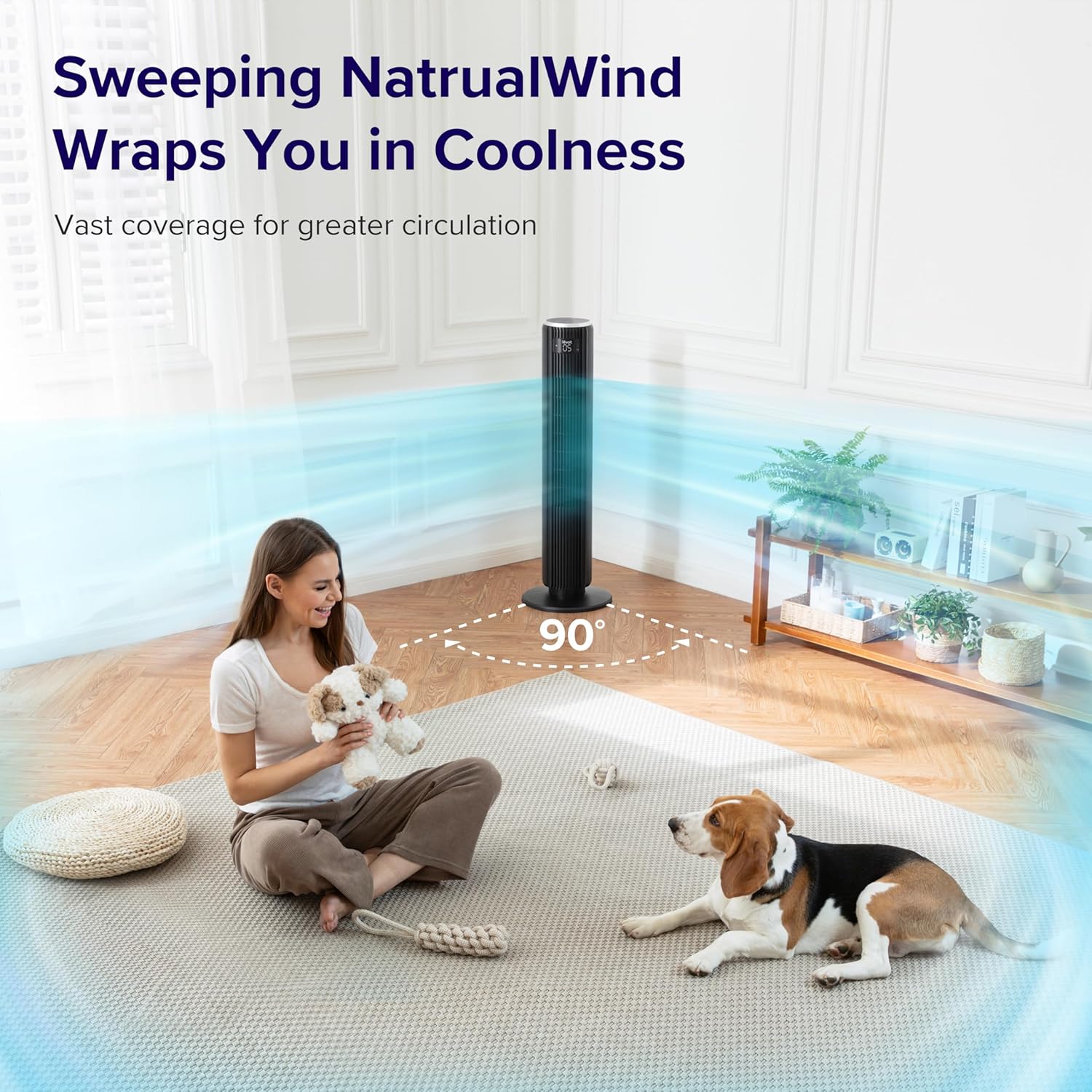
Image: The LEVOIT 36-inch Bladeless Tower Fan is shown oscillating 90 degrees, indicated by blue airflow lines covering a wide area in a living room setting. A person and a dog are comfortably within the fan's cooling range.

Image: The LEVOIT 36-inch Bladeless Tower Fan is positioned in a bedroom, emitting a gentle, natural-feeling breeze, illustrated by light blue airflow lines. A person is meditating peacefully in the background, emphasizing the fan's quiet operation and comfortable airflow.
Gweithredu'r Purifier Awyr
The air purifier is controlled via the touch buttons on its top panel.
- Botwm Pŵer: Press to turn the air purifier on or off.
- Botwm Cyflymder Fan: Cycle through 3 quiet fan speeds (Low, Medium, High).
- Aroma Feature: The aroma pad allows for the diffusion of essential oils. Add 2-3 drops of essential oil to the pad located at the bottom of the unit. The fan will then circulate the scent.

Image: The LEVOIT Core Mini-P Air Purifier is shown on a nightstand in a bedroom, with a mother and child in the background. Text overlays emphasize "Multi-Layered Protection" including Pre-Filter, Efficient Filter, and Activated Carbon Filter, illustrating its air purification capabilities.

Image: The LEVOIT Core Mini-P Air Purifier is placed on a table in a living room. A hand is shown adding essential oil drops to the aroma pad, demonstrating the "Refresh With Fragrance" feature for destressing and staying focused.
Cynnal a chadw
Glanhau Fan y Tŵr
- Tynnwch y plwg bob amser cyn glanhau.
- Defnyddiwch feddal, damp lliain i sychu arwynebau allanol y ffan.
- Peidiwch â defnyddio glanhawyr neu doddyddion sgraffiniol.
- For dust accumulation in the air inlet/outlet, use a vacuum cleaner with a brush attachment to gently remove dust.
Cleaning and Filter Replacement for Air Purifier
- Unplug the air purifier before cleaning or replacing the filter.
- Sychwch y tu allan gyda lliain meddal, sych.
- The 3-in-1 filtration filter should be replaced every 6-8 months, or sooner depending on air quality and usage.
- I ddisodli'r hidlydd:
- Turn the air purifier upside down and twist the base cover counter-clockwise to unlock.
- Tynnwch yr hen hidlydd a'i waredu'n iawn.
- Insert a new LEVOIT Core Mini-P replacement filter (ensure plastic packaging is removed).
- Replace the base cover and twist clockwise to lock.
- Clean the aroma pad as needed with a damp cloth and allow it to dry completely before reapplying essential oils.
Datrys problemau
| Problem | Achos Posibl | Ateb |
|---|---|---|
| Fan/Purifier does not turn on. | Heb ei blygio i mewn; allfa bŵer ddim yn gweithio; botwm pŵer heb ei wasgu. | Ensure unit is securely plugged in. Test outlet with another device. Press the power button firmly. |
| Weak airflow from fan. | Fan speed too low; air inlet/outlet blocked. | Increase fan speed. Check for obstructions and clean air inlets/outlets. |
| Air purifier not effectively cleaning air. | Filter is dirty or expired; plastic packaging not removed from filter. | Replace the filter. Ensure all plastic packaging is removed from the new filter before installation. |
| Mae ffan yn swnllyd. | Unit not on a level surface; internal obstruction. | Place the fan on a flat, stable surface. Check for any foreign objects inside the fan. |
| Rheoli o bell ddim yn gweithio. | Batteries are dead or incorrectly inserted; remote too far from fan. | Replace batteries. Ensure correct polarity. Use remote within range and point towards the fan's receiver. |
Manylebau
LEVOIT 36" Bladeless Tower Fan
- Model: 5ddce951-f1e5-4fc2-b790-0e25bd06f240
- Ffynhonnell Pwer: Trydan Corded
- Cynhwysedd Llif Aer: 1062 Traed Ciwbig y Munud (CFM)
- Cyflymder aer: Hyd at 25 troedfedd yr eiliad
- Osgiliad: 90°
- Lefel Sŵn: Mor isel â 28dB
- Moddau: Normal, Turbo, Sleep, Auto
- Cyflymder: 5
- Amserydd: 1-12 awr
- Dull Rheoli: Pell, Panel Cyffwrdd
- Nodweddion arbennig: Bladeless, Temperature Sensor
LEVOIT Core Mini-P Air Purifier
- Model: Core Mini-P (part of bundle)
- Hidlo: 3-in-1 (Pre-Filter, Efficient Filter, Activated Carbon Filter)
- Maes Cwmpas: Hyd at 129 troedfedd sgwâr
- Lefel Sŵn: 25-44dB
- Cyflymder: 3
- Nodweddion arbennig: Fragrance Sponge for Aromatherapy, Portable
Gwarant a Chefnogaeth
LEVOIT provides a limited warranty for this product. For detailed warranty information, including duration and coverage, please refer to the warranty card included in your product packaging or visit the official LEVOIT websafle.
For technical support, troubleshooting assistance, or to inquire about replacement parts (such as air purifier filters), please contact LEVOIT Customer Support:
- Websafle: www.levoit.com
- E-bost: cefnogaeth@levoit.com
- Ffôn: (Refer to LEVOIT websafle ar gyfer rhifau cyswllt rhanbarthol)
Please have your model number (5ddce951-f1e5-4fc2-b790-0e25bd06f240) and purchase information ready when contacting support.
Ask a question about this manual
Ask about setup, troubleshooting, compatibility, parts, safety, or missing instructions. Manuals+ will review the question and use this page’s manual context to help answer it.