
Simyke BME28 Camera Only
Simyke Video Baby Monitor Add-on Camera User Manual
Model: BME28 Camera Only
Rhagymadrodd
This user manual provides comprehensive instructions for the Simyke BME28 Add-on Camera, designed to expand your existing Simyke BME28 Baby Monitor system. This camera allows you to monitor your baby with advanced features such as night vision, two-way talk, lullabies, and app connectivity. Please read this manual thoroughly before use to ensure proper operation and safety.
Gwybodaeth Ddiogelwch Bwysig
- Perygl Strangulation: Keep all cords and cables out of reach of children (at least 3 feet / 1 meter away). Never place the camera or cords within a crib or playpen.
- Perygl tagu: This product contains small parts. Keep all components and packaging materials away from children.
- Gorboethi: Do not cover the camera or block its ventilation openings. Place the camera in a well-ventilated area.
- Dŵr a lleithder: Do not expose the camera to water or moisture. Do not use near bathtubs, sinks, laundry tubs, swimming pools, or wet basements.
- Ffynhonnell Pwer: Use only the AC power adapter provided with the camera. Using other adapters may damage the device.
- Lleoliad: Place the camera on a flat, stable surface. Ensure it is securely positioned to prevent it from falling.
- Ymyrraeth: Keep the camera away from other electronic devices that may cause interference, such as microwaves or Wi-Fi routers.
Cynnyrch Drosview
Cynnwys Pecyn

Image: Simyke BME28 Add-on Camera package contents.
- Simyke BME28 Add-on Camera
- Addasydd Pŵer
- Llawlyfr Defnyddiwr
Cydrannau Camera
Fideo: Drosoddview of the Simyke BME28 Camera, highlighting its video lens, link button, power input, and speaker. The video also demonstrates its adjustable angle.
- Video Lens: Yn cipio ffrwd fideo.
- Botwm Cyswllt: Used for pairing with the monitor or app.
- Mewnbwn pŵer: Yn cysylltu â'r addasydd pŵer.
- Siaradwr: Enables two-way audio and plays lullabies.
- Sylfaen Addasadwy: Allows for flexible positioning and angle adjustment.
Canllaw Gosod
This camera is an add-on unit. It must be paired with a compatible Simyke BME28 monitor (models BME28-1 or BME28-2) or connected to the Simyke mobile application.
1. Pweru Ar y Camera
- Connect the small end of the power adapter to the Power Input port on the back of the camera.
- Plygiwch ben arall yr addasydd pŵer i mewn i soced drydanol safonol.
- The camera will power on automatically. The indicator light will show its status (e.g., blinking for pairing mode).
2. Pairing with a Simyke BME28 Monitor (if applicable)
If you are adding this camera to an existing BME28 monitor, follow these steps:
- Ensure your BME28 monitor is turned on and within range of the camera.
- On your BME28 monitor, navigate to the camera pairing menu (refer to your main monitor's user manual for specific instructions).
- Pwyswch a dal y Botwm Cyswllt on the back of the add-on camera for approximately 3-5 seconds until the indicator light starts blinking rapidly.
- Follow the on-screen prompts on your BME28 monitor to complete the pairing process. Once successfully paired, the camera's video feed will appear on the monitor.
3. Connecting to the Mobile App (2.4GHz WiFi required)
I view your baby on-the-go via your smartphone or tablet, connect the camera to the Simyke app.
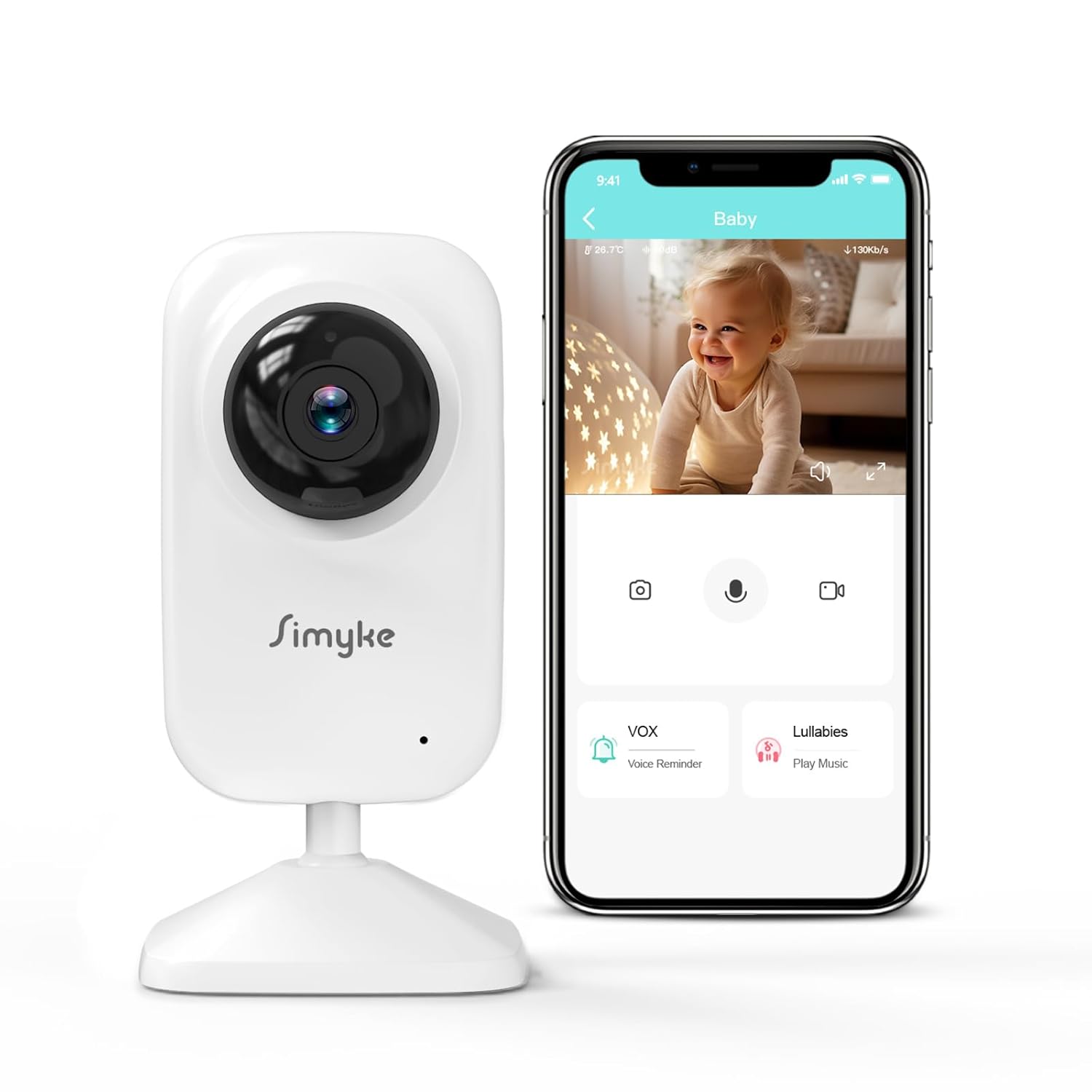
Image: Simyke BME28 Add-on Camera connected to a smartphone app.
- Download the "Simyke" app from your device's app store (iOS App Store or Google Play Store).
- Crëwch gyfrif neu mewngofnodwch os oes gennych un yn barod.
- In the app, select "Add Device" or the "+" icon to add a new camera.
- Follow the in-app instructions to connect the camera to your 2.4GHz Wi-Fi network. You may need to scan a QR code on the camera or enter your Wi-Fi password.
- Once connected, you will be able to view the live feed and access camera features through the app.
Cyfarwyddiadau Gweithredu
Viewing Modes: Display vs. App
The Simyke BME28 Add-on Camera offers flexibility in how you monitor your baby:
- Modd Arddangos: For local monitoring at home, use the paired 2.8-inch plug-and-play display (if you own a BME28-1 or BME28-2 system).
- Modd Ap: For remote monitoring, access the camera feed and features via the Simyke app on your smartphone or tablet, provided you have a 2.4GHz Wi-Fi connection.
Sgwrs Dwyffordd

Image: Two-way talk feature allowing communication with your baby.
The two-way audio feature allows you to speak to your baby from another room or even remotely via the app. Simply press and hold the microphone icon on your monitor or app interface to transmit your voice through the camera's speaker.
Gweledigaeth Nos Isgoch

Image: Automatic infrared night vision provides clear viewing mewn amodau ysgafn isel.
The camera is equipped with automatic infrared night vision. In low light conditions, the camera will automatically switch to night vision mode, providing a clear black and white image of your baby without disturbing their sleep.
Hwiangerddi

Image: The camera can play 5 different lullabies to soothe your baby.
The camera features 5 pre-programmed lullabies. You can select and play these soothing melodies or white noise through the camera's speaker to help your baby fall asleep. Access this feature through your monitor's menu or the Simyke app.
Canfod Sain (VOX)

Image: The app provides alerts when loud sounds are detected by the camera.
The VOX (Voice Operated eXchange) function allows the monitor or app to alert you when the camera detects sounds above a certain threshold in your baby's room. You can adjust the sensitivity settings to suit your environment.
Canfod Tymheredd
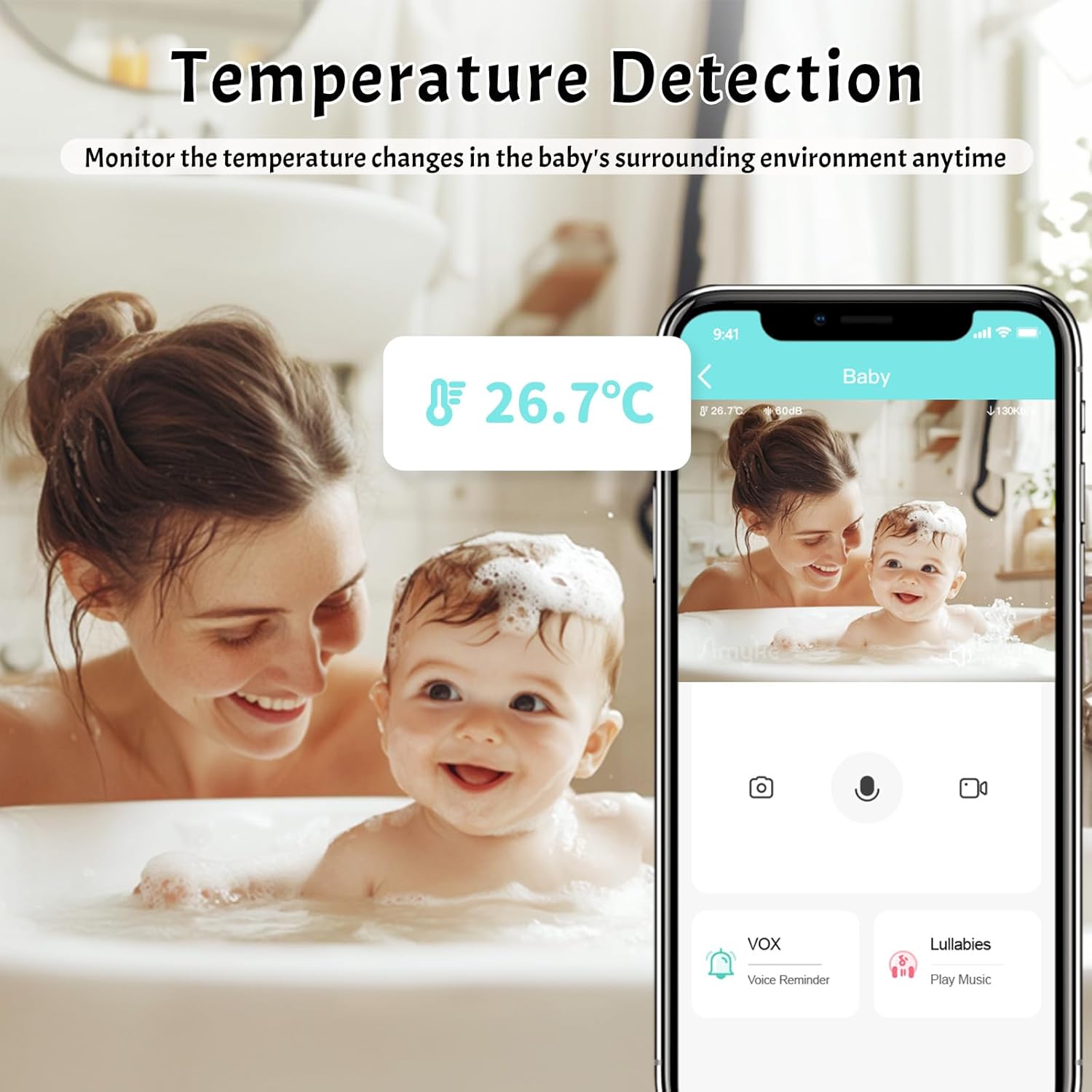
Image: The camera monitors and displays the temperature of the baby's room.
The camera includes a temperature sensor that monitors the ambient temperature in your baby's room. The temperature reading is displayed on your monitor or within the app, allowing you to ensure a comfortable environment for your baby.
Nodyn Atgoffa Bwydo

Image: The feeding reminder feature helps parents maintain a healthy feeding schedule.
Set up feeding reminders through the Simyke app to help you keep track of your baby's feeding schedule. This feature supports healthy growth and routine.
Adding Multiple Cameras (Up to 4)
Your Simyke BME28 monitor system can support up to 4 cameras. This allows you to monitor multiple rooms or different angles within the same room. To add additional cameras, repeat the pairing process described in the "Setup Guide" section for each new camera.
Rhannu Teuluol

Image: The family sharing feature allows multiple family members to view the baby's feed.
The Simyke app allows for family sharing, enabling multiple authorized users to view the baby monitor feed from their own devices. This is convenient for co-parents, grandparents, or caregivers.
Gofal a Chynnal a Chadw
- Glanhau: Disconnect the camera from power before cleaning. Use a soft, dry cloth to wipe the camera and lens. Do not use abrasive cleaners or solvents.
- Storio: If not in use for an extended period, store the camera in a cool, dry place, away from direct sunlight and extreme temperatures.
- Osgoi diferion: Handle the camera with care to prevent damage from drops or impacts.
Datrys problemau
| Problem | Achos Posibl | Ateb |
|---|---|---|
| No image/video on monitor or app. | Camera not powered on; Not paired; Out of range; Wi-Fi issue (for app). | Ensure camera is plugged in. Re-pair the camera with the monitor/app. Move camera closer to monitor/router. Check Wi-Fi connection. |
| Ansawdd delwedd wael. | Dirty lens; Insufficient lighting; Out of range. | Clean the camera lens with a soft, dry cloth. Ensure adequate lighting or check night vision mode. Move camera closer. |
| Dim sain neu ansawdd sain gwael. | Volume too low; Microphone/speaker blocked; Interference. | Increase volume on monitor/app. Ensure microphone/speaker are clear. Move away from other electronics. |
| Camera frequently disconnects. | Out of range; Wi-Fi instability; Interference. | Move camera closer to monitor/router. Check Wi-Fi signal strength. Reduce interference from other devices. |
| Problemau cysylltu apiau. | Incorrect Wi-Fi password; Not 2.4GHz Wi-Fi; App outdated. | Verify Wi-Fi password. Ensure you are connecting to a 2.4GHz network. Update the Simyke app to the latest version. |
Manylebau Technegol
| Nodwedd | Manylyn |
|---|---|
| Enw Model | BME28 Camera Only |
| Brand | Simyke |
| Defnydd Dan Do / Awyr Agored | Dan do |
| Deunydd | Styren Biwtadïen Acrylonitrile (ABS) |
| Dimensiynau (L x W x H) | 1.1 x 1.1 x 5 modfedd |
| Pwysau Eitem | 7.4 owns |
| Batris Angenrheidiol | No (Powered by AC adapter) |
| Technoleg Cysylltedd | Wireless (2.4GHz Wi-Fi for app) |
| Fformat Dal Fideo | MPEG-4 |
| Ystod Hir | Hyd at 1200 troedfedd (llinell olwg) |
| Hwiangerddi | 5 hwiangerdd wedi'u rhaglennu ymlaen llaw |
| Gweledigaeth y Nos | Gweledigaeth Nos Isgoch Awtomatig |
| Sgwrs Dwyffordd | Cefnogir |
| Multi-Camera Support | Up to 4 cameras per system |
Gwarant a Chymorth i Gwsmeriaid
Simyke products are designed and manufactured to the highest quality standards. For information regarding warranty coverage, please refer to the warranty card included with your original Simyke BME28 Baby Monitor system or visit the official Simyke websafle.
If you encounter any issues or have questions about your Simyke BME28 Add-on Camera, please contact Simyke Customer Support for assistance. Contact details can typically be found on the product packaging, the official Simyke website, or within the Simyke mobile application's help section.
Cymorth Ar-lein: Visit the Simyke official websafle ar gyfer Cwestiynau Cyffredin, canllawiau datrys problemau, a diweddariadau meddalwedd.
Cefnogaeth E-bost: Look for a support email address on the Simyke websafle neu yn nogfennaeth eich cynnyrch.
Ask a question about this manual
Ask about setup, troubleshooting, compatibility, parts, safety, or missing instructions. Manuals+ will review the question and use this page’s manual context to help answer it.