
Rhagymadrodd
This manual provides comprehensive instructions for the Armitron Sport 40-8231 Digital Chronograph Watch. Please read this manual thoroughly to understand the watch's features and functions, ensuring optimal use and longevity of your timepiece.
Gosod
Upon first use or after a battery replacement, your watch may require initial setup for time and date. Familiarize yourself with the watch's buttons and display before proceeding.

Delwedd: Blaen view of the Armitron Sport 40-8231 Digital Chronograph Watch, displaying its digital time and sub-dials.
Cyfarwyddiadau Gweithredu
The Armitron Sport 40-8231 watch features multiple modes and functions accessible via the side buttons. The primary functions include time display, chronograph, lap time, alarm, and military time.
Swyddogaethau Botwm
The watch typically has four buttons: GOSOD, MODD, ST/SP (Start/Stop), and RESET/LIGHT. Specific button labels may vary slightly depending on the watch model.
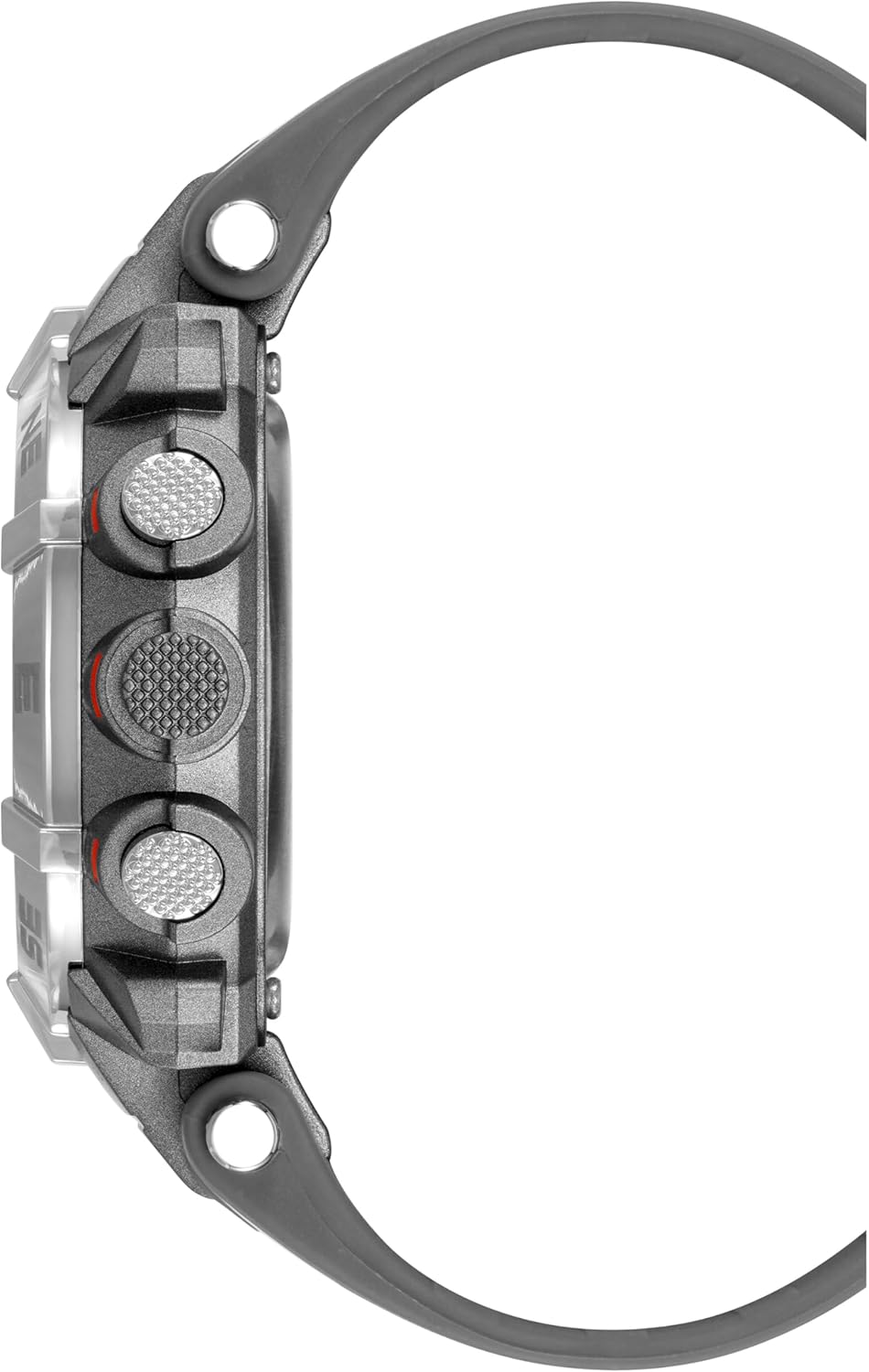
Delwedd: Ochr view of the Armitron Sport 40-8231 Digital Chronograph Watch, highlighting the control buttons on the side of the case.
Gosod Amser a Dyddiad
- Yn y modd arddangos amser arferol, pwyswch y MODD button repeatedly until the time setting mode is activated. This is usually indicated by flashing digits on the display.
- Defnyddiwch y GOSOD botwm i ddewis y digid neu'r gosodiad yr hoffech ei addasu (e.e., oriau, munudau, blwyddyn, mis, diwrnod).
- Defnyddiwch y ST/SP or RESET/LIGHT button to increase or decrease the selected value.
- Unwaith y bydd yr holl osodiadau'n gywir, pwyswch y MODD button to exit the setting mode and return to normal time display.
Defnyddio'r Cronograff (Stopwats)
- Gwasgwch y MODD button to navigate to the chronograph mode. The display will typically show "00:00:00".
- Gwasgwch y ST/SP botwm i gychwyn y stopwats.
- Gwasgwch y ST/SP botwm eto i oedi'r stopwats.
- I ailddechrau amseru, pwyswch ST/SP. To reset the stopwatch to zero, press the RESET/LIGHT botwm tra bod y stopwats wedi'i oedi.
Gosod y Larwm
- Gwasgwch y MODD button to navigate to the alarm setting mode.
- Defnyddiwch y GOSOD button to select the hour or minute digits you wish to adjust.
- Defnyddiwch y ST/SP or RESET/LIGHT botwm i addasu amser y larwm.
- Gwasgwch MODD to confirm the alarm time and exit the setting mode.
- To activate or deactivate the alarm, typically press ST/SP or RESET/LIGHT while in alarm mode. An alarm icon will appear on the display when the alarm is active.
Defnyddio'r Backlight
Gwasgwch y RESET/LIGHT button to illuminate the display for approximately three seconds, providing visibility in low-light conditions.
Cynnal a chadw
To ensure the longevity and proper functioning of your Armitron Sport watch, follow these maintenance guidelines:
- Glanhau: Sychwch gas a strap yr oriawr yn rheolaidd gyda lliain meddal, damp brethyn. Osgowch ddefnyddio cemegau llym, toddyddion, neu ddeunyddiau sgraffiniol, gan y gall y rhain niweidio gorffeniad neu seliau'r oriawr.
- Gwrthiant Dŵr: The watch is water resistant to 100 meters (330 feet). This makes it suitable for showering, swimming, and snorkeling. Important: Do not press any buttons while the watch is submerged in water. Avoid exposure to hot water or steam (e.g., hot showers, saunas), as this can compromise the water resistance seals over time.
- Amnewid Batri: When the display dims, becomes erratic, or stops functioning, the battery may need replacement. This procedure should be performed by a qualified watch technician to ensure proper sealing and maintain the watch's water resistance.
- Storio: Storiwch yr oriawr mewn lle oer, sych i ffwrdd o olau haul uniongyrchol, tymereddau eithafol, a meysydd magnetig cryf pan nad yw'n cael ei defnyddio.

Delwedd: Cefn view of the Armitron Sport 40-8231 Digital Chronograph Watch, showing the stainless steel case back with water resistance markings.
Datrys problemau
If you encounter issues with your watch, refer to the following common problems and their potential solutions:
| Problem | Achos Posibl | Ateb |
|---|---|---|
| Mae'r arddangosfa'n wag neu'n dywyll. | Batri isel. | Replace the battery. This should be done by a professional to maintain water resistance. |
| Mae'r amser yn anghywir. | Time needs to be set or reset after a power interruption. | Refer to the "Setting Time and Date" instructions in this manual. |
| Nid yw botymau yn ymateb. | Watch may be in a locked mode, or the battery is critically low. | Try pressing all buttons to see if any respond. If not, consider battery replacement. If the issue persists, contact support. |
| Water or condensation inside the watch. | Water resistance compromised due to impact, age, or improper handling (e.g., pressing buttons underwater). | Immediately take the watch to a qualified technician for inspection and repair. Avoid further water exposure. |
Manylebau
- Model: Armitron Sport 40-8231
- Deunydd Achos: Resin
- Diamedr Achos: Tua 44mm
- Deunydd strap: Resin
- Symudiad: Cwarts Japaneaidd gydag Arddangosfa Ddigidol
- Gwrthiant Dŵr: 100 metr (330 troedfedd)
- Swyddogaethau: Chronograph, Lap Time, Alarm, Military Time, Backlight with three-second delay, Day/Date Display
- Arddangos: LCD
Gwarant a Chefnogaeth
Armitron watches typically come with a limited warranty covering manufacturing defects. For specific warranty details, including coverage period and terms, please refer to the warranty card included with your original purchase or visit the official Armitron websafle. Cadwch eich prawf prynu ar gyfer hawliadau gwarant.
For customer support, product registration, service inquiries, or to locate an authorized service center, please contact Armitron customer service through their official channels. You can often find contact information and FAQs on their websafle.
Official Armitron Websafle: www.armitron.com


