
DUZZONA DUZZONA-W18
DUZZONA Qi2 15W Magnetic Wireless Charger
Model: DUZZONA-W18
Llawlyfr Cyfarwyddiadau Defnyddiwr
Rhagymadrodd
Thank you for choosing the DUZZONA Qi2 15W Magnetic Wireless Charger, Model DUZZONA-W18. This device provides rapid, hassle-free wireless charging for compatible devices, including iPhone 13-15 series at 15W, iPhone 12 series at 7.5W, and other Qi-enabled devices. Its strong magnetic attraction ensures secure and efficient charging. Please read this manual carefully before use to ensure proper operation and to maximize the lifespan of your charger.
Gwybodaeth Diogelwch
Er mwyn sicrhau gweithrediad diogel ac atal difrod, dilynwch y rhagofalon canlynol:
- Peidiwch ag amlygu'r gwefrydd i ddŵr, lleithder, na thymheredd eithafol.
- Avoid dropping, disassembling, or attempting to repair the charger yourself. This will void the warranty.
- Keep the charger away from strong magnetic fields, as this may interfere with its function.
- Ensure the charging surface is clear of foreign objects (FOD) like metal coins, keys, or credit cards before placing your device.
- Use only compatible power adapters (not included) that meet the power requirements for optimal charging performance.
- Do not place the charger on or near flammable materials.
- Cadwch allan o gyrraedd plant.
Cynnwys Pecyn
Ticiwch y blwch ar gyfer yr eitemau canlynol:
- 1 x DUZZONA Qi2 15W Magnetic Wireless Charger (Model: DUZZONA-W18)
- 1 x Cebl USB-C i USB-C
- 1 x Llawlyfr Defnyddiwr (y ddogfen hon)

Image: Product packaging showing the charger and its box.
Cynnyrch Drosview
The DUZZONA-W18 charger features a compact, circular design with an integrated USB-C cable.

Delwedd: Blaen view of the DUZZONA Qi2 15W Magnetic Wireless Charger, showing the white circular charging pad with the Qi2 logo and an attached white USB-C cable.

Delwedd: Cefn view of the DUZZONA Qi2 15W Magnetic Wireless Charger, showing the metallic rear casing with product specifications and certification logos (CE, UKCA, FCC, RoHS).
Gosod
Follow these steps to set up your DUZZONA Qi2 Magnetic Wireless Charger:
- Cysylltu â Power: Plug the USB-C connector of the charger's integrated cable into a compatible USB-C power adapter (not included). For optimal 15W fast charging, use a power adapter that supports Power Delivery (PD) or Quick Charge (QC) with at least 20W output.
- Lleoliad: Place the charger on a flat, stable surface, ensuring there are no metal objects or foreign materials on or near the charging pad.
Cyfarwyddiadau Gweithredu
Using your DUZZONA Qi2 Magnetic Wireless Charger is simple:
- Align Your Device: Place your Qi2-compatible device (e.g., iPhone 12/13/14/15 series) onto the center of the charging pad. The strong built-in N52 magnets will automatically align your device for optimal charging.
- Cadarnhau Codi Tâl: Your device's screen will typically indicate that charging has begun. For iPhones, the MagSafe charging animation will appear.
- Cyflymder codi tâl: The charger automatically detects the required power output: 15W for iPhone 13-15 series (requires iOS 17.2 or later for 15W), 7.5W for iPhone 12 series, and 5W/10W for other Qi-enabled devices.
- Canfod Gwrthrychau Tramor (FOD): The charger is equipped with FOD to prevent charging when foreign metal objects are detected on the charging surface, ensuring safety.

Image: An iPhone securely attached to the DUZZONA Qi2 Magnetic Wireless Charger, displaying a charging icon and battery percentage.
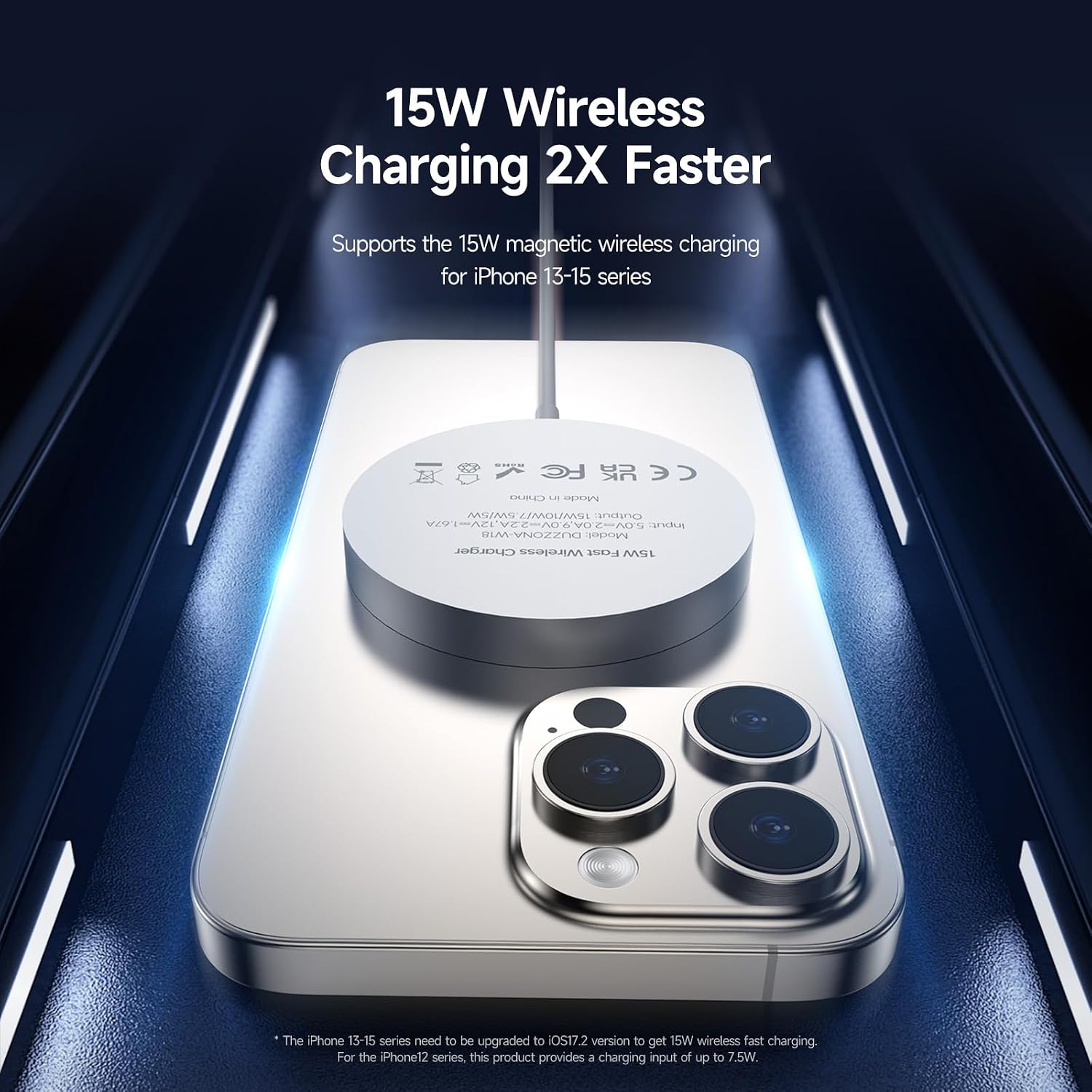
Image: The DUZZONA Qi2 Magnetic Wireless Charger magnetically attached to the back of an iPhone, with text highlighting "15W Wireless Charging 2X Faster" and a note about iOS 17.2 for optimal performance.
Cynnal a chadw
To keep your DUZZONA Qi2 Magnetic Wireless Charger in optimal condition:
- Glanhau: Disconnect the charger from power before cleaning. Use a soft, dry, lint-free cloth to wipe the surface. Do not use harsh chemicals, cleaning solvents, or strong detergents.
- Storio: Pan nad yw'n cael ei ddefnyddio, storiwch y charger mewn lle oer, sych i ffwrdd o olau haul uniongyrchol a thymheredd eithafol.
- Gofal Cebl: Avoid bending or crimping the integrated cable excessively, as this can damage the internal wires.
Datrys problemau
If you encounter issues with your charger, please refer to the following table:
| Problem | Achos Posibl | Ateb |
|---|---|---|
| Dyfais ddim yn gwefru. |
|
|
| Codi tâl araf. |
|
|
| Charger or device gets warm. |
|
|
Manylebau
| Rhif Model | DUZZONA-W18 |
| Mewnbwn | 5V/2A, 9V/2.22A, 12V/1.67A (Requires compatible power adapter) |
| Pŵer Allbwn | 15W / 10W / 7.5W / 5W (Automatic detection) |
| Cysylltedd | USB Type-C (integrated cable) |
| Dimensiynau | 2.3 x 2.3 x 0.3 modfedd (58.5 x 58.5 x 7.5 mm) |
| Pwysau | 3.63 owns (103 gram) |
| Deunydd | Aluminum Alloy + Silicone |
| Nodweddion Arbennig | Magnetic Alignment, FOD (Foreign Object Detection), Multiple Protections, Qi2 Certified |
| Dyfeisiau Cydnaws | Qi-Enabled Devices, iPhone 15/14/13/12 series (including Plus/Pro/Pro Max/mini), iPhones with Magnetic Cases, AirPods 3, AirPods Pro, AirPods Pro 2 |

Image: An exploded diagram illustrating the internal components of the DUZZONA Qi2 Magnetic Wireless Charger, highlighting the pure copper induction coil for efficient charging.

Image: A certificate confirming the DUZZONA-W18 charger is an Officially Certified Qi2 Wireless Charging Module, indicating rigorous testing for safety, compatibility, and quality.
Gwarant a Chefnogaeth
DUZZONA products are designed and manufactured to the highest quality standards. This product comes with a standard manufacturer's warranty. For detailed warranty information, technical support, or customer service inquiries, please refer to the contact information provided on the product packaging or visit the official DUZZONA websafle.
Gwneuthurwr: Dux Ducis Technology Co., Limited
Ask a question about this manual
Ask about setup, troubleshooting, compatibility, parts, safety, or missing instructions. Manuals+ will review the question and use this page’s manual context to help answer it.