
Rhagymadrodd
This manual provides comprehensive instructions for the ASWEE P4 Smart Watch, a versatile fitness tracker with call capabilities, a 1.85" TFT display, and various health monitoring features. Please read this manual thoroughly before using your device.
Beth Sydd yn y Bocs
- ASWEE P4 Smart Watch
- Cebl Codi Tâl
- Llawlyfr Defnyddiwr
Cynnyrch Drosview
The ASWEE P4 Smart Watch features a rectangular 1.85-inch TFT-LCD display with a 240x280 resolution. It includes a physical button on the side for navigation and interaction. The watch is designed for comfortable wear and easy access to its functions.
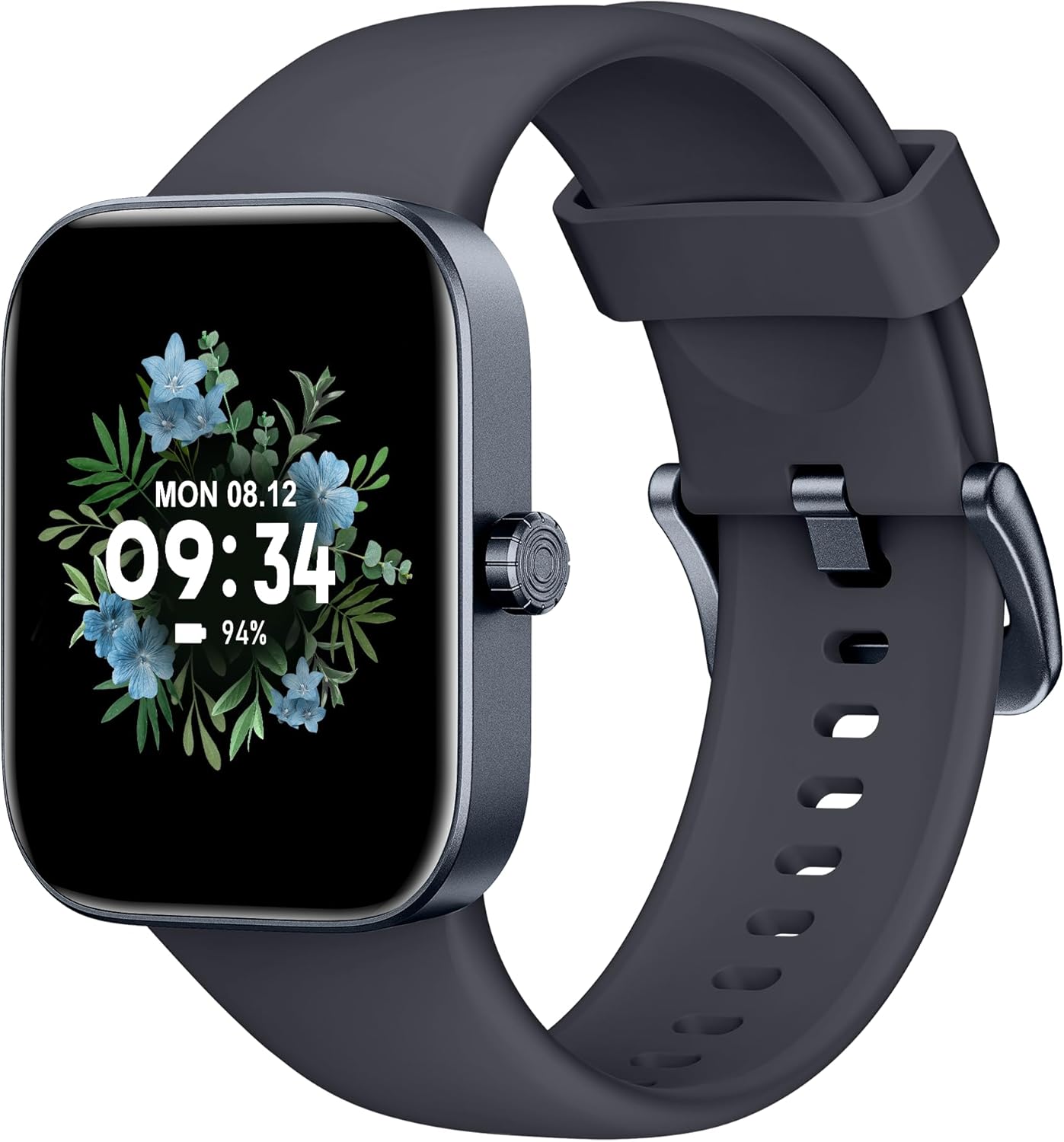
Blaen view of the ASWEE P4 Smart Watch, displaying time and date with a floral background.
Gosod
Codi Tâl ar y Dyfais
The ASWEE P4 Smart Watch comes with a magnetic charging cable. Align the magnetic end of the cable with the charging contacts on the back of the watch. The watch will indicate when it is charging. A full charge typically takes approximately 2 hours and provides up to 7 days of active use or 15 days on standby.

Illustration showing the magnetic charging cable connected to the back of the ASWEE P4 Smart Watch, highlighting battery life indicators.
Gosod a Pharu Apiau
To utilize all features of your ASWEE P4 Smart Watch, you need to download and install the "FitPro" application on your smartphone. Scan the QR code provided in the watch's packaging or search for "FitPro" in your device's app store.
Paru gyda iPhone
Follow these steps to pair your watch with an iPhone:
- Sicrhewch fod Bluetooth wedi'i alluogi ar eich iPhone.
- Open the "FitPro" app.
- Navigate to "Setting" and then "Bind device".
- Select your watch (e.g., KM13Pro) from the scan results.
- Confirm the pairing request by clicking "Pair" and then "Allow" for notifications.
- Go to your iPhone's Bluetooth settings and connect to "KM13Pro Audio" for call functionality.
Video tutorial demonstrating how to bind the ASWEE P4 Smart Watch to an iPhone and how to unbind it.
Pairing with Android Phone
Follow these steps to pair your watch with an Android phone:
- Ensure Bluetooth is enabled on your Android phone.
- Open the "FitPro" app.
- Navigate to "Set" and then "Bind device".
- Select your watch (e.g., KM13Pro) from the scan results.
- Confirm the pairing request by clicking "Pair".
Video tutorial demonstrating how to bind the ASWEE P4 Smart Watch to an Android phone and how to unbind it.
Cyfarwyddiadau Gweithredu
Llywio Sylfaenol
The watch features a touch-sensitive screen for navigation. Swipe left/right or up/down to access different functions and menus. The side button typically serves as a home or back button.
Call and Text Functionality
With its built-in speaker and microphone, the ASWEE P4 allows you to answer/dial calls directly from your wrist when connected via Bluetooth. You can also receive SMS text and SNS messages (Facebook, Twitter, WhatsApp, etc.) with vibration alerts.

Image showing the ASWEE P4 Smart Watch on a wrist, with notification icons for various messaging apps, indicating Bluetooth 5.0 connectivity for calls and texts.
Olrhain Iechyd
The watch provides comprehensive health monitoring:
- Cyfradd y galon: 24-hour tracking with a high-precision PPG sensor. Stores 7 days of resting heart rate data.
- Ocsigen gwaed: Measures SpO2 levels using a reflective-light based sensor.
- Monitro Cwsg: Tracks sleep quality through Awake, Light, and Deep sleep stages, helping to improve sleep duration and quality.
- Monitro Straen: Provides insights into stress levels.

Image illustrating the ASWEE P4 Smart Watch's 24-hour data tracking capabilities, including heart rate, stress level, and blood oxygen monitoring.

Image depicting the ASWEE P4 Smart Watch's sleep health assistant feature, showing sleep duration and patterns.
Moddau Ffitrwydd
The ASWEE P4 supports multiple workout modes, including running, bike riding, basketball, and tennis. It accurately monitors data points like heart rate, time, and calories burned to enhance workout efficiency.

Sioe delweddasing the ASWEE P4 Smart Watch's various sports modes, including running, bike riding, basketball, and jumping jack, with activity data like steps, distance, and calories.
Addasu
Choose from over 100 stylish watch faces or create your own using photos from your phone gallery.
Cynnal a chadw
Glanhau
Glanhewch eich oriawr a'ch strap yn rheolaidd gyda lliain meddal, damp brethyn. Ceisiwch osgoi defnyddio cemegau llym neu ddeunyddiau sgraffiniol.
Storio
Storiwch yr oriawr mewn lle oer, sych pan nad yw'n cael ei defnyddio.
Datrys problemau
Oriawr Ddim yn Troi Ymlaen
- Gwnewch yn siŵr bod yr oriawr wedi'i gwefru'n llawn. Cysylltwch hi â'r cebl gwefru a ffynhonnell bŵer am o leiaf 30 munud.
Materion Paru
- Gwnewch yn siŵr bod Bluetooth wedi'i alluogi ar eich ffôn a bod yr oriawr o fewn cyrraedd.
- Ailgychwynwch eich ffôn a'r oriawr.
- If previously paired, try "forgetting" the device in your phone's Bluetooth settings and re-pairing through the FitPro app.
- Ensure the FitPro app has necessary permissions (Bluetooth, location).
Data Iechyd Anghywir
- Gwnewch yn siŵr bod yr oriawr yn cael ei gwisgo'n glyd ar eich arddwrn, nid yn rhy dynn nac yn rhy llac.
- Glanhewch y synhwyrydd ar gefn yr oriawr.
- Gall ffactorau amgylcheddol a ffisioleg unigol effeithio ar ddarlleniadau.
Hysbysiadau Ddim yn Ymddangos
- Check app permissions for FitPro to ensure it can access notifications.
- Verify that notification push settings are enabled within the FitPro app for desired applications.
- Gwnewch yn siŵr bod yr oriawr wedi'i chysylltu â'ch ffôn trwy Bluetooth.
Manylebau
| Nodwedd | Manylyn |
|---|---|
| Enw Model | P4 |
| Brand | ASWEE |
| Maint Sgrin | 1.85 modfedd |
| Technoleg Arddangos | TFT-LCD |
| Datrysiad | 240 x 280 PPI |
| System Weithredu | Gwisgwch OS |
| Cysylltedd | Bluetooth 5.3 |
| Gwrthiant Dŵr | IP68, 5 ATM |
| Bywyd Batri (Defnydd Nodweddiadol) | Hyd at 7 diwrnod |
| Amser Wrth Gefn | Hyd at 15 diwrnod |
| Amser Codi Tâl | Tua. 2 awr |
| Nodweddion Arbennig | Fitness Tracker, Sleep Monitor, Reminders, Multimedia control, Answer/Dial Call, Heart Rate Monitor, Blood Oxygen Monitor, Stress Monitor |
| Pwysau Eitem | 2.89 owns |
Sylwer: Gall manylebau newid heb rybudd ymlaen llaw.
Gwarant a Chefnogaeth
For warranty information and technical support, please refer to the official ASWEE websafle neu cysylltwch â'u gwasanaeth cwsmeriaid. Cadwch eich derbynneb prynu fel prawf o brynu.