
Rhagymadrodd
Thank you for choosing the Visual Land Soundwave A1 Active Noise Cancelling Earbuds. These earbuds are designed to provide a high-quality audio experience with advanced features such as active noise cancellation, long battery life, and a water-resistant design. This manual provides detailed instructions on how to set up, operate, and maintain your Soundwave A1 earbuds.
Cynnwys Pecyn
Gwiriwch y pecyn am yr eitemau canlynol:
- Visual Land Soundwave A1 Earbuds (Left and Right)
- Achos Codi Tâl
- Cebl Codi Tâl USB-C
- Additional Ear Tip Sizes (Small, Medium, Large)
- Llawlyfr Defnyddiwr (y ddogfen hon)
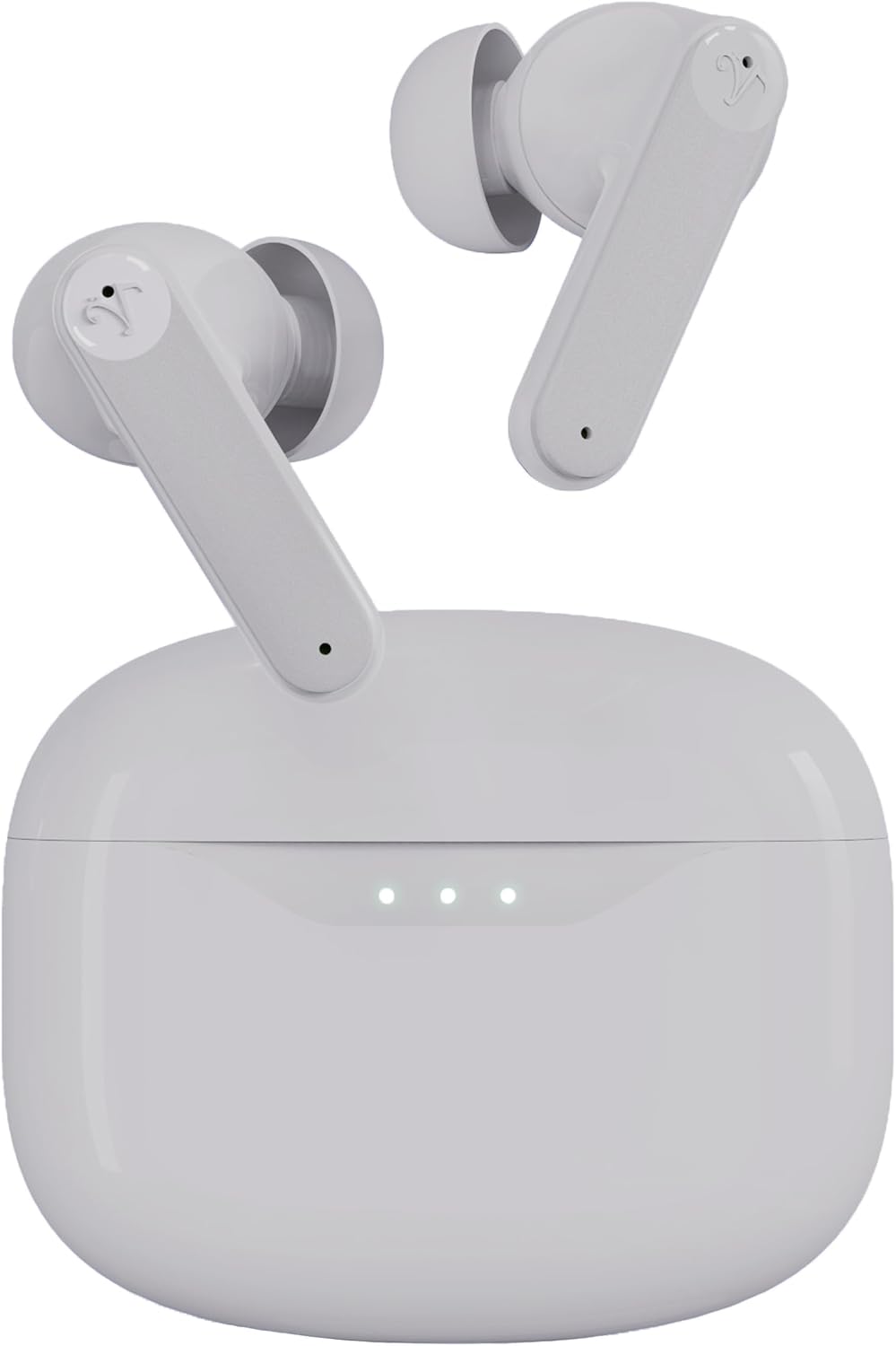
Cynnyrch Drosview


Gosod
1. Gwefru'r Clustffonau a'r Cas
Before first use, fully charge the earbuds and charging case. Place the earbuds into the charging case and close the lid. Connect the USB-C charging cable to the charging port on the case and plug the other end into a USB power adapter (not included).
- The indicator lights on the charging case will show the charging status.
- A full charge takes approximately 1.5 hours for the case and earbuds.
- Codi Tâl Cyflym: 15 minutes of charging provides up to 5 hours of playtime.
- Total playtime with the charging case is up to 40 hours.
2. Dewis Awgrymiadau Clust
The Soundwave A1 earbuds come with three sizes of ear tips (Small, Medium, Large). Choose the size that provides the most secure and comfortable fit for optimal sound quality and noise cancellation performance.
- Gently pull off the pre-installed ear tips.
- Select a new pair of ear tips and push them onto the earbud nozzle until they are securely attached.
3. Paru gyda Dyfais Bluetooth
The earbuds will automatically enter pairing mode when first removed from the charging case.
- Open the charging case. The earbuds will power on and enter pairing mode (indicator lights will flash).
- Ar eich dyfais (ffôn clyfar, tabled, ac ati), ewch i'r gosodiadau Bluetooth.
- Chwiliwch am available devices and select "Visual Land Soundwave A1".
- Ar ôl cysylltu, bydd goleuadau dangosydd y clustffonau yn rhoi'r gorau i fflachio, a byddwch yn clywed tôn cadarnhau.
- Ar gyfer defnydd dilynol, bydd y clustffonau'n cysylltu'n awtomatig â'r ddyfais a barwyd ddiwethaf pan gânt eu tynnu o'r cas.
Cyfarwyddiadau Gweithredu
Pŵer Ymlaen / Diffodd
- Pŵer Ymlaen: Agorwch y cas gwefru, neu pwyswch yr ardal rheoli cyffwrdd ar y ddau glustffon am 3 eiliad.
- Pwer i ffwrdd: Rhowch y clustffonau yn ôl yn y cas gwefru a chau'r caead, neu pwyswch yr ardal rheoli cyffwrdd ar y ddau glustffon am 5 eiliad.
Moddau Canslo Sŵn Gweithredol (ANC)
The Soundwave A1 features 6-microphone Active Noise Cancellation with multiple modes:
- ANC Ymlaen: Yn lleihau sŵn amgylchynol am brofiad gwrando trochol.
- Modd Tryloywder: Allows you to hear your surroundings while still enjoying your audio, enhancing awareness.
- ANC i ffwrdd: Modd sain safonol heb ganslo sŵn na thryloywder.
I newid moddau: Tap and hold the touch control area on either earbud for 2 seconds to cycle through ANC On, Transparency Mode, and ANC Off.
Rheolaethau Cyffwrdd
The touch-sensitive area on each earbud allows for easy control of music and calls.
| Swyddogaeth | Gweithred |
|---|---|
| Chwarae/Seibiant Cerddoriaeth | Tap sengl ar y naill glust neu'r llall |
| Trac Nesaf | Tapiwch ddwywaith ar y glustffon dde |
| Trac Blaenorol | Tapiwch ddwywaith ar y glustffon chwith |
| Cyfrol i Fyny | Tap triphlyg ar y earbud dde |
| Cyfrol Lawr | Tap triphlyg ar y earbud chwith |
| Ateb/Diwedd Galwad | Tap sengl ar y naill glust neu'r llall |
| Gwrthod Galwad | Tap and hold on either earbud for 2 seconds |
| Actifadu Cynorthwyydd Llais | Tap and hold on either earbud for 3 seconds (when not on a call) |
| Newid Moddau ANC | Tap and hold on either earbud for 2 seconds |
Cynnal a chadw
- Glanhau: Glanhewch y clustffonau a'r cas gwefru yn rheolaidd gyda lliain meddal, sych, heb lint. Peidiwch â defnyddio cemegau llym na deunyddiau sgraffiniol.
- Cynghorion Clust: Tynnwch flaenau clust a'u glanhau â dŵr a sebon ysgafn os oes angen. Gwnewch yn siŵr eu bod yn hollol sych cyn eu hailgysylltu.
- Cysylltiadau Codi Tâl: Gwnewch yn siŵr bod y cysylltiadau gwefru ar y clustffonau a'r cas yn lân ac yn rhydd o falurion i sicrhau gwefru priodol.
- Gwrthiant Dŵr: The earbuds are IPX5 water-resistant, meaning they can withstand splashes and sweat. Do not submerge them in water or expose them to strong jets of water. Dry them thoroughly after exposure to moisture.
- Storio: Pan nad ydynt yn cael eu defnyddio, storiwch y clustffonau yn eu cas gwefru i'w hamddiffyn a'u cadw'n wefredig. Storiwch mewn lle oer, sych i ffwrdd o dymheredd eithafol.
Datrys problemau
| Problem | Ateb Posibl |
|---|---|
| Clustffonau ddim yn paru |
|
| Dim sain o un glust |
|
| Achos codi tâl nid codi tâl |
|
| Poor sound quality or weak ANC |
|
Manylebau
| Nodwedd | Manylyn |
|---|---|
| Enw Model | SOUNDWAVE A1 V2 |
| Technoleg Cysylltedd | Bluetooth 5.3, Di-wifr |
| Rheoli Sŵn | Canslo Sŵn Gweithredol (ANC) |
| Meicroffonau | 6-mic system |
| Lefel Gwrthsefyll Dŵr | IPX5 (gwrth-ddŵr) |
| Cyfanswm Amser Chwarae (gyda chas) | Hyd at 40 awr |
| Codi Tâl Cyflym | 15 minutes charge for up to 5 hours playtime |
| Dull Rheoli | Rheolaethau Cyffwrdd |
| Ear Tip Sizes | Bach, Canolig, Mawr |
| Porthladd Codi Tâl | USB-C |
| Cario Capasiti Batri Achos | 500 mAh |
| Pwysau Eitem | 2 Ounces (total) |
| Deunydd | Plastig |
| Dyfeisiau Cydnaws | iOS and Android devices with Bluetooth support |
Gwybodaeth Diogelwch
Please read and follow these safety guidelines to ensure safe operation and prolong the lifespan of your earbuds:
- Do not expose earbuds to extreme temperatures, humidity, or corrosive environments.
- Osgowch ollwng, taro, neu ddadosod y ddyfais.
- Do not use unauthorized chargers or cables.
- Osgowch wrando ar gyfeintiau uchel am gyfnodau estynedig i atal niwed i'r clyw.
- Byddwch yn ofalus wrth ddefnyddio clustffonau mewn sefyllfaoedd sy'n gofyn am ymwybyddiaeth o'ch amgylchoedd (e.e., gyrru, beicio).
- Cadwch allan o gyrraedd plant ac anifeiliaid anwes.
Gwarant a Chefnogaeth
Visual Land products are designed for reliability and performance. For warranty information, technical support, or customer service inquiries, please refer to the official Visual Land websafle neu cysylltwch â'u cymorth cwsmeriaid yn uniongyrchol. Cadwch eich prawf prynu ar gyfer hawliadau gwarant.
Am gymorth pellach, ewch i: Visual Land Store on Amazon