
MUDDY MUD-MTC16XSD-3PK
MUDDY Pro Cam Trail Camera 16 MP Combo - Instruction Manual
Model: MUD-MTC16XSD-3PK
Cynnyrch Drosview
The MUDDY Pro Cam Trail Camera 16MP Combo provides a comprehensive solution for outdoor scouting and wildlife monitoring. This package includes three individual trail cameras, each designed for durability and high-performance image capture in various outdoor conditions.
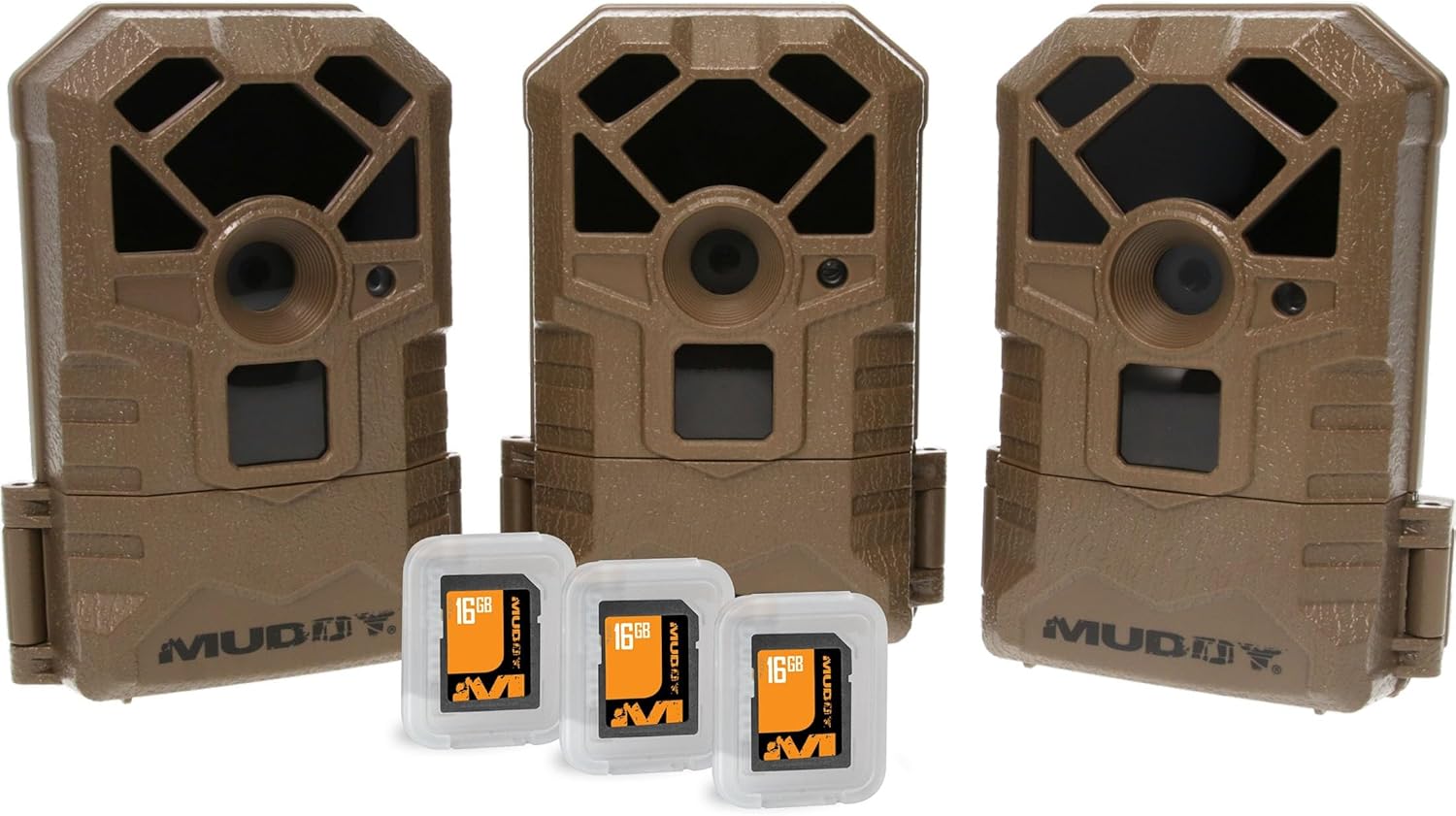
Image: Three MUDDY Pro Cam Trail Cameras, each accompanied by a 16GB SD card, showcasing the complete combo package.
Each Pro Cam features 16-megapixel resolution for clear still images, 18 infrared LEDs for night vision, a 60-foot detection and flash range, and a rapid 0.7-second trigger speed to capture fast-moving subjects. The robust design ensures reliable operation in outdoor environments.
Canllaw Gosod
1. Gosod Batri
The Pro Cam Trail Camera requires eight (8) AA batteries for operation. To install:
- Locate the latch at the bottom of the camera unit.
- Open the bottom compartment to reveal the battery slots.
- Insert eight AA batteries, ensuring correct polarity (+/-) as indicated within the compartment.
- Securely close the compartment latch.
2. Mewnosod Cerdyn SD
A standard SD card is required to store images and videos. To insert the SD card:
- With the bottom compartment open, locate the SD card slot.
- Gently insert the SD card into the slot until it clicks into place. Ensure the card is oriented correctly.
- Close the bottom compartment.
3. Mowntio'r Camera
The Pro Cam offers versatile mounting options:
- Mowntio strap: Utilize the integrated strap slots on the back of the camera to secure it to a tree or pole using the provided strap.
- Mowntio trybedd: The camera features a standard tripod attachment point at the bottom, allowing for stable placement on a tripod or other compatible mounting accessories.
Cyfarwyddiadau Gweithredu
Once batteries and an SD card are installed, the camera is ready for operation. The camera is designed for motion-activated capture.
Pweru Ymlaen/Diffodd
Access the controls within the bottom compartment. Use the power switch to turn the camera ON or OFF. Refer to the on-screen display for mode selection and settings adjustment.
Cipio Delweddau a Fideos
The camera automatically captures images or videos when motion is detected within its 60-foot detection range. The 0.7-second trigger speed ensures minimal delay in capturing subjects. The 18 infrared LEDs provide clear night vision capabilities without disturbing wildlife.
Accessing Captured Media
I view captured images and videos, remove the SD card from the camera (ensure the camera is OFF before removal) and insert it into a compatible SD card reader connected to a computer or other viewdyfais ing.
Cynnal a chadw
- Amnewid Batri: Replace all eight AA batteries when the low battery indicator appears or when performance degrades.
- Rheoli Cerdyn SD: Regularly check the SD card capacity. It is recommended to turn the camera OFF before removing or inserting the SD card to prevent data corruption or camera glitches.
- Glanhau: Use a soft, dry cloth to clean the camera lens and infrared LEDs. Avoid abrasive materials or harsh chemicals.
- Storio: When not in use for extended periods, remove batteries to prevent leakage and store the camera in a cool, dry place.
Datrys problemau
| Problem | Achos Posibl | Ateb |
|---|---|---|
| Nid yw'r camera'n troi ymlaen. | Batris marw neu wedi'u gosod yn anghywir. | Ensure 8 AA batteries are installed with correct polarity. Replace with fresh batteries. |
| Dim delweddau/fideos wedi'u tynnu. | SD card full, corrupted, or not inserted correctly; camera in wrong mode; no motion detected. | Format or replace SD card. Ensure SD card is fully inserted. Check camera settings for correct operating mode. Verify camera placement for motion detection. |
| Ansawdd delwedd/fideo gwael. | Dirty lens; low light conditions; subject too far. | Clean the camera lens. Ensure adequate lighting or proper night vision activation. Adjust camera placement closer to the subject. |
| Camera freezes or glitches. | Software issue; SD card issue. | Turn the camera OFF, remove the SD card, then reinsert the SD card and turn the camera ON. This can often resolve minor glitches. If issues persist, try a different SD card. |
Manylebau
| Nodwedd | Manylyn |
|---|---|
| Enw Model | Pro Cam |
| Rhif Model | MUD-MTC16XSD-3PK |
| Datrysiad llonydd effeithiol | 16 AS |
| Detection/Flash Range | 60 tr. |
| LEDs isgoch | 18 |
| Cyflymder Sbarduno | 0.7 eiliad |
| Ffynhonnell Pwer | 8 x Batri AA (heb eu cynnwys) |
| Storio | Standard SD Card (included in combo) |
| Math Mowntio | Tree Mount, Tripod Mount |
| Dimensiynau (L x W x H) | 3 x 2 x 5 modfedd |
| Pwysau Eitem | 4.5 pounds (for the combo pack) |
| UPC | 813628069713 |
Gwarant a Chefnogaeth
For warranty information, technical support, or service inquiries, please contact the manufacturer, GSM Outdoors, or refer to the official MUDDY websafle. Cadwch eich derbynneb prynu ar gyfer hawliadau gwarant.
Manufacturer: GSM Outdoors
Ask a question about this manual
Ask about setup, troubleshooting, compatibility, parts, safety, or missing instructions. Manuals+ will review the question and use this page’s manual context to help answer it.