
1. Rhagymadrodd
This manual provides detailed instructions for the installation, setup, operation, and maintenance of your Intelbras MFR 7000 Smart Embedded Deadbolt with Handleset. Please read this manual thoroughly before installation and use to ensure proper function and safety. Keep this manual for future reference.
2. Gwybodaeth Diogelwch
- Ensure all components are present and undamaged before installation.
- Peidiwch â cheisio dadosod na newid y clo. Gall hyn ddirymu'r warant a pheryglu diogelwch.
- Defnyddiwch fatris alcalïaidd AA penodedig yn unig. Peidiwch â chymysgu batris hen a newydd na gwahanol fathau o fatris.
- Cadwch allweddi ffisegol mewn lleoliad diogel y tu allan i'r eiddo.
- Protect your passwords and biometric data. Do not share them with unauthorized individuals.
- This lock is designed for indoor use or protected outdoor environments. Avoid direct exposure to extreme weather conditions.
3. Cynnwys Pecyn
Gwiriwch fod yr holl eitemau canlynol wedi'u cynnwys yn eich pecyn:
- 1 x Digital Lock (MFR 7000 unit)
- 4 x Batris AA
- 1 x Templed Gosod
- 1 x Fixing Kit (screws and mounting hardware)
- 1 x Llawlyfr Defnyddiwr (y ddogfen hon)
- 2 x Allweddi Corfforol
- 3 x Sticer Tags
- 3 x Proximity Tags
- 1 x Installation Manual (separate guide for physical installation)
4. Cynnyrch Drosview
The Intelbras MFR 7000 is a smart embedded deadbolt with a handleset, offering multiple access methods for enhanced security and convenience. It integrates with the Intelbras Mibo ecosystem for smart home functionalities when paired with a compatible automation hub.
Nodweddion Allweddol:
- Multiple Access Methods: Biometrics (up to 100), Proximity Tags (up to 100), Passwords (up to 15), and Physical Keys.
- Smart Home Integration: Remote access and management via the Mibo app (requires MCA 1001 Automation Hub, sold separately).
- Auto-Lock Function: Automatically locks the door after closing.
- Non-Disturb Function: Prevents external access for privacy.
- Reversible Lever: Adaptable for left or right-handed doors.
- Standard Mortise: Compatible with ABNT 14913 standard mortise for easy replacement.
Cydrannau Cynnyrch:
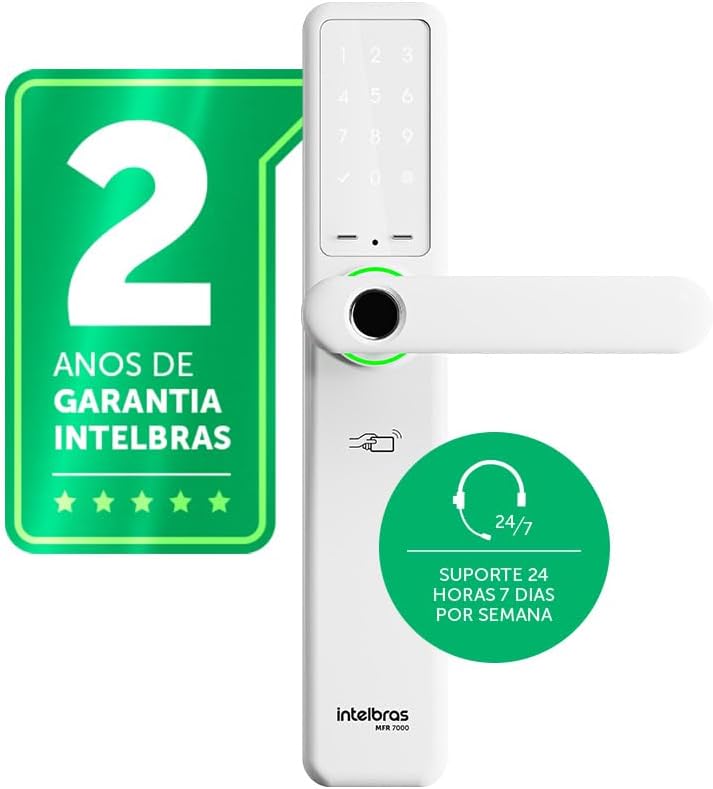
Ffigur 4.1: Blaen view of the Intelbras MFR 7000 Smart Embedded Deadbolt, showing the keypad, fingerprint reader, and handleset.

Ffigur 4.2: Ochr view of the MFR 7000, illustrating its slim profile.

Ffigur 4.3: Yn ol view of the MFR 7000, showing the interior handleset and battery compartment.
5. Gosod
The MFR 7000 is designed for straightforward installation, compatible with doors from 30mm to 60mm thick and utilizing the ABNT 14913 standard mortise. For detailed physical installation steps, refer to the separate Installation Manual included in your package. Professional installation is recommended.
Camau Gosod Cyffredinol:
- Paratowch y Drws: If replacing an existing lock, remove the old lock mechanism. Ensure the door meets the thickness requirements and mortise standard.
- Install the Mortise: Insert the MFR 7000 mortise mechanism into the door edge.
- Mount the Handleset: Attach the exterior and interior handleset components, ensuring proper alignment and cable connections.
- Sicrhewch y Clo: Use the provided fixing kit to secure all components firmly.
- Ymarferoldeb Prawf: After installation, test the mechanical operation of the handleset and deadbolt before proceeding with electronic setup.

Ffigur 5.1: Diagram illustrating the easy installation process with the ABNT 14913 standard mechanism. This image shows the steps: remove old lock, insert MFR 7000 mechanism, and finalize installation.

Ffigur 5.2: The MFR 7000 Smart Deadbolt handleset installed on a door, demonstrating its integrated appearance.
6. Setup and User Management
After physical installation, proceed with the electronic setup and user registration.
6.1 Initial Power-Up and Master Code Setup
- Insert the 4 AA batteries into the battery compartment on the interior unit.
- The lock will power on and prompt for initial setup. Follow the voice prompts or display instructions to set a master password. This master password is crucial for managing other users and settings.
6.2 Registering Users
The MFR 7000 supports up to 100 biometrics, 100 proximity tags, and 15 passwords.
- Biometric Registration: Access the user management menu using your master password. Select the option to add a new biometric user. Follow the on-screen prompts to scan the fingerprint multiple times for accurate registration.
- Agosrwydd Tag Cofrestru: In the user management menu, select to add a new tag. Present the sticker tag or proximity tag to the designated reader area on the lock.
- Password Registration: From the user management menu, choose to add a new password. Enter a 6-10 digit password and confirm it.
Pwysig: For remote access, user management, and smart home integration features, you must purchase and connect the MCA 1001 Automation Hub (sold separately) and use the Intelbras Mibo app.
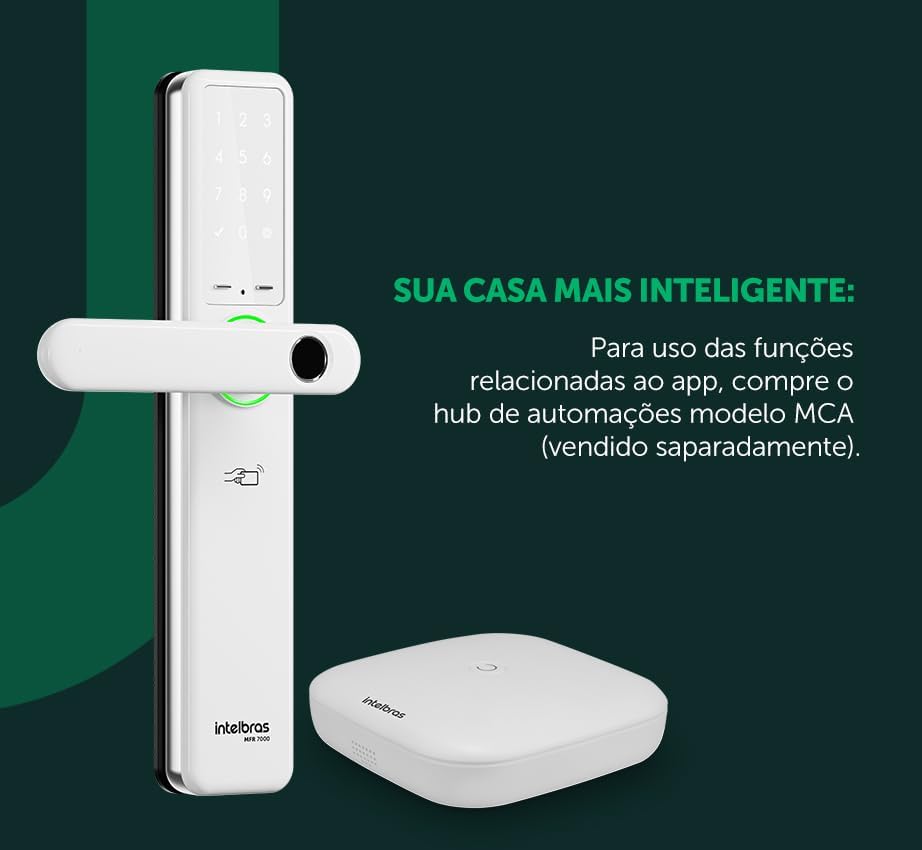
Ffigur 6.1: The MFR 7000 Smart Deadbolt shown alongside the Mibo Automation Hub, which is required for app-related smart functions.
7. Cyfarwyddiadau Gweithredu
7.1 Datgloi'r Drws
- Using Biometrics: Place your registered finger on the fingerprint reader. The lock will unlock if the fingerprint is recognized.
- Using Proximity Tags: Present a registered proximity tag i'r tag reader area on the lock. The lock will unlock.
- Using a Password: Enter your registered password on the keypad, then press the '#' or 'Enter' key. The lock will unlock.
- Using Physical Keys: In case of battery depletion or electronic malfunction, insert the physical key into the keyhole and turn to unlock.
- Remote Unlocking (with Mibo Hub): Open the Intelbras Mibo app on your smartphone and select the MFR 7000 lock to remotely unlock it.
7.2 Cloi'r Drws
- Cloi awtomatig: The MFR 7000 features an auto-lock function that engages the deadbolt automatically a few seconds after the door is closed.
- Cloi â Llaw: From the exterior, press the '#' key on the keypad. From the interior, turn the thumb-turn or lift the handleset (if applicable for manual deadbolt engagement).
- Remote Locking (with Mibo Hub): Use the Intelbras Mibo app to remotely lock the door.
7.3 Non-Disturb Function
Activate the non-disturb function from the interior unit to prevent external access, even with valid credentials. This provides enhanced privacy and security when inside.
8. cynnal
8.1 Batri Newydd
- The lock is powered by 4 AA alkaline batteries, providing an average duration of 10 months (based on 10 daily accesses).
- The lock will provide a low battery warning when replacement is needed.
- To replace, open the battery compartment on the interior unit, remove old batteries, and insert new ones, ensuring correct polarity.
8.2 Glanhau
- Clean the lock's exterior surfaces with a soft, dry cloth.
- Do not use abrasive cleaners, solvents, or chemical sprays, as these can damage the finish and electronic components.
- Keep the fingerprint sensor and keypad clean for optimal performance.
9. Datrys Problemau
| Problem | Achos Posibl | Ateb |
|---|---|---|
| Lock does not respond / No power. | Batris marw neu wedi'u gosod yn anghywir. | Replace all 4 AA batteries, ensuring correct polarity. |
| Ôl bysedd heb ei adnabod. | Finger is wet, dirty, or improperly placed; fingerprint not registered; sensor is dirty. | Ensure finger is clean and dry. Place the entire pad of the registered finger firmly on the sensor. Clean the sensor. Re-register fingerprint if issues persist. |
| Password not accepted. | Incorrect password entered; password not registered. | Verify the password and re-enter. Ensure the password has been correctly registered. |
| Agosrwydd tag ddim yn gweithio. | Tag not registered; tag difrodi. | Sicrhau y tag is registered. Try another registered tag. If still not working, the tag gall gael ei niweidio. |
| Nid yw clo awtomatig yn ymgysylltu. | Door not fully closed; auto-lock feature disabled. | Ensure the door is completely closed. Check lock settings to confirm auto-lock is enabled. |
| Remote functions not working. | MCA 1001 Automation Hub not connected or configured; network issues. | Ensure the MCA 1001 Hub is properly installed and connected to your network. Verify the Mibo app is updated and connected to the hub. |
10. manylebau
| Nodwedd | Manylyn |
|---|---|
| Model | MFR 7000 |
| Brand | Intelbras |
| Dulliau Mynediad | Biometrics (up to 100), Proximity Tags (up to 100), Passwords (up to 15), Physical Keys |
| Ffynhonnell Pwer | Batris 4 alcalïaidd AA |
| Bywyd Batri | Approx. 10 months (based on 10 daily accesses) |
| Cydnawsedd Trwch Drws | 30mm i 60mm |
| Mortise Standard | ABNT 14913 |
| Dimensiynau (Cynnyrch) | 8 x 5 x 27 cm |
| Pwysau (Eitem) | 2.89 Cilogram |
| Lliw | Gwyn |
| Nodweddion Arbennig | MCA 1001 Automation Hub Required (Sold Separately) for smart functions, Reversible Lever |
11. Gwarant a Chefnogaeth
- Gwarant: The Intelbras MFR 7000 Smart Embedded Deadbolt comes with a 2-year Intelbras warrantyCadwch eich prawf prynu ar gyfer hawliadau gwarant.
- Cymorth Technegol: Intelbras offers cymorth technegol 24/7 for its products. For assistance, please refer to the contact information provided on the Intelbras official website or your regional support channels.
- Adnoddau Ar-lein: Visit the official Intelbras website for updated manuals, FAQs, and additional support resources.