
1. Rhagymadrodd
Diolch am brynuasing the VTech XS1050 Cordless Phone. This manual provides essential information for setting up, operating, and maintaining your new phone. Please read it thoroughly to ensure proper use and to take full advantage o'i nodweddion.

Figure 1: VTech XS1050 Cordless Phone and Base Unit
This image shows the VTech XS1050 cordless phone handset resting in its white base unit. The handset features a digital display and a numeric keypad. The base unit also has controls for the answering machine.
2. Gosod
2.1 Cynnwys Pecyn
Cyn i chi ddechrau, gwnewch yn siŵr bod yr holl eitemau yn bresennol:
- VTech XS1050 Handset
- VTech XS1050 Base Unit
- Addasydd Pŵer ar gyfer yr Uned Sylfaen
- Cordyn Llinell Ffôn
- 2 x Product-Specific Batteries (included)
- Llawlyfr Defnyddiwr (y ddogfen hon)
2.2 Gosod Batri
- Agorwch y clawr compartment batri ar gefn y ffôn.
- Insert the two supplied batteries, observing the correct polarity (+ and -).
- Caewch y clawr adran batri yn ddiogel.
2.3 Cysylltu'r Uned Sylfaen
- Connect the power adapter to the base unit and plug it into a wall outlet.
- Connect one end of the telephone line cord to the base unit and the other end to your telephone wall jack.
2.4 Tâl Cychwynnol
Place the handset on the base unit. The battery indicator on the handset display will show charging. Allow the handset to charge for at least 16 hours before initial use to ensure optimal battery performance.
3. Cyfarwyddiadau Gweithredu
3.1 Gwneud a Derbyn Galwadau
- Gwneud galwad: Codwch y ffôn llaw, deialwch y rhif, a gwasgwch y Galwch botwm.
- Derbyn galwad: Pan fydd y ffôn yn canu, pwyswch y Galwch botwm.
- Dod â galwad i ben: Gwasgwch y Galwad Diwedd botwm neu rhowch y set law yn ôl ar yr uned sylfaen.
3.2 Using the Answering Machine
The VTech XS1050 features a digital answering machine with up to 30 minutes of recording time.
- Chwarae Negeseuon: Gwasgwch y Chwarae botwm ar yr uned sylfaen.
- Recordio Cyfarchiad: Refer to the detailed instructions in the full manual for custom greeting setup.
3.3 Hands-Free Speakerphone
To activate the hands-free speakerphone during a call, press the Speakerphone button on the handset. Press it again to switch back to handset mode.

Figure 2: Hands-Free Speakerphone Function
This image shows a person in a kitchen setting, using the VTech XS1050 handset on speakerphone mode while performing other tasks, indicating the convenience of the hands-free function.
3.4 Addasiad Cyfaint
Yn ystod galwad, defnyddiwch y Cyfrol i Fyny a Cyfrol Lawr buttons on the side of the handset to adjust the earpiece volume. The base unit also has volume controls for the speakerphone and answering machine playback.
3.5 Phonebook and Speed Dial
- Llyfr Ffôn: Store up to 100 names and numbers. Access and manage entries via the handset menu.
- Deialu cyflymder: Assign frequently called numbers to 8 dedicated speed dial keys for quick access.
3.6 Caller ID and Call History
The phone displays caller information (if available from your service provider) and stores a history of the last 20 incoming calls.

Figure 3: Caller ID and Call History Display
This image illustrates the handset's display showing multiple entries in the call history, including caller names and numbers, demonstrating the caller ID and call waiting features.
3.7 Conference Function
The intercom/hands-free function allows multiple users to participate in a conversation simultaneously, facilitating three-way conference calls.

Figure 4: Three-Way Conference Call
This image depicts three individuals engaged in separate phone conversations, symbolizing the three-way conference call capability of the VTech XS1050.
3.8 Alarm and Mute Function
The handset includes an alarm function for reminders and a mute function to temporarily silence your microphone during a call.

Figure 5: Alarm and Mute Function Icons
This image shows the VTech XS1050 handset on a table, with graphic overlays of an alarm clock and a muted speaker icon, illustrating the alarm and mute functionalities.
4. Nodweddion Allweddol
4.1 Cyfrol Ampllewywr
The VTech XS1050 features an integrated volume amplifier that boosts incoming sound and voice for enhanced clarity and volume. This feature is particularly beneficial for users with hearing impairments or those who prefer a louder audio experience.

Figure 6: Volume Amplifier in Action
This image visually represents the volume amplification feature, showing sound waves emanating from the handset and an ear icon with a plus sign, indicating increased audio output for clearer conversations.
4.2 Digital Answering Machine
Record and store incoming calls when you are unavailable. The digital answering machine offers a maximum storage duration of 30 minutes, ensuring you don't miss important messages.
4.3 Backlit Screen and Keypad
The handset features a backlit screen and keypad, providing improved visibility in low-light conditions and enhancing ease of use.

Figure 7: Backlit Screen and Keypad
This image highlights the illuminated display and keys of the VTech XS1050 handset, demonstrating its backlit feature for better visibility in dim environments.
4.4 Bywyd Batri Hir
Enjoy extended conversations with up to 18 hours of talk time on a single charge, ensuring your phone is ready when you need it.

Figure 8: Up to 18 Hours Battery Life
This image features a woman talking on the VTech XS1050 handset, with a graphic overlay indicating '18 hours' talk time, emphasizing the product's long battery endurance.
4.5 Adjustable Ringtone Volume and Melodies
Customize your phone experience by adjusting the ringtone volume and choosing from various melodies to suit your preference.

Figure 9: Adjustable Ringtone Settings
This image shows the VTech XS1050 handset with graphic icons representing a bell (ringtone) and musical notes, indicating the ability to adjust ringtone volume and select melodies.
4.6 Multilingual Help Messages
The phone supports multilingual help messages, providing assistance in various languages for user convenience.
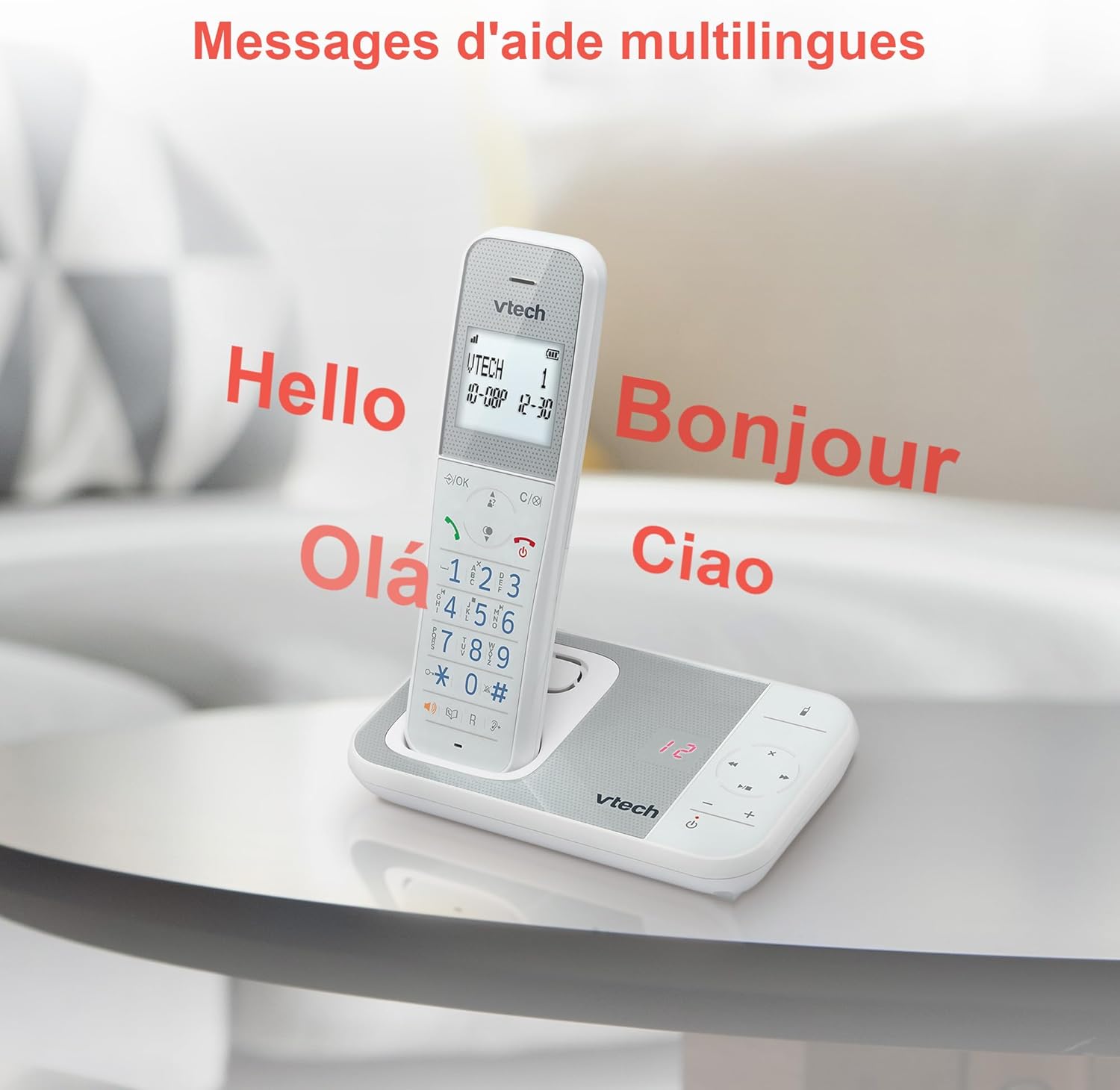
Figure 10: Multilingual Help Messages
This image displays the VTech XS1050 handset with various greetings like 'Hello', 'Bonjour', 'Olá', and 'Ciao' floating around it, illustrating the multilingual support feature.
5. cynnal
5.1 Glanhau
Sychwch y ffôn a'r uned sylfaen gyda lliain meddal, damp lliain. Peidiwch â defnyddio glanhawyr sgraffiniol na thoddyddion. Gwnewch yn siŵr nad oes hylif yn mynd i mewn i agoriadau'r ffôn.
5.2 Gofal Batri
- Always use the supplied batteries.
- Os na fydd y ffôn yn cael ei ddefnyddio am gyfnod hir, tynnwch y batris i atal gollyngiadau.
- Gwaredwch hen fatris yn gyfrifol yn unol â rheoliadau lleol.
6. Datrys Problemau
If you experience issues with your VTech XS1050, please refer to the following common problems and solutions:
| Problem | Achos Posibl | Ateb |
|---|---|---|
| Dim tôn deialu | Nid yw llinyn y llinell ffôn wedi'i gysylltu'n iawn. | Ensure the telephone line cord is securely plugged into the base unit and the wall jack. |
| Nid yw'r ffôn yn troi ymlaen | Batteries are not charged or incorrectly installed. | Check battery polarity and ensure the handset is properly seated on the base unit for charging. Verify power adapter connection. |
| Ansawdd sain gwael | Ymyrraeth gan ddyfeisiau electronig eraill. | Move the base unit or handset away from other electronic devices such as TVs, computers, or microwaves. |
| Peiriant ateb ddim yn recordio | Memory full or answering machine is off. | Delete old messages to free up space. Ensure the answering machine function is activated. |
7. manylebau
| Nodwedd | Manylyn |
|---|---|
| Brand | VTech |
| Model | XS1050 |
| Lliw | Gwyn |
| Math Ffôn | Di-wifr (DECT) |
| Nifer y Batris | 2 (Product Specific - Included) |
| Deunydd | Plastig |
| Ffynhonnell Pwer | Wedi'i Bweru â Batri |
| Math Deialydd | Bysellbad Sengl |
| Dimensiynau Eitem (L x W x H) | 18.5 x 15.1 x 6.6 centimetr |
| Math o System Ateb | Digidol |
| Pwysau Eitem | 400 gram |
| Capasiti'r Peiriant Ateb | Hyd at 30 munud |
| Gallu Llyfr Ffôn | 100 o enwau a rhifau |
| Hanes Galwadau | 20 ymgais |
| Amser Siarad | Hyd at 18 awr |
8. Gwarant a Chefnogaeth
8.1 Gwybodaeth Gwarant
For detailed warranty information, please refer to the warranty card included with your product or visit the official VTech websafle. Cadwch eich derbynneb prynu fel prawf o brynu.
8.2 Cefnogaeth i Gwsmeriaid
If you require further assistance or have questions not covered in this manual, please contact VTech customer support. Contact details can typically be found on the VTech websafle neu yn y pecyn cynnyrch.