
Rollei Powerflex 10X
Rollei Powerflex10X Digital Camera User Manual
Model: Powerflex 10X (40150)
Brand: Rollei
Rhagymadrodd
This manual provides comprehensive instructions for the operation and maintenance of your Rollei Powerflex10X digital camera. Please read this manual thoroughly before using the camera to ensure proper handling and to maximize its performance. The Rollei Powerflex10X is designed for capturing high-quality photos and videos with its 10x optical zoom and versatile shooting modes.
Cynnwys Pecyn
Please verify that all items listed below are included in your package. If any items are missing or damaged, contact your retailer.
- Rollei Powerflex10X Digital Camera
- Batri Lithiwm-Ion y gellir ei ailwefru
- Cebl USB
- Strap arddwrn
- Llawlyfr Defnyddiwr (y ddogfen hon)
Cynnyrch Drosview

Ffigur 1: Blaen view of the Rollei Powerflex10X digital camera, showcasing its compact design and prominent optical zoom lens.

Ffigur 2: Manwl view of the 10x optical zoom lens, indicating its focal length range of 4.9-49mm and aperture range of f/2.8-3.1.

Ffigur 3: Ochr view of the camera with the protective cover open, revealing the USB and HD (HDMI) ports for connectivity.

Ffigur 4: Cefn view of the camera, showing the LCD display screen and control buttons for navigation and settings.
Gosod
1. Codi Tâl y Batri
Insert the included Lithium-Ion battery into the camera's battery compartment. Connect the camera to a power source using the provided USB cable. The charging indicator light will illuminate during charging and turn off when fully charged.
2. Mewnosod Cerdyn Cof
The Rollei Powerflex10X requires an SD card (not included) for storing photos and videos. Open the memory card slot cover and insert the SD card with the metal contacts facing the correct direction until it clicks into place.
3. Troi ymlaen yn gychwynnol
Press and hold the power button to turn on the camera. Follow the on-screen prompts to set the date, time, and language.
Cyfarwyddiadau Gweithredu
Ffotograffiaeth Sylfaenol
To take a photo, frame your subject using the LCD screen. Press the shutter button halfway down to focus, then press it fully to capture the image.

Figure 5: The camera's display showing options for adjustable photo resolutions, ranging from 8 MP to an interpolated 64 MP.
Using the Optical Zoom
The camera features a 10x optical zoom lens. Use the zoom lever (typically around the shutter button) to zoom in or out. Optical zoom allows for clear magnification without loss of image quality.

Ffigur 6: An example illustrating the camera's 10x optical zoom, allowing users to capture distant subjects with clarity.
Dulliau Llun
The Rollei Powerflex10X offers 8 photo modes, ranging from fully automatic to manual settings, to suit various shooting conditions. Access these modes via the mode dial or menu options.

Figure 7: Visual representation of the 8 distinct photo modes available on the camera, designed for different photographic scenarios.
Using the Fold-Out Flash
For low-light conditions, the camera is equipped with a fold-out flash. Manually raise the flash unit when needed. The flash will automatically fire when activated in appropriate modes.

Figure 8: The camera with its integrated fold-out flash in the extended position, ready for use in low-light environments.
Recordio Fideo
The camera supports video recording up to 4K resolution at 24 frames per second (fps). Switch to video mode and press the record button to start and stop recording.
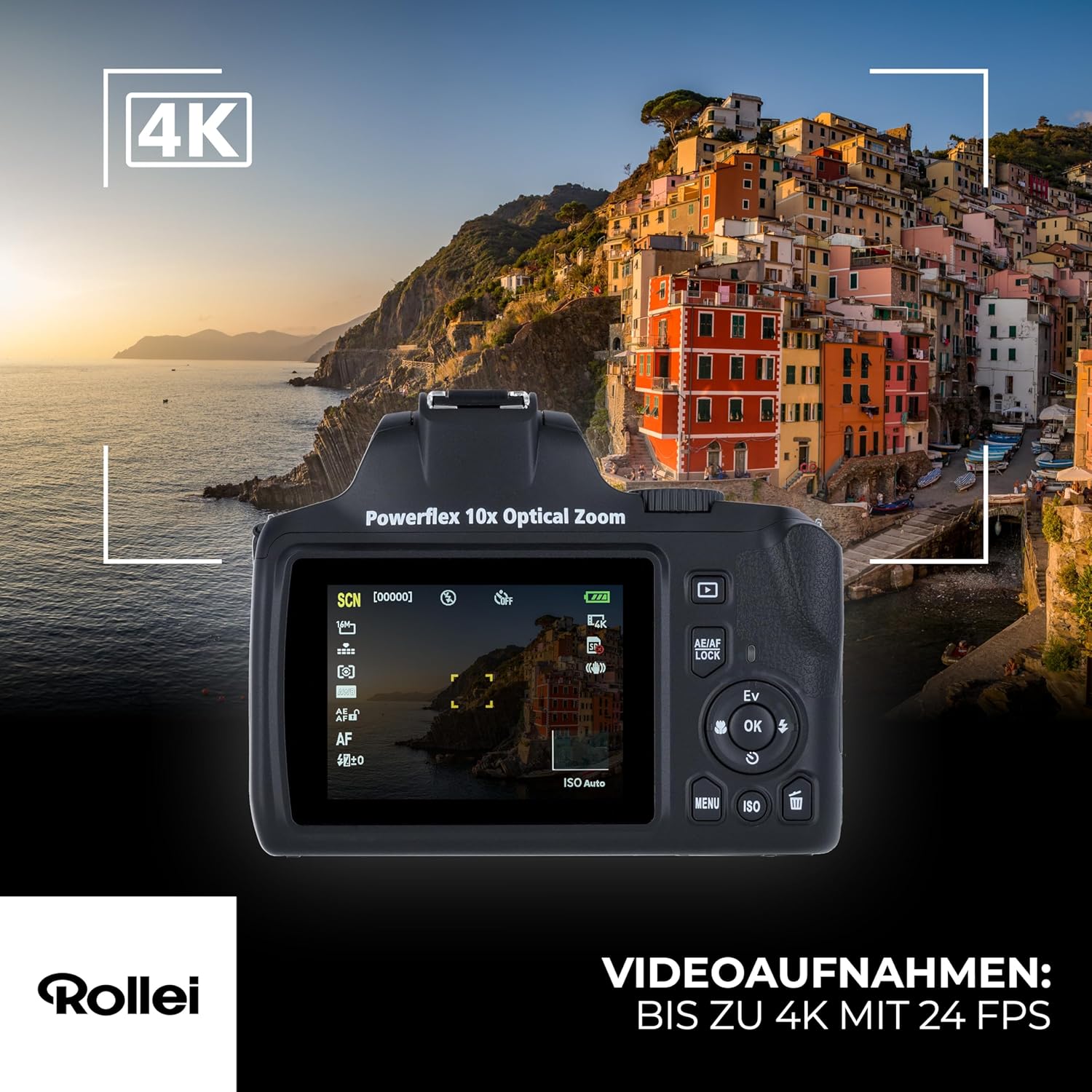
Figure 9: The camera's screen indicating 4K video recording capability, showing the video interface.
Cynnal a chadw
Glanhau'r Camera
- Defnyddiwch frethyn meddal, di-lint i lanhau corff y camera.
- For the lens, use a specialized lens cleaning cloth and solution. Avoid touching the lens surface with your fingers.
- Do not use organic solvents or strong chemicals to clean the camera.
Storio
- Storiwch y camera mewn lle oer, sych i ffwrdd o olau haul uniongyrchol a thymheredd eithafol.
- Tynnwch y batri os na fydd y camera yn cael ei ddefnyddio am gyfnod estynedig.
- Use a desiccant packet in the storage area to prevent moisture buildup.
Datrys problemau
| Problem | Achos Posibl | Ateb |
|---|---|---|
| Nid yw'r camera yn troi ymlaen. | Mae'r batri wedi'i wagio neu wedi'i fewnosod yn anghywir. | Charge the battery fully. Ensure the battery is inserted correctly. |
| Cannot take photos. | Mae'r cerdyn cof yn llawn, wedi'i gloi, neu heb ei fewnosod. | Dileu diangen files, unlock the card, or insert a valid memory card. |
| Mae'r delweddau'n aneglur. | Ysgwyd camera, symudiad y pwnc, neu ffocws anghywir. | Hold the camera steady, use a tripod, or ensure proper focus before shooting. |
| Nid yw'r fflach yn tanio. | Flash is not raised or disabled in settings. | Manually raise the fold-out flash. Check flash settings in the menu. |
Manylebau
| Nodwedd | Manylyn |
|---|---|
| Rhif Model | 40150 |
| Chwyddo Optegol | 10x |
| Technoleg Synhwyrydd Ffotograffau | Sony IMX415 |
| Datrysiad Llun Uchaf | Up to 64 MP (interpolated from 8 MP sensor) |
| Recordio Fideo | 4K ar 24 fps |
| Cefnogir File Fformatau | JPEG (Photos), MP4 (Videos) |
| Sefydlogi Delwedd | Digidol |
| Minimum Expanded ISO | 50 |
| Disgrifiad Mesuryddion | Pwysol y Ganolfan |
| Math Batri | 1 Ion Lithiwm (wedi'i gynnwys) |
| Dimensiynau (pecyn) | 19.6 x 15.5 x 12.2 cm |
| Pwysau (Pecyn) | 606 g |
Gwarant a Chefnogaeth
Am wybodaeth am warant a chymorth technegol, cyfeiriwch at wefan swyddogol Rollei websafle neu cysylltwch â'ch deliwr awdurdodedig lleol. Cadwch eich prawf prynu ar gyfer hawliadau gwarant.
Cymorth Ar-lein: Ymwelwch www.rollei.com for FAQs, software updates, and contact information.