
1. Cynnyrch Drosview
The Docooler IPX7 Waterproof Bluetooth Portable Shower Speaker is designed for audio playback in various environments, including wet conditions. It features Bluetooth 5.0 connectivity, an LED display, FM radio, and a light show function. The speaker is equipped with a removable suction cup for versatile placement.

Image: Docooler IPX7 Waterproof Bluetooth Portable Shower Speaker, showcasinei ddyluniad a'i nodweddion.
2. Cynnwys Pecyn
Gwiriwch fod yr holl eitemau yn bresennol yn y pecyn:
- Docooler IPX7 Waterproof Bluetooth Portable Shower Speaker
- Cebl Codi Tâl USB-C
- Removable Suction Cup
- Llawlyfr Defnyddiwr
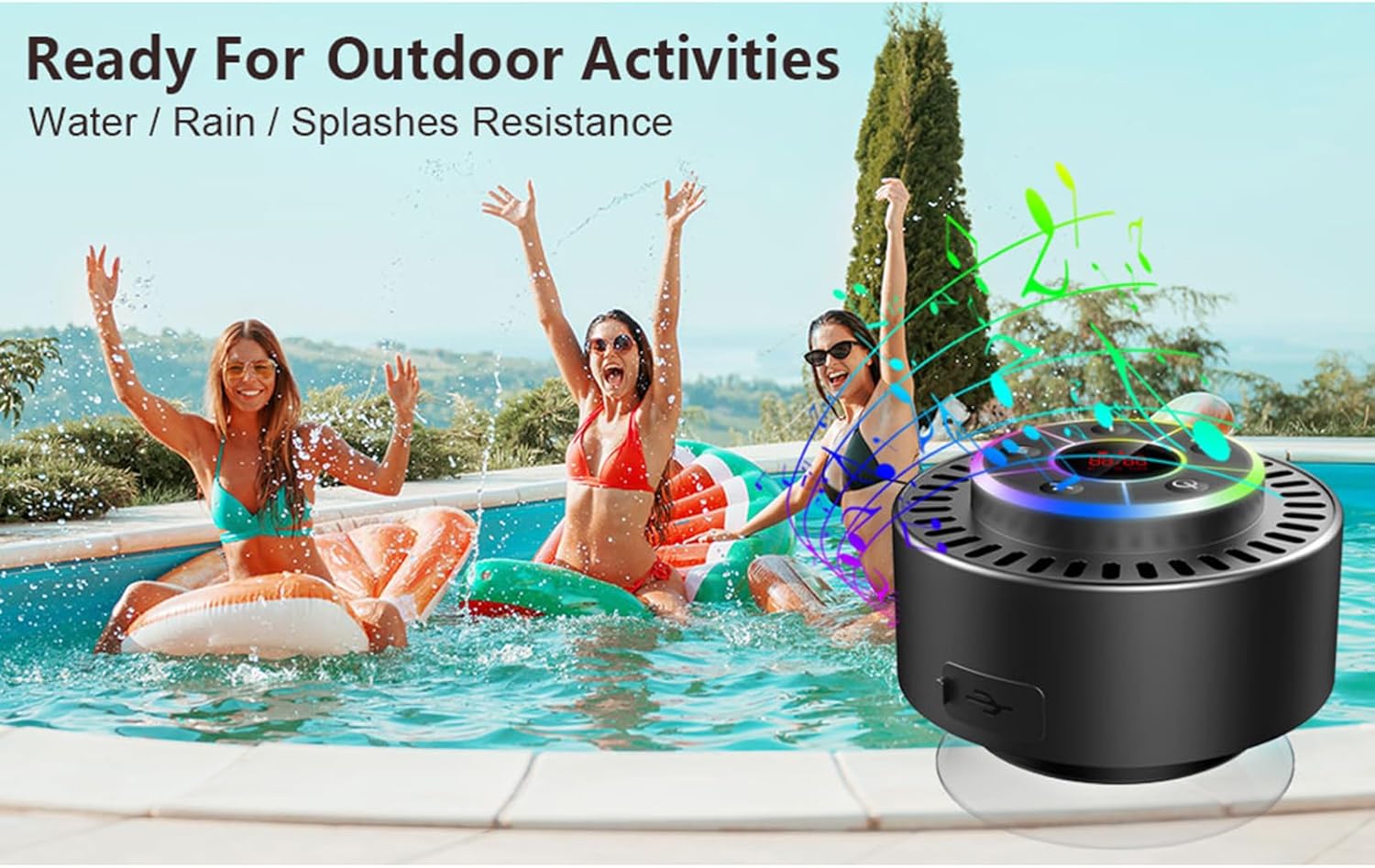
Image: The speaker, USB-C charging cable, and user manual as included in the package.
3. Gosod
3.1 Gwefru'r Siaradwr
Before initial use, fully charge the speaker. Connect the provided USB-C charging cable to the speaker's charging port and the other end to a USB power adapter (not included) or a computer's USB port. The LED display will indicate charging status.
3.2 Cysylltu'r Cwpan Sugno
To attach the suction cup, ensure both the speaker's back surface and the desired mounting surface are clean and dry. Press the suction cup firmly against the surface until it adheres securely. For best results, slightly moisten the suction cup before application.
3.3 Pweru Ymlaen/Diffodd
- I Bweru Ymlaen: Pwyswch a dal y Botwm pŵer (
 ) for approximately 3 seconds until the LED display illuminates.
 - I Bweru i ffwrdd: Pwyswch a dal y Botwm pŵer for approximately 3 seconds until the LED display turns off.
4. Cyfarwyddiadau Gweithredu
4.1 Swyddogaethau Botwm
Delwedd: Manwl view of the speaker's control panel, indicating the function of each button.
| Botwm | Swyddogaeth (Pwyso Byr) | Swyddogaeth (Gwasg Hir) |
|---|---|---|
| Botwm Pŵer () | Toggle LED light show modes | Pŵer Ymlaen / Diffodd |
| M Botwm | Switch between Bluetooth and FM Radio modes | Amh |
| Botwm Chwarae/Seibiant () | Play/Pause music; Answer/End calls; Auto-scan in FM mode | Gwrthod galwad sy'n dod i mewn |
| Previous Song / Volume Down (-) | Previous song (Bluetooth); Previous station (FM) | Lleihau cyfaint |
| Next Song / Volume Up (+) | Next song (Bluetooth); Next station (FM) | Cynyddu cyfaint |
4.2 Pâr Bluetooth
When powered on, the speaker automatically enters Bluetooth pairing mode. The LED display will show 'BT'.
- Ensure Bluetooth is enabled on your device (smartphone, tablet, laptop).
- Chwiliwch am available Bluetooth devices and select "Docooler Speaker" from the list.
- Once connected, the speaker will emit an audible confirmation, and the 'BT' indicator on the LED display will stabilize.

Image: The speaker demonstrating connectivity with a phone, tablet, and computer via Bluetooth.
Paru Stereo Di-wifr Gwirioneddol 4.3 (TWS)
To achieve 3D stereo sound, two Docooler speakers can be paired together.
- Gwnewch yn siŵr bod y ddau siaradwr wedi'u troi ymlaen ac nad ydynt wedi'u cysylltu ag unrhyw ddyfais Bluetooth arall.
- Ar un siaradwr (hwn fydd y prif siaradwr), pwyswch a daliwch y Botwm Chwarae/Saib for 2-3 seconds until you hear a pairing tone.
- Bydd y ddau siaradwr yn cysylltu â'i gilydd yn awtomatig.
- Once paired, connect your device to the primary speaker via Bluetooth as described in section 4.2. Audio will now play through both speakers in stereo.

Image: Two Docooler speakers wirelessly connected to a computer, illustrating the True Wireless Stereo (TWS) feature.
Modd Radio 4.4 FM
To switch to FM Radio mode:
- Gwasgwch y Botwm M. to cycle through modes until 'FM' appears on the LED display.
- Auto-sgan: Yn y modd FM, pwyswch yn fyr y Botwm Chwarae/Saib to automatically scan and save available radio stations.
- Newid Gorsaf: Defnyddiwch y Previous Song / Volume Down (-) a Next Song / Volume Up (+) botymau i'w llywio trwy orsafoedd sydd wedi'u cadw.
- Addasu Cyfrol: Pwyswch yn hir y Previous Song / Volume Down (-) or Next Song / Volume Up (+) botymau i addasu'r cyfaint.
4.5 LED Light Show
The speaker features a beat-driven LED light show with seven colors.
- Newid Modd Golau: Byr wasg y Botwm pŵer to cycle through different light show patterns or to lock a single color.
- Diffodd y Goleuadau: Parhewch i wasgu'r Botwm pŵer until the lights turn off.
4.6 Galwad Heb Law
When connected via Bluetooth, the built-in microphone allows for hands-free calls.
- Ateb Galwad: Byr wasg y Botwm Chwarae/Saib.
- Galwad Diwedd: Byr wasg y Botwm Chwarae/Saib yn ystod galwad.
- Gwrthod Galwad: Pwyswch yn hir y Botwm Chwarae/Saib.
4.7 Gwybodaeth Arddangos LED
The LED display shows the current time and battery level in Bluetooth mode. In FM radio mode, it displays the frequency.
5. cynnal
5.1 Gwrthiant Dŵr (IPX7)
The speaker is IPX7 waterproof, meaning it can be submerged in up to 1 meter (3 feet) of water for up to 30 minutes. Ensure the charging port cover is securely closed before exposing the speaker to water. After exposure to water, wipe the speaker dry with a soft cloth.
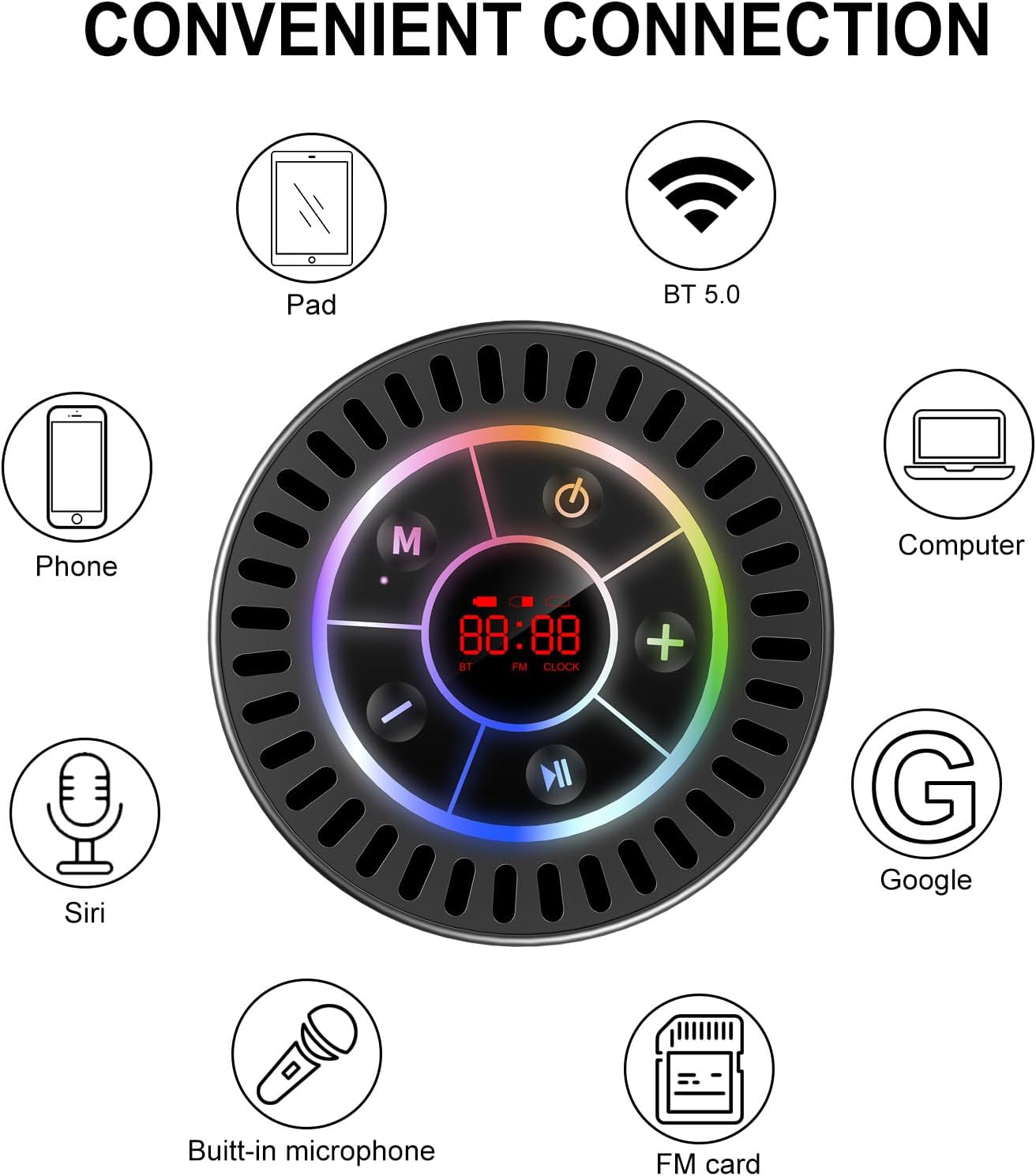
Image: The Docooler speaker attached to a shower wall, demonstrating its waterproof capability.
5.2 Glanhau
Glanhewch y siaradwr gyda meddal, damp lliain. Peidiwch â defnyddio glanhawyr sgraffiniol, alcohol, na thoddyddion cemegol, gan y gall y rhain niweidio'r wyneb neu'r cydrannau mewnol.
5.3 Storio
Storiwch y siaradwr mewn lle oer, sych i ffwrdd o olau haul uniongyrchol a thymheredd eithafol. Os ydych chi'n ei storio am gyfnod hir, gwefrwch y batri o bryd i'w gilydd i gynnal ei oes.
6. Datrys Problemau
- Nid yw'r siaradwr yn troi ymlaen: Ensure the battery is charged. Connect the speaker to a power source using the USB-C cable and try again.
- Methu paru drwy Bluetooth:
- Ensure the speaker is in Bluetooth pairing mode ('BT' flashing on display).
- Make sure Bluetooth is enabled on your device and it is within 15 meters of the speaker.
- Os ydych chi wedi'ch paru o'r blaen, ceisiwch anghofio'r ddyfais ar eich ffôn ac ail-baru.
- Ailgychwynwch y siaradwr a'ch dyfais Bluetooth.
- Poor FM radio reception: FM radio reception can be affected by location and environmental factors. Try repositioning the speaker or using it in an open area. The charging cable can sometimes act as an antenna to enhance signal.
- Dim sain neu gyfaint isel:
- Gwiriwch lefel y gyfrol ar y siaradwr a'ch dyfais gysylltiedig.
- Ensure the speaker is properly paired and not connected to another device.
- Os ydych chi'n defnyddio TWS, gwnewch yn siŵr bod y ddau siaradwr wedi'u paru'n gywir â'i gilydd ac yna â'ch dyfais.
- Speaker starts at full volume: Some units may default to a high volume upon power-on. Immediately adjust the volume using the '-' button to a comfortable level after turning the speaker on.
- Suction cup does not hold: Ensure the mounting surface is clean, smooth, and dry. Slightly moisten the suction cup before pressing it firmly onto the surface. Avoid porous or textured surfaces.
7. manylebau

Delwedd: Ffrwydrad view showing the internal components of the Docooler speaker, highlighting its sound technology.
| Nodwedd | Manylyn |
|---|---|
| Brand | Docooler |
| Rhif Model | SMT4782513347516YX |
| Technoleg Cysylltedd | Bluetooth 5.0 |
| Amrediad Bluetooth | Hyd at 15 metr |
| Lefel Gwrthsefyll Dŵr | IPX7 (Dŵr) |
| Llefarydd Uchafswm Pŵer Allbwn | 5 Wat |
| Ymateb Amlder | 100 Hz |
| Modd Allbwn Sain | Stereo, Surround (with TWS) |
| Cymhareb Arwydd-i-Sŵn | 95 dB |
| Nifer y Meicroffonau | 1 (Adeiledig) |
| Ffynhonnell Pwer | Wedi'i Bweru â Batri |
| Dull Rheoli | Botwm |
| Pwysau Eitem | 300 gram |
| Dyfeisiau Cydnaws | Laptop, MP3 Player, Smartphone, Tablet, Television |
8. Gwarant a Chefnogaeth
8.1 Gwybodaeth Gwarant
This Docooler speaker comes with a limited warranty. For specific terms and conditions, please refer to the warranty card included in your package or contact Docooler customer support.
8.2 Cefnogaeth i Gwsmeriaid
For further assistance, technical support, or warranty claims, please visit the official Docooler website or contact their customer service department. Contact information can typically be found on the product packaging or the brand's online store.