
IDAKODU T78
IDAKODU Bluetooth Headset DD97181-White-YC-150
Llawlyfr Defnyddiwr
Rhagymadrodd
The IDAKODU T78 Wireless Bluetooth 5.0 Earbuds are designed to provide a superior audio experience with advanced features such as fast transmission speed, stable connectivity, and high-quality sound. This manual provides detailed instructions on how to set up, operate, and maintain your new earbuds.
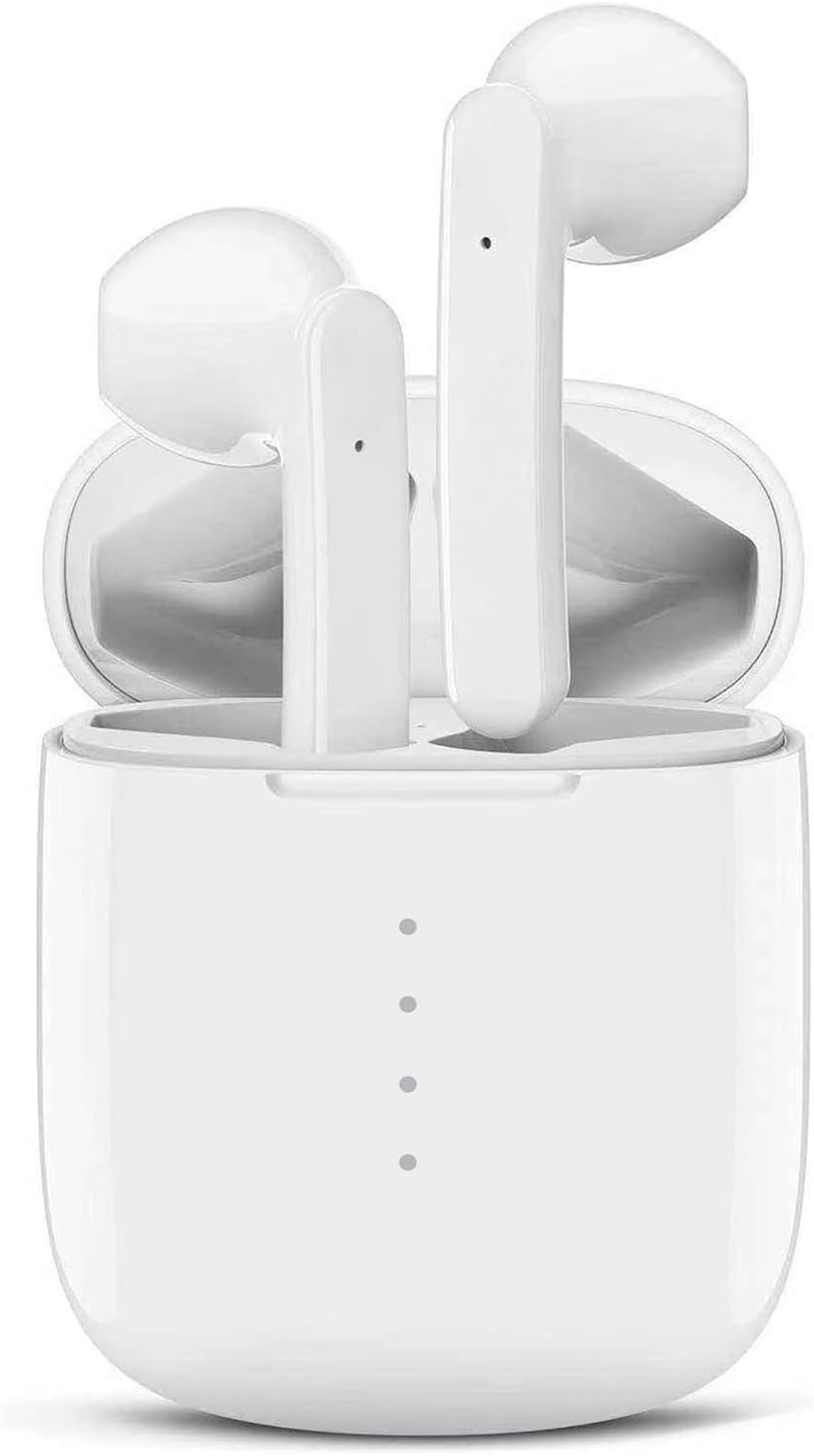
Image: The IDAKODU T78 Bluetooth Earbuds are shown resting inside their open white charging case, highlighting their compact and sleek design.
Cynnwys Pecyn
Gwiriwch y pecyn yn ofalus i sicrhau bod yr holl eitemau yn bresennol:
- Wireless Earbud × 2 (Left and Right)
- Achos Codi Tâl × 1
- USB Type C Data Cable × 1
- Llawlyfr Defnyddiwr × 1
Manylebau
| Rhif Cynnyrch | T78 |
| Fersiwn Bluetooth | V5.0 + EDR |
| Di-wifr Range | 15m (50 troedfedd) |
| Capasiti Batri Achos Codi Tâl | 350mAh |
| Cynhwysedd Batri Earbud | 30mAh |
| Amser Gweithio | 5 awr (un tâl) |
| Cyfanswm Amser Chwarae (gyda chas gwefru) | 30 awr |
| Amser Codi Tâl (Clustffonau) | 1 awr |
| Codi Tâl Cyflym | 15 munud o wefru am 2 awr o ddefnydd |
| Deunydd | Plastig |
| Graddfa dal dwr | IPX8 |
Gosod a Pharu
The IDAKODU T78 earbuds feature an automatic pairing system for a hassle-free experience.
- Paru Cychwynnol: Agorwch y cas gwefru. Bydd y clustffonau'n troi ymlaen yn awtomatig ac yn mynd i mewn i'r modd paru.
- Ar eich ffôn symudol neu ddyfais sydd â Bluetooth, ewch i'r gosodiadau Bluetooth.
- Look for "T78" in the list of available devices and select it to connect.
- Once connected, the light on the left earbud will stop flashing, indicating a successful connection.
- Ailgysylltu awtomatig: After the initial pairing, the earbuds will automatically connect to the last paired device when you open the charging case.

Image: This illustration demonstrates the simple one-step pairing process: take the earbuds out of the case to pair, and put them back to charge. A smartphone screen shows "T78" connected in Bluetooth settings.
Operating and Controls
The IDAKODU T78 earbuds feature intuitive touch controls on each earbud, allowing you to manage music playback, calls, and voice assistants.
Swyddogaethau Rheoli Cyffwrdd:
- Cliciwch Sengl:
- Chwarae/Seibiant Cerddoriaeth: Click either earbud.
- Ateb Galwad: Click either earbud.
- Galwad Hang Up: Click either earbud.
- Activate Siri (iOS only): Click either earbud.
- 2-Second Press:
- Cân Nesaf: Pwyswch a dal y Iawn earbud am 2 eiliad.
- Cân flaenorol: Pwyswch a dal y Chwith earbud am 2 eiliad.
- Gwrthod Galwad: Pwyswch a daliwch y naill glust neu'r llall am 2 eiliad.
- Switch Call (between phone and earbuds): Press and hold either earbud for 2 seconds during a call.
- Pŵer ymlaen / i ffwrdd: Pwyswch a daliwch y naill glust neu'r llall am 2 eiliad.
- Rheoli cyfaint:
- Cynyddu Cyfrol: Cliciwch ddwywaith ar y Iawn earbud.
- Gostwng y Gyfrol: Cliciwch ddwywaith ar y Chwith earbud.
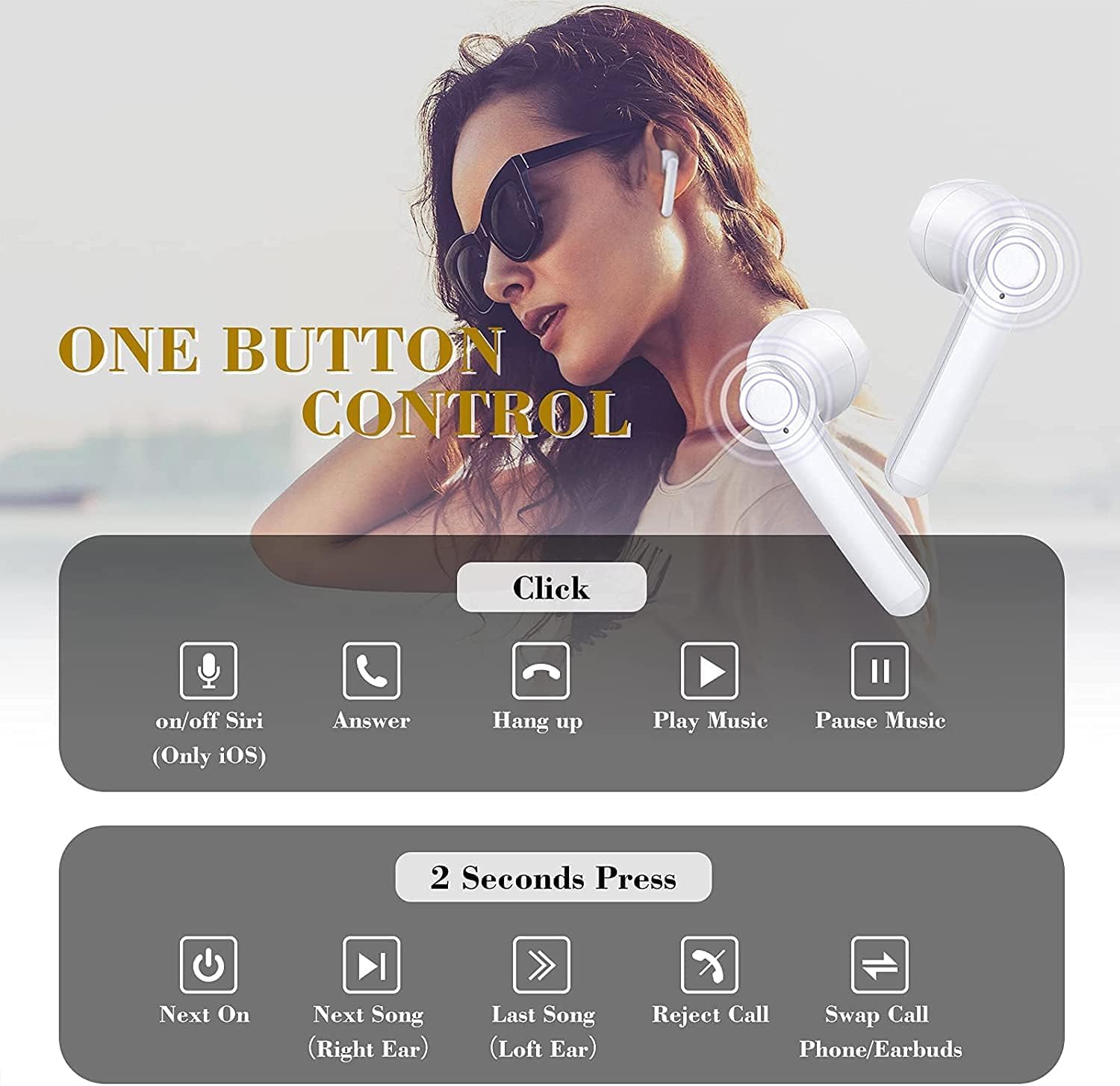
Image: This graphic illustrates the various touch control functions of the IDAKODU T78 earbuds, including single clicks for play/pause, answer/hang up calls, and Siri activation, and 2-second presses for next/previous song, rejecting calls, and power on/off.
Sound Quality and Compatibility
The IDAKODU T78 earbuds are engineered for superior audio performance and broad device compatibility.
Ansawdd Sain Gwell:
Equipped with a built-in microphone, aptX audio coding, and CVC8.0 Noise Cancelling technology, these earbuds deliver crystal clear music with deep bass and clear definition. This technology also minimizes sound skipping and interruptions during calls, ensuring a high-quality audio experience.

Delwedd: Ffrwydrad view of an earbud's internal components, highlighting the speaker driver and sound technology responsible for crystal clear audio. Text overlays indicate 5 hours continuous playtime, 4 times full charge by charging case, and 25 hours extra long playtime.
Cydnawsedd Eang:
Thanks to Qualcomm Wireless Bluetooth 5.0, the T78 earbuds offer 2x faster transmission speed and a stable connection up to 50 feet (15 meters). They are widely compatible with various Bluetooth-enabled devices, including iPhones, Android phones, Samsung devices, iPads, tablets, laptops, and desktops.
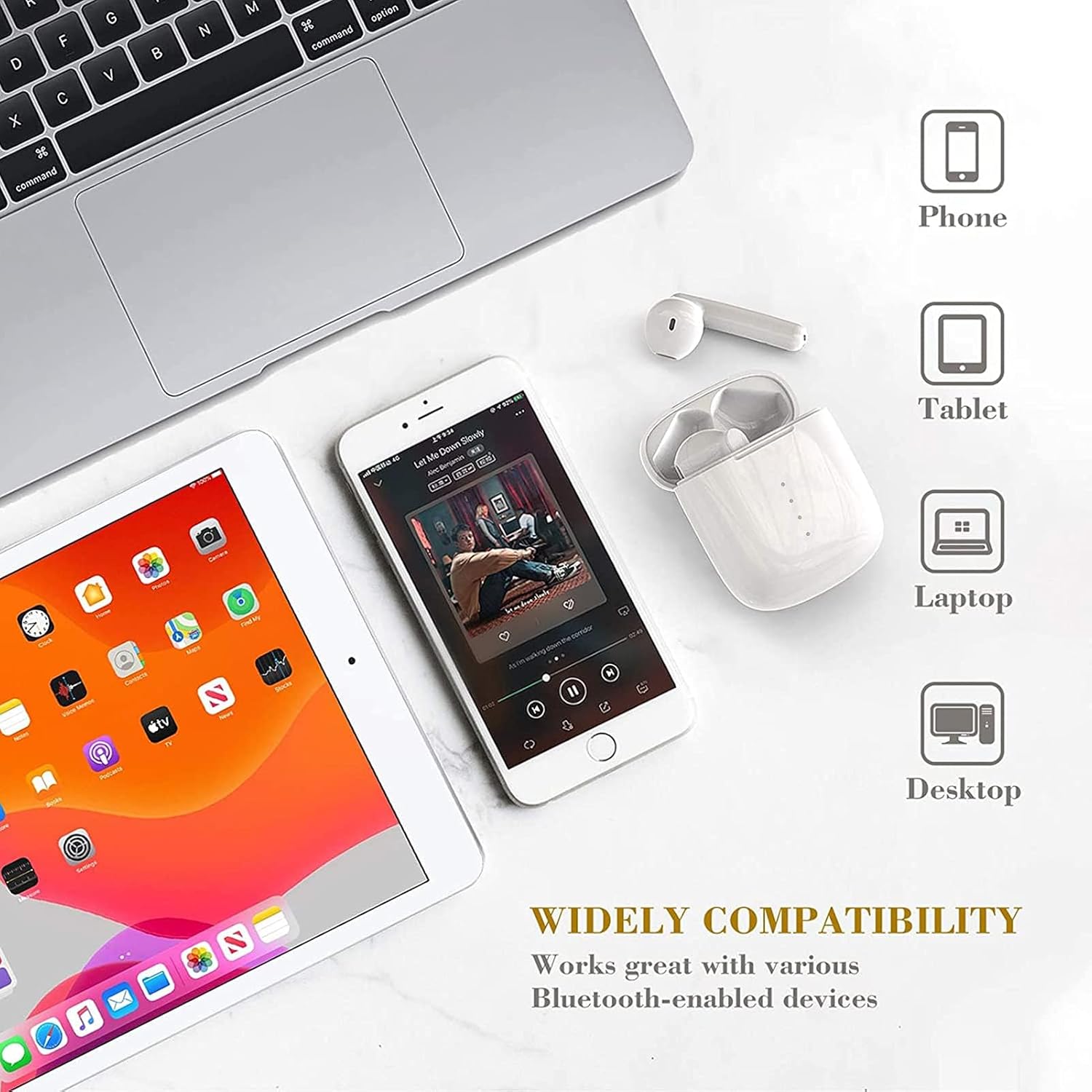
Image: This image showcases the wide compatibility of the IDAKODU T78 earbuds, depicting them alongside a smartphone, tablet, laptop, and desktop computer, indicating their ability to connect with various devices.
Batri a Chodi Tâl
The IDAKODU T78 earbuds offer extended playtime and convenient charging options.
- Amser chwarae: Enjoy up to 5 hours of continuous use on a single charge. The charging case provides an additional 25 hours of playtime, totaling 30 hours.
- Codi tâl: The earbuds fully charge in approximately 1 hour. The charging case can be fully charged via the fast charge USB-C cable in about 1 hour.
- Codi Tâl Cyflym: A quick 15-minute charge provides up to 2 hours of listening time.
Gwydnwch a Dyluniad
The IDAKODU T78 earbuds are built for comfort and resilience.
Dyluniad ergonomig:
Designed for ultra-comfortable wearing, these earbuds reduce pressure on the ear, ensuring they remain comfortable even during long periods of use. They are suitable for various modes of use, including single ear, binaural, and share mode.
IPX8 Waterproof Effect:
With an IPX8 waterproof rating, the earbuds offer strong resistance against sweat and water. This makes them an ideal partner for gym workouts, outdoor sports, and other activities where exposure to moisture is possible.

Image: This image highlights the ergonomic and IPX8 waterproof design of the IDAKODU T78 earbuds. It shows the earbuds being used in single ear, binaural, and share modes, and depicts them submerged in water to illustrate their waterproof capability. Compatibility with iOS, macOS, Android, and Windows is also indicated.
Cynnal a chadw
Mae cynnal a chadw priodol yn sicrhau hirhoedledd a pherfformiad gorau posibl eich clustffonau.
- Glanhau: Sychwch y clustffonau a'r cas gwefru yn rheolaidd gyda lliain meddal, sych, heb lint. Peidiwch â defnyddio glanhawyr sgraffiniol na thoddyddion.
- Storio: Pan nad ydynt yn cael eu defnyddio, storiwch y clustffonau yn eu cas gwefru i'w hamddiffyn rhag llwch a difrod. Storiwch mewn lle oer, sych i ffwrdd o dymheredd eithafol.
- Codi tâl: Always use the provided USB Type C cable for charging. Avoid using damaged cables or chargers.
- Amlygiad Dŵr: While IPX8 rated, avoid prolonged submersion or exposure to saltwater or other corrosive liquids. Ensure earbuds are dry before placing them back in the charging case.
Datrys problemau
If you encounter any issues with your IDAKODU T78 earbuds, refer to the following common solutions:
- Clustffonau ddim yn paru:
- Sicrhewch fod y ddau glustffon wedi'u gwefru.
- Place both earbuds back into the charging case, close the lid, wait a few seconds, then open the lid again.
- Diffoddwch ac ymlaen Bluetooth eich dyfais.
- Forget "T78" from your device's Bluetooth list and try pairing again.
- Dim ond un clustffon sy'n gweithio:
- Sicrhewch fod y ddau glustffon wedi'u gwefru.
- Rhowch y ddau glustffon yn ôl yn y cas gwefru, caewch y caead, ac yna agorwch ef eto. Mae hyn yn aml yn eu hail-gysoni.
- If the issue persists, try resetting the earbuds (refer to the full user manual if a specific reset procedure is available, otherwise, a full re-pairing might be needed).
- Dim sain neu gyfaint isel:
- Gwiriwch lefel y gyfrol ar eich dyfais a'r clustffonau.
- Gwnewch yn siŵr bod y clustffonau wedi'u cysylltu'n iawn â'ch dyfais.
- Glanhewch unrhyw falurion o siaradwyr y clustffonau.
- Materion codi tâl:
- Gwnewch yn siŵr bod y cebl gwefru wedi'i gysylltu'n ddiogel â'r cas a'r ffynhonnell bŵer.
- Rhowch gynnig ar gebl USB-C gwahanol neu addasydd pŵer.
- Glanhewch y cysylltiadau gwefru ar y clustffonau a thu mewn i'r cas.
Gwarant a Chefnogaeth
IDAKODU products are manufactured to high quality standards. For information regarding warranty coverage, technical support, or service inquiries, please refer to the warranty card included in your package or visit the official IDAKODU websafle. Cadwch eich prawf prynu ar gyfer hawliadau gwarant.
Ask a question about this manual
Ask about setup, troubleshooting, compatibility, parts, safety, or missing instructions. Manuals+ will review the question and use this page’s manual context to help answer it.