
Rhagymadrodd
Thank you for choosing the Xmenha Mini Invisible Bluetooth Earbuds Y9. These earbuds are designed for discreet, comfortable listening, featuring a compact size and ergonomic fit suitable for small ears. This manual provides essential information for setting up, operating, maintaining, and troubleshooting your earbuds to ensure optimal performance and longevity.
Cynnwys Pecyn
- Xmenha Mini Invisible Bluetooth Earbuds (1 pair)
- Achos Codi Tâl
- Cebl Codi Tâl USB
- Llawlyfr Defnyddiwr
- Clustffonau Silicon (amrywiol feintiau)
Cynnyrch Drosview
The Xmenha Y9 earbuds are engineered for a low-profile fit and high-quality audio. Below are visual representations of the product and its key features.

Image: The Xmenha Y9 mini earbud is shown held by a finger, highlighting its exceptionally small and discreet design next to its charging case.

Delwedd: Llun agos view of a woman's ear demonstrates how the Xmenha Y9 earbud sits almost entirely within the ear canal, making it nearly invisible.

Image: A visual guide illustrating the simple one-step Bluetooth pairing process between the Xmenha Y9 earbuds and a smartphone.
Video: Official product video demonstrating the features and compact design of the Xmenha Y9 Mini Bluetooth Earbuds.
Gosod
1. Gwefru'r Clustffonau a'r Cas
Before first use, fully charge the earbuds and charging case. The charging case provides additional power for on-the-go use.
- Place the earbuds into the charging case. Ensure they are correctly seated to initiate charging.
- Connect the USB charging cable to the charging port on the case and a power source (e.g., computer USB port, wall adapter).
- The indicator lights on the case will show the charging status. Refer to the case's specific light patterns for full charge indication.
- A single charge provides approximately 4 hours of playback time. The fully charged case can extend total listening time to about 30 hours.

Image: This graphic illustrates the battery performance, showing 4-5 hours of playback on a single earbud charge and up to 30 hours total with the charging case.
2. Pâr Bluetooth
Mae'r clustffonau'n cynnwys paru awtomatig er hwylustod.
- Paru Tro Cyntaf: Agorwch y cas gwefru. Bydd y clustffonau'n troi ymlaen yn awtomatig ac yn mynd i mewn i'r modd paru.
- Ar eich dyfais (ffôn clyfar, tabled, ac ati), galluogwch Bluetooth a chwiliwch am ddyfeisiau sydd ar gael.
- Select "Y9" from the list of available devices to connect. Once connected, you will hear a confirmation tone.
- Paru Dilynol: After the initial connection, the earbuds will automatically connect to the last paired device when removed from the charging case.
Cyfarwyddiadau Gweithredu
1. Gwisgo'r Clustffonau
For optimal sound quality and comfort, ensure the earbuds are properly seated in your ear canal.
- Nodwch y clustffonau Chwith (Ch) a Dde (D).
- Mewnosodwch bob clustffon yn ysgafn i'r gamlas glust gyfatebol.
- Rotate the earbud slightly until it feels secure and comfortable. The ergonomic design is intended to fit snugly and discreetly.
- Experiment with different silicone eartip sizes to find the best fit for noise isolation and comfort.

Delwedd: Pro ochrfile view showing the Xmenha Y9 earbud worn discreetly, demonstrating its low-profile dylunio.

Image: A man and woman are shown wearing the Xmenha Y9 invisible Bluetooth earbuds, highlighting their comfortable and discreet fit for various ear sizes.
2. Rheolaethau Cyffwrdd
The Xmenha Y9 earbuds feature intuitive touch controls on each earbud for managing audio playback and calls.
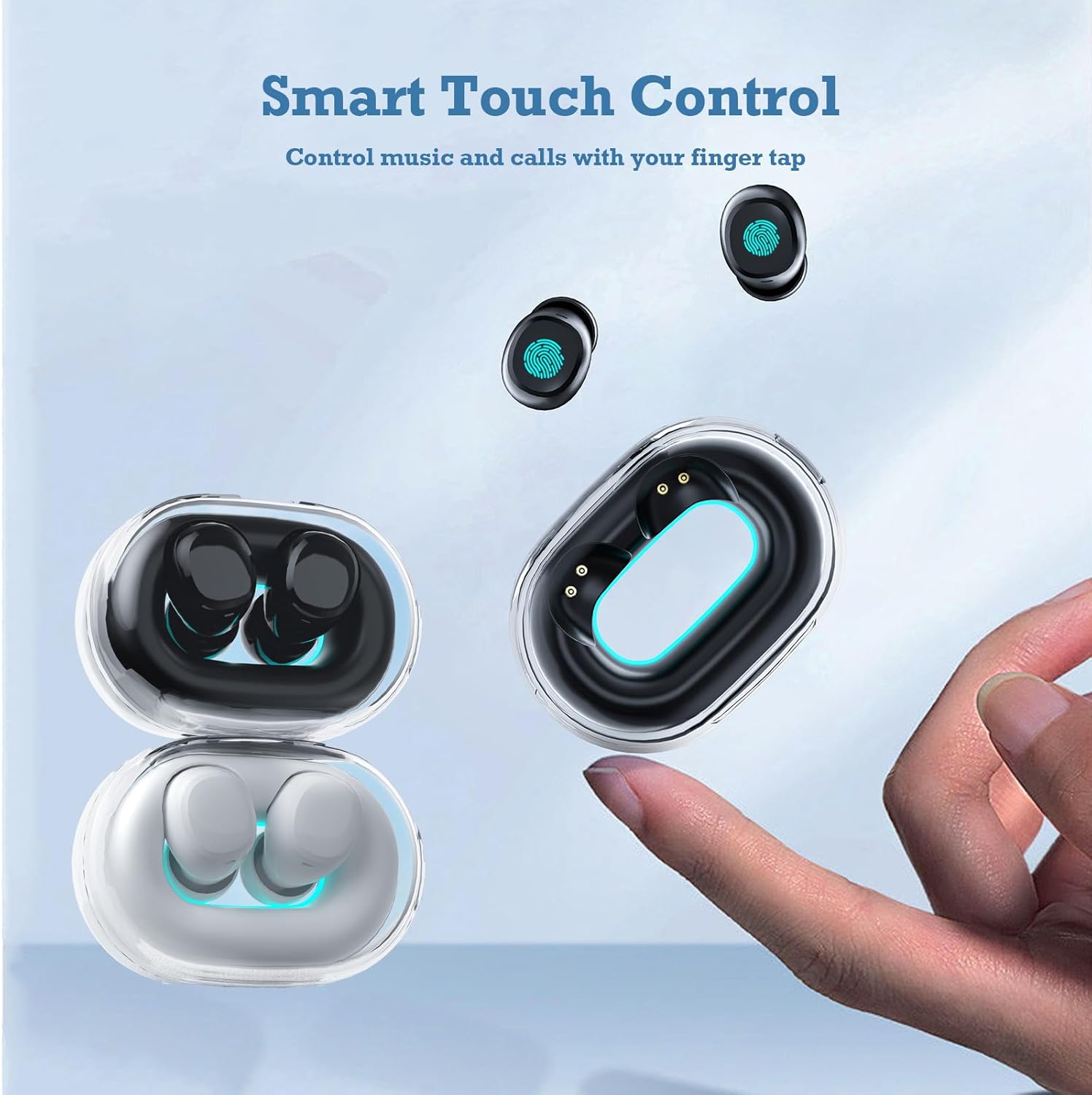
Image: A hand interacts with an Xmenha Y9 earbud, illustrating the smart touch control functionality for managing media and calls.
| Gweithred | Swyddogaeth |
|---|---|
| Tap Sengl (Chwith/Dde) | Chwarae/Saib Cerddoriaeth, Ateb/Diweddu Galwad |
| Tap Dwbl (Dde) | Trac Nesaf |
| Tap Dwbl (Chwith) | Trac Blaenorol |
| Tap Driphlyg (Chwith/Dde) | Actifadu Cynorthwyydd Llais |
| Long Press (2 eiliad) | Gwrthod Galwad |
Cynnal a chadw
1. Glanhau
Mae glanhau rheolaidd yn helpu i gynnal ansawdd sain a hylendid.
- Defnyddiwch frethyn meddal, sych, heb lint i sychu'r clustffonau a'r cas gwefru.
- Ar gyfer baw ystyfnig, ychydig yn dampen the cloth with water or a mild, non-abrasive cleaner. Avoid getting liquid into openings.
- Remove silicone eartips and clean them separately with water and mild soap, then dry thoroughly before reattaching.
- Peidiwch â defnyddio cemegau llym, alcohol na deunyddiau sgraffiniol.
2. Storio
Proper storage extends the lifespan of your earbuds.
- Storiwch y clustffonau yn eu cas gwefru bob amser pan nad ydynt yn cael eu defnyddio i'w hamddiffyn a'u cadw'n wefredig.
- Store the case and earbuds in a cool, dry place, away from direct sunlight, extreme temperatures, and humidity.
Datrys problemau
If you encounter issues with your Xmenha Y9 earbuds, try the following solutions:
- Clustffonau ddim yn paru: Ensure both earbuds are charged. Place them back in the case, close it, then open it again to re-enter pairing mode. Delete "Y9" from your device's Bluetooth list and try pairing again.
- Dim sain o un clustffon: Ensure both earbuds are charged. Try resetting the earbuds (refer to the full product manual if available for specific reset instructions). Re-pair with your device.
- Materion codi tâl: Check the charging cable and power source. Ensure the earbuds are correctly seated in the charging case. Clean the charging contacts on both the earbuds and the case.
- Ansawdd sain gwael: Ensure the earbuds are properly inserted and the correct size eartips are used for a good seal. Clean any debris from the earbud nozzles. Move closer to your connected device to avoid interference.
- Clustffonau'n cwympo allan: Try different sizes of silicone eartips to find a more secure fit. Ensure they are inserted correctly as described in the "Wearing the Earbuds" section.
Manylebau
| Nodwedd | Manylyn |
|---|---|
| Brand | Xmenha |
| Rhif Model | Xmenha-GWC-Y9-Black |
| Enw Model | AK57 |
| Lliw | Du Tywyll |
| Lleoliad Clust | Mewn Clust |
| Ffactor Ffurf | Mewn Clust |
| Rheoli Sŵn | Unigedd Sain |
| Technoleg Cysylltedd | Diwifr (Bluetooth) |
| Fersiwn Bluetooth | 5.0 |
| Amrediad Bluetooth | 10 o Fesurau |
| Math o Reoli | Rheoli Sŵn |
| Dull Rheoli | Remote (Touch) |
| Math Gyrrwr Sain | Gyrrwr Dynamig |
| Amrediad Amrediad | 20 Hz - 20,000 Hz |
| Deunydd Amgaead | Plastig |
| Lefel Gwrthsefyll Dŵr | Dal dwr |
| Battery Average Life (Single Charge) | 4 Awr |
| Cyfanswm Bywyd y Batri (gyda Chas Gwefru) | Hyd at 30 awr |
| Pwysau (Clustffonau) | Approximately 0.71 ounces (total for both) |
| Dimensiynau (Clustffonau) | Tua 0.3 x 0.2 x 0.5 modfedd |
Gwarant a Chefnogaeth
For detailed warranty information, please refer to the documentation included with your purchase or contact the retailer. If you require further assistance or have questions not covered in this manual, please reach out to Xmenha customer support through their official channels or the platform where you purchased the product.