
GenMachine R5-3550H 16G+512GB White
GenMachine Mini PC AMD Ryzen 5 3550H User Manual
Model: R5-3550H 16G+512GB White
Brand: GenMachine
1. Rhagymadrodd
This manual provides essential information for the setup, operation, maintenance, and troubleshooting of your GenMachine Mini PC AMD Ryzen 5 3550H. Please read this manual thoroughly before using the product to ensure optimal performance and longevity.
The GenMachine Mini PC is a compact yet powerful computing solution designed for a variety of tasks, including gaming, office work, and design. It features an AMD Ryzen 5 3550H processor, 16GB DDR4 RAM, and a 512GB SSD with M.2 NVMe support, offering high performance in a small form factor.

Ffigur 1.1: Blaen view of the GenMachine Mini PC, showcasing its compact white design with front USB ports and power button.
2. Gosod
2.1 Dadbacio'r Blwch
Carefully unpack all components from the packaging. Ensure all items listed in the packing list are present.

Figure 2.1: The packing list includes the Mini PC unit, user manual, packing box, power adapter, and HD line (HDMI cable).
2.2 Cysylltu Perifferolion
Connect your monitor(s), keyboard, mouse, and other necessary peripherals to the Mini PC. The device supports multiple display options via HDMI and DisplayPort.
- Connect your monitor(s) to the HDMI or DisplayPort outputs.
- Cysylltwch eich bysellfwrdd a'ch llygoden â'r porthladdoedd USB 3.0 sydd ar gael.
- For wired network access, connect an Ethernet cable to the LAN port.
- Connect the power adapter to the Mini PC and then to a power outlet.
Ffigur 2.2: Drosoddview of the Mini PC's interfaces, including power supply, network interface (LAN), DisplayPort (DP), HDMI interface, USB interfaces, and audio port.
2.3 Pŵer Cychwynnol Ymlaen
Press the power button located on the front of the Mini PC. The system will boot up. Follow the on-screen instructions for initial operating system setup.
3. Gweithrediad
3.1 Defnydd Cyffredinol
The GenMachine Mini PC is designed for versatile use, from demanding gaming sessions to professional design work and everyday office tasks. Its AMD Ryzen 5 3550H processor ensures smooth performance across various applications.
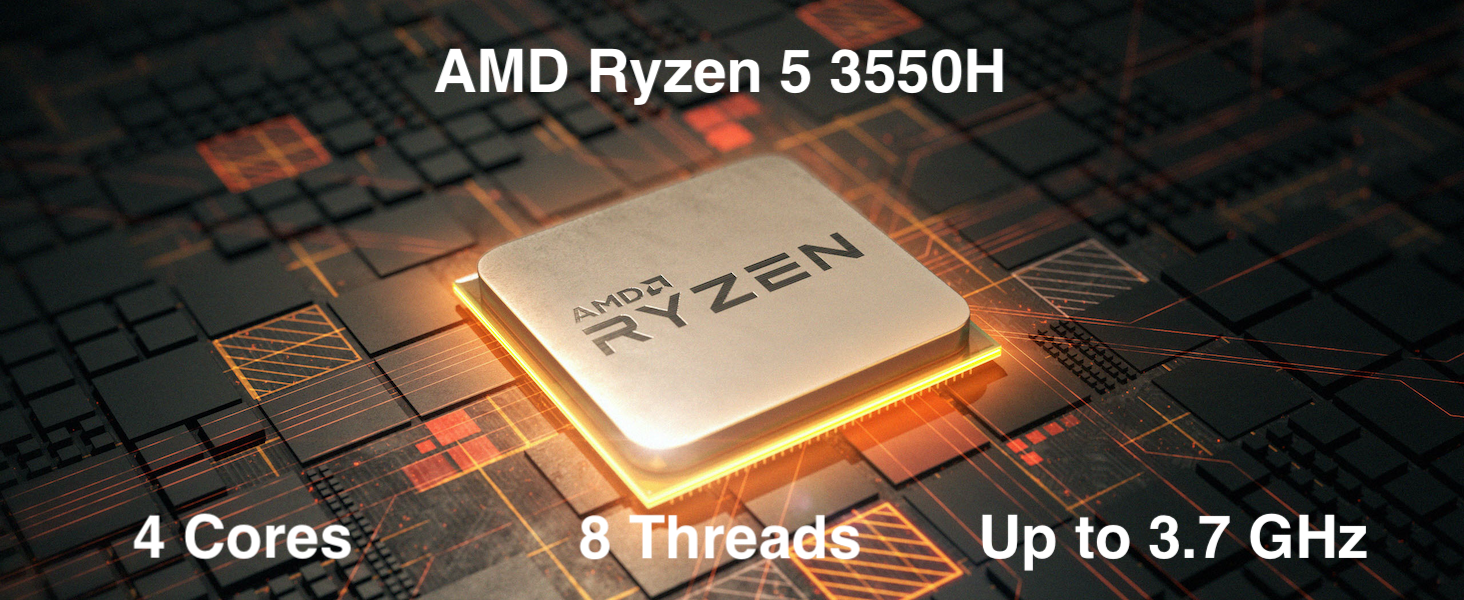
Figure 3.1: The AMD Ryzen 5 3550H processor features 4 cores, 8 threads, and a boost clock up to 3.7GHz, providing powerful performance for various computing needs.
3.2 Gosod Aml-Arddangosfa
Utilize the HDMI and DisplayPort outputs to connect up to two 4K displays simultaneously, enhancing productivity and immersive experiences.
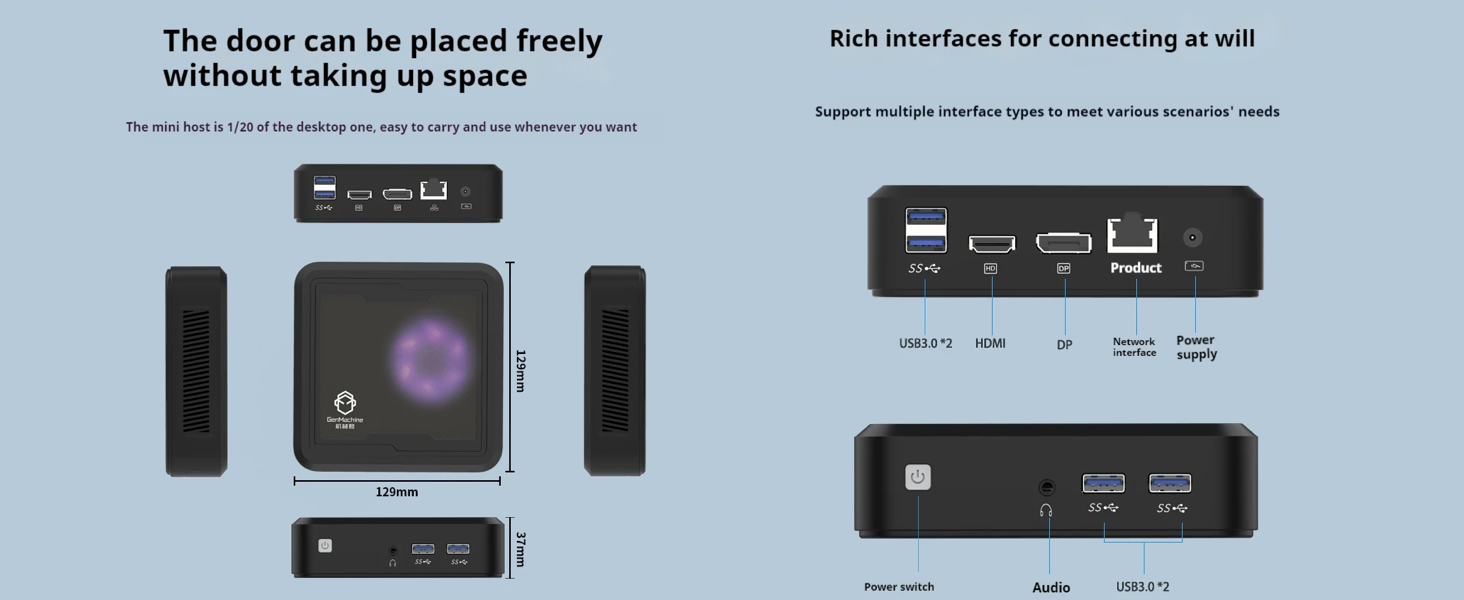
Figure 3.2: The Mini PC supports dual 4K displays via HD (HDMI) and DP (DisplayPort) outputs, allowing for an expanded workspace.
3.3 Ehangu Storio a Chof
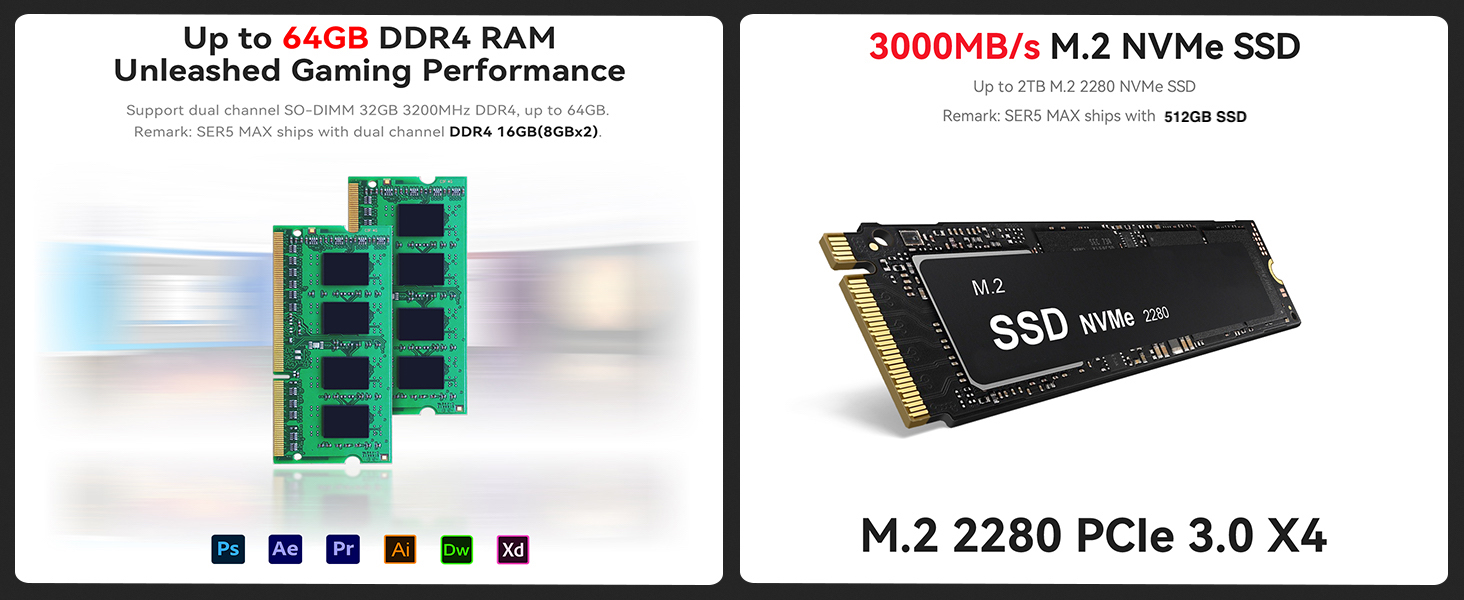
The Mini PC comes with 16GB DDR4 RAM and a 512GB SSD. It supports dual-channel DDR4 memory up to 64GB and M.2 NVMe SSDs up to 2TB for significant storage and performance upgrades.

Figure 3.3: Illustration showing support for up to 64GB DDR4 RAM and 3000MB/s M.2 NVMe SSD (PCIe 3.0 X4) for enhanced performance and storage.
3.4 Cysylltedd
The Mini PC includes WiFi 5 and Bluetooth 4.2 for wireless connectivity, ensuring high-speed internet access and seamless pairing with wireless peripherals.
3.5 Arddangosiad Fideo
Watch this official video from GenMachine for a visual overview of the Mini PC's features and capabilities.
Video 3.1: An official video demonstrating the GenMachine Mini Personal Desktop Computer, highlighting its compact size, various interfaces, and suitability for office and media server use.
4. cynnal
4.1 Glanhau
Regularly clean the exterior of the Mini PC with a soft, dry cloth. Use compressed air to gently clear dust from the ventilation grilles to ensure proper airflow and prevent overheating.
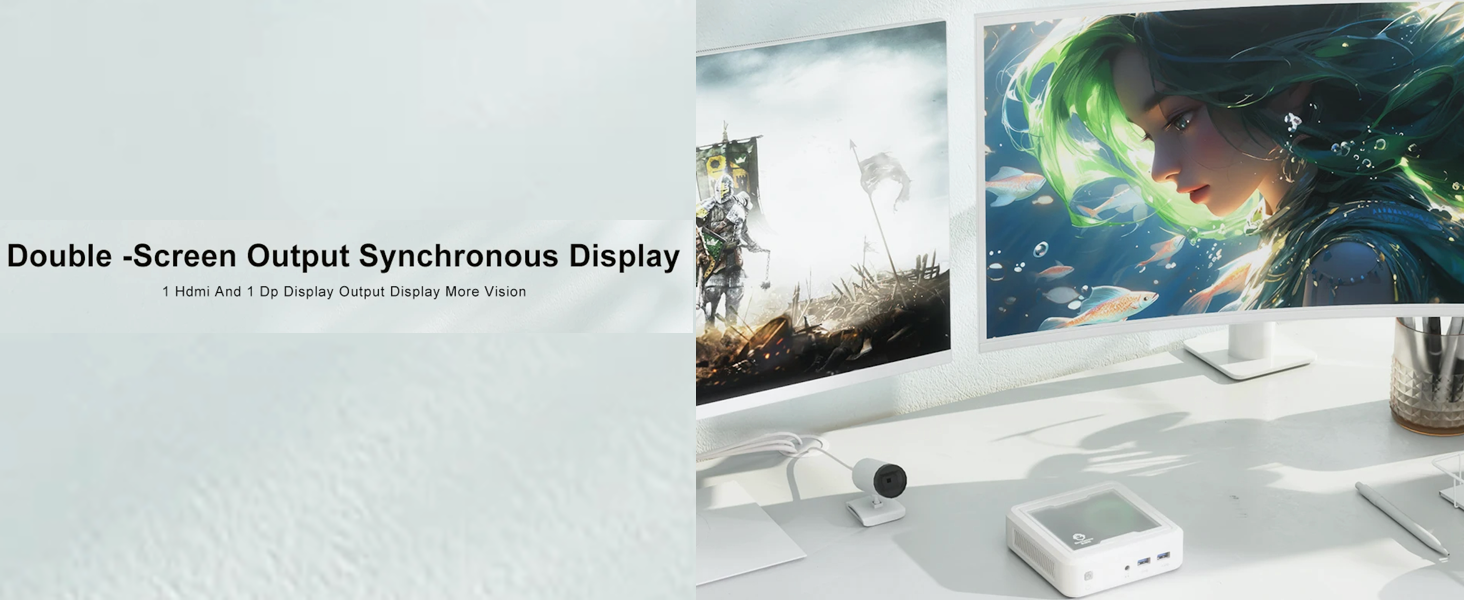
Figure 4.1: The Mini PC undergoes rigorous quality control, including vibration, drop, temperature/humidity, port, and noise tests, ensuring durability and reliability.
4.2 Rheoli Gwres
Ensure the Mini PC is placed in a well-ventilated area. Avoid blocking the air vents to allow for efficient heat dissipation. The device is designed with mesh ventilated heat dissipation to maintain optimal operating temperatures.
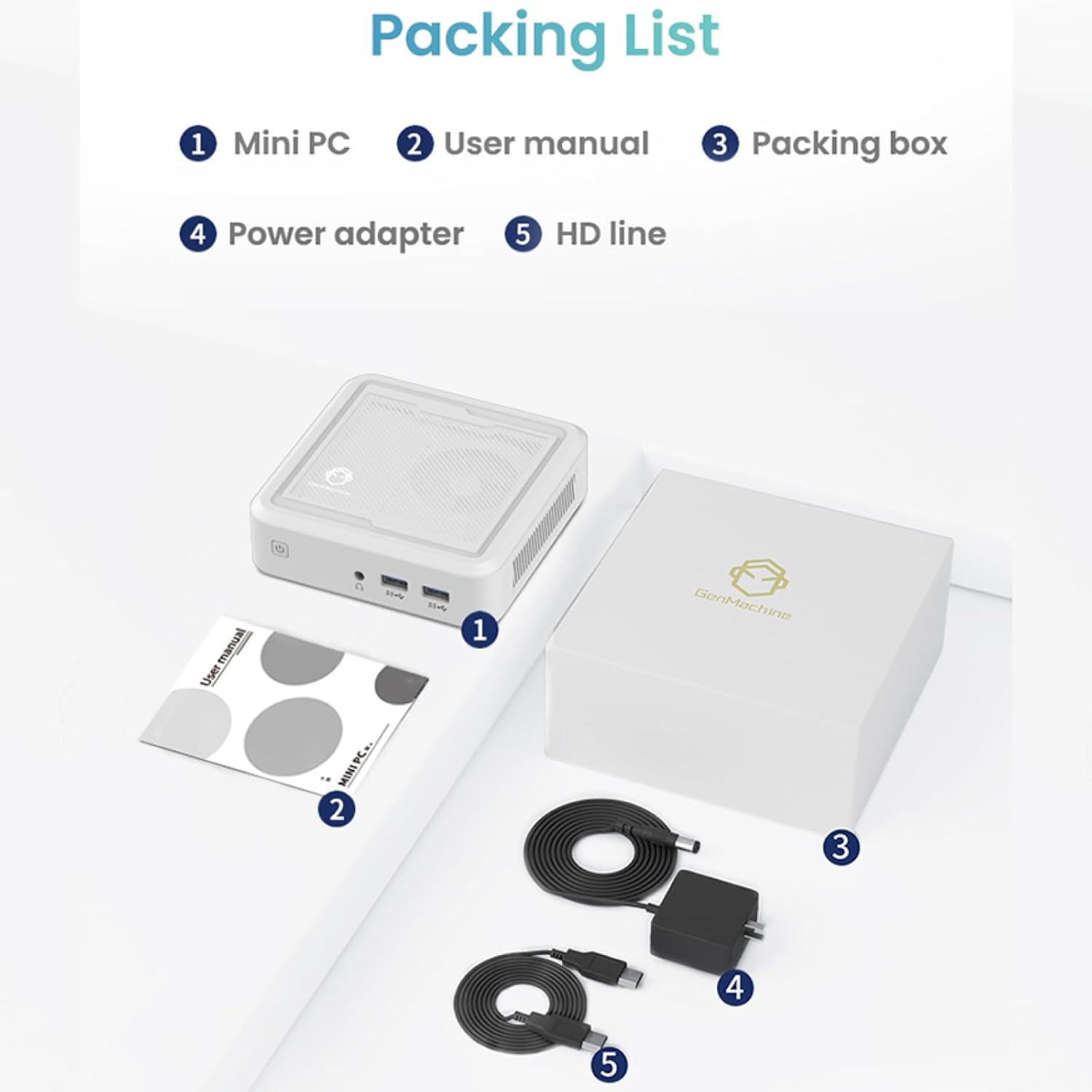
Figure 4.2: The GenMachine Mini PC operates at a low noise level of approximately 35 decibels, comparable to a quiet library environment.
5. Datrys Problemau
5.1 Materion ac Atebion Cyffredin
- Dim pŵer:
- Gwnewch yn siŵr bod yr addasydd pŵer wedi'i gysylltu'n ddiogel â'r Mini PC ac allfa bŵer sy'n gweithio.
- Gwiriwch fod y soced pŵer yn gweithio drwy blygio dyfais arall i mewn.
- Dim Arddangosfa:
- Check that the HDMI or DisplayPort cable is firmly connected to both the Mini PC and the monitor.
- Gwnewch yn siŵr bod y monitor wedi'i droi ymlaen ac wedi'i osod i'r ffynhonnell fewnbwn gywir.
- Try a different cable or monitor if possible.
- Perfformiad Araf:
- Cau cymwysiadau diangen sy'n rhedeg yn y cefndir.
- Check for sufficient free space on the SSD.
- Ensure the Mini PC is well-ventilated to prevent thermal throttling.
- Consider upgrading RAM or SSD if performance issues persist (refer to Section 3.3).
- Dim Wi-Fi/Bluetooth:
- Check if Wi-Fi and Bluetooth are enabled in the operating system settings.
- Ensure drivers are correctly installed. Visit the manufacturer's websafle ar gyfer y gyrwyr diweddaraf.
- Restart the Mini PC.
6. manylebau
Below are the key technical specifications for the GenMachine Mini PC AMD Ryzen 5 3550H:
| Nodwedd | Manylyn |
|---|---|
| Prosesydd | AMD Ryzen 5 3550H (Up to 3.7GHz, 4 Cores, 8 Threads) |
| HWRDD | 16GB DDR4 (Ehangadwy hyd at 64GB) |
| Storio | 512GB SSD (M.2 NVMe support up to 2TB) |
| Cydbrosesydd graffeg | Graffeg Integredig |
| System Weithredu | OS (Pre-installed or user-installable) |
| Cysylltedd | WiFi 5, Bluetooth 4.2, LAN (Ethernet) |
| Allbwn Fideo | HDMI, DisplayPort (Supports Dual 4K Displays) |
| Porthladdoedd USB | 2 x USB 2.0, 2 x USB 3.0 |
| Sain | Jack Sain 3.5mm |
| Dimensiynau (LxWxH) | 5 x 5 x 1.45 modfedd (12.9 x 12.9 x 3.7 cm) |
| Pwysau Eitem | 1.7 pwys |
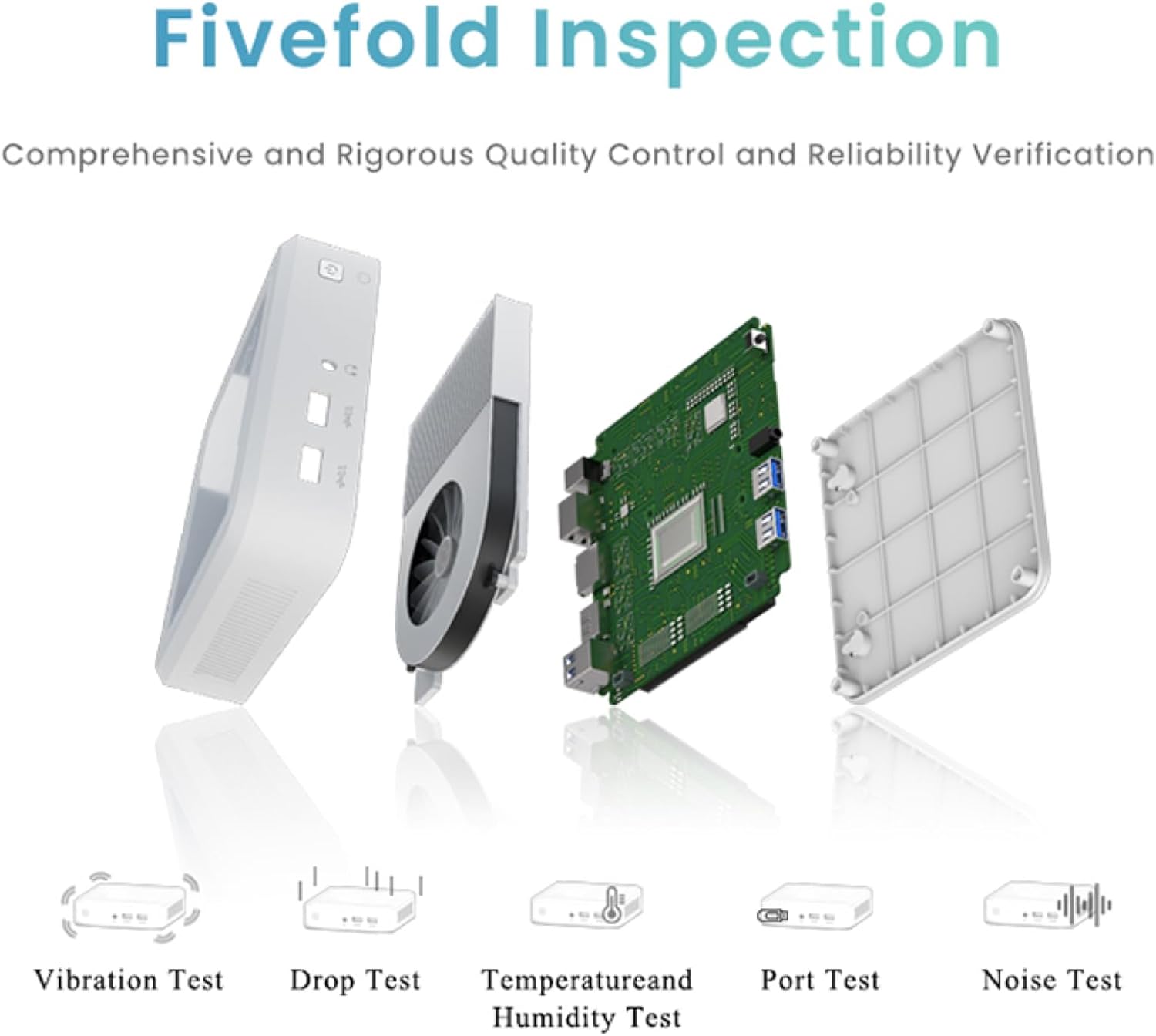
Figure 6.1: The compact dimensions of the GenMachine Mini PC, measuring 12.9 x 12.9 x 3.7 cm, making it suitable for various workspaces.
7. Gwarant a Chefnogaeth
For detailed warranty information and technical support, please refer to the official GenMachine websafle neu cysylltwch â'u gwasanaeth cwsmeriaid yn uniongyrchol. Cadwch eich derbynneb prynu fel prawf o brynu ar gyfer hawliadau gwarant.
The product typically includes a standard manufacturer's warranty. Additional protection plans may be available from your retailer at the time of purchase.
Gwybodaeth Gyswllt: Please visit the official GenMachine website for the most up-to-date contact details for support and service.
Ask a question about this manual
Ask about setup, troubleshooting, compatibility, parts, safety, or missing instructions. Manuals+ will review the question and use this page’s manual context to help answer it.