
NEEWER S101-300W
NEEWER S101-300W Strobe Flash Light User Manual
Model: S101-300W
Brand: NEEWER
1. Rhagymadrodd
Thank you for choosing the NEEWER S101-300W Strobe Flash Light. This professional studio monolight is designed to provide powerful and consistent illumination for various photography applications, including product, portrait, still life, food, commercial, and wedding photography. This manual provides detailed instructions for the safe and effective use of your new equipment. Please read it thoroughly before operation and retain it for future reference.
2. Gwybodaeth Diogelwch
- Do not expose the unit to rain or moisture to avoid electric shock.
- Do not disassemble or modify the unit. Repairs should only be performed by qualified personnel.
- Sicrhewch y cyflenwad pŵer cyftage matches the unit's requirements before plugging in.
- Osgowch amlygiad uniongyrchol i'r llygaid i olau'r fflach, gan y gall achosi nam ar y golwg dros dro.
- Keep the unit away from flammable materials and ensure proper ventilation during use.
- Always unplug the unit from the power outlet before cleaning or when not in use.
- Mae'r tiwb fflach a modelu lamp gallant fynd yn boeth yn ystod y llawdriniaeth. Gadewch iddynt oeri cyn eu trin.
3. Cynnyrch Drosview
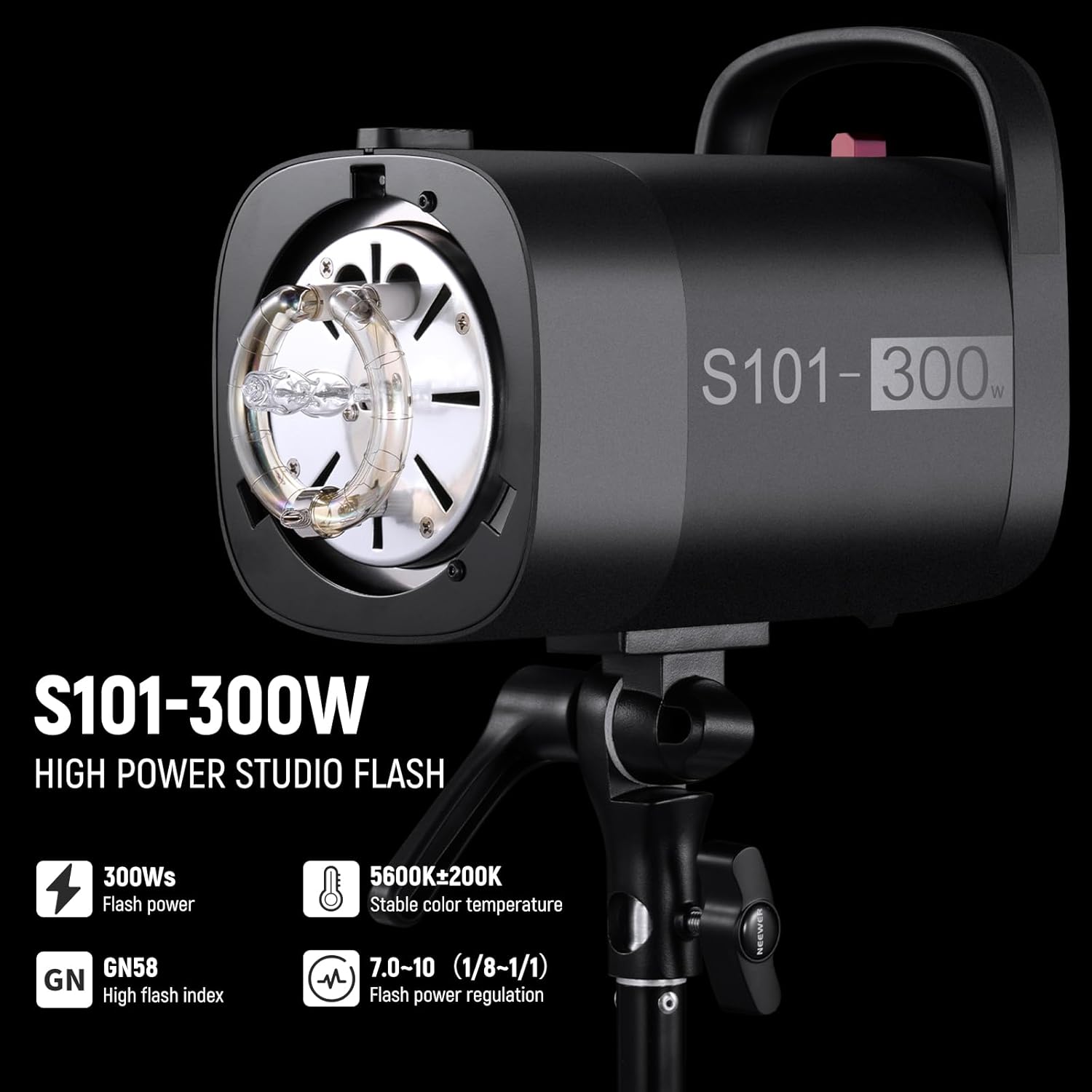
The NEEWER S101-300W is a robust studio flash unit designed for high-performance lighting. It features a powerful flash output, an adjustable modeling lamp, and versatile triggering options.

Nodweddion Allweddol:
- 300Ws Powerful Studio Monolight: Provides 300Ws maximum power with a consistent 5600K color temperature and a high guide number of GN58 (1m, ISO100).
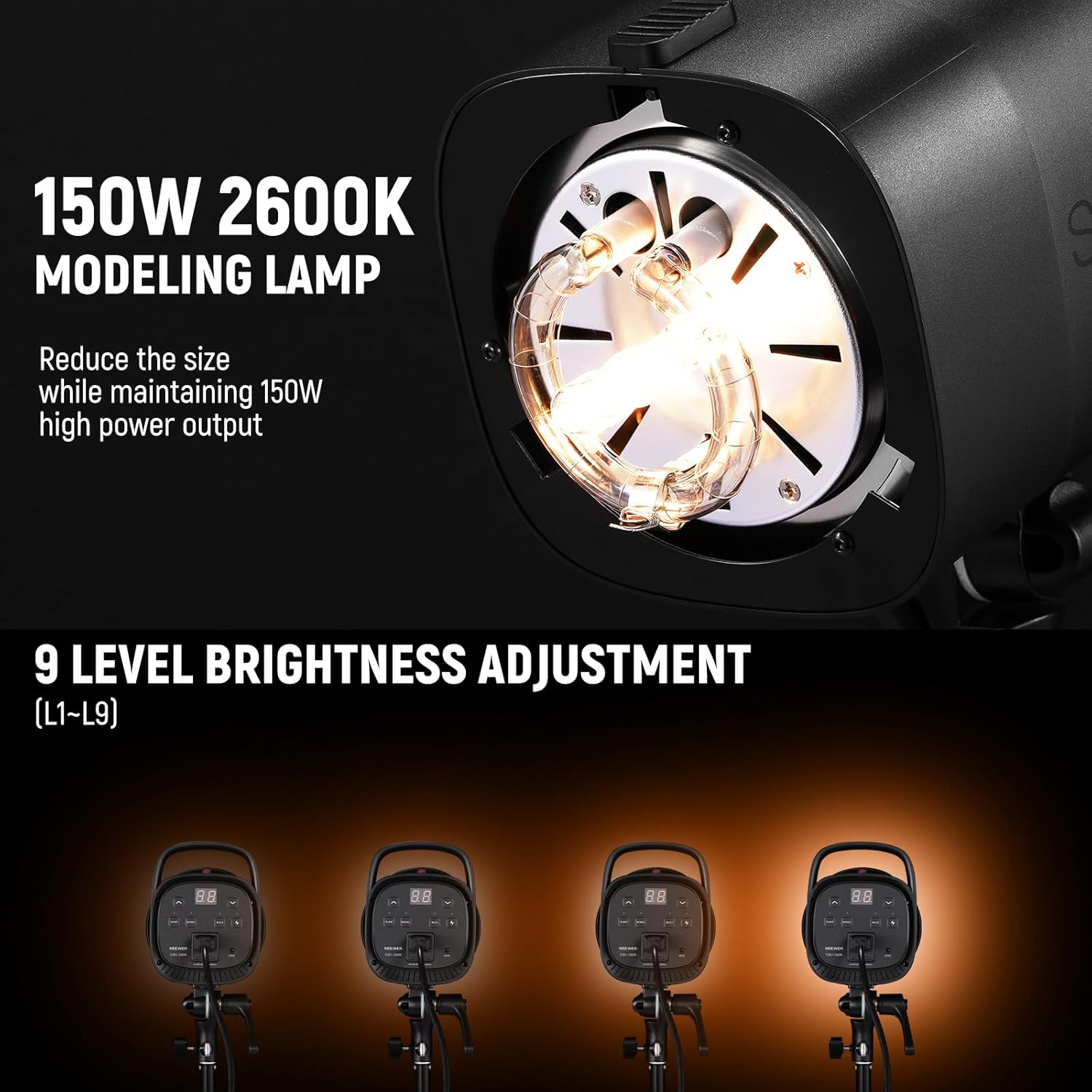
- Modelu 150W Lamp: Features 9 brightness levels (L1–L9) and 7.0–10 (1/8–1/1) flash power adjustment for precise lighting control.
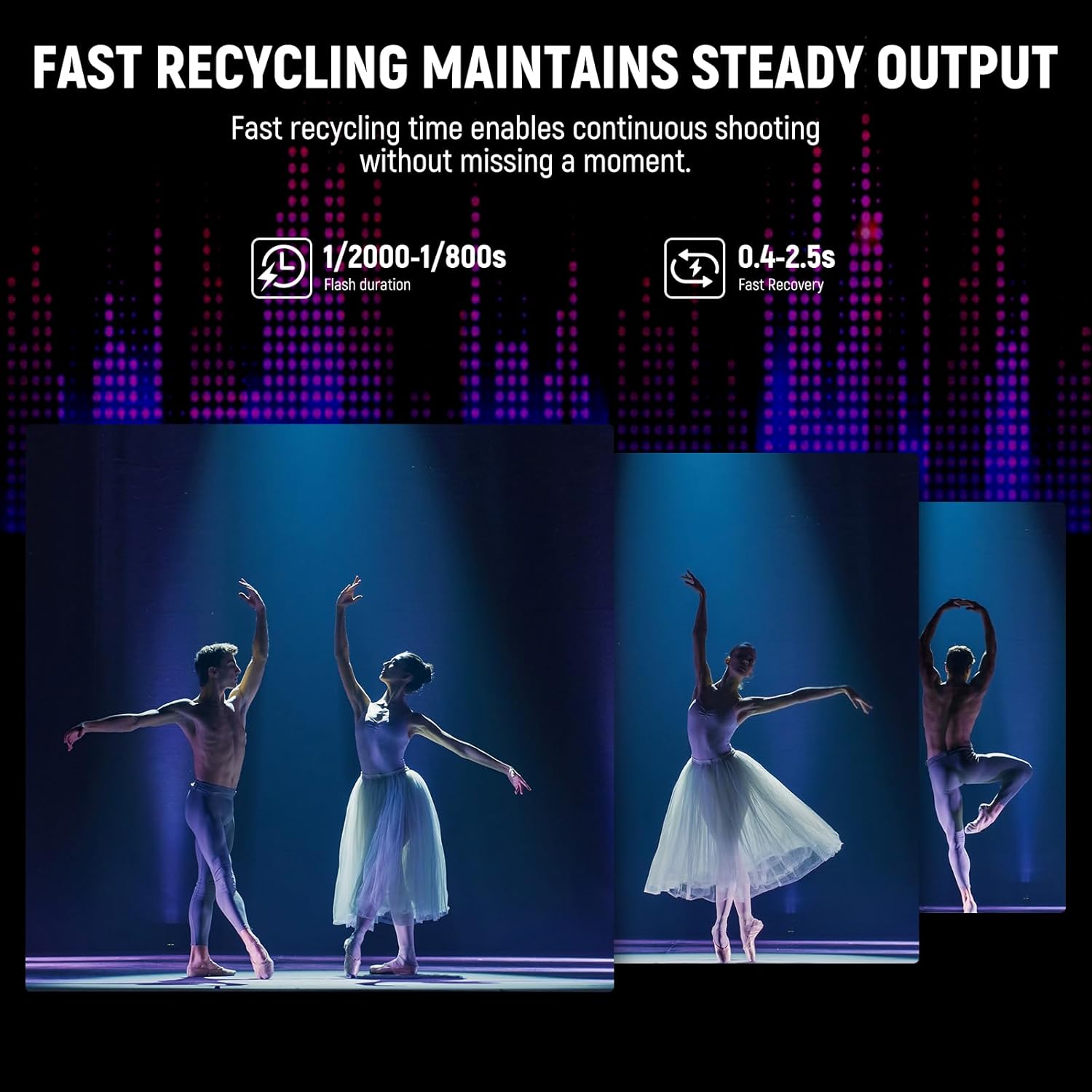
- Amser Ailgylchu Cyflym: Offers a flash duration of 1/2000–1/800s and a recycling time of 0.4-2.5s for continuous shooting.
- Modd Caethwas Optegol S1/S2: Can be triggered by a manual master unit (S1 mode) or a TTL master unit (S2 mode).
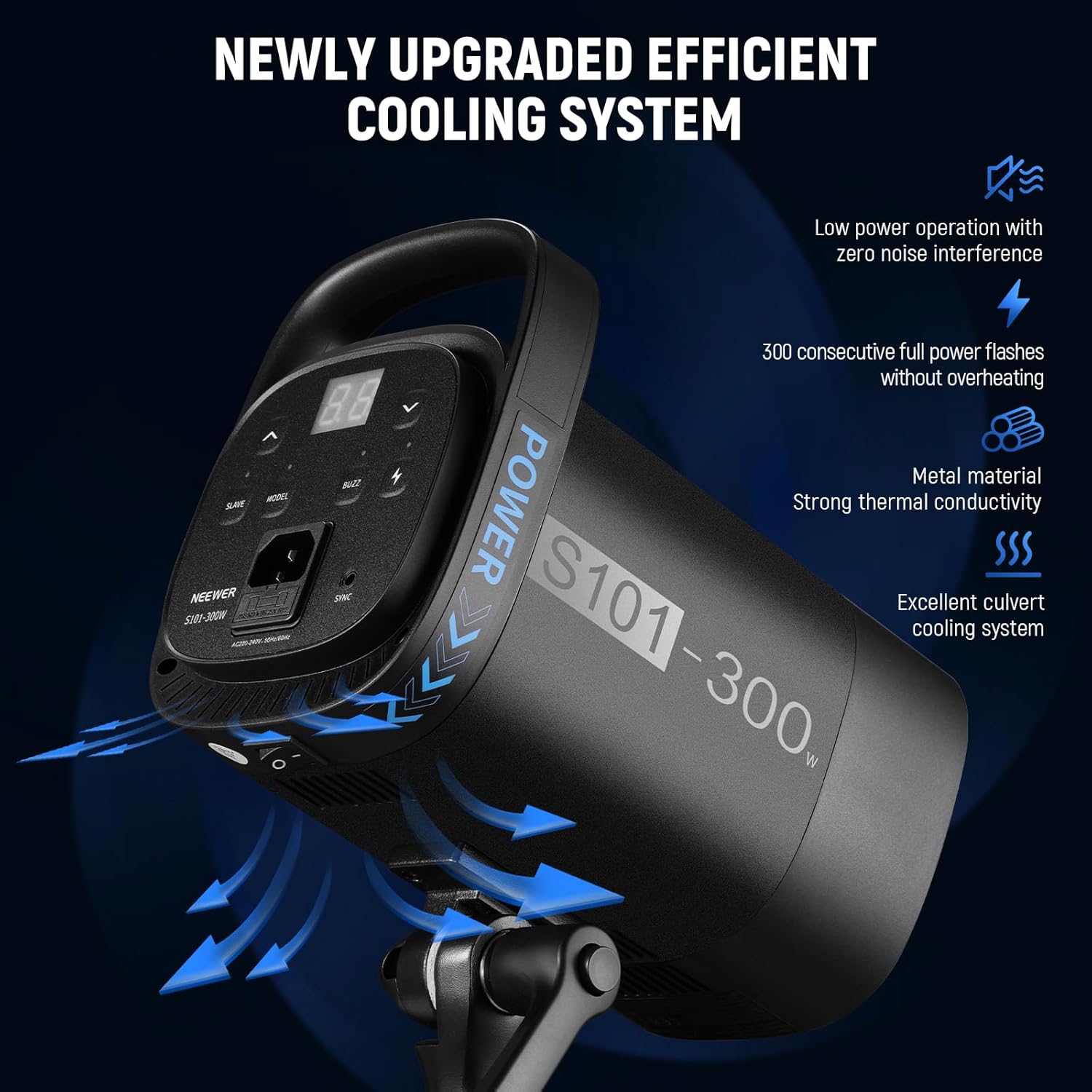
- Efficient Heat Dissipation System: Optimized vents and cooling fans prevent overheating, even after 300 consecutive full power flashes.
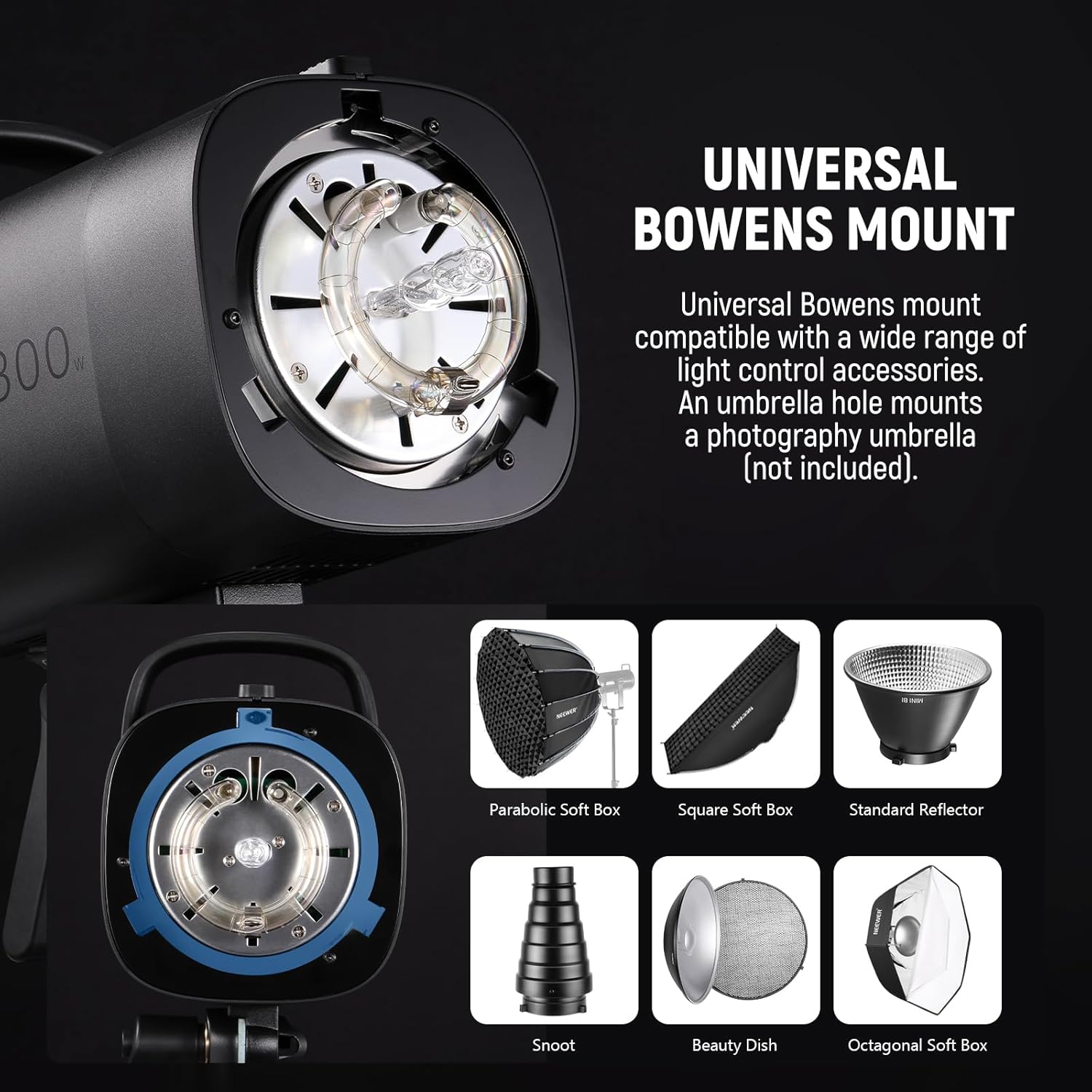
- Universal Bowens Mount: Compatible with a wide range of light modifiers such as softboxes, reflectors, and beauty dishes.
- Addasiad Gogwydd 180°: Allows for flexible angle positioning of the light.
4. Gosod
4.1 Dadbacio ac Archwilio
- Tynnwch yr holl gydrannau o'r pecyn yn ofalus.
- Verify that all items listed in the 'Product List' section (see Section 8) are present and undamaged.
- Os oes unrhyw eitemau ar goll neu wedi'u difrodi, cysylltwch â'ch manwerthwr ar unwaith.
4.2 Gosod yr Adlewyrchydd
- Align the three mounting tabs on the standard reflector with the corresponding slots on the flash unit's Bowens mount.
- Mewnosodwch yr adlewyrchydd i'r mowntiad a'i gylchdroi'n glocwedd nes ei fod yn clicio'n ddiogel yn ei le.
- To remove, press the release button on the flash mount and rotate the reflector counter-clockwise.
4.3 Mounting on a Light Stand
- Loosen the tilt adjustment knob on the light stand mount adapter.
- Slide the flash unit onto the top stud of a compatible light stand.
- Tighten the knob to secure the flash unit in place.
- Adjust the tilt angle as needed and tighten the knob firmly.
4.4 Cysylltiad Pwer
- Ensure the flash unit's power switch is in the OFF position.
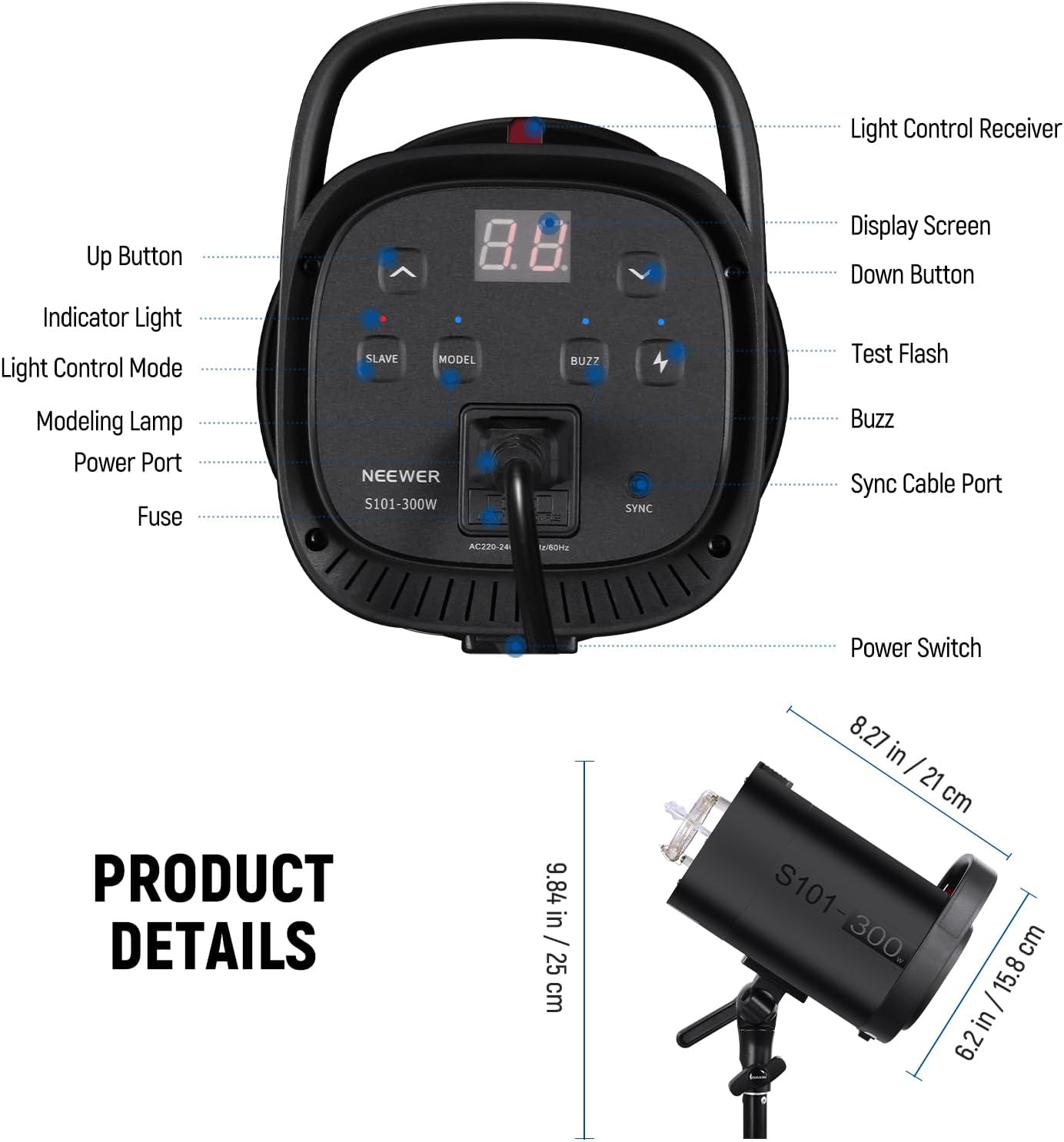
- Connect the provided power cord to the power port on the back of the flash unit.
- Plygiwch ben arall y llinyn pŵer i mewn i allfa bŵer AC addas.
5. Cyfarwyddiadau Gweithredu
5.1 Pweru Ymlaen/Diffodd
Press the power switch located on the back of the unit to turn the flash ON or OFF.
5.2 Addasu Pŵer y Fflach
- Defnyddiwch y Up (^) a I lawr (v) buttons on the control panel to adjust the flash power output.
- The flash power can be adjusted from 7.0 to 10 (equivalent to 1/8 to 1/1 power).
- The current power level will be displayed on the screen.
5.3 Modelu L.amp Rheolaeth
- Gwasgwch y MODEL botwm i doglo'r modelu lamp AR neu ODDI.
- Pan fydd y modelu lamp is ON, use the Up (^) a I lawr (v) buttons to adjust its brightness from L1 to L9.
5.4 Moddau Caethwas Optegol (S1/S2)
The S101-300W can be triggered by another flash unit using its optical slave modes:
- Modd S1: Gwasgwch y CHWARAE button until 'S1' appears on the display. In this mode, the flash will fire in response to the first flash from a manual master unit.
- Modd S2: Gwasgwch y CHWARAE button again until 'S2' appears. In this mode, the flash will ignore the pre-flash from a TTL master unit and fire on the second flash.
5.5 Prawf Fflach
Gwasgwch y PRAWF FFLACH button (lightning bolt icon) to manually fire a test flash. This is useful for checking light output and positioning.
5.6 Swyddogaeth Buzz
Gwasgwch y BUZZ button to toggle the audible ready indicator ON or OFF. When ON, the unit will emit a beep sound when it is fully recycled and ready to fire.
5.7 Remote Synchronization
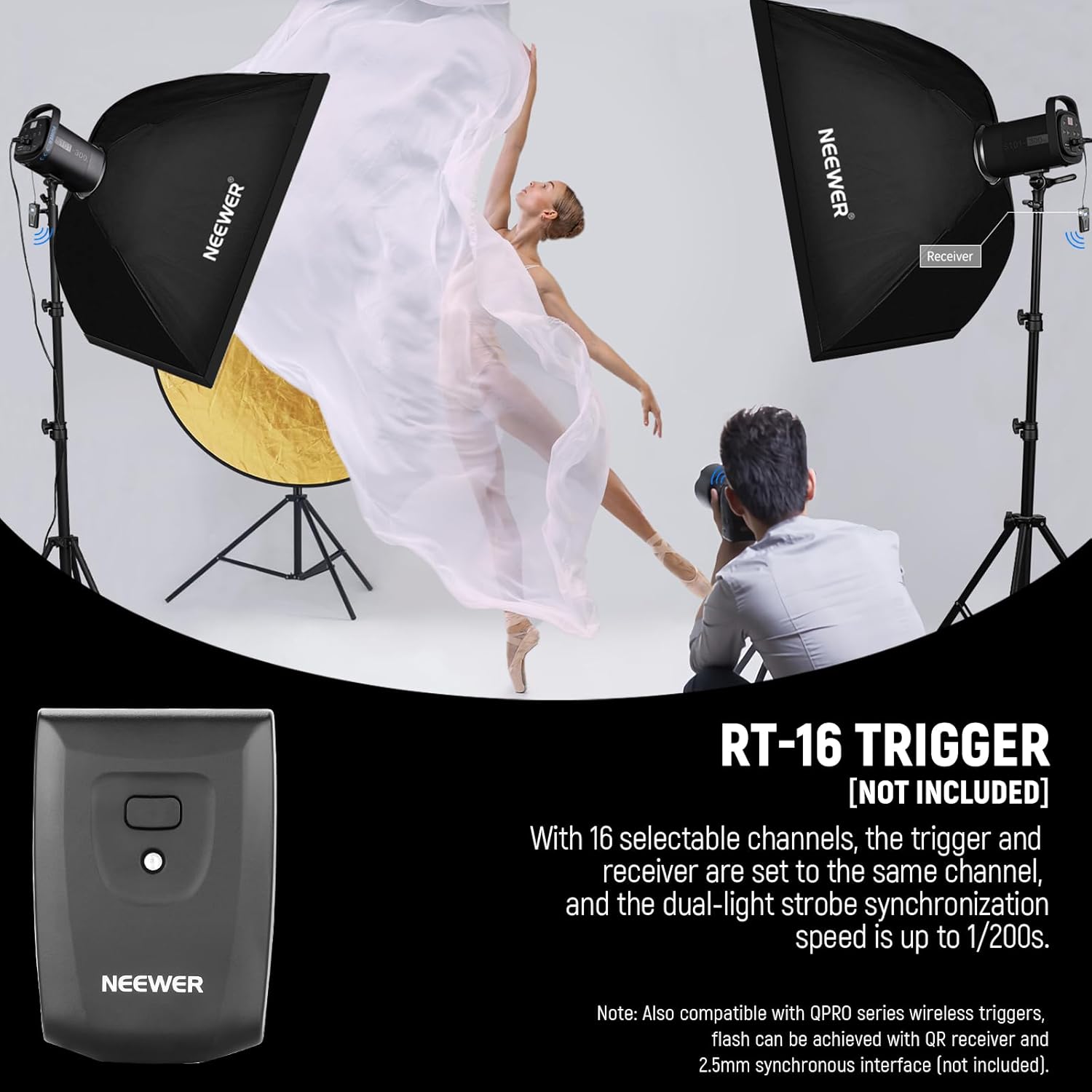
The S101-300W can be synchronized wirelessly with a compatible NEEWER RT-16 trigger (not included) or other QPRO series wireless flash triggers. Ensure the trigger and receiver are set to the same channel for proper operation. The flash also supports 2.5mm synchronous interface for wired sync.
6. cynnal
6.1 Glanhau
- Tynnwch y plwg bob amser o'r uned cyn glanhau.
- Defnyddiwch frethyn meddal, sych i sychu tu allan yr uned fflach.
- Ar gyfer y tiwb fflach a'r modelu lamp, use a clean, lint-free cloth. Avoid touching the glass directly with bare hands, as oils can reduce performance and lifespan.
- Peidiwch â defnyddio cemegau llym, glanhawyr sgraffiniol, na thoddyddion.
6.2 Storio
- Storiwch yr uned mewn lle oer, sych, i ffwrdd o olau haul uniongyrchol a lleithder gormodol.
- If storing for an extended period, remove the power cord and place the unit in its original packaging or a protective case.
6.3 Amnewid Ffiws
If the unit fails to power on, the fuse may need replacement. The fuse holder is located near the power port.
- Datgysylltwch yr uned o'r allfa bŵer.
- Use a small flathead screwdriver to gently pry open the fuse holder.
- Remove the old fuse and insert a new fuse of the same type and rating (refer to specifications).
- Close the fuse holder securely.
6.4 System Gwasgaru Gwres
The S101-300W features an efficient heat dissipation system with optimized vents and cooling fans. Ensure these vents are not obstructed during operation to maintain optimal performance and extend the lifespan of the flash tube.
7. Datrys Problemau
| Problem | Achos Posibl | Ateb |
|---|---|---|
| Nid yw'r uned yn pweru ymlaen. | No power from outlet; Power cord loose; Blown fuse. | Check power outlet; Ensure power cord is securely connected; Replace fuse (see Section 6.3). |
| Nid yw'r fflach yn tanio. | Unit not ready (still recycling); Trigger issue; Optical slave mode incorrect. | Wait for recycling indicator; Check trigger battery/connection; Ensure S1/S2 mode is correctly set for your master flash. |
| Modelu lamp ddim yn gweithio. | Lamp wedi'i losgi allan; Lamp heb ei droi ymlaen. | Disodli modelu lamp; Press the MODEL button to turn it on. |
| Rhybudd gorboethi. | Excessive continuous firing; Obstructed vents. | Allow unit to cool down; Ensure vents are clear and unit has proper ventilation. |
8. manylebau
| Nodwedd | Manylyn |
|---|---|
| Model | S101-300W |
| Pwer Fflach | 300Wau |
| Rhif Canllaw (GN) | 58 (1m, ISO100) |
| Tymheredd Lliw | 5600K ± 200K |
| Hyd Fflach | 1 / 2000s - 1 / 800s |
| Amser Ailgylchu | 0.4s-2.5s |
| Modelu L.amp Grym | 150W |
| Modelu L.amp Disgleirdeb | 9 Levels (L1-L9) |
| Flash Power Adjustment | 7.0 – 10 (1/8 – 1/1) |
| Modd Cysoni | S1/S2 Optical Slave, 2.5mm Sync Cable, Wireless Trigger (RT-16 compatible) |
| Math Mount | Mynydd Bowens |
| Dimensiynau (Cynnyrch) | 6.2 x 10.6 x 10.6 modfedd (15.8 x 26.9 x 26.9 cm) |
| Pwysau Eitem | 4.53 pwys (2.05 kg) |
| Cydrannau wedi'u Cynnwys | Strobe Flash Light, Standard Reflector, Lamp Cover, Power Cord |
9. Gwarant a Chefnogaeth
NEEWER products are designed and manufactured to the highest quality standards. This product is covered by a limited warranty against defects in materials and workmanship from the date of purchase. Please refer to the warranty card included with your product for specific terms and conditions.
For technical support, troubleshooting assistance, or warranty claims, please contact NEEWER customer service through the official NEEWER website or your point of purchase. When contacting support, please have your product model number (S101-300W) and proof of purchase ready.
You can find more information and support resources on the official NEEWER websafle: www.neewer.com
Dogfennau Cysylltiedig - S101-300W
 |
Neewer S101 Studio Strobe Flash User Manual This manual provides instructions for the Neewer S101 Studio Strobe Flash, including setup, operation, and safety guidelines. Learn how to use the trigger, adjust power, set channels, and utilize various flash modes. |
 |
Llawlyfr Defnyddiwr a Manylebau Golau Strobe Stiwdio Neewer S101 Llawlyfr defnyddiwr cynhwysfawr ar gyfer Goleuadau Strobo Stiwdio Neewer S101-300W ac S101-400W. Yn cynnwys gosod, gweithredu, nodweddion, manylebau, diogelwch a datrys problemau. |
 |
Llawlyfr Cyfarwyddiadau Sbardun Fflach Diwifr Neewer QPro-C TTL Llawlyfr cyfarwyddiadau cynhwysfawr ar gyfer y Sbardun Fflach Di-wifr Neewer QPro-C TTL, sy'n cwmpasu'r cynnyrch drosoddview, cynnwys y pecyn, gosod, gweithrediad, swyddogaethau personol, datrys problemau, a manylebau ar gyfer camerâu Canon. |
 |
Neewer Z2-C Strobo Flash Instruction Manual Comprehensive guide to operating the Neewer Z2-C Strobo Flash, covering features, specifications, safety precautions, and usage for photography. |
 |
AlienBees Flash Unit Operation Manual: B400, B800, B1600 Models Comprehensive operation manual for Paul C. Buff AlienBees B400, B800, and B1600 photographic flash units. Covers setup, safety, specifications, operation, and troubleshooting. |
 |
Canllaw Defnyddiwr a Chyfarwyddiadau Diogelwch ar gyfer Fflach Stiwdio Compact Godox MS200V MS300V Mae'r ddogfen hon yn darparu cyfarwyddiadau cynhwysfawr, canllawiau diogelwch, manylebau technegol, a gwybodaeth gwarant ar gyfer fflachiau stiwdio cryno Godox MS200V ac MS300V, a gynlluniwyd ar gyfer ffotograffiaeth broffesiynol. |
Ask a question about this manual
Ask about setup, troubleshooting, compatibility, parts, safety, or missing instructions. Manuals+ will review the question and use this page’s manual context to help answer it.