
Rhagymadrodd
Thank you for choosing the LIORQUE S7509 Projection Alarm Clock. This manual provides detailed instructions for setting up and operating your new device. Please read it carefully to ensure proper use and to fully utilize all features.
Cynnwys Pecyn
Wrth ddadbacio, gwnewch yn siŵr bod yr holl eitemau canlynol yn bresennol:
- LIORQUE S7509 Projection Alarm Clock
- Addasydd Pŵer
- Cebl Pwer USB
- Llawlyfr Defnyddiwr

Image: The LIORQUE S7509 Projection Alarm Clock, its power adapter, USB cable, and user manual are displayed next to the product box. Product dimensions are indicated as 18cm (7.1in) width, 9.8cm (3.9in) height, and 5cm (2in) depth.
Nodweddion Cynnyrch Drosoddview
The LIORQUE S7509 Projection Alarm Clock is designed to enhance your daily routine with its versatile features:
- 180° Rotatable Projection: Project the time onto your ceiling or wall with adjustable brightness.
- Arddangosfa LED fawr: Clear time display with 4 adjustable brightness levels.
- Larymau Deuol: Gosodwch ddau larwm ar wahân ar gyfer gwahanol amserlenni.
- Radio FM: Enjoy your favorite radio stations with 15 preset memory slots and 15 adjustable volume levels.
- Swyddogaeth Snooze: Provides an extra 9 minutes of sleep.
- Amserydd Cwsg: Automatically turns off the radio after a set duration (5-90 minutes).
- Fformat 12/24 Awr: Easily switch between time formats.
- Batri adeiledig: Ar gyfer pŵer wrth gefn yn ystod y cyfnod allantages.

Image: The LIORQUE S7509 Projection Alarm Clock is shown with its digital display set to 22:30. Surrounding icons highlight key features including 12/24 hour time, adjustable brightness, FM radio, snooze function, dual alarms, time projection, built-in battery, and a sleep timer.
Cyfarwyddiadau Gosod
1. Cysylltiad Pwer
Connect the provided USB power cable to the alarm clock and plug the adapter into a standard wall outlet. The display will light up, indicating the device is powered on.

Image: The LIORQUE S7509 Projection Alarm Clock is shown on a bedside table, connected to a wall outlet via its power adapter. The clock displays 8:30, illustrating its readiness for use after power connection.
2. Gosod Amser Cychwynnol
- Pwyswch a dal y SET AMSER button (usually labeled with a clock icon) for 3 seconds to enter time setting mode.
- Defnyddiwch y AWR a COFNOD buttons (often labeled with '+' and '-' or arrows) to adjust the current time.
- Gwasgwch SET AMSER eto i gadarnhau ac ymadael.
3. Fformat 12/24 Awr
While in time setting mode, or by a dedicated button (refer to specific button labels on your device), you can toggle between 12-hour (with AM/PM indicator) and 24-hour formats.
Cyfarwyddiadau Gweithredu
1. Gosod Larymau
Mae'r cloc yn cefnogi dau larwm annibynnol (Larwm 1 a Larwm 2).
- Pwyswch a dal y LARWM 1 or LARWM 2 button for 3 seconds. The alarm time will flash.
- Defnyddiwch y AWR a COFNOD botymau i osod yr amser larwm a ddymunir.
- Gwasgwch y ALARM botwm eto i gadarnhau'r amser.
- You can then select the alarm sound (buzzer or FM radio) and alarm volume.
- Gwasgwch y ALARM button one more time to save settings and activate the alarm. An alarm icon will appear on the display.

Image: Two LIORQUE S7509 Projection Alarm Clocks are displayed side-by-side. One shows an alarm set for 8:30, labeled 'Workday', and the other shows 10:00, labeled 'Weekend', demonstrating the dual alarm capability.
2. Swyddogaeth Tafluniad
The projector allows you to display the time on your ceiling or wall.
- Ysgogi / Analluogi: Gwasgwch y PROSIECT button (often labeled with a projection icon) to turn the projection on or off.
- Addasu Disgleirdeb: Pwyswch dro ar ôl tro ar y PROSIECT button to cycle through 3 brightness levels (Low, Medium, High) or turn it off.
- Rhagamcaniad Cylchdroi: The projector lens can be physically rotated 180° to adjust the angle of the projected time.

Image: The LIORQUE S7509 Projection Alarm Clock is shown in a bedroom, projecting the time '22:30' onto the ceiling. Below, three smaller images illustrate the three adjustable brightness levels for the projection.

Image: The LIORQUE S7509 Projection Alarm Clock is depicted with its projection arm extended, casting the time '12:45' onto a nearby surface. This image demonstrates the adjustable angle and direction of the projection feature.
3. Disgleirdeb Arddangos
Adjust the main display brightness to your preference.
- Gwasgwch y DIMMER button (or similar, often labeled with a sun icon) to cycle through 4 levels of display brightness.
- The levels typically range from brightest to off, allowing for comfortable viewing ddydd neu nos.

Image: The LIORQUE S7509 Projection Alarm Clock shows the time 22:30. Below, four distinct panels illustrate the four adjustable levels of screen brightness, ranging from completely off to maximum illumination, allowing users to select the appropriate brightness for night vision.
4. Radio FM
Gwrandewch ar eich hoff orsafoedd radio FM.
- Troi ymlaen / i ffwrdd: Gwasgwch y RADIO button to turn the FM radio on or off.
- Sganio'n Awtomatig: Pwyswch a dal y RADIO button for 3 seconds to automatically scan and save up to 15 FM stations.
- Change Stations: Defnyddiwch y PREV / NESAF buttons (or '+' and '-') to switch between saved stations.
- Addasu Cyfrol: Defnyddiwch y CYFROL +/- buttons to adjust the radio volume through 15 levels.

Image: The LIORQUE S7509 Projection Alarm Clock displays 'FM 7.84' on its screen, surrounded by graphic representations of radio waves indicating different FM frequencies (e.g., FM90.2, FM95.6, FM96.8, FM97.5, FM98.5). The image also highlights that the device can store 15 favorite radio stations and has 15 adjustable volume levels.
5. Swyddogaeth Snooze
Pan fydd larwm yn canu, pwyswch y botwm mawr SNOOZE / GOLAU button on top of the clock. The alarm will pause for 9 minutes and then sound again.
6. Amserydd Cwsg
Mae'r amserydd cysgu yn caniatáu i'r radio chwarae am gyfnod penodol cyn diffodd yn awtomatig.
- Tra bod y radio yn chwarae, pwyswch y CYSGU button (or similar).
- Pwyswch dro ar ôl tro ar y CYSGU button to cycle through preset sleep times (e.g., 5, 10, 15, 30, 60, 90 minutes).
- Bydd y radio yn diffodd yn awtomatig ar ôl yr amser a ddewiswyd.
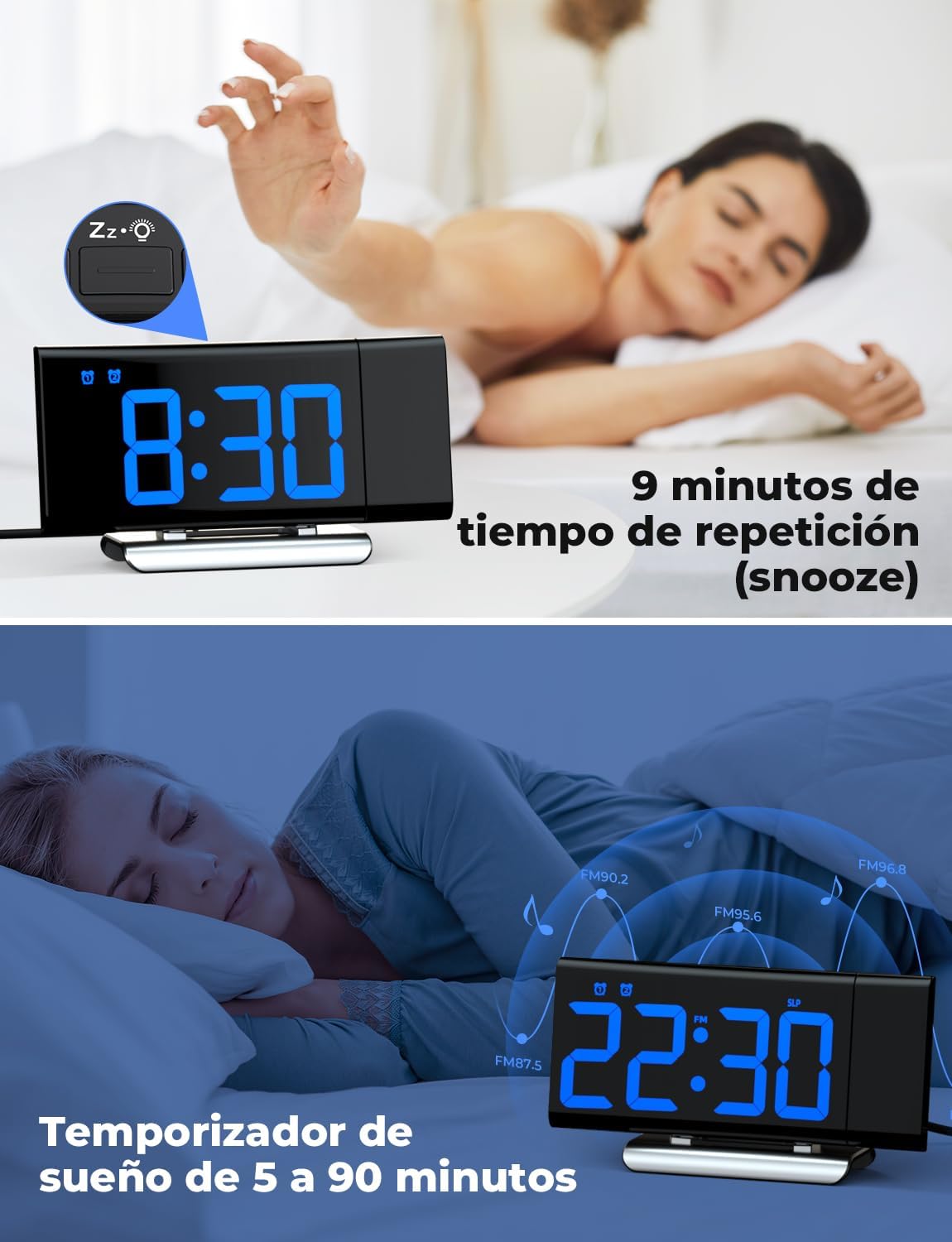
Image: The top section shows a person reaching for the snooze button on the LIORQUE S7509 Projection Alarm Clock, which displays 8:30, indicating a 9-minute snooze period. The bottom section features the clock displaying 22:30 with radio waves, illustrating the sleep timer function which can be set from 5 to 90 minutes, with a person sleeping peacefully in the background.
Cynnal a chadw
To ensure the longevity and optimal performance of your LIORQUE S7509 Projection Alarm Clock, follow these simple maintenance guidelines:
- Glanhau: Use a soft, dry cloth to wipe the surface of the clock. Do not use abrasive cleaners, solvents, or chemical sprays, as these can damage the finish and electronic components.
- Tynnu Llwch: Gently wipe the projector lens with a soft, lint-free cloth to maintain clear projection quality.
- Lleoliad: Rhowch y cloc ar arwyneb sefydlog, gwastad i ffwrdd o olau haul uniongyrchol, ffynonellau gwres, a lleithder gormodol.
- Pwer: Always use the provided power adapter. If the clock is not used for an extended period, you may unplug it. The built-in battery will retain settings for a short duration.
Datrys problemau
Os byddwch chi'n dod ar draws unrhyw broblemau gyda'ch cloc larwm, cyfeiriwch at y problemau a'r atebion cyffredin canlynol:
| Problem | Achos Posibl | Ateb |
|---|---|---|
| Mae arddangosfa'r cloc yn wag. | Dim pŵer neu bŵer chitage. | Ensure the power adapter is securely plugged into the clock and a working outlet. Check if the display brightness is set to 'off'. |
| Mae'r tafluniad yn aneglur neu'n aneglur. | Ffocws neu bellter anghywir. | Adjust the distance of the clock from the projection surface. Ensure the projector lens is clean. |
| Nid yw'r larwm yn canu. | Larwm heb ei actifadu neu gyfaint yn rhy isel. | Verify that the alarm icon is displayed on the screen. Check the alarm volume setting. Ensure the alarm time is correctly set. |
| Derbyniad radio FM gwael. | Signal neu safle antena gwan. | Extend the FM antenna fully. Reposition the clock to improve reception. |
| Nid yw botymau yn ymateb. | Gwall meddalwedd dros dro. | Unplug the power adapter for a few seconds, then plug it back in to reset the device. |
Manylebau
| Nodwedd | Manylyn |
|---|---|
| Dimensiynau Cynnyrch | 10.5 x 3.81 x 6.2cm; 340g |
| Rhif Model | S7509 |
| Brand | LIORQUE |
| Lliw | Glas |
| Math Arddangos | Digidol |
| Ffynhonnell Pwer | Both: Battery and AC power (with adapter) |
| Siâp | hirsgwar |
| Defnydd | Dan do |
| Deunydd Ffrâm | Metel |
| Batris wedi'u Cynnwys | Oes |
| Math Mowntio | Pen bwrdd |
| Cloc Larwm | Oes |
| Nifer yr Eitemau | 1 |
Gwarant a Chefnogaeth
The LIORQUE S7509 Projection Alarm Clock comes with a manufacturer's warranty. For specific details regarding warranty coverage and duration, please refer to the warranty card included in your package or contact LIORQUE customer support.
If you require further assistance, have questions, or encounter issues not covered in this manual, please contact LIORQUE customer support. Contact information can typically be found on the product packaging, the official LIORQUE websafle, neu drwy eich manwerthwr.