
Rhagymadrodd
Diolch am brynuasing the MUSE M-19 GL Alarm Clock Radio. This manual provides essential information for the safe and efficient operation of your device. Please read it thoroughly before use and retain it for future reference.
Cyfarwyddiadau Diogelwch
- Peidiwch ag amlygu'r uned i law na lleithder i atal tân neu sioc drydanol.
- Sicrhewch awyru priodol; peidiwch â rhwystro unrhyw agoriadau awyru.
- Rhowch yr uned ar arwyneb sefydlog, gwastad.
- Osgowch osod yr uned ger ffynonellau gwres fel rheiddiaduron, cofrestri gwres, stofiau, neu offer arall (gan gynnwys amplifyddion) sy'n cynhyrchu gwres.
- Defnyddiwch atodiadau/ategolion a nodir gan y gwneuthurwr yn unig.
- Tynnwch y plwg o'r cyfarpar hwn yn ystod stormydd mellt neu pan na chaiff ei ddefnyddio am gyfnodau hir.
- Cyfeirio pob gwasanaeth i bersonél gwasanaeth cymwys.
- Dispose of batteries responsibly. Do not expose batteries to excessive heat.
Cynnwys Pecyn
- MUSE M-19 GL Alarm Clock Radio
- Addasydd Pwer AC
- Llawlyfr Defnyddiwr
Cynnyrch Drosview
The MUSE M-19 GL is a compact alarm clock radio featuring a clear 1.8-inch LCD display. It includes an FM tuner and multiple alarm functions, designed for bedside use.
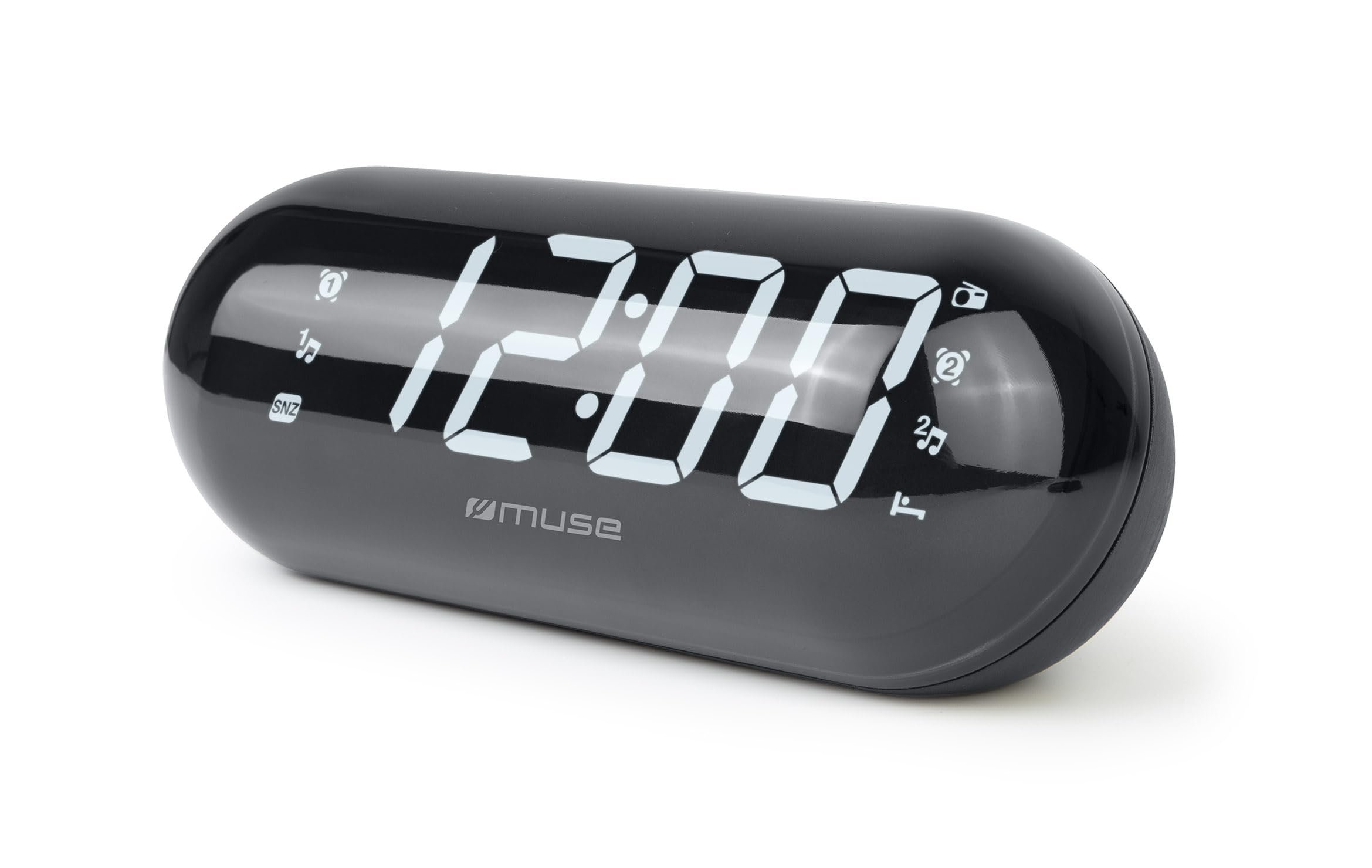
Image: The MUSE M-19 GL Alarm Clock Radio with its digital display showing '12:00', positioned on a wooden bedside table next to a bed.
Familiarize yourself with the buttons and display indicators for optimal use. Specific button functions will be detailed in the 'Operating' section.
Gosod
1. Pweru'r Dyfais
- Pŵer AC: Connect the provided AC power adapter to the DC IN jack on the back of the unit, then plug the adapter into a standard wall outlet. The display will light up.
- Gwneud copi wrth gefn o'r batri: For time and alarm settings retention during a power outage, insert 2 x AAA batteries (not included) into the battery compartment on the bottom of the unit. Ensure correct polarity (+/-).
2. Gosod yr Amser
- Pwyswch a dal y SET AMSER button (location may vary, refer to device diagram if available) until the hour digits flash.
- Defnyddiwch y AWR a COFNOD botymau i addasu'r amser.
- Gwasgwch SET AMSER eto i gadarnhau ac ymadael â'r modd gosod amser.
Gweithredu
1. Radio Operation (FM Tuner)
- Troi ymlaen / i ffwrdd: Gwasgwch y RADIO YMLAEN/DIFFODD botwm i droi'r radio ymlaen neu i ffwrdd.
- Amledd Tiwnio: Defnyddiwch y Tiwn+ or TIWN - buttons to manually adjust the FM frequency. Press and hold for automatic scanning to the next available station.
- Gosod Rhagosodiadau: I gadw gorsaf, tiwniwch i'r amledd a ddymunir, yna pwyswch a daliwch y RHAGOSOD botwm nes bod y rhif rhagosodedig yn fflachio. Defnyddiwch Tiwn+ or TIWN - i ddewis rhif rhagosodedig (1-20), yna pwyswch RHAGOSOD eto i gadarnhau.
- Rhagosodiadau Dwyn i gof: Pwyswch yn fyr y RHAGOSOD botwm i gylchu trwy orsafoedd sydd wedi'u cadw.
2. Swyddogaethau Larwm
The M-19 GL features dual alarms (Alarm 1 and Alarm 2).
- Gosod larwm:
- Pwyswch a dal y LARWM 1 or LARWM 2 botwm nes bod y digidau awr yn fflachio.
- Defnyddiwch y AWR a COFNOD botymau i osod yr amser larwm a ddymunir.
- Gwasgwch y LARWM 1 or LARWM 2 button again to select the alarm source (Buzzer or Radio). An indicator will appear on the display.
- Gwasgwch y LARWM 1 or LARWM 2 botwm unwaith eto i gadarnhau ac actifadu'r larwm.
- Swyddogaeth Snooze: Pan fydd y larwm yn swnio, pwyswch y SNOOZE button to temporarily silence it for approximately 9 minutes.
- Larwm Stop: I ddiffodd y larwm am y diwrnod, pwyswch y ALARM ON / OFF button. The alarm icon will disappear from the display.
- Disable Alarm Permanently: Gwasgwch y ALARM ON / OFF button repeatedly until the alarm icon for the respective alarm (1 or 2) is no longer displayed.
Cynnal a chadw
Glanhau
Wipe the unit with a soft, dry cloth. Do not use abrasive cleaners or solvents, as they may damage the finish.
Amnewid Batri
If the time display is blank or incorrect after a power outage, the backup batteries may need replacement. Open the battery compartment on the bottom of the unit, remove the old AAA batteries, and insert new ones, observing correct polarity.
Datrys problemau
| Problem | Achos Posibl | Ateb |
|---|---|---|
| Dim pŵer/Arddangosfa i ffwrdd | Addasydd AC heb ei gysylltu neu allan o bŵertage. | Ensure AC adapter is securely plugged in. Check power outlet. Replace backup batteries if needed. |
| Mae derbyniad radio yn wael | Signal gwan neu antena heb ei hymestyn. | Estynnwch yr antena gwifren FM yn llawn. Ail-leolwch yr uned i gael derbyniad gwell. |
| Nid yw'r larwm yn swnio | Larwm heb ei osod neu gyfaint yn rhy isel. | Verify alarm time and activation (alarm icon on display). Increase radio volume if alarm source is radio. |
| Mae amser yn anghywir | Time not set or backup batteries are depleted. | Reset the time. Replace backup batteries. |
Manylebau
- Model: M19GL
- Arddangos: 1.8-inch LCD, Digital
- Tiwniwr Radio: FM with 20 Presets
- Ffynhonnell Pwer: AC (main), 2 x AAA batteries (backup, not included)
- Dimensiynau (L x W x H): 15 x 3.81 x 10 cm (5.9 x 1.5 x 3.9 modfedd)
- Pwysau: 300 gram (0.66 pwys)
- Deunydd: Plastic (structure), LCD (display)
- Lliw: Du
- Nodweddion arbennig: Alarm, Snooze, Integrated Speaker
Gwarant a Chefnogaeth
This MUSE M-19 GL Alarm Clock Radio comes with a gwarant dwy flynedd against manufacturing defects from the date of purchase. Please retain your proof of purchase for warranty claims.
For technical support or warranty inquiries, please refer to the contact information provided with your purchase documentation or visit the official Muse websafle.