
1. Rhagymadrodd a Throsoddview
This manual provides instructions for the Manhattan Spanish Layout Wireless Keyboard and Optical Mouse Combo, Model 180955. This combo is designed to enhance your productivity and comfort with its reliable wireless connectivity and ergonomic features.
Enjoy comfortable and easy typing with the standard ergonomic keyboard design. The adjustable tilt mechanism provides comfortable typing positions, and the keyboard boasts a lifespan of 10,000,000 keystrokes. The optical mouse offers adjustable DPI settings (800/1200/1600) for precise control.
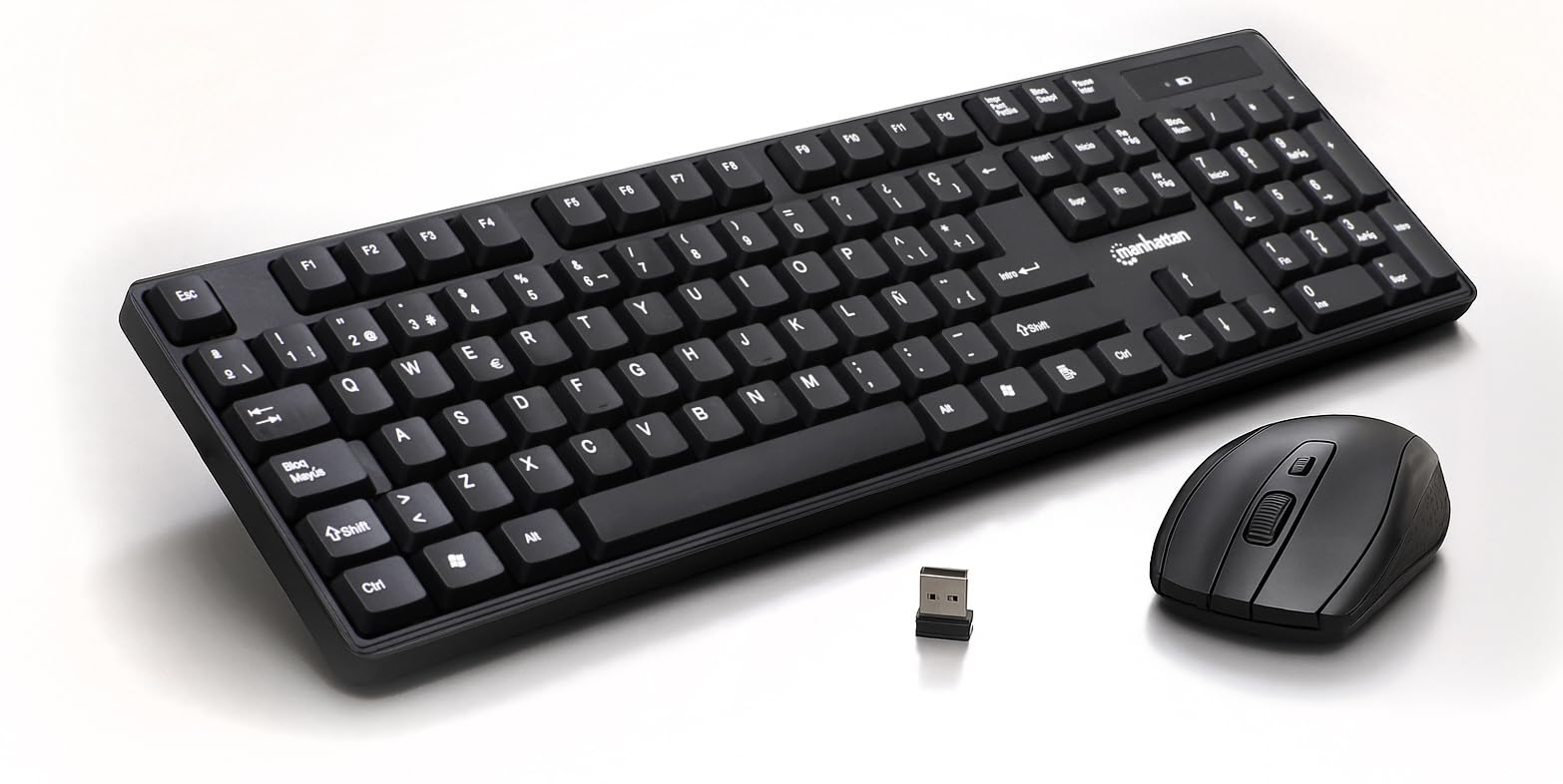
Figure 1: Manhattan Spanish Layout Wireless Keyboard and Mouse Combo
2. Cynnwys Pecyn
Gwiriwch fod yr holl eitemau yn bresennol yn eich pecyn:
- Manhattan Spanish Layout Wireless Keyboard
- Manhattan Wireless Optical Mouse
- USB 2.4 GHz Receiver
- 2 AAA Batteries (for keyboard)
- 1 AA Battery (for mouse)
3. Cyfarwyddiadau Gosod
- Gosod Batris:
- For the keyboard: Open the battery compartment on the underside of the keyboard and insert 2 AAA batteries, ensuring correct polarity.
- For the mouse: Open the battery compartment on the underside of the mouse and insert 1 AA battery, ensuring correct polarity.
- Cysylltu Derbynnydd USB: Locate an available USB port on your computer (laptop or desktop). Insert the 2.4 GHz USB receiver into the port.
- Pŵer ar Ddyfeisiadau:
- For the keyboard: Locate the ON/OFF switch, usually on the top right edge or underside, and slide it to the 'ON' position.
- Ar gyfer y llygoden: Lleolwch y switsh ON/OFF ar ochr isaf y llygoden a'i llithro i'r safle 'ON'.
- Cysylltiad Awtomatig: The keyboard and mouse should automatically connect to your computer. No additional drivers are typically required for most operating systems.

Figure 2: Easy Setup with Batteries and USB Receiver
4. Cyfarwyddiadau Gweithredu
4.1 Gweithrediad y Bysellfwrdd
- Teipio Safonol: Use the full-size Spanish layout keyboard for all your typing needs.
- Bysellbad rhifol: The dedicated numeric keypad on the right allows for efficient data entry.
- Allweddi Amlgyfrwng: Utilize the function keys (F1-F12) for quick access to multimedia controls (e.g., volume, play/pause) and other shortcuts.
- Tilt addasadwy: Flip out the integrated foldable supports on the underside of the keyboard to adjust the typing angle for maximum comfort.

Figure 3: Full-Size 104-Key Spanish Layout Keyboard

Figure 4: Keyboard LED Indicators and Numeric Keypad

Figure 5: Adjustable Tilt Legs for Ergonomic Typing
4.2 Gweithrediad Llygoden
- Defnydd Safonol: The optical mouse features standard left, right, and scroll wheel buttons.
- Addasiad DPI: Use the DPI button (often located near the scroll wheel) to cycle through 800, 1200, and 1600 DPI settings to adjust cursor sensitivity.

Figure 6: Wireless Optical Mouse with Adjustable DPI
5. Nodweddion
- Cysylltedd Di-wifr: 2.4 GHz RF wireless technology with a range of up to 25 feet.
- Spanish Layout: Full-size keyboard with a dedicated numeric keypad and Spanish character set.
- Dyluniad ergonomig: Comfortable typing experience with adjustable tilt legs.
- Rheoli Pŵer Awtomatig: Conserves battery life by entering sleep mode when idle.
- Adeiladu Gwydn: Keyboard designed for a lifespan of 10,000,000 keystrokes.
- Adjustable Mouse Sensitivity: Optical mouse with 800/1200/1600 DPI settings.
- Cydnawsedd Eang: Works with most computer operating systems including Windows XP/Vista/7/8.1/10 and Mac OS.
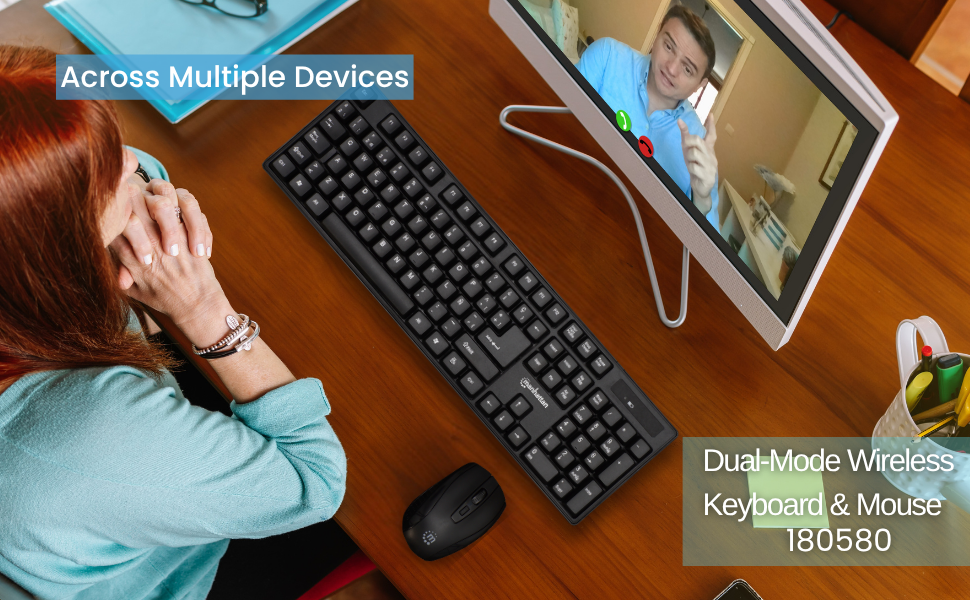
Figure 7: Maximum Compatibility with various Operating Systems
6. cynnal
- Glanhau: Use a soft, dry cloth to clean the surfaces of the keyboard and mouse. For deeper cleaning, a slightly damp gellir defnyddio lliain, gan sicrhau nad oes hylif yn mynd i mewn i'r ddyfais.
- Amnewid Batri: Replace batteries when performance degrades. Refer to Section 3.1 for battery installation.
- Storio: When not in use for extended periods, turn off both the keyboard and mouse to conserve battery life. Store in a cool, dry place.
7. Datrys Problemau
- No Connection/Unresponsive:
- Gwnewch yn siŵr bod y derbynnydd USB wedi'i blygio'n ddiogel i borthladd USB sy'n gweithio ar eich cyfrifiadur.
- Check that both the keyboard and mouse are switched 'ON'.
- Replace the batteries in both devices with fresh ones.
- Symudwch y bysellfwrdd a'r llygoden yn agosach at y derbynnydd USB i ddiystyru problemau gyda'r ystod.
- Rhowch gynnig ar blygio'r derbynnydd USB i borthladd USB gwahanol ar eich cyfrifiadur.
- Lagging/Delayed Response:
- Lleihewch y pellter rhwng y dyfeisiau a'r derbynnydd USB.
- Avoid using the devices near strong electromagnetic interference sources (e.g., other wireless devices, large metal objects).
- Mouse Cursor Jumps/Erratic Movement:
- Gwnewch yn siŵr bod y llygoden yn cael ei defnyddio ar arwyneb glân, nad yw'n adlewyrchol.
- Adjust the DPI setting of the mouse to a lower sensitivity if needed.
8. manylebau
- Dimensiynau Cynnyrch: 17.32 x 5.12 x 0.87 modfedd
- Pwysau Eitem: 1.25 pwys
- Gwneuthurwr: MANHATTAN
- Technoleg Cysylltedd: RF (2.4 GHz)
- Cynllun Allweddell: Sbaeneg
- Keyboard Lifespan: 10,000,000 trawiadau bysell
- DPI Llygoden: Adjustable 800/1200/1600
- Batris: 2 AAA (keyboard), 1 AA (mouse)
- Lliw: Du
- Deunydd: Plastig
- Dyfeisiau Cydnaws: Gliniadur, PC
- OS sy'n gydnaws: Windows XP/Vista/7/8.1/10, Mac OS
9. Gwarant a Chefnogaeth
This Manhattan product comes with a Gwarant 3 mlynedd when purchased from the manufacturer or an authorized dealer. For technical support, troubleshooting assistance, or warranty claims, please contact your authorized dealer or visit the official MANHATTAN websafle ar gyfer adnoddau cymorth.
10. Cynnyrch Drosview Fideo
Gwyliwch y cynnyrch swyddogol hwn drosoddview video for a visual guide to the features and functionality of the Manhattan Wireless Keyboard and Mouse Combo.
Fideo 1: Cynnyrch DrosoddviewMae'r fideo hwn yn rhoi trosolwg cyffredinolview of a wireless keyboard and mouse combo, demonstrating its features and ease of use.